How To Add Video Transitions to My Video in PodUp
This guide shows you how to easily add video transitions in PodUp to improve your video flow. Perfect for beginners or those looking to sharpen their editing, it helps you create smoother, more polished videos.
1. Navigate to https://app.podup.com/home

2. Click on "Audio & Video Editor" in "Favorites Modules" on your "Dashboard"

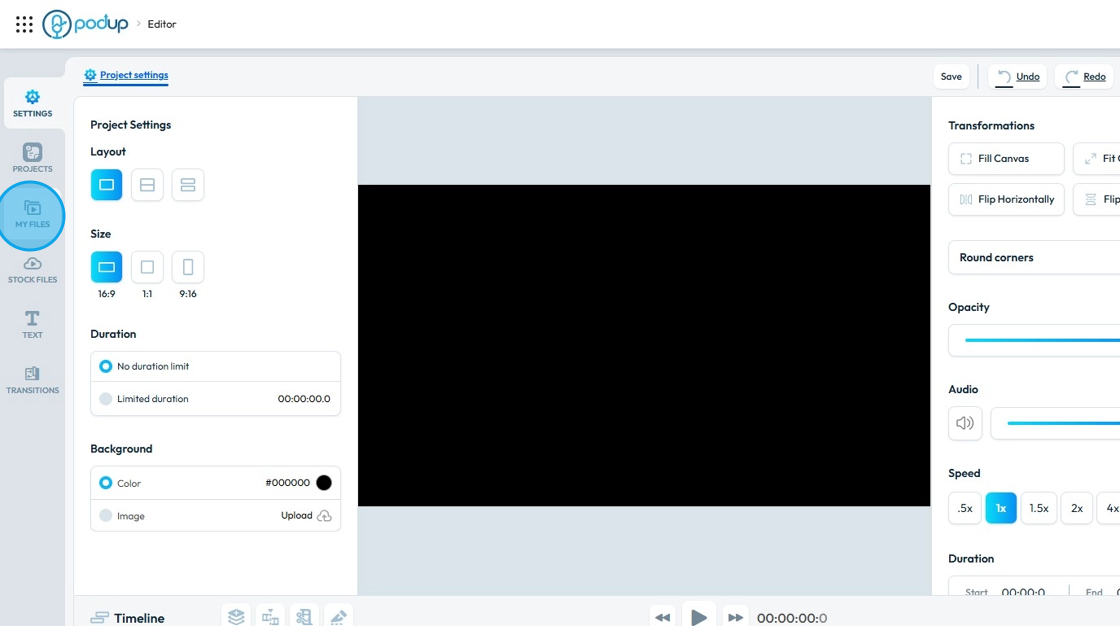
3. This is how "Editor" will look like.

4. Click "My Files"
5. Click and Drag the first video in the Timeline.

6. Do the same for the other video.

7. Make sure both the videos must be on the same "Layer" with no space in between.

8. Click "Transitions" and the all the transitions will be visible.

9. When "Transition" panel is open, a "Transition Toggle " will appear in between the clips.

10. Drag and Drop the transition on the "Transition Toggle"

11. To edit the "Transition", click on the "Transition Toggle"

12. A "Transition" window will open up.
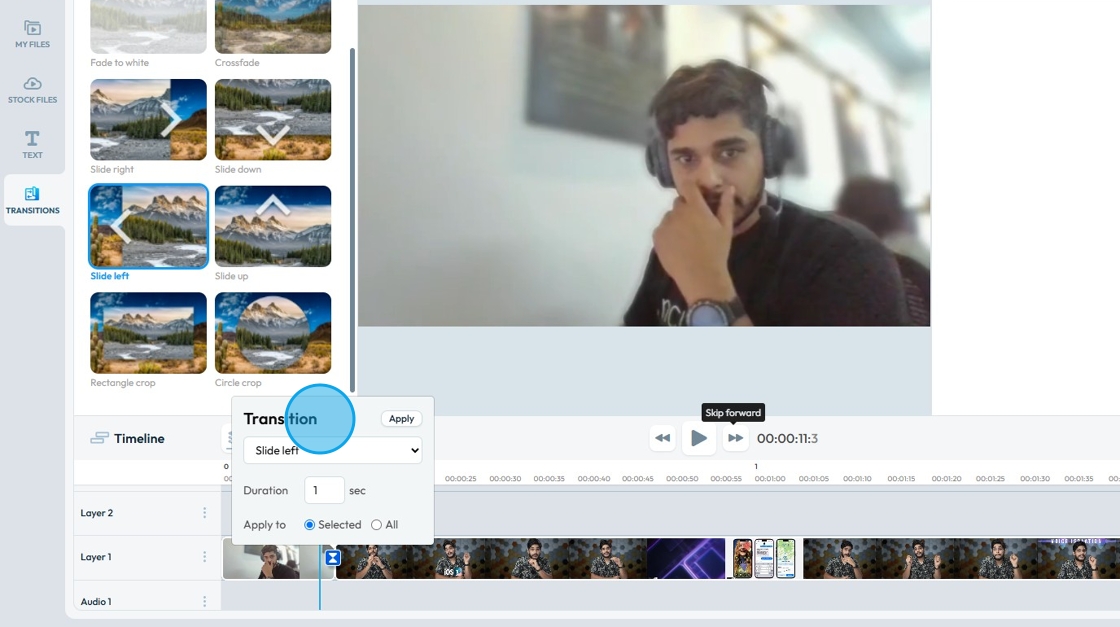
13. To change the "Transition" type, click this dropdown.

14. Select the desired transition from the lift.
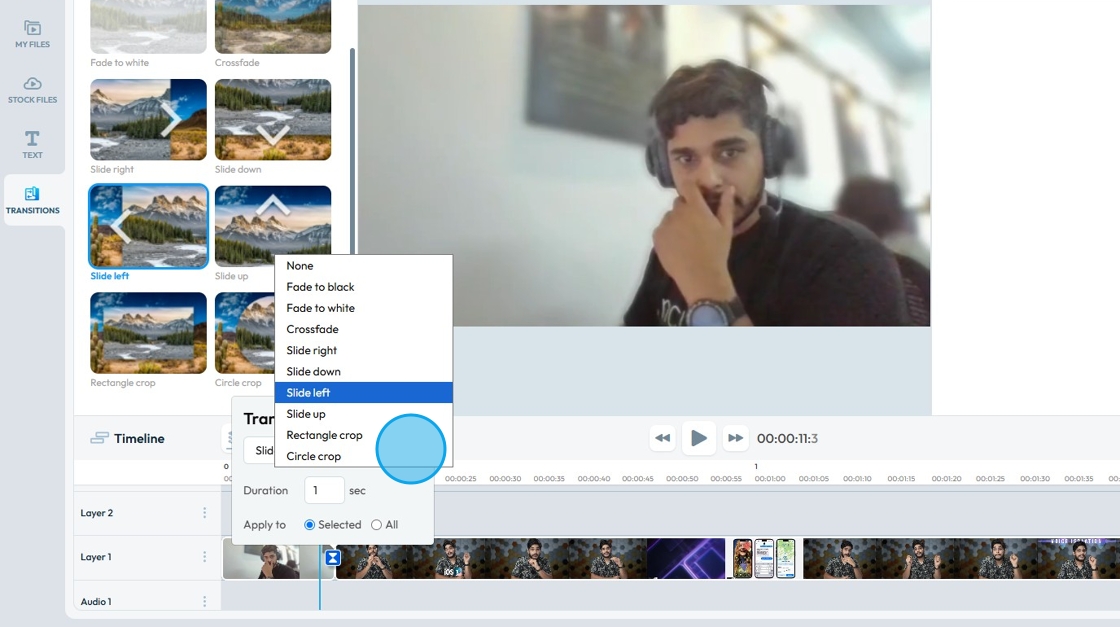
15. You can change the "Duration" of the transition.

16. You can apply the changes on either "Selected" transition toggle or on "All" of them.

17. Click "Apply" to save the changes.

18. The "Transition" will be applied to your footage.

Related Articles
How Do I Add Text to My Video?
This guide shows how to add text to videos in PodUp, with simple steps for uploading, editing, and customizing text. Great for making your message clear and videos more engaging. 1. Navigate to https://app.podup.com/home 2. Click on "Audio & Video ...How Can I Add An Image to My Video?
Learn how to add images to your videos using PodUp's Editor. This quick guide covers two ways to access the Editor and simple steps to upload and place images—helping you create more engaging, polished videos. 1. Navigate to ...How Can I Add Music to My Video?
Learn how to add music to your videos with PodUp’s Editor. This easy guide walks you through importing and adjusting audio to create more dynamic, polished content. 1. Navigate to https://app.podup.com/home 2. Click on "Audio & Video Editor" in ...How to add an image to my video
Use this guide to add and save images in your videos with PodUp’s editor. 1. Navigate to https://editor.podup.com/ and load a video into the Timeline 2. Click "Stock Files" 3. Select "Stock Images" 4. Drag and drop the image in the timeline 5. The ...How to Add A Video to My Website using Quick Add (Detailed)
This guide shows you how to quickly add videos to your website using the Quick Add feature. It walks you through choosing a video source and customizing how it looks and works. Follow the steps to make your site more engaging and professional with ...