Where do My Recordings Go?
This guide provides a straightforward way to locate your recordings on the PodUp platform. By following the outlined steps, users can easily access and manage their audio and video files.
1. Navigate to https://app.podup.com/home
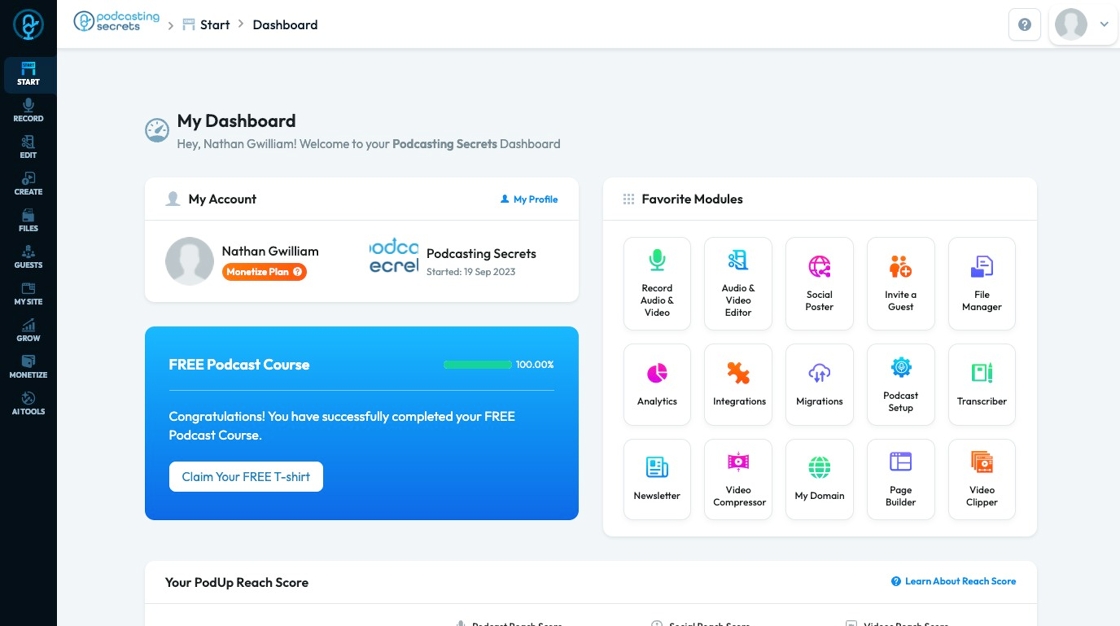
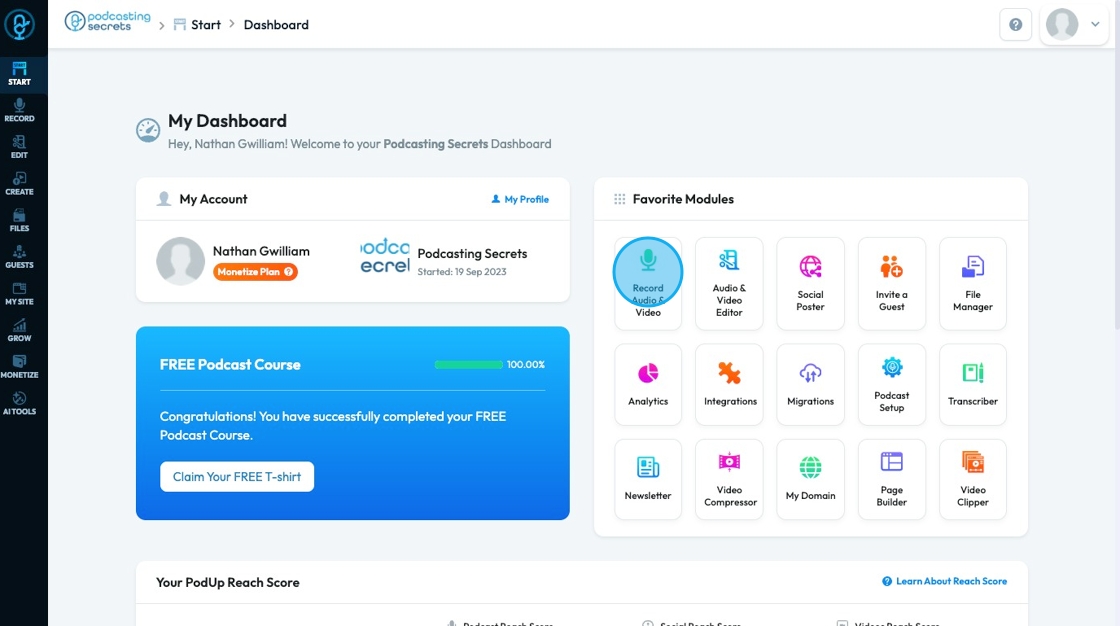
2. Click "Record Audio & Video" in "Favorite Modules" on the Dashboard
3. Click "View all recordings" to view the recordings from that specific studio
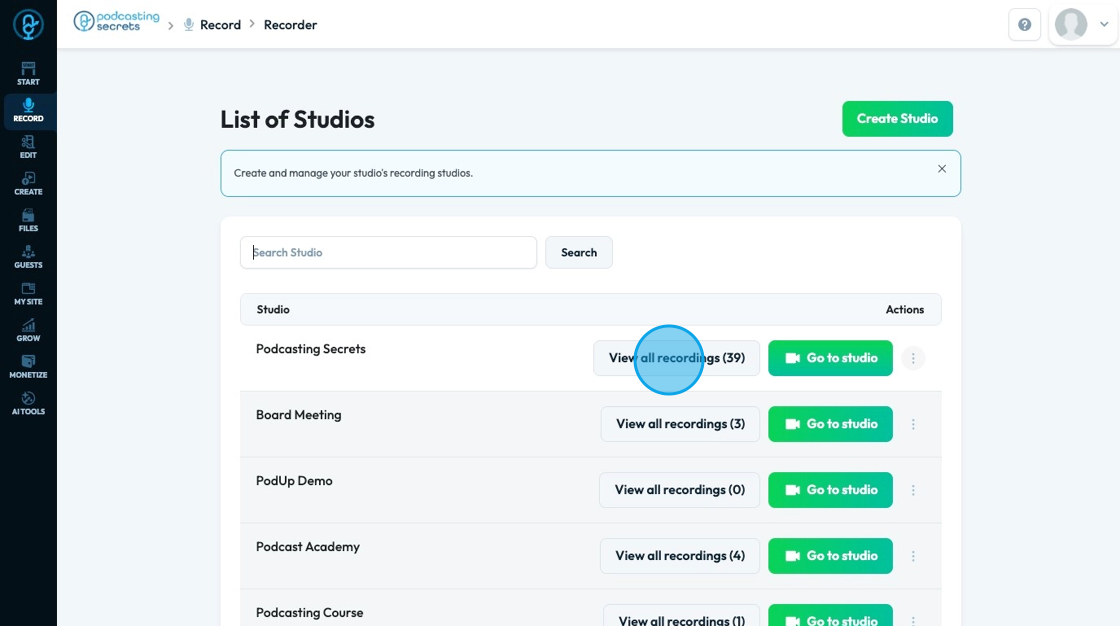
4. All the recordings from that studio will be here in the studio

Related Articles
Where do My Recordings Go?
This guide provides a straightforward way to locate your recordings on the PodUp platform. By following the outlined steps, users can easily access and manage their audio and video files. 1. Navigate to https://app.podup.com/home 2. Click "Record ...How to Navigate All Recordings in PodUp (Detailed)
This guide shows you how to set up a podcast studio on Podup, from creating studios to managing and editing recordings. It helps you improve audio and video quality, making podcasting easier whether you're just starting or improving your setup. 1. ...How to Record a Video in PodUp - Simple
This guide offers a straightforward approach to recording videos in PodUp, making it ideal for anyone looking to create professional content effortlessly. It breaks down the process step-by-step, ensuring users can navigate the platform with ease, ...How To Navigate Recorder (Detailed)
This guide gives you clear steps to record and manage a podcast studio. It covers setup, adding guests, recording, and editing. With this easy-to-follow resource, you can improve your podcast quality and work more efficiently. Tip: Words to know ...Confusing workflow
confusing workflow, don't know where to start, unclear steps, workflow doesn't make sense, navigation confusing This guide gives you clear steps to record and manage a podcast studio. It covers setup, adding guests, recording, and editing. With this ...