How To Create Privacy Policy Using Podup Legal Docs
By following this guide, you can create a comprehensive privacy policy on PodUp to ensure legal compliance and build trust.
1. Click "My Site"
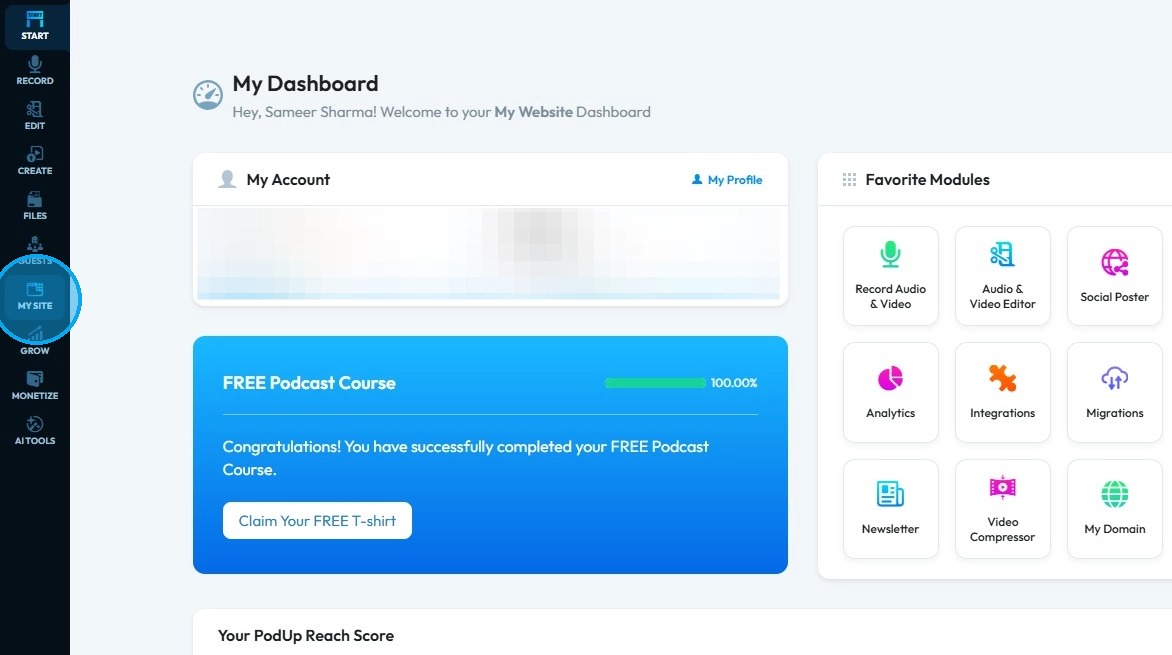
2. Click "Legal Docs"
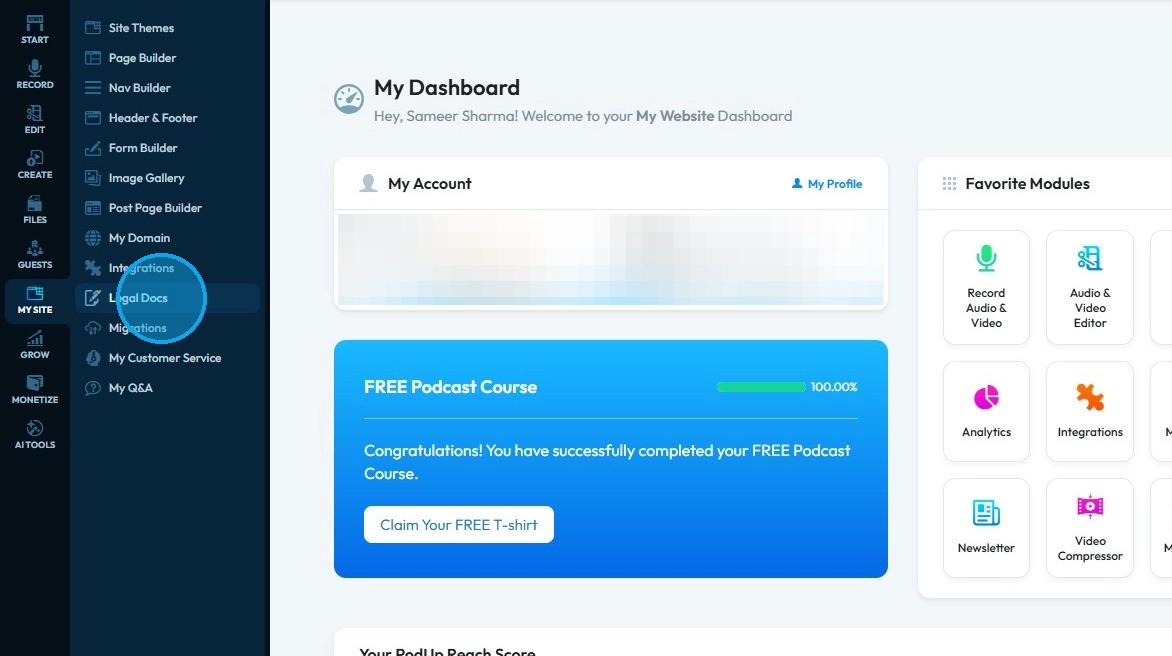
3. Click "Create" under the Privacy Policy
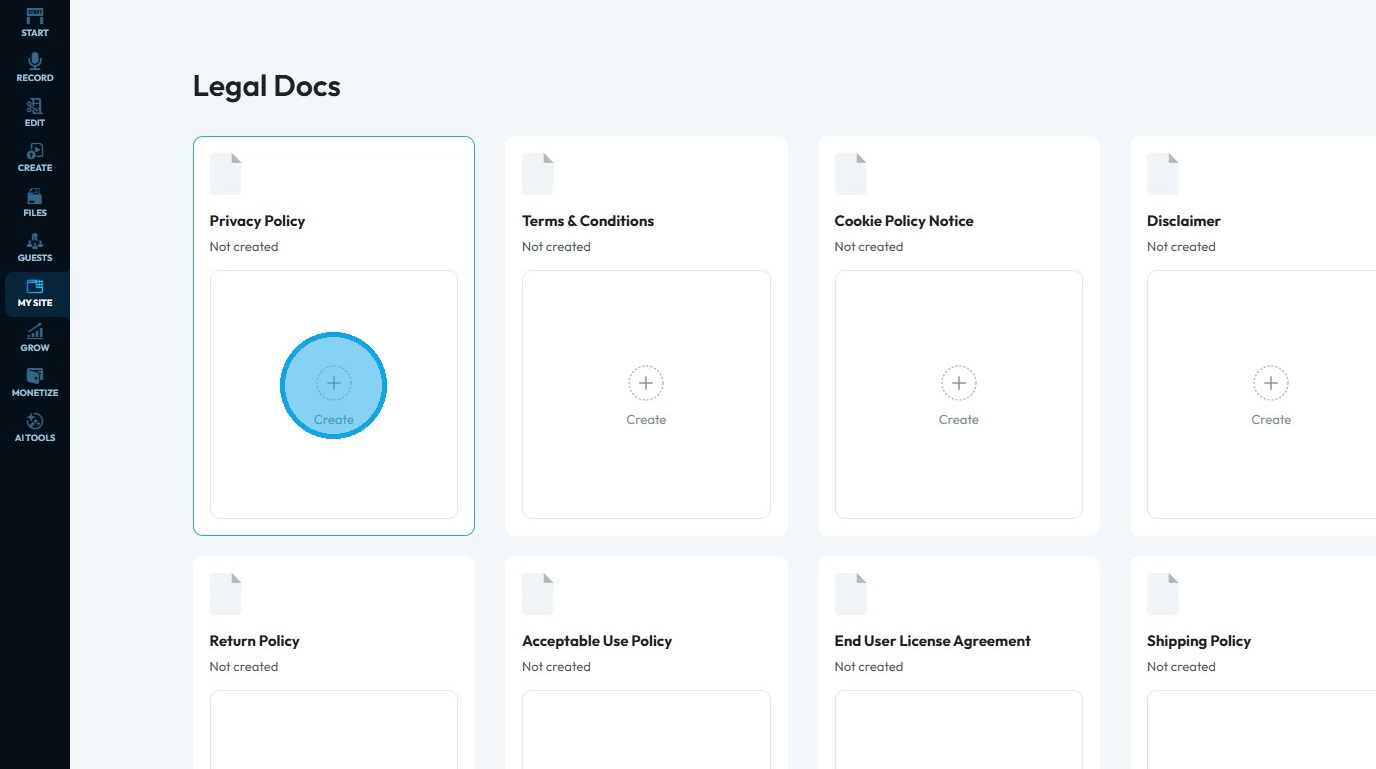
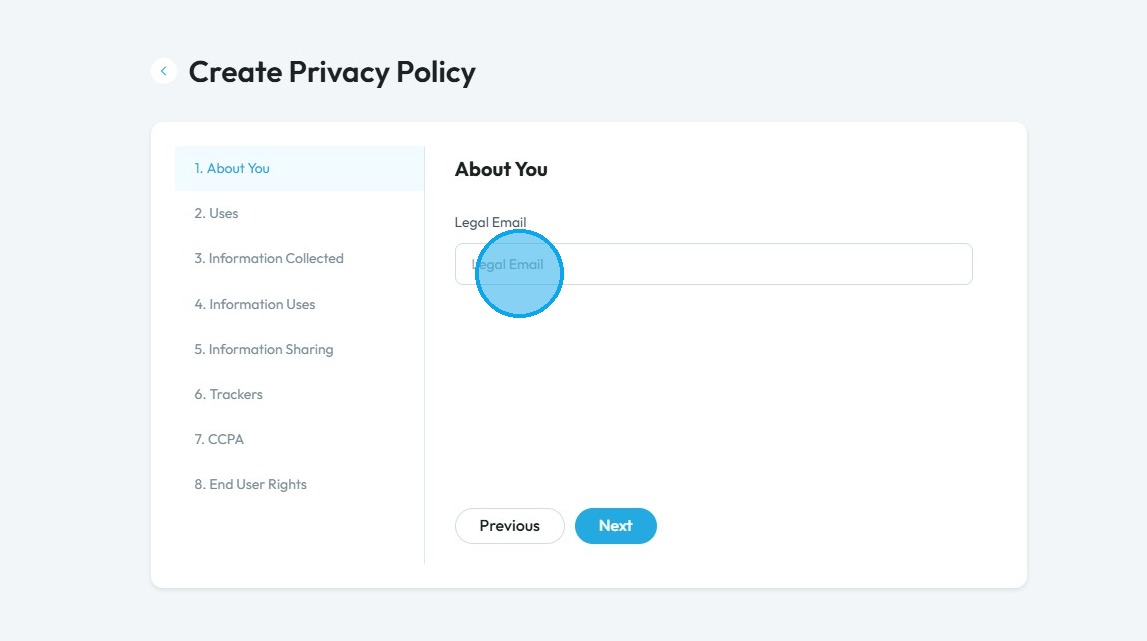
4. Click "Legal Email" and enter your email
Click "Next" to continue to the next page. Click "Previous" to return to the last page you were on
5. Click the "Effective date of your privacy policy" field to choose a date
To have a policy effective means the policy is officially active and in use starting from a specific date. From that point on, the rules, guidelines, or coverage described in the policy are enforceable or valid.
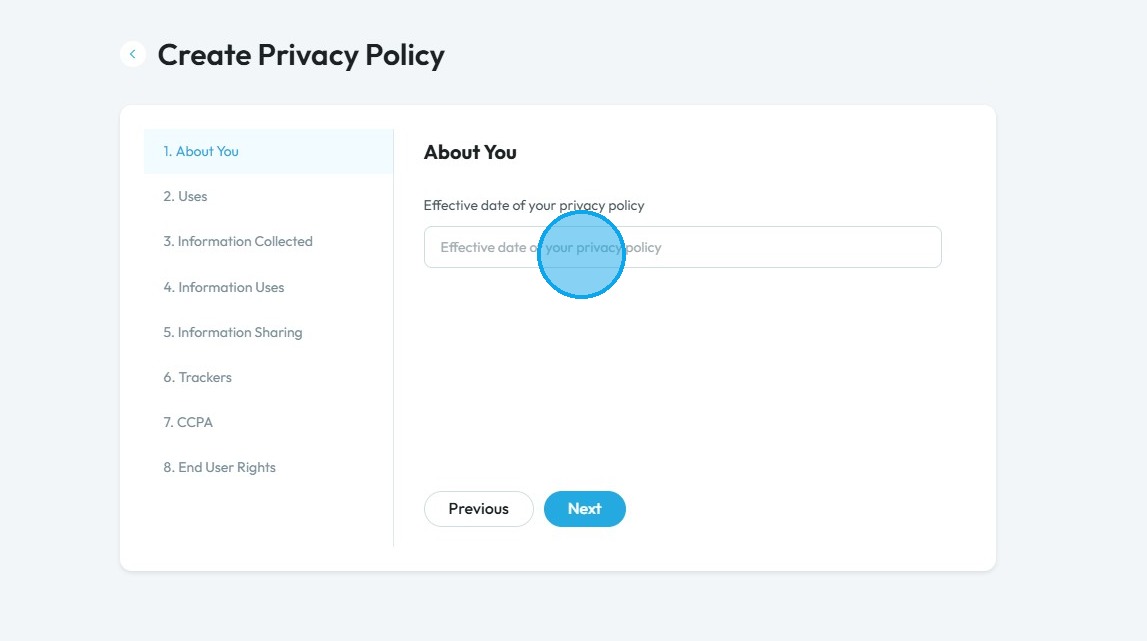
6. Select the date you want the privacy policy to be effective from on the calender
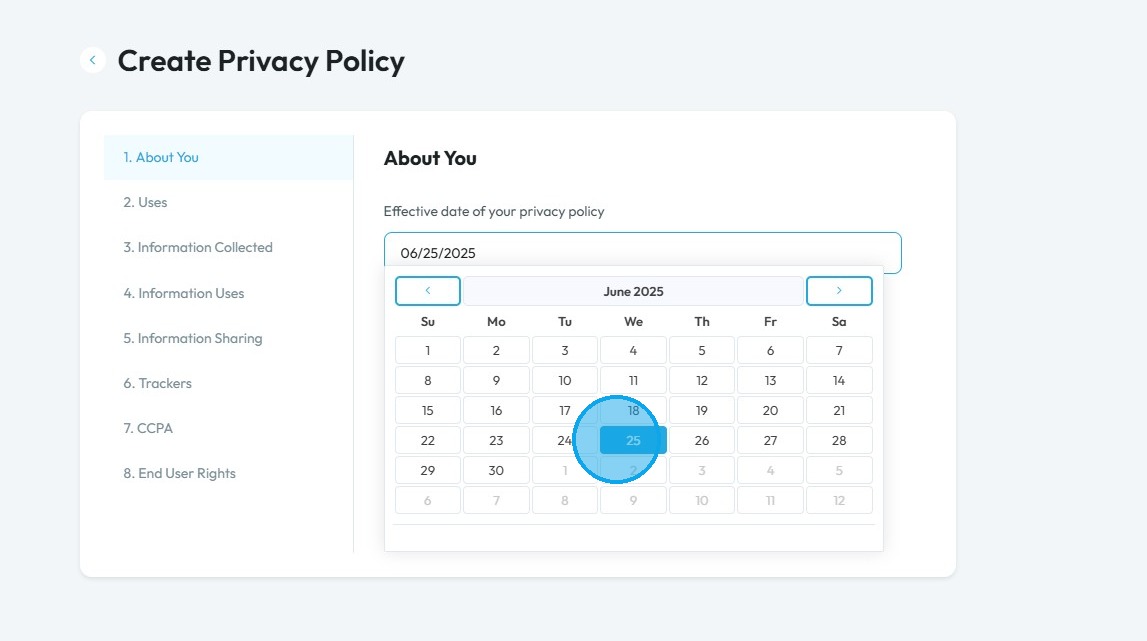
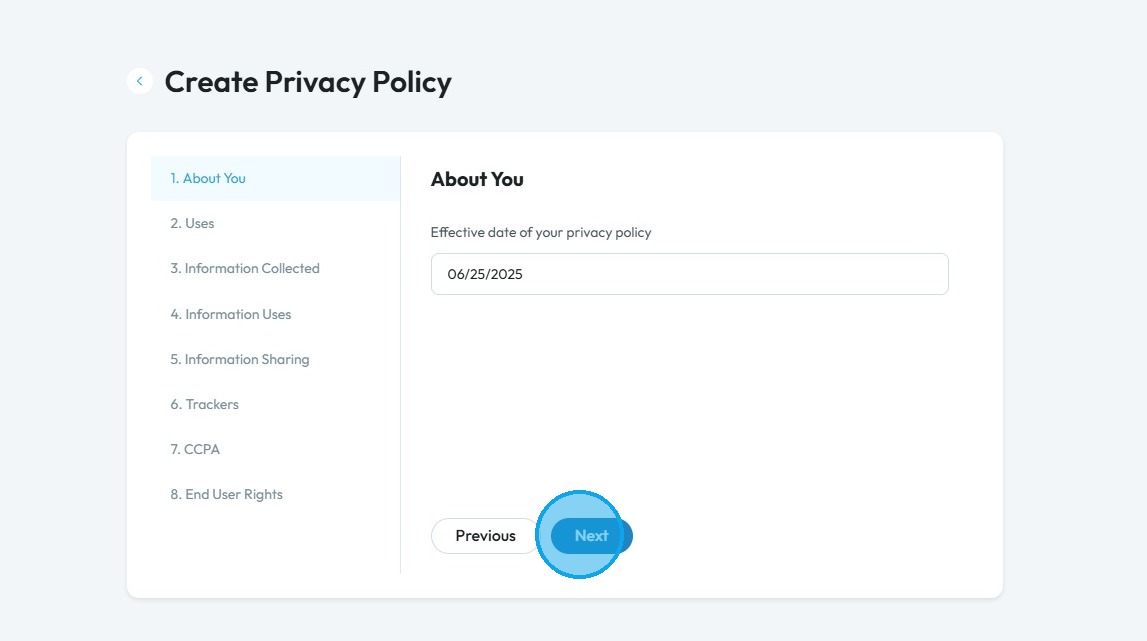
7. Click "Next" to continue to the next page. Click "Previous" to return to the last page you were on
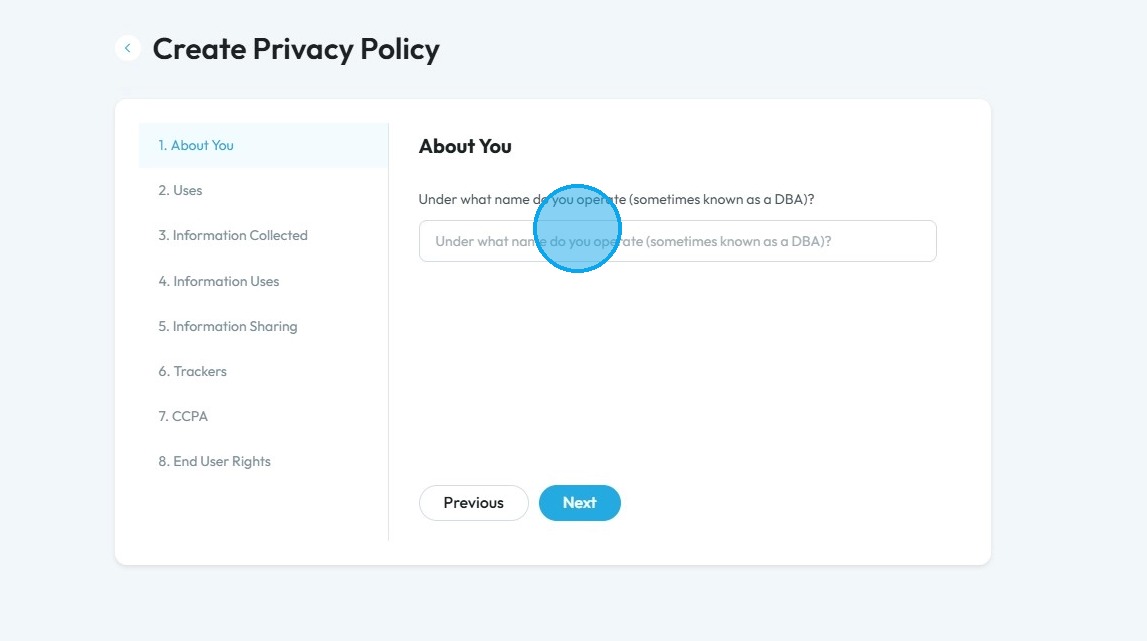
8. Click the "Under what name do you operate (sometimes known as a DBA)?" field and enter your DBA
DBA: "Doing Business As." It is a registered name that a business uses other than its legal name. It lets a person or company operate under a different name without forming a new legal entity
Click "Next" to continue to the next page. Click "Previous" to return to the last page you were on
9. Click the "Company Name" field
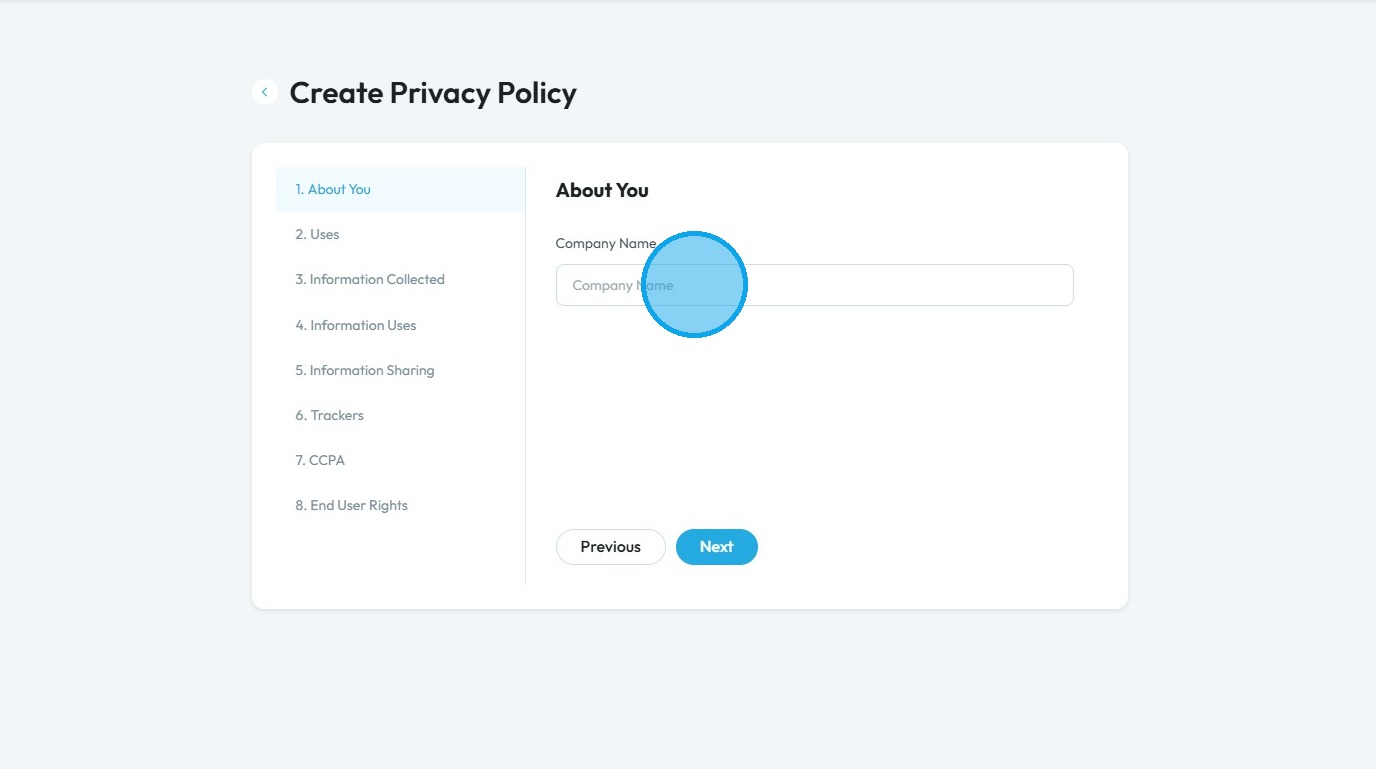
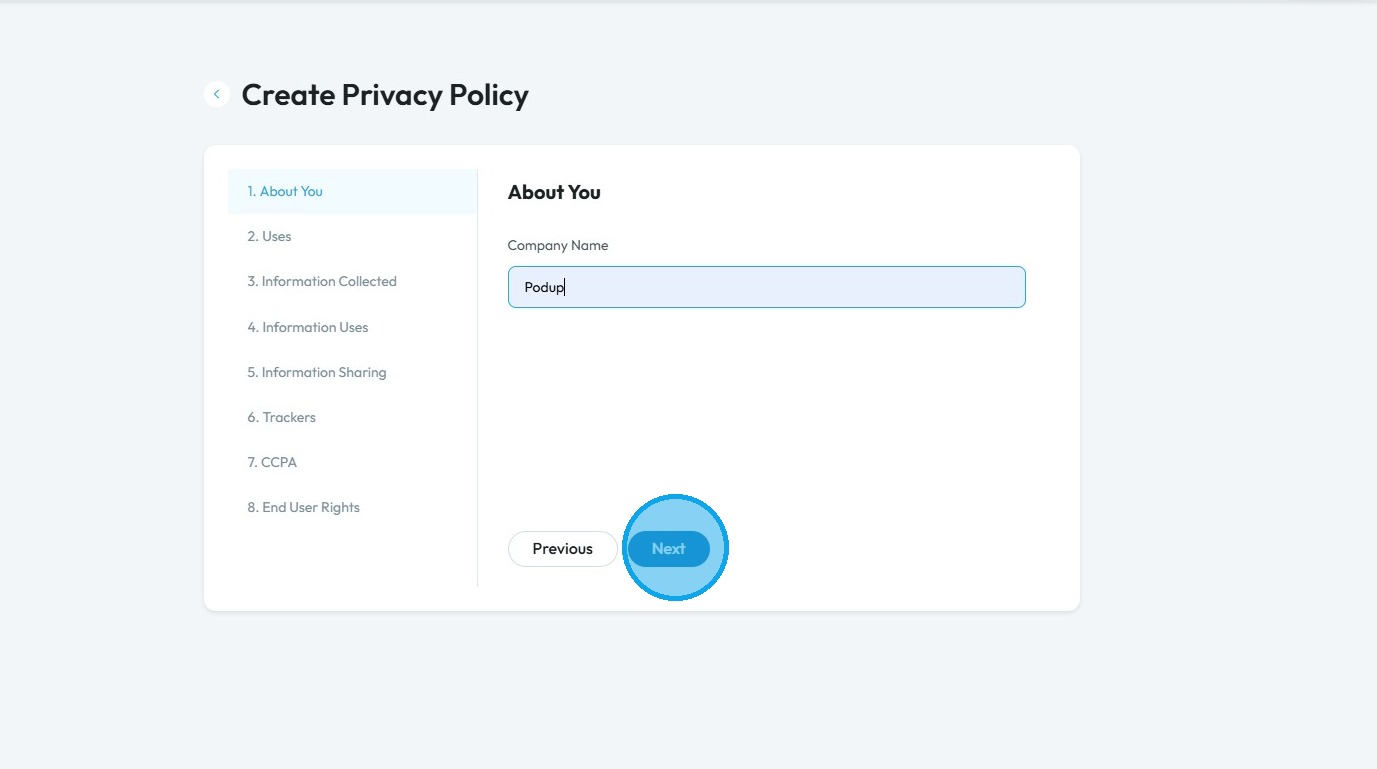
10. Enter the name of your company
Click "Next" to continue to the next page. Click "Previous" to return to the last page you were on
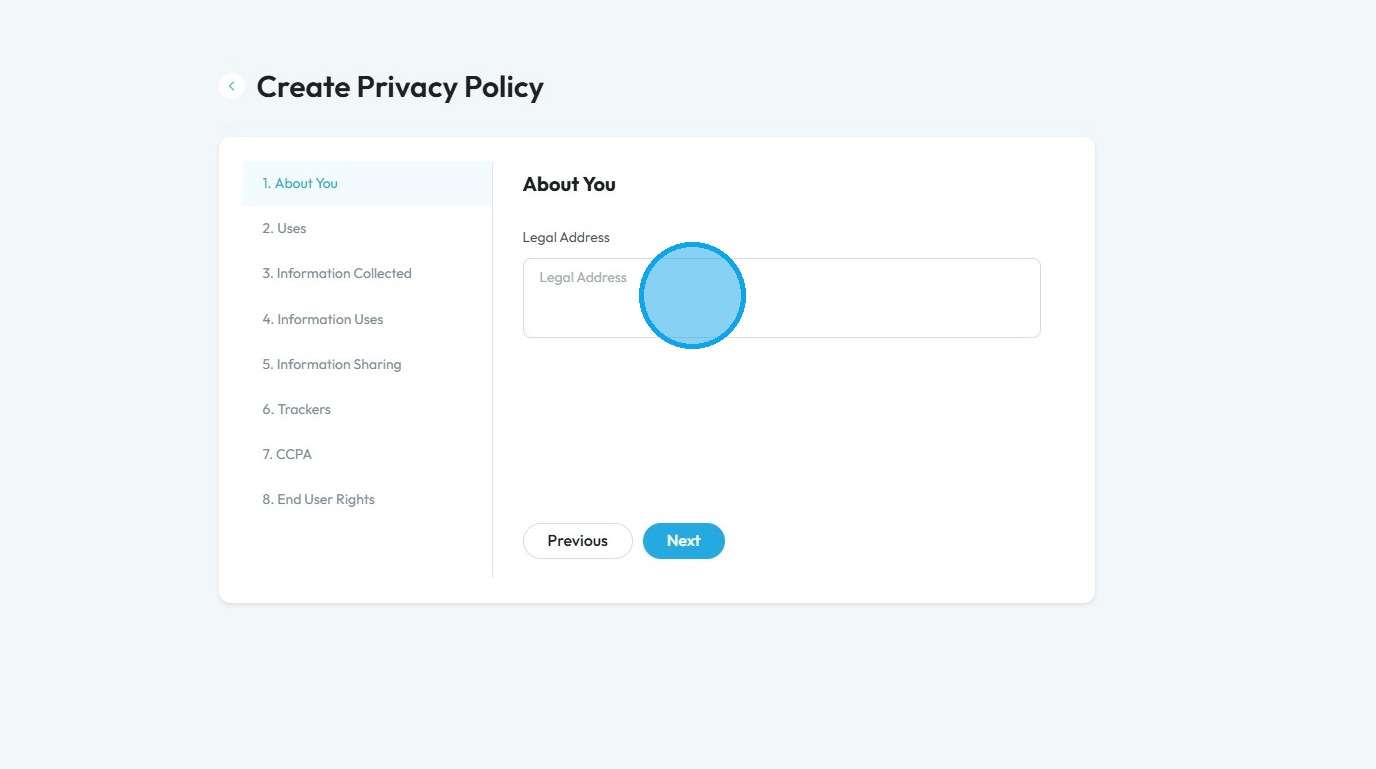
11. Click the "Legal Address" field and enter legal address of your company
Click "Next" to continue to the next page. Click "Previous" to return to the last page you were on
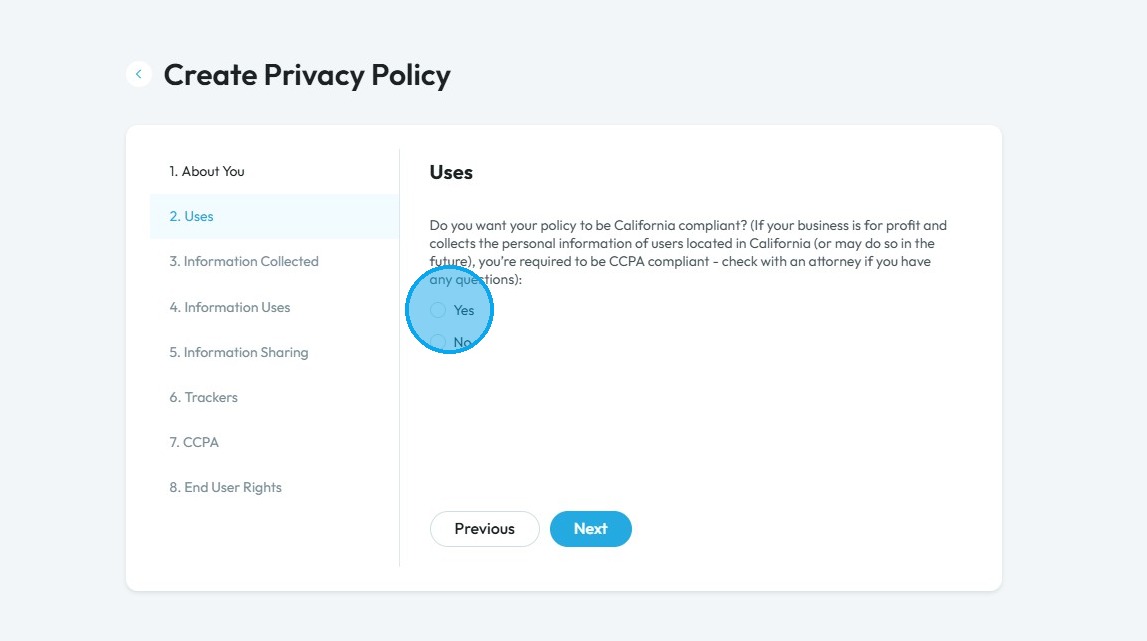
12. Click "Yes" if you want your policy to be California compliant, which is necessary if you are working with anyone in California
Being California compliant means your privacy policy follows California’s strict privacy laws. This is important because:
It’s the law – If you collect data from people in California, you may be legally required to follow these rules.
People have rights – Californians have the right to know what data you collect, ask you to delete it, or stop you from selling it.
It avoids fines – Not following the law can lead to penalties or legal trouble.
It sets a good standard – California laws often influence other states, so it helps you stay ahead.
It builds trust – A clear, honest privacy policy shows people you take their privacy seriously.
Click "Next" to continue to the next page. Click "Previous" to return to the last page you were on
13. Click "Yes" if you want your policies to be Virginia compliant, which is necessary if you are working with anyone in Virginia
Being Virginia compliant means your privacy policy follows Virginia’s privacy law. This is important because:
It’s the law – If you collect data from Virginia residents, you may be required to follow these rules.
People have rights – Virginians can ask what data you collect, request changes or deletion, and opt out of targeted ads or data sales.
It avoids fines – Not following the law can lead to legal trouble.
It prepares you for other laws – Many states are creating similar rules, so this helps you stay ready.
It builds trust – A clear privacy policy shows people you respect their privacy.
Click "Next" to continue to the next page. Click "Previous" to return to the last page you were on
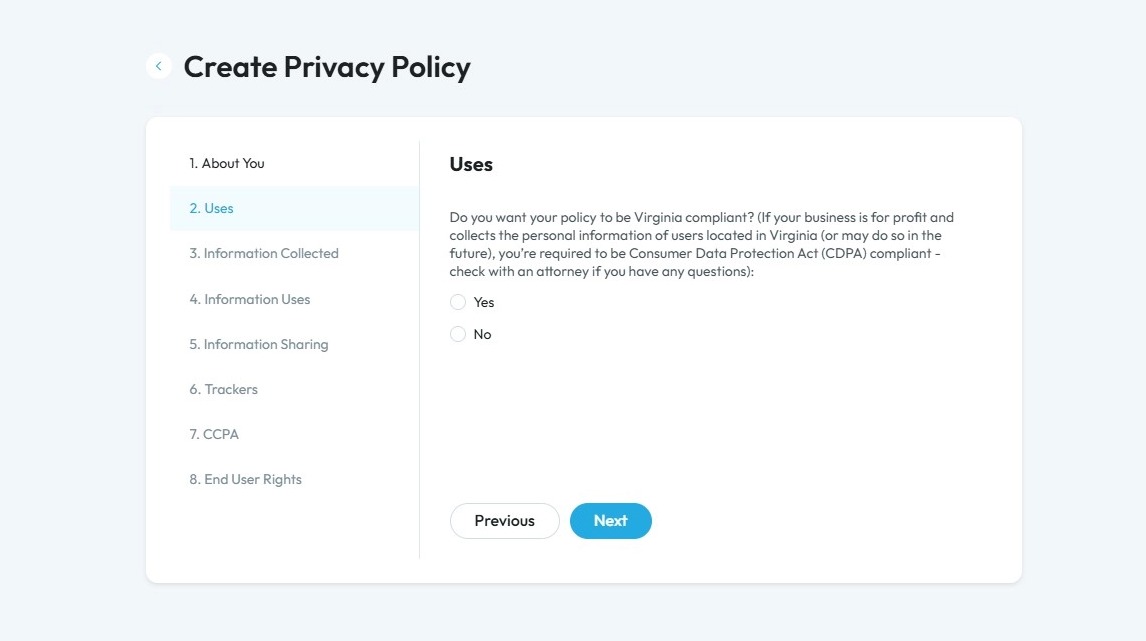
14. If you select "Yes" a follow-up question will appear. Click "Yes" or "No" based on your policy
Click "Next" to continue to the next page. Click "Previous" to return to the last page you were on
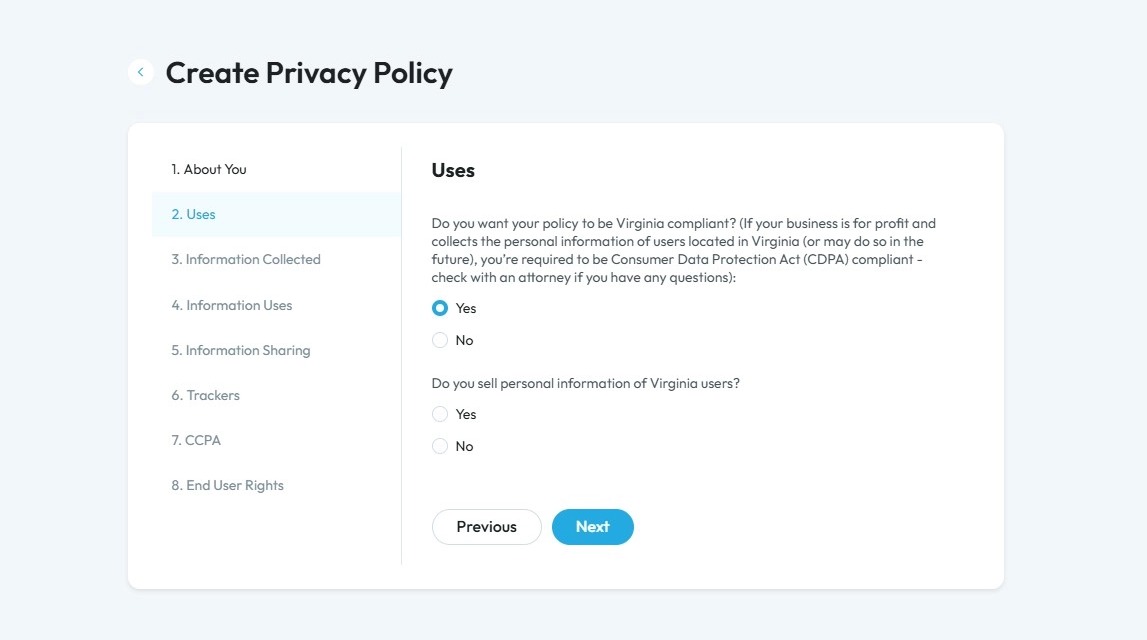
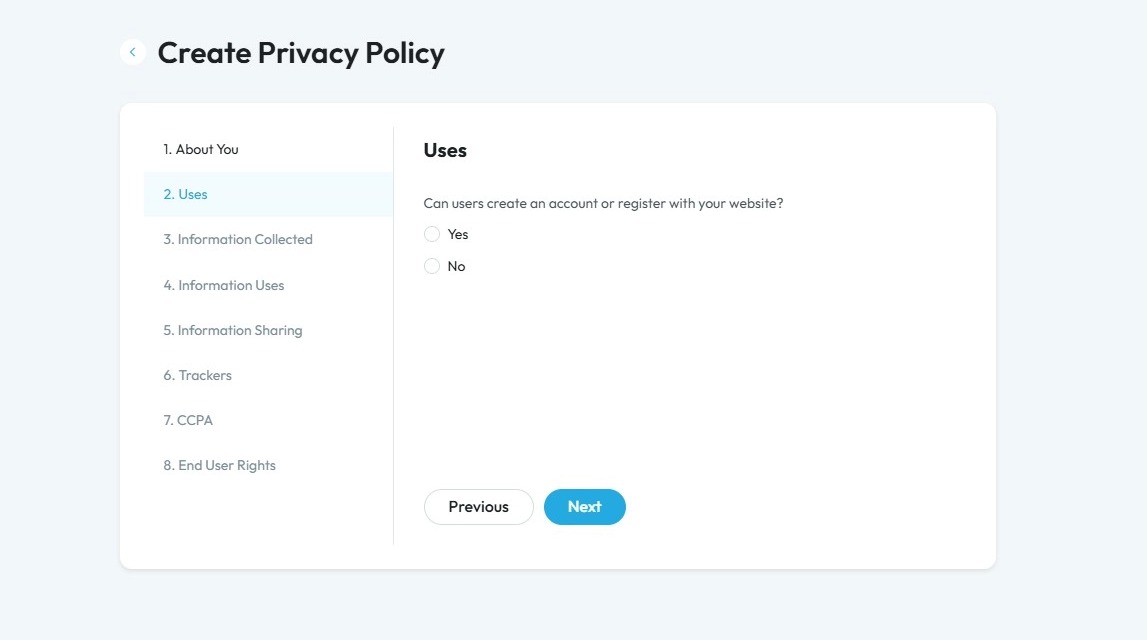
15. Click "Yes" or "No" based on the provision on your website. If you select "Yes", a follow-up question will appear
Click "Next" to continue to the next page. Click "Previous" to return to the last page you were on
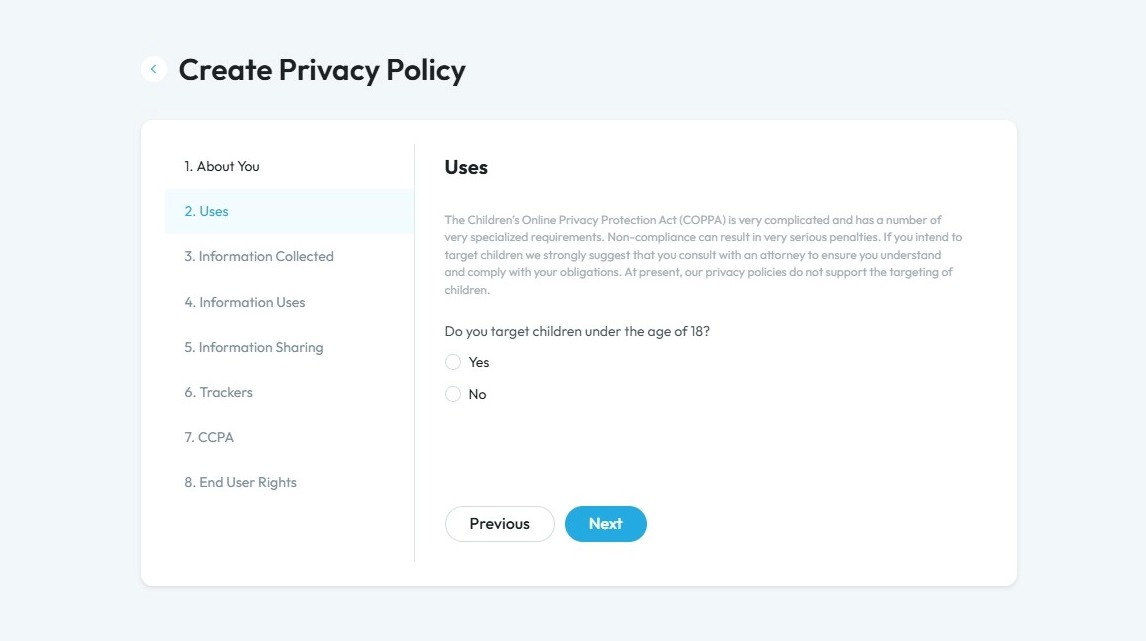
16. Click "Yes" or "No" based on your target audience
Knowing if your website targets users under 18 is important because:
It may trigger special privacy laws – Sites aimed at children or teens must follow extra rules to protect their data, like the Children’s Online Privacy Protection Act (COPPA) for kids under 13.
You may need parental consent – For younger users, you might be required to get a parent’s permission before collecting data.
It affects how you collect and use data – You may need to limit or avoid tracking, targeted ads, or data sharing.
It helps you stay legally safe – Following the right rules keeps you from facing fines or legal issues.
It shows you care about privacy – Taking extra steps for young users builds trust with parents and audiences.
Click "Next" to continue to the next page. Click "Previous" to return to the last page you were on
17. Select what your privacy policy will be used for. You can select one or multiple options
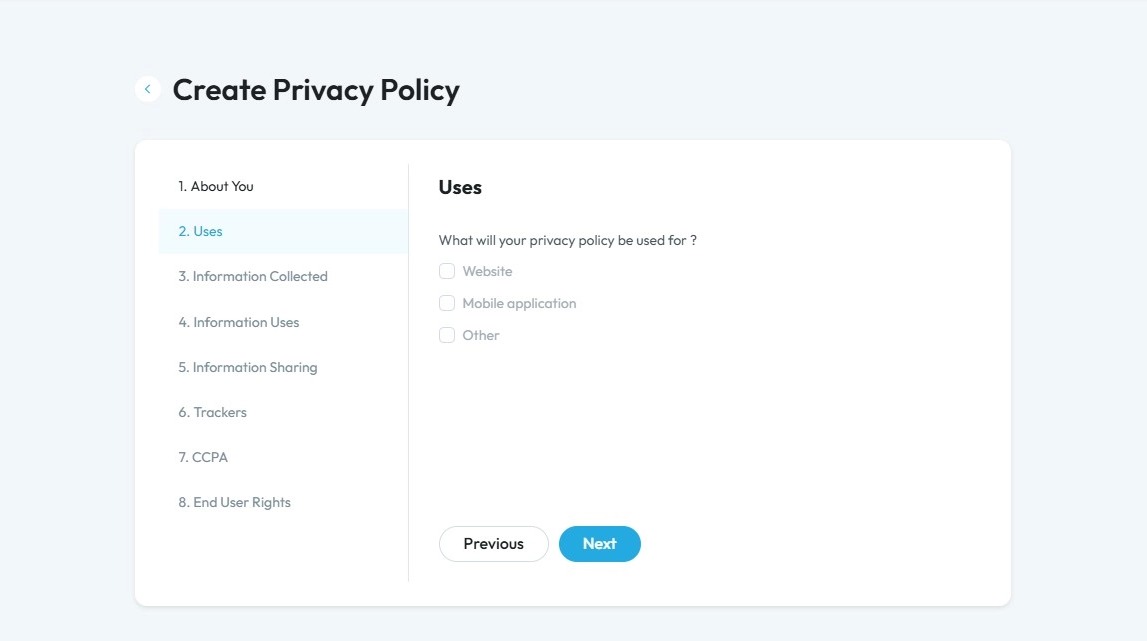
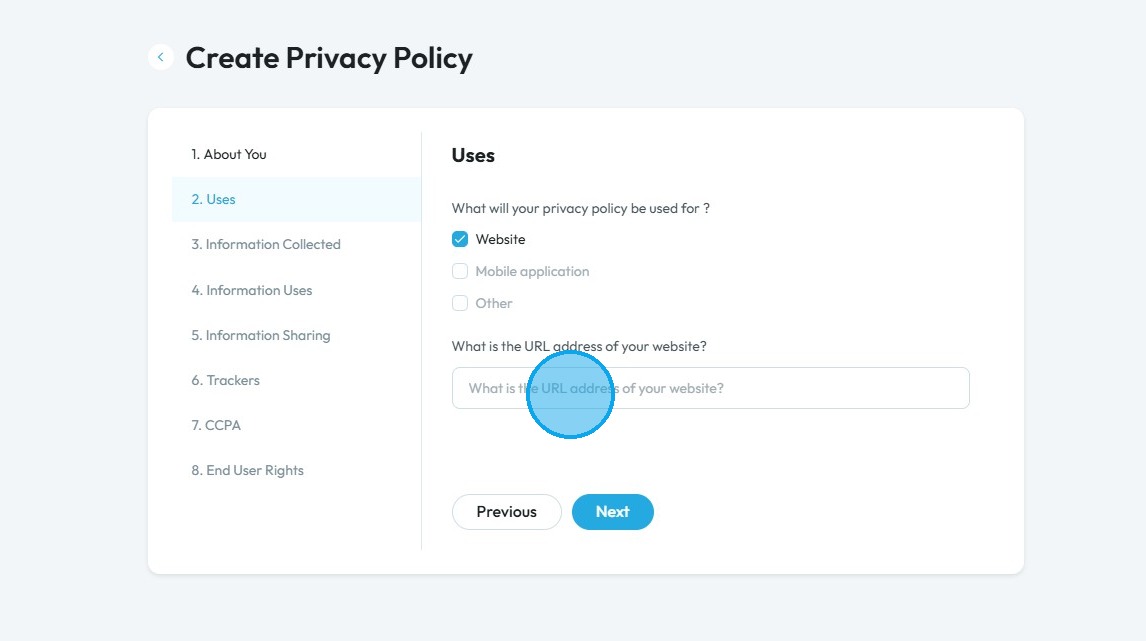
18. Once you select the format type, a question will appear, enter the URL of the website, the name of the mobile application, or the name of your other application
Click "Next" to continue to the next page. Click "Previous" to return to the last page you were on
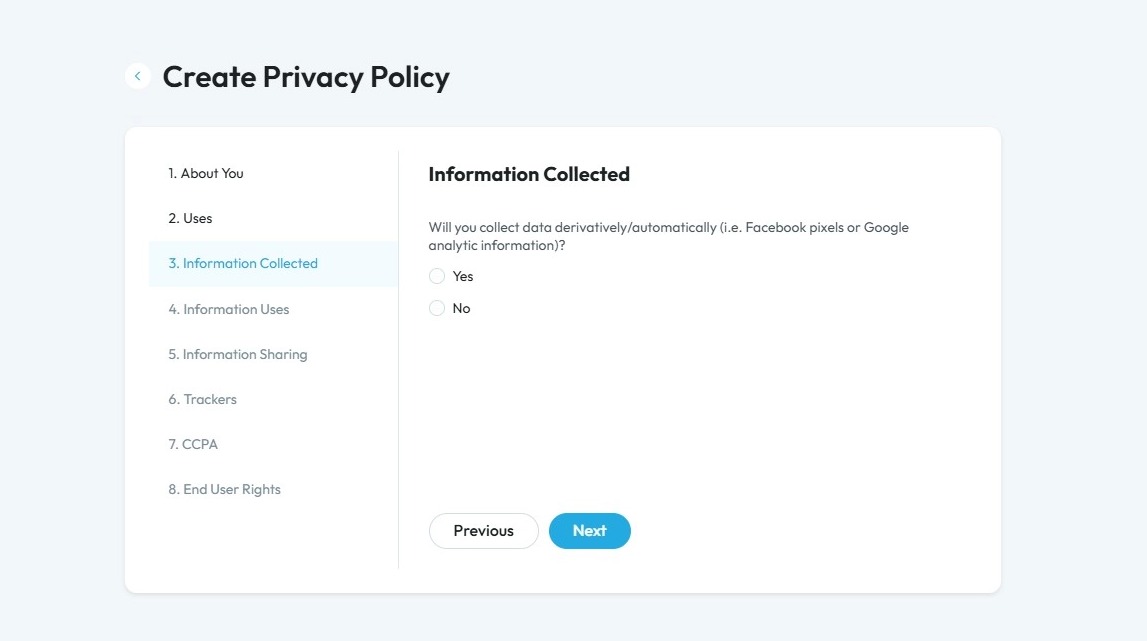
19. Click "Yes" or "No" based on your policy. If you select yes, a follow-up question will appear
Automatically derived data means information is collected and created by tools or software without the user typing it in. This includes things like:
Tracking user actions through tools like Facebook Pixel or Google Analytics
Collecting details like location, device type, time spent on a page, or pages visited
Using this data to create profiles or patterns, such as interests or behaviors
This kind of data helps website owners understand how people use their site, but it also needs to be clearly explained in your privacy policy, especially for privacy law compliance.
Click "Next" to continue to the next page. Click "Previous" to return to the last page you were on
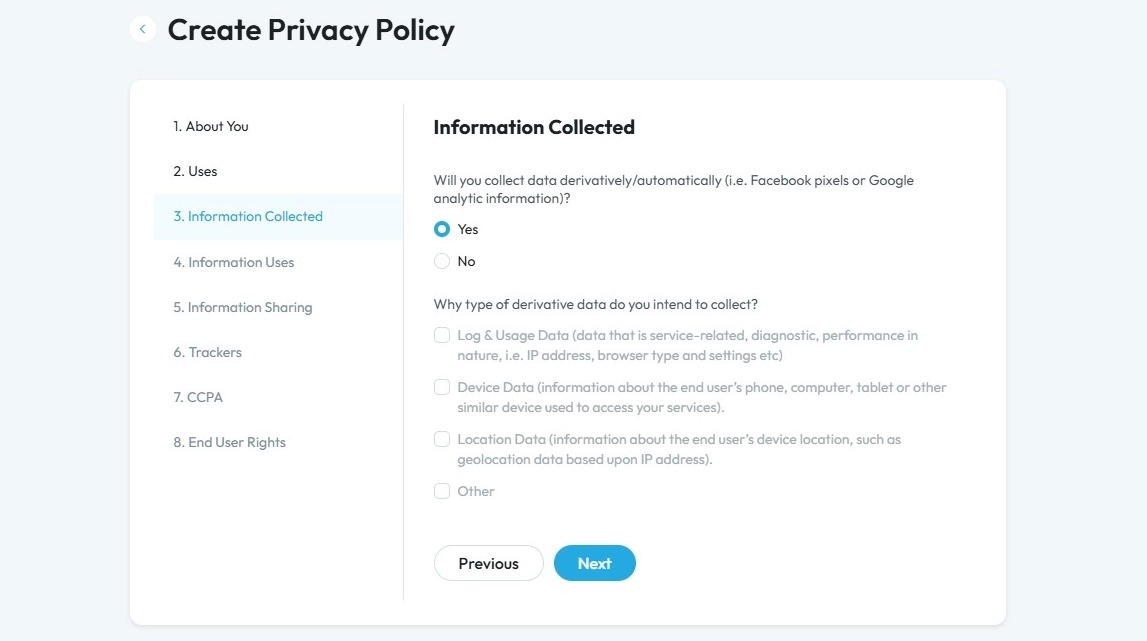
20. Select the kind of data you Intend to collect
Click "Next" to continue to the next page. Click "Previous" to return to the last page you were on
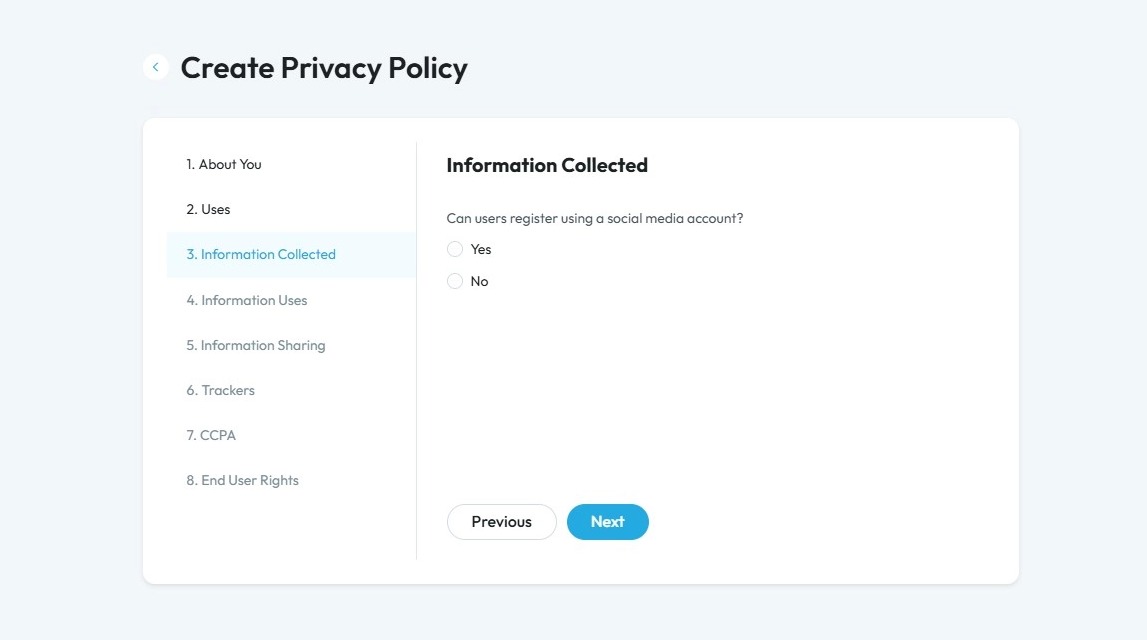
21. Click "Yes" or "No" if your users can register using social media accounts
Click "Next" to continue to the next page. Click "Previous" to return to the last page you were on
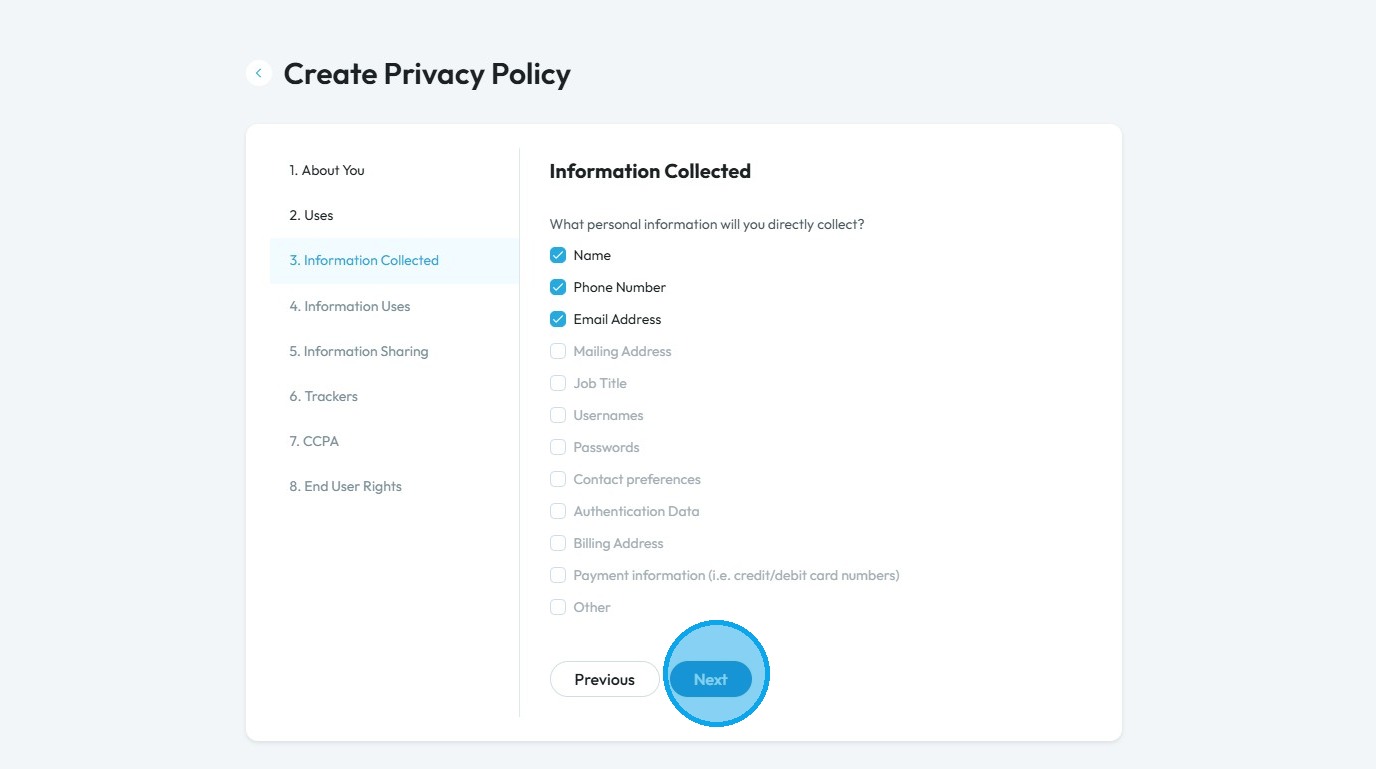
22. Select from the list of information the data that you are going to collect
- "Name": the person’s first and last name
- "Phone Number": a contact number, like a mobile or home phone
- "Email Address": the person’s email, used for communication or login
- "Mailing Address": a physical address for shipping or contact
- "Job Title": the person's role or position at work
- "Username": a name chosen by the user to log into your site or app
- "Passwords": secret words or codes used to protect accounts
- "Contact preferences": how the person wants to be contacted (email, text, etc.)
- "Authentication Data": information used to confirm identity, like security questions or codes
- "Billing Address": the address connected to a payment method
- "Payment information (i.e. credit/debit card numbers)": financial details used for purchases
- "Other": any other kind of personal information not listed
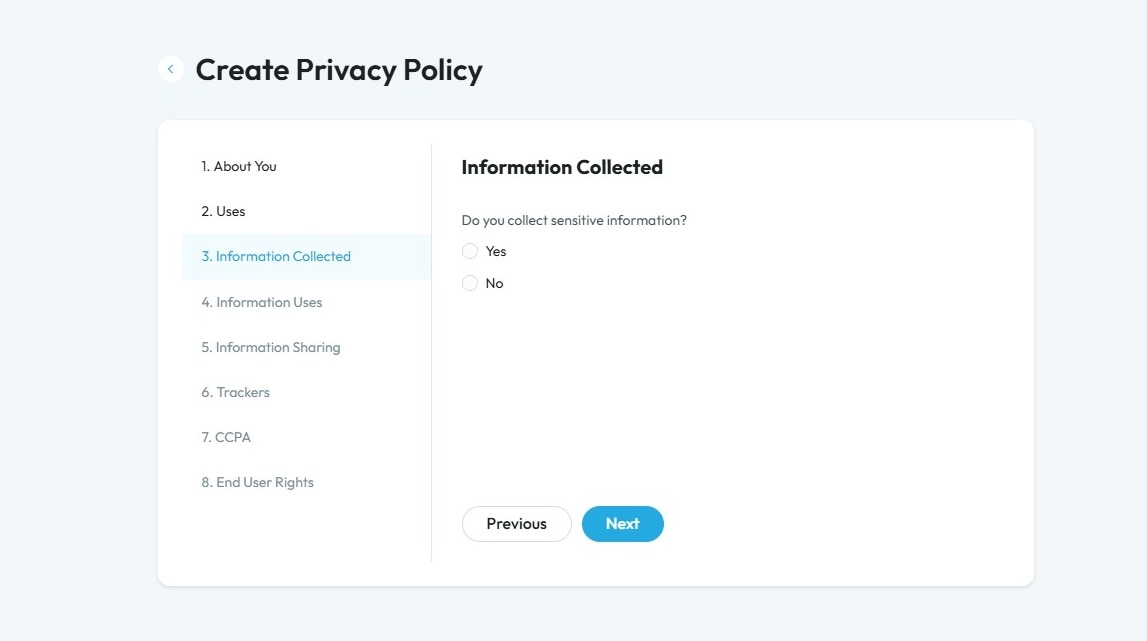
23. Click "Yes" or "No" based on your policy regarding senstive information
Sensitive information refers to personal data that is more private or risky if exposed. It includes health information, financial information, government ID numbers, login details, biometric data, racial or ethnic origin, religious or political beliefs, and sexual orientation
Click "Next" to continue to the next page. Click "Previous" to return to the last page you were on
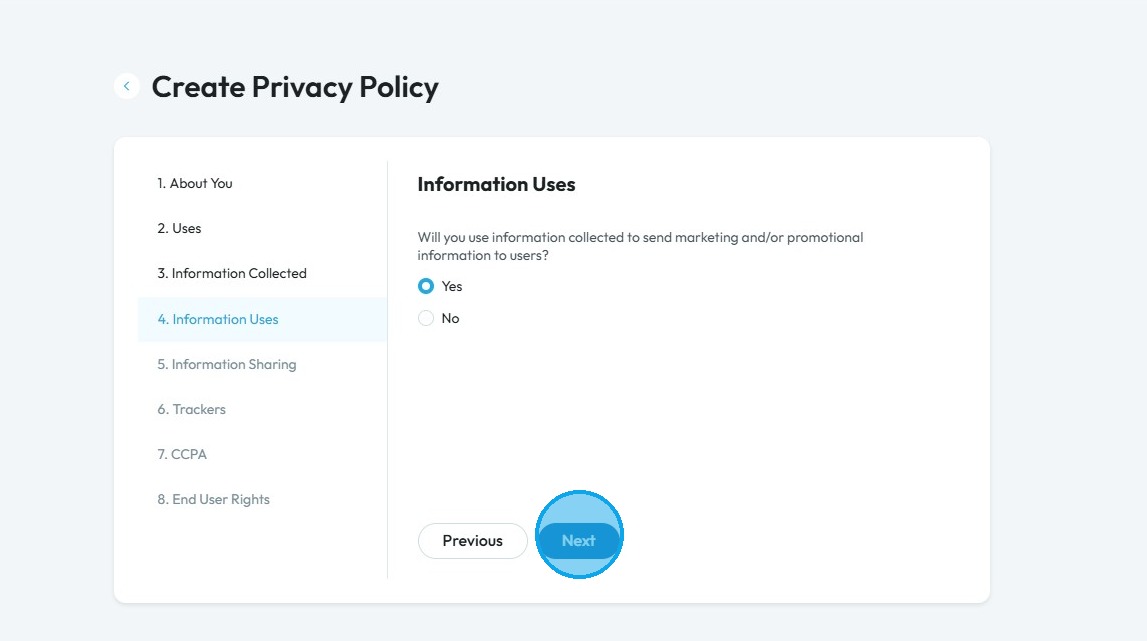
24. Click "Yes" or "No" based on your needs
- "Marketing information": Details about how a product or service is advertised and sold to customers.
- "Promotional information": Specific messages or materials used to encourage people to buy or try something, like discounts or special offers.
Click "Next" to continue to the next page. Click "Previous" to return to the last page you were on
25. From the options below, select how you'll use the collected data
Click "Next" to continue to the next page. Click "Previous" to return to the last page you were on
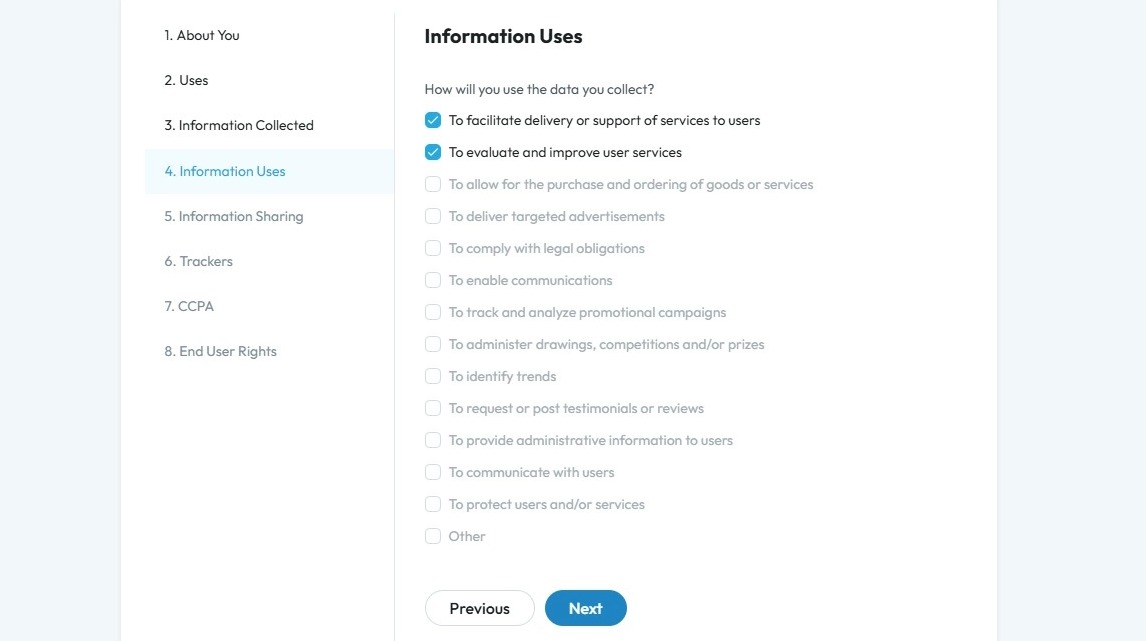
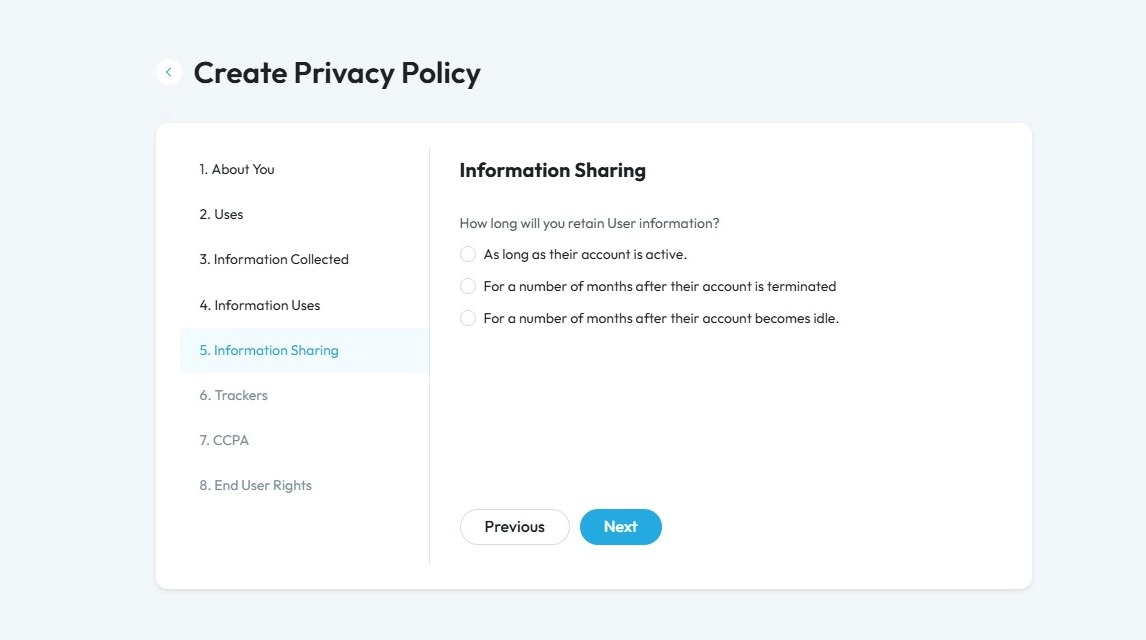
26. Select how long you will keep user information from the list based on your policy
- If you select option 2 or 3 that talks about months, a second question will appear asking you to insert how many months you will retain the information
Click "Next" to continue to the next page. Click "Previous" to return to the last page you were on
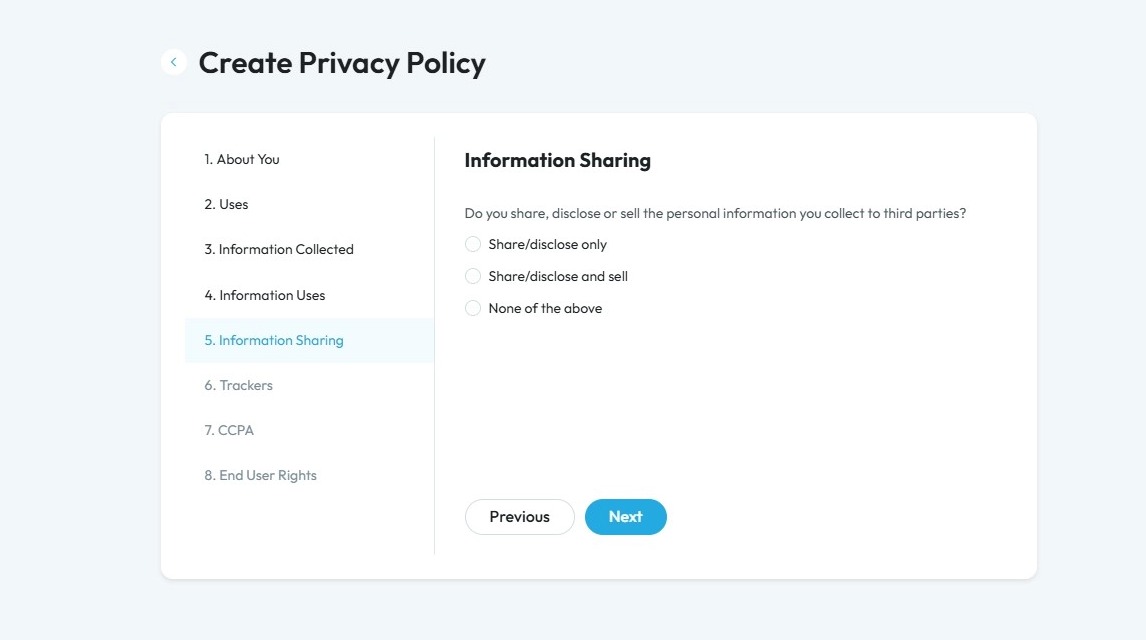
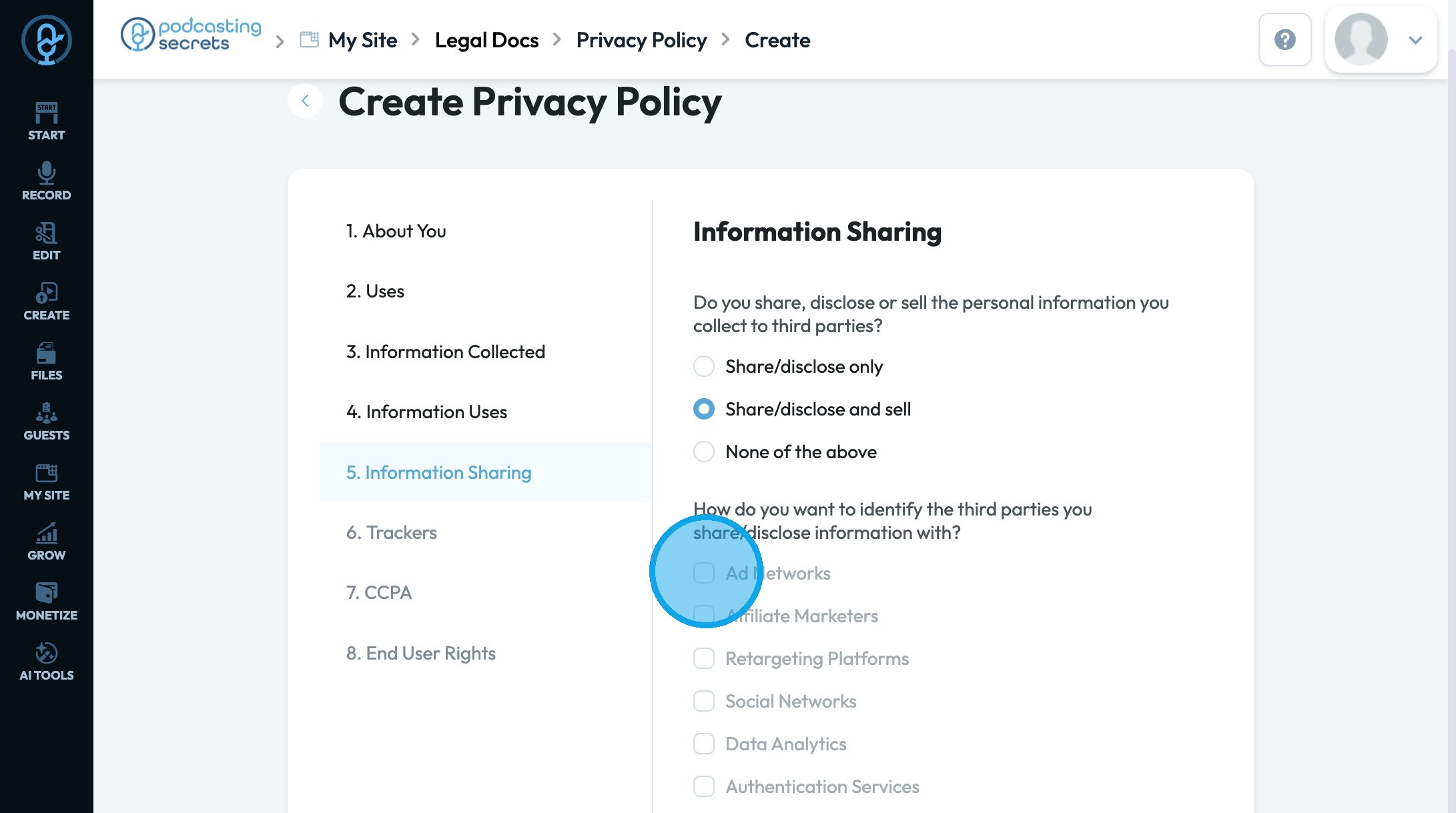
27. Select from the list your sharing status based on your policy. If you select an option to share and disclose a follow-up question will appear with a list of third parties for you to select from.
- "Share/disclose only": The information is shared with or given to others, but it is not sold.
- "Share/disclose and sell": The information is both shared with others and sold to third parties.
- "None of the above": The information is not shared, disclosed, or sold to anyone.
Click "Next" to continue to the next page. Click "Previous" to return to the last page you were on
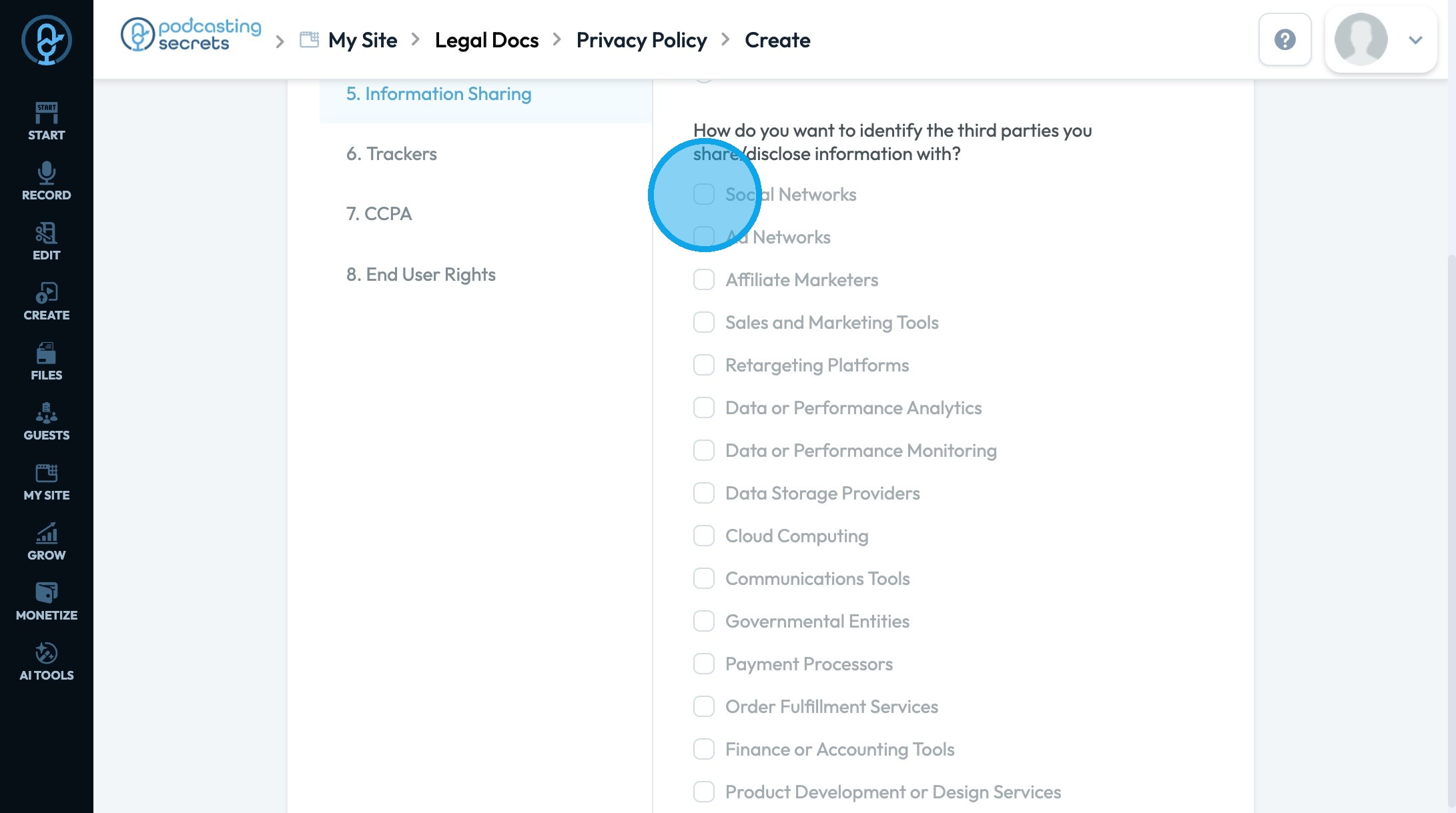
28. For Share/disclose only
- Social Networks”
- Used for sharing content or running ads on social platforms (example: Facebook, Instagram).
- “Ad Networks”
- Shows ads across websites and apps (example: Google Ads, AdSense).
- “Affiliate Marketers”
- {artners who promote your products for a commission (example: Amazon Associates).
- “Sales and Marketing Tools”
- Tools for managing campaigns, email marketing, and customer leads (example: HubSpot, Mailchimp).
- “Retargeting Platforms”
- Shows ads to people who already visited your site (example: AdRoll, Facebook Pixel).
- “Data or Performance Analytics”
- Tracks user behavior and site traffic (example: Google Analytics).
- “Data or Performance Monitoring”
- Monitor app or site performance and alerts on issues (example: New Relic).
- “Data Storage Providers”
- Stores files and data securely in the cloud (example: Amazon S3, Dropbox).
- “Cloud Computing”
- Provides hosting, servers, and computing services (example: AWS, Microsoft Azure).
- “Communications Tools”
- Supports internal team or customer communication (example: Slack, Zendesk).
- “Governmental Entities”
- Data shared to meet legal or regulatory requirements (example: tax authorities).
- “Payment Processors”
- Processes online payments securely (example: PayPal, Stripe).
- “Order Fulfillment Services”
- Manages shipping and delivery of orders (example: ShipBob, Amazon FBA).
- “Finance or Accounting Tools”
- Helps with invoicing, payments, and bookkeeping (example: QuickBooks, Xero).
- “Product Development or Design Services”
- Tools used to design and build products (example: Figma, Jira).
- “Testing Tools and Services”
- Tests websites or apps for bugs and compatibility (example: BrowserStack, Selenium).
- “Website Hosting”
- Hosts your website so people can visit it online (example: GoDaddy, Bluehost).
- “Individually”
- Data shared directly with a specific individual or entity (example: a named partner or person).
- “Other”
- Any party or service not covered by the categories above.
29. For "Share/disclose and sell"
- “Ad Networks”
- Shows ads across websites and apps (example: Google Ads, AdSense).
- “Affiliate Marketers”
- Partners who promote your products for a commission (example: Amazon Associates).
- “Retargeting Platforms”
- Shows ads to people who already visited your site (example: AdRoll, Facebook Pixel).
- “Social Networks”
- Used for sharing content or running ads on social platforms (example: Facebook, Instagram).
- “Data Analytics”
- Tracks user behavior and site traffic (example: Google Analytics).
- “Authentication Services”
- Verifies user identity to allow secure access (example: Auth0, Okta).
- “Individually"
- Data shared directly with a specific individual or entity (example: a named business partner or contractor).
- “Other”
- Any party or service not covered by the categories above.
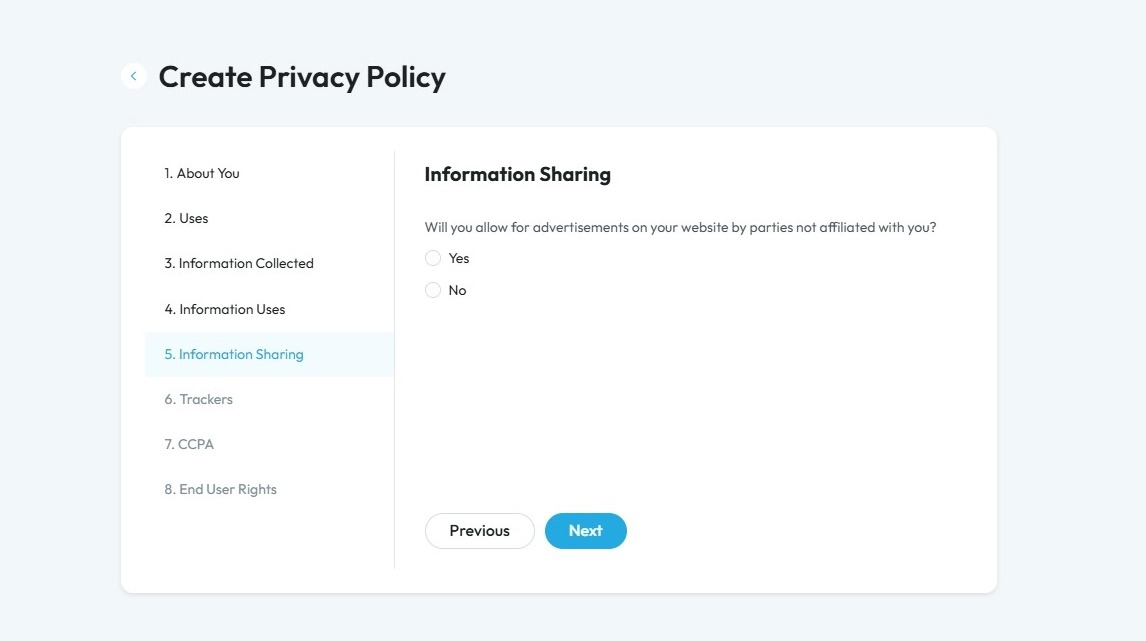
30. Click "Yes" or "No" based on if you are allowing advertisement by parties not affiliated with you
Click "Next" to continue to the next page. Click "Previous" to return to the last page you were on
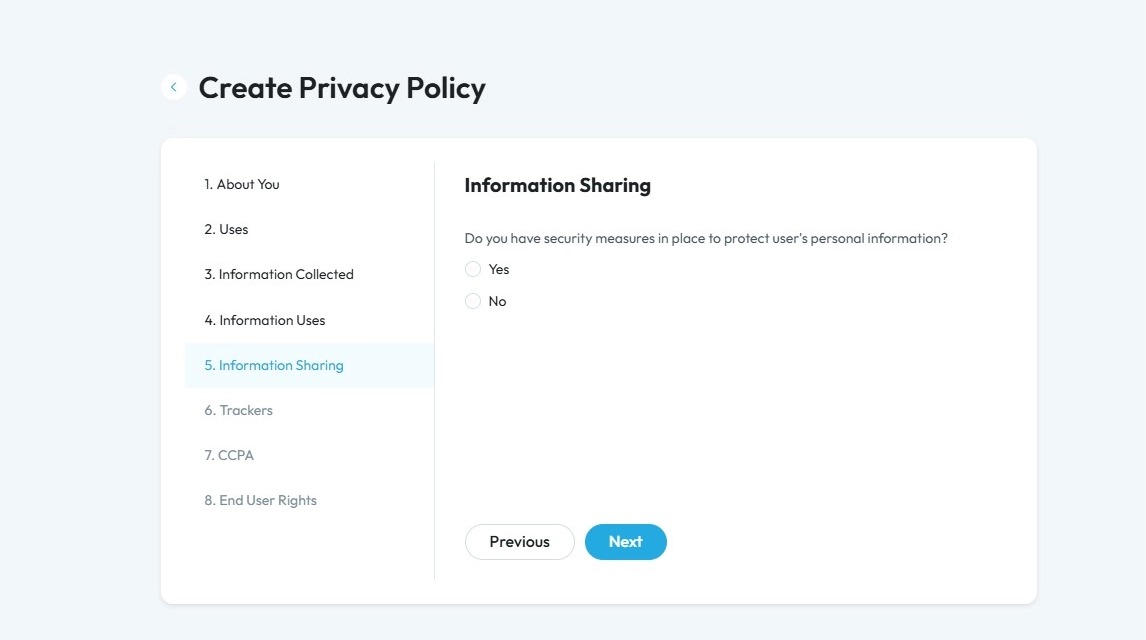
31. Click "Yes" or "No" based on your policy
Security features include encryption, access controls, firewalls, regular software updates, secure passwords, data backups, and employee training
Click "Next" to continue to the next page. Click "Previous" to return to the last page you were on
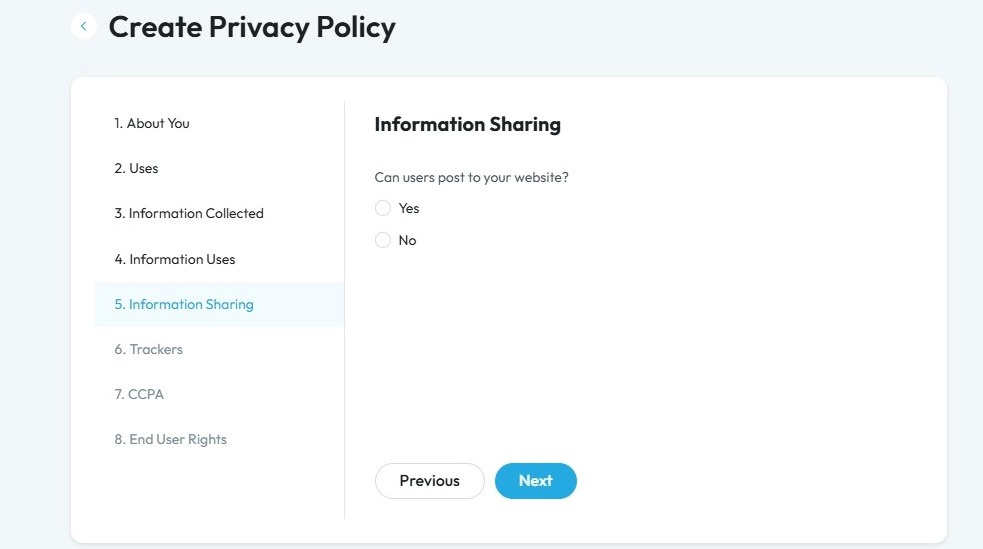
32. Click "Yes" or "No" if users can post on the website
Click "Next" to continue to the next page. Click "Previous" to return to the last page you were on
33. Click "Yes" or "No" based on if your users can see personal information of other users or not
Click "Next" to continue to the next page. Click "Previous" to return to the last page you were on
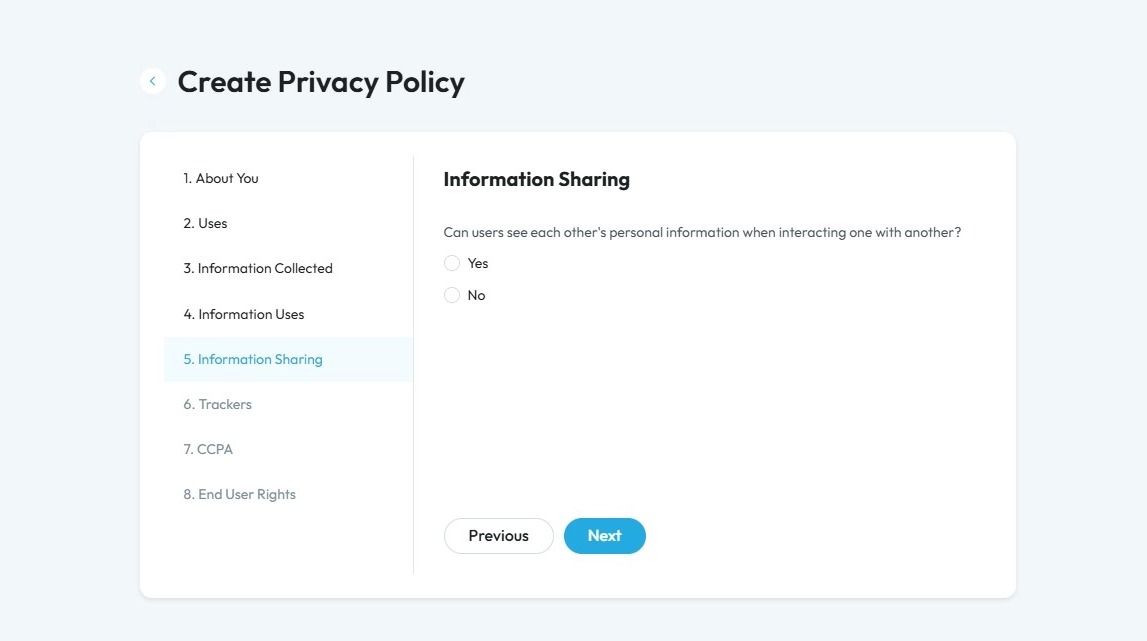
34. Click "Yes" or "No" based on your policy
Click "Next" to continue to the next page. Click "Previous" to return to the last page you were on
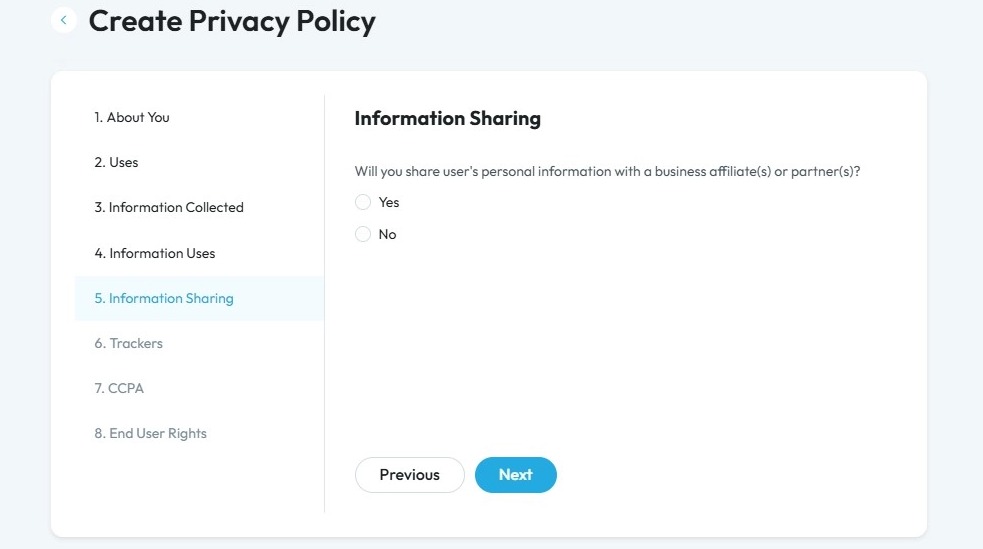
35. Click "Yes" or "No" based on your policy
Click "Next" to continue to the next page. Click "Previous" to return to the last page you were on
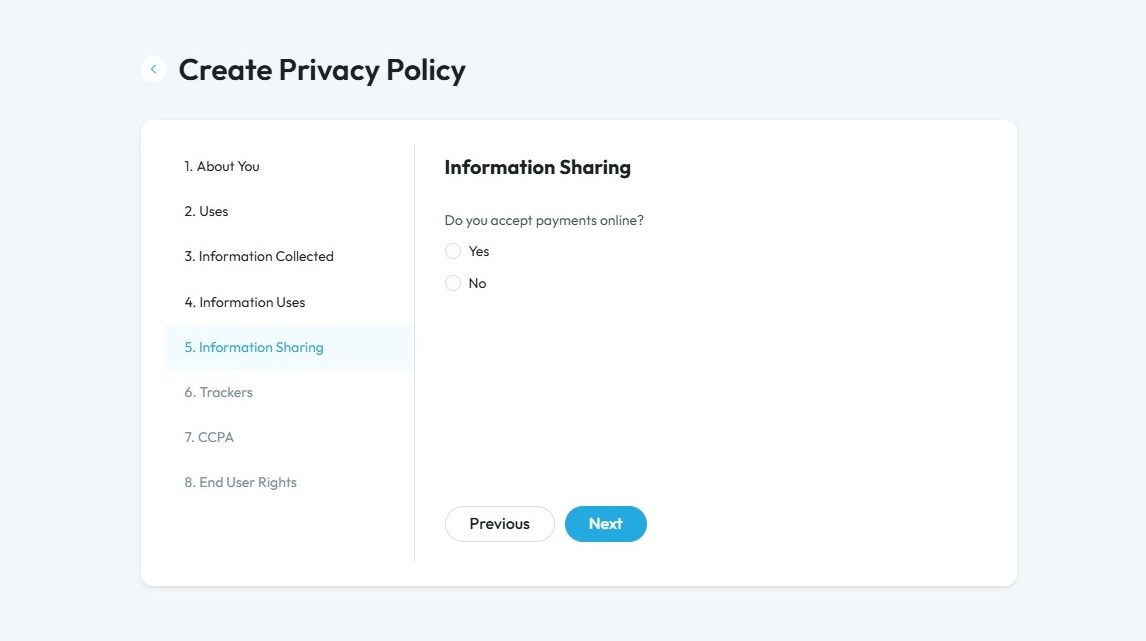
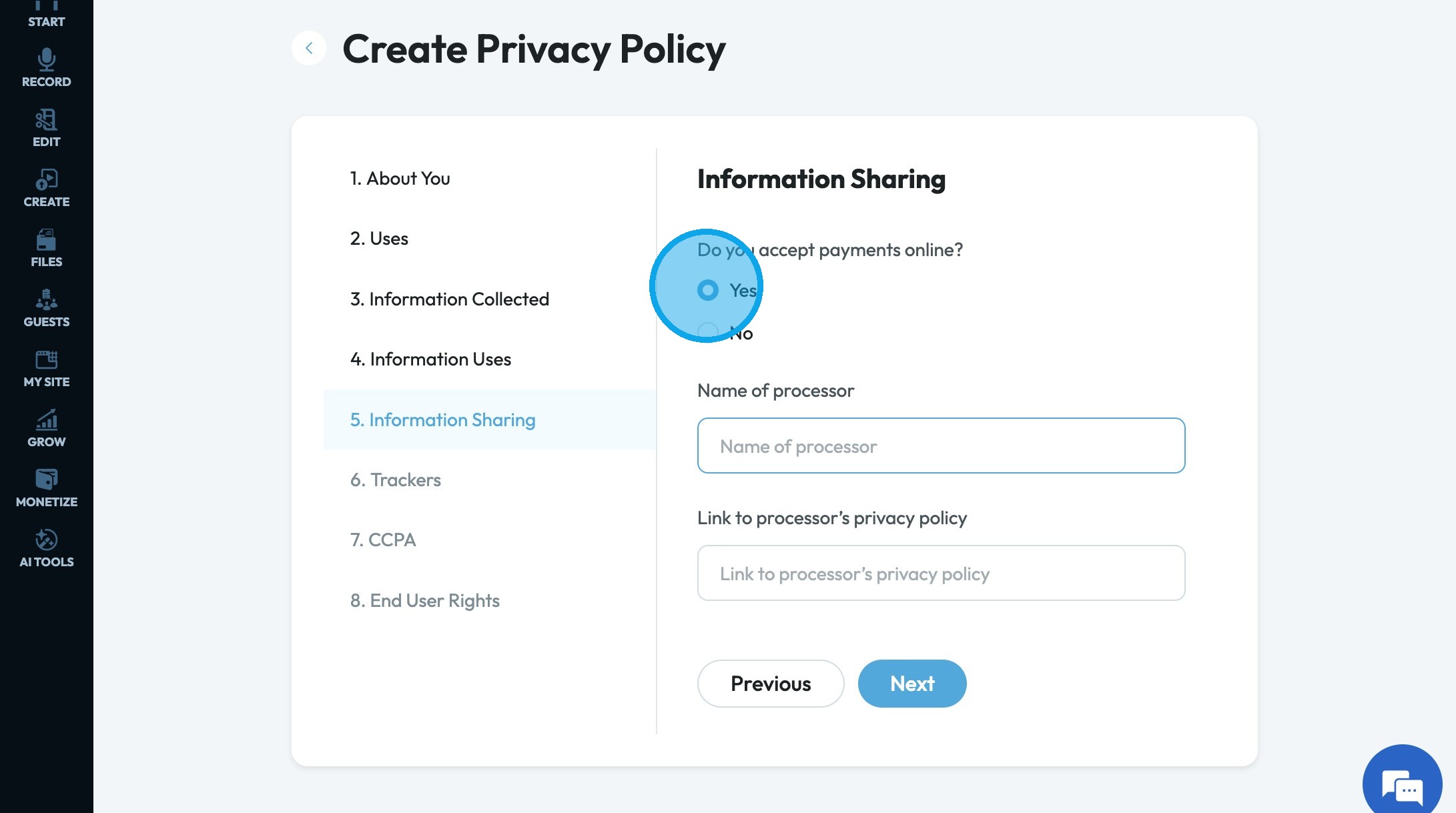
36. If you select "Yes", 2 new questions will appear asking for the processor name and the processor's privacy policy
"Processor": A company or system that handles the steps of moving money from the buyer’s account to the seller’s account during an online payment
37. Select the option based on your policy
- "Cookies and/or web beacons": Small tools that track your activity on a website to remember preferences or collect data.
- "Google Maps APIs": Features from Google Maps added to a website to show maps or directions.
- "None of the above": None of these tools are used on the website.
Click "Next" to continue to the next page. Click "Previous" to return to the last page you were on
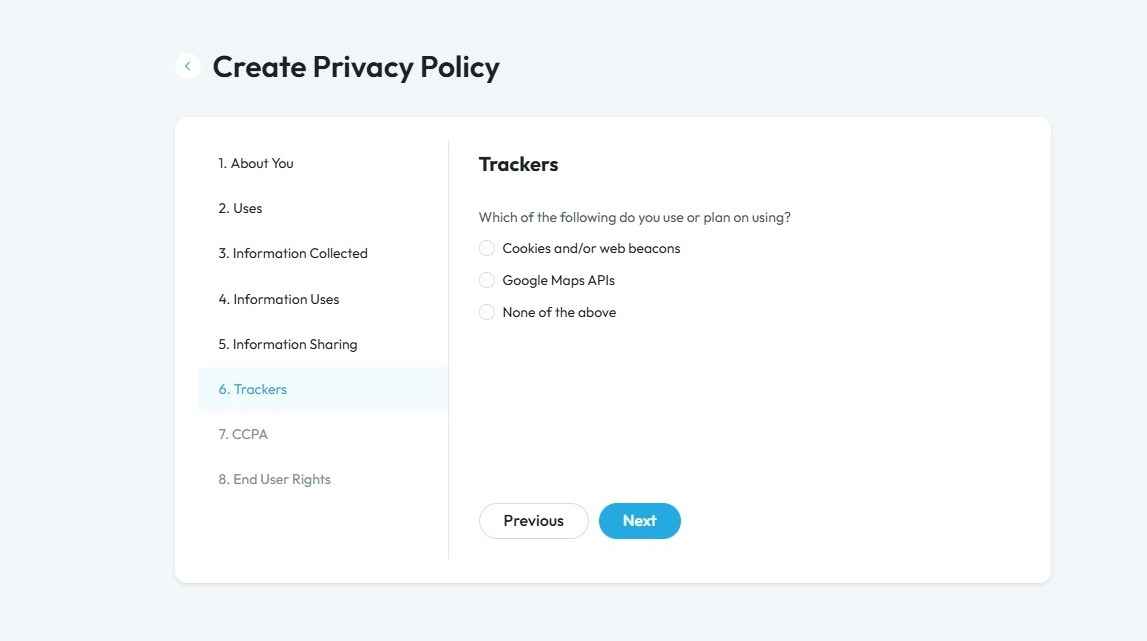
38. Click "Yes" or "No" based on your policy
Click "Next" to continue to the next page. Click "Previous" to return to the last page you were on
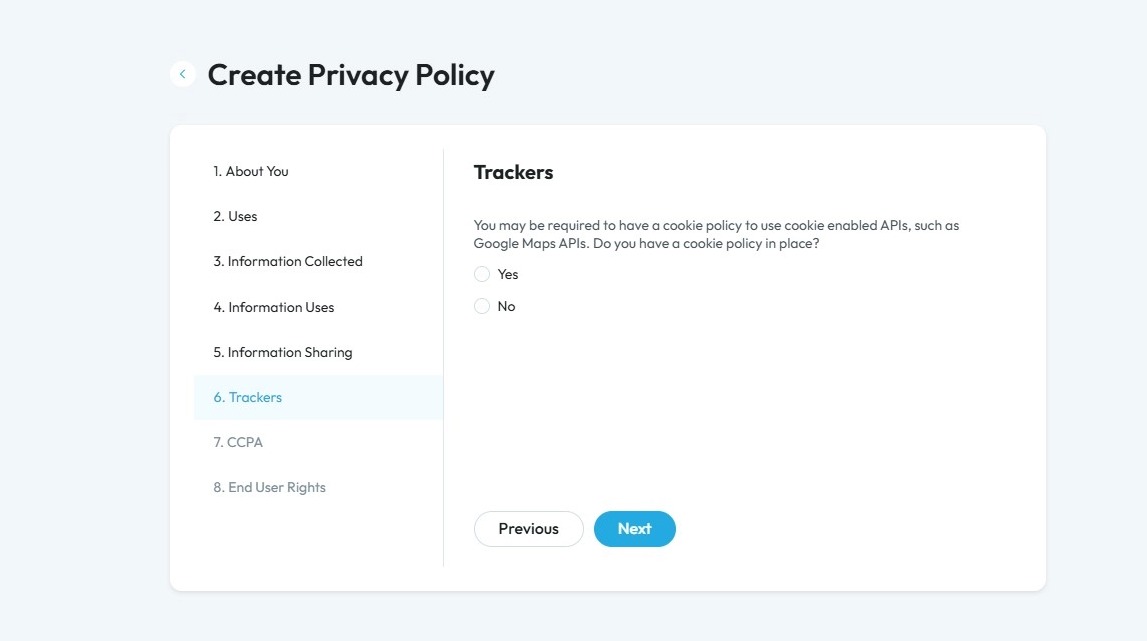
39. Click "Yes" or "No" based on your policy
Click "Next" to continue to the next page. Click "Previous" to return to the last page you were on
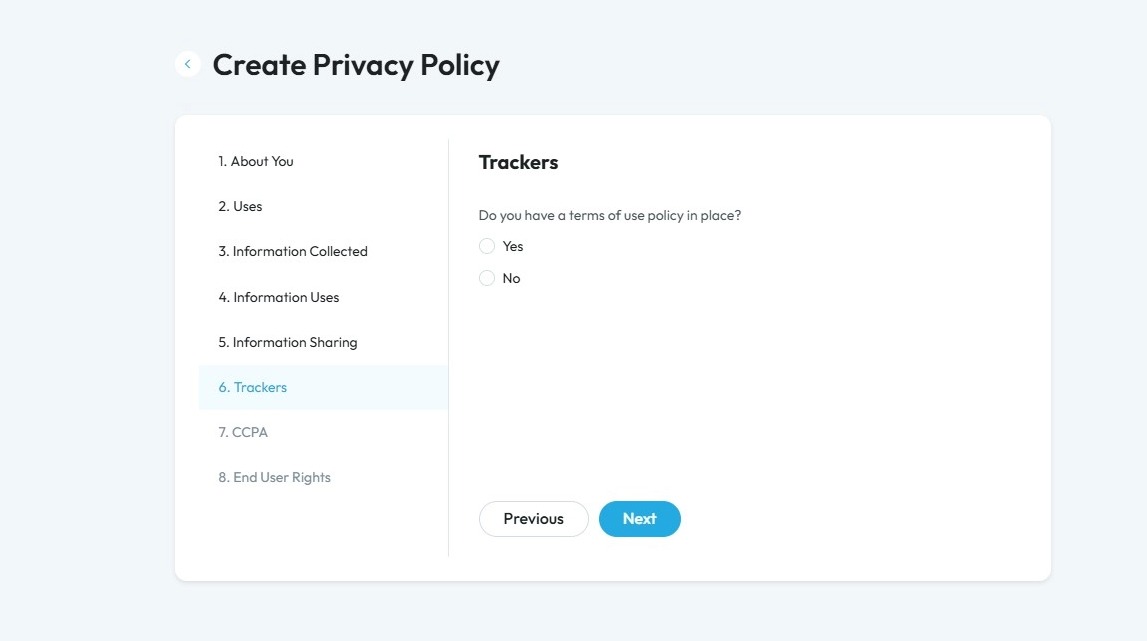
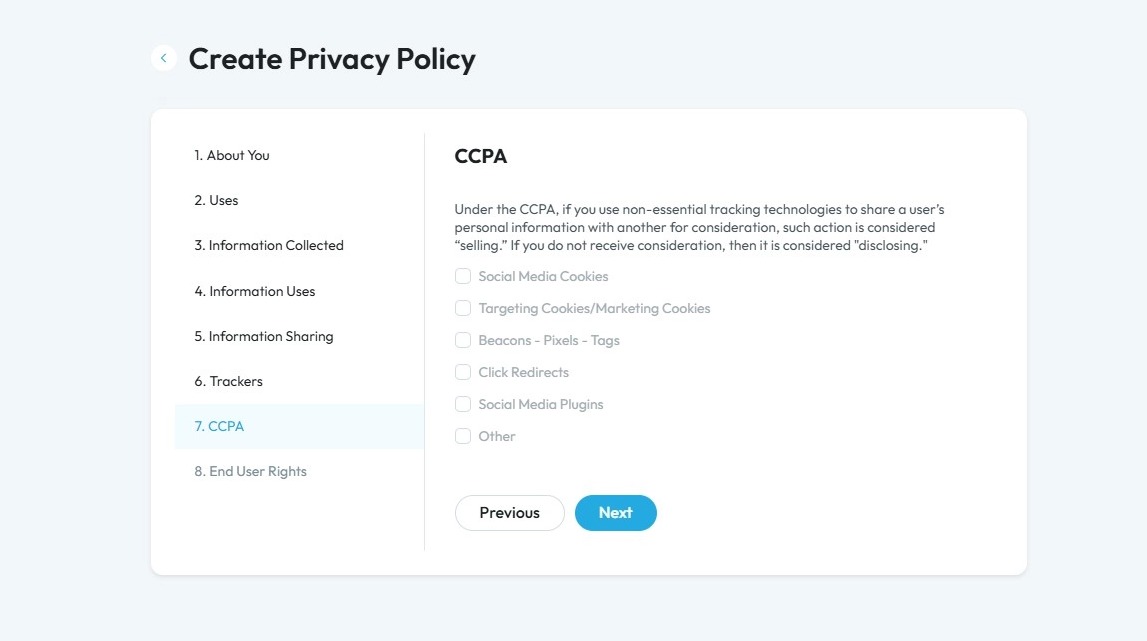
40. CCPA stands for the California Consumer Privacy Act. It is a law that gives people in California more control over their personal information.
- “Social Media Cookies”
- Small files that remember if you’ve interacted with social media (like when you share or like a post on a website).
- “Targeting Cookies/Marketing Cookies”
- Small files that help show you ads based on what you look at online.
- “Beacons - Pixels - Tags”
- Tiny tools hidden on websites or in emails that track what you click or view.
- “Click Redirects”
- Links that track when you click on something before sending you to the final page.
- “Social Media Plugins"
- Buttons or tools (like “Share” or “Like”) that connect the website to social media and can collect some information about you.
- “Other”
- Anything else that tracks what you do online that doesn’t fit in these categories.
Click "Next" to continue to the next page. Click "Previous" to return to the last page you were on
41. Select the respective option as per your policy. If you select "Collected", "Disclosed", or "Sold" a second question will appear asking how long you keep the information for
- "Collected": If you have collected professional- or employment-related information in the last 12 months
- "Disclosed": If you have collected and disclosed professional- or employment-related information in the last 12 months
- "Sold": If you have collected, disclosed, and sold professional- or employment-related information in the last 12 months
- "None": If you did not collect, disclose, and sold professional- or employment-related information in the last 12 months
Click "Next" to continue to the next page. Click "Previous" to return to the last page you were on
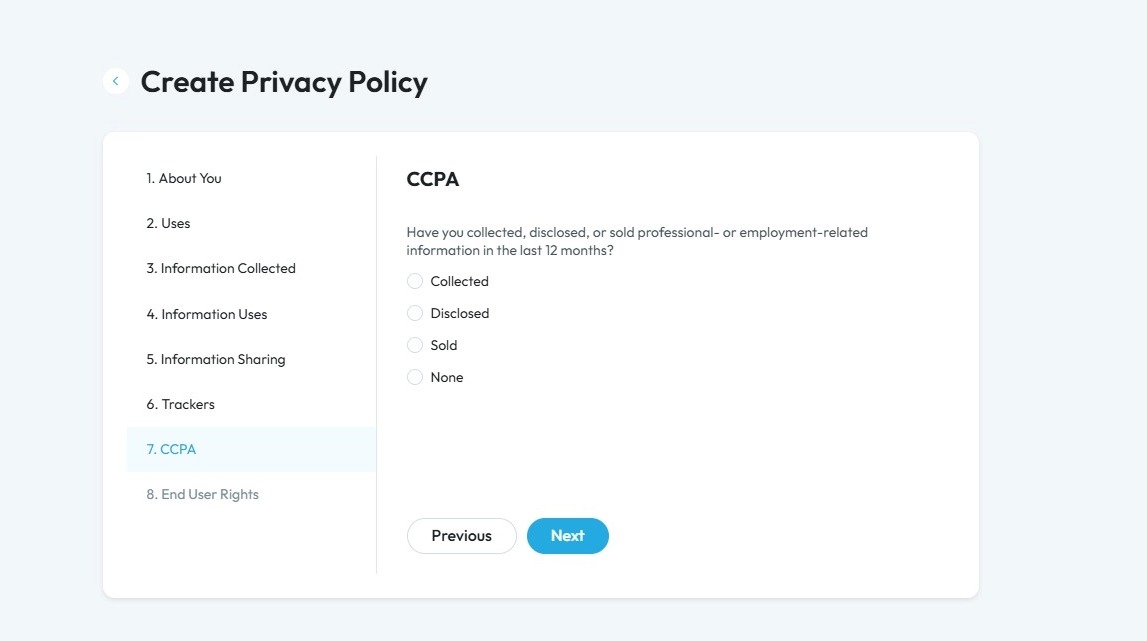
42. Select the respective option as per your policy. If you select "Collected", "Disclosed", or "Sold" a second question will appear asking how long you keep the information for
- "Collected": If you have collected professional- or employment-related information in the last 12 months
- "Disclosed": If you have collected and disclosed professional- or employment-related information in the last 12 months
- "Sold": If you have collected, disclosed, and sold professional- or employment-related information in the last 12 months
- "None": If you did not collect, disclose, and sold professional- or employment-related information in the last 12 months
Click "Next" to continue to the next page. Click "Previous" to return to the last page you were on
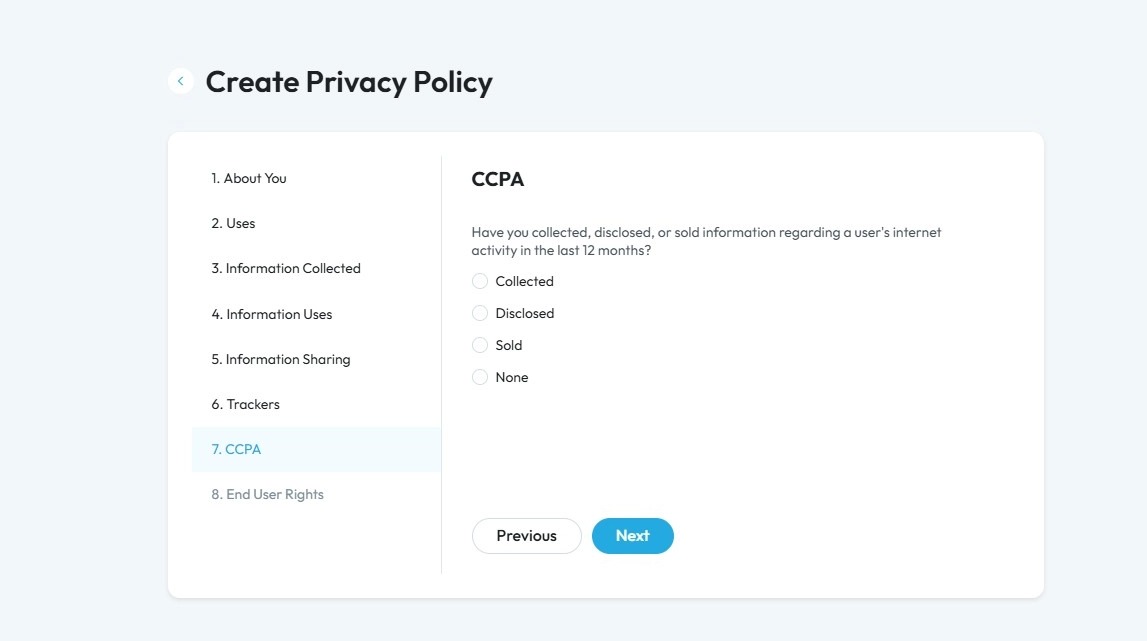
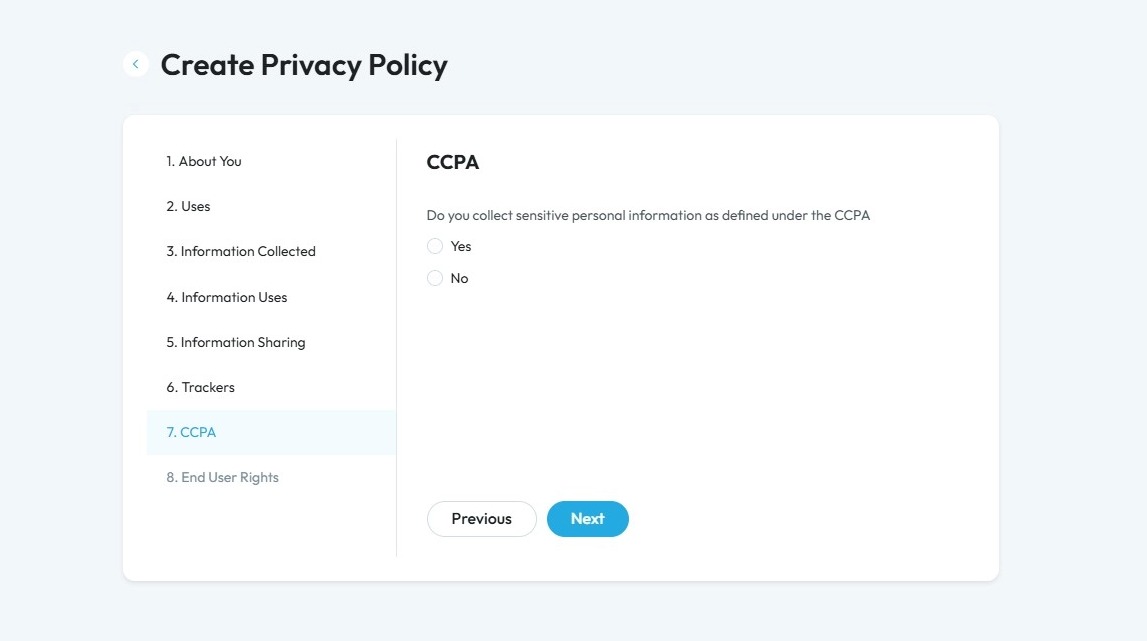
43. Select "Yes" or "No" based on your policy
CCPA sensitive personal information refers to specific types of personal data that are considered more private or potentially risky if misused. This could be considered
- Social Security number
- Driver’s license or other government ID
- Financial account or credit/debit card number with access codes
- Precise geolocation
- Racial or ethnic origin
- Religious or philosophical beliefs
- Union membership
- Contents of mail, email, or text messages (if not intended for the business)
- Genetic data
- Biometric information (like fingerprints or facial scans)
- Health information
- Sexual orientation or sex life information
Click "Next" to continue to the next page. Click "Previous" to return to the last page you were on
44. Select the respective option as per your policy. If you select "Collected", "Disclosed", or "Sold" a second question will appear asking how long you keep the information for
- "Collected": If you have collected professional- or employment-related information in the last 12 months
- "Disclosed": If you have collected and disclosed professional- or employment-related information in the last 12 months
- "Sold": If you have collected, disclosed, and sold professional- or employment-related information in the last 12 months
- "None": If you did not collect, disclose, and sold professional- or employment-related information in the last 12 months
Click "Next" to continue to the next page. Click "Previous" to return to the last page you were on
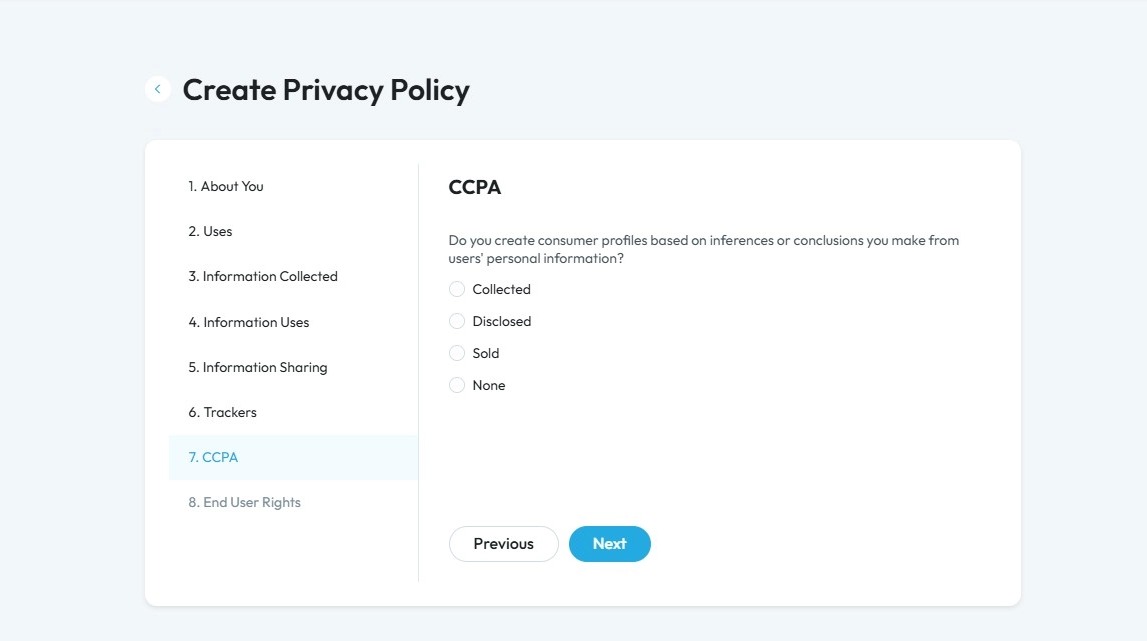
45. Select the respective option as per your policy. If you select "Collected", "Disclosed", or "Sold" a second question will appear asking how long you keep the information for
- "Collected": If you have collected professional- or employment-related information in the last 12 months
- "Disclosed": If you have collected and disclosed professional- or employment-related information in the last 12 months
- "Sold": If you have collected, disclosed, and sold professional- or employment-related information in the last 12 months
- "None": If you did not collect, disclose, and sold professional- or employment-related information in the last 12 months
Click "Next" to continue to the next page. Click "Previous" to return to the last page you were on
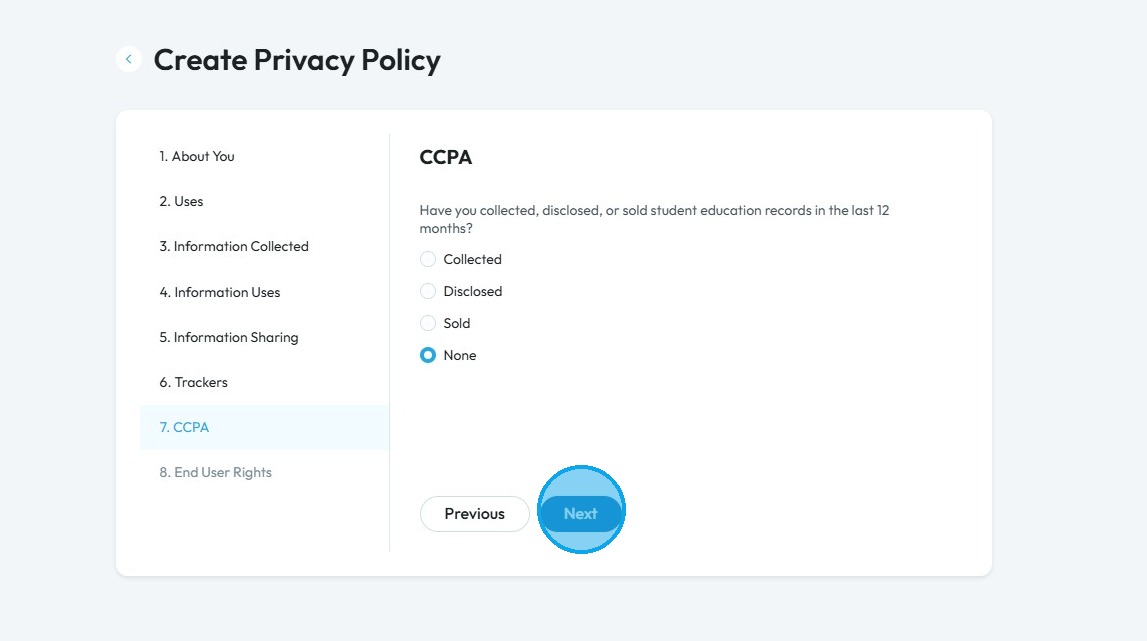
46. Select the respective option as per your policy. If you select "Collected", "Disclosed", or "Sold" a second question will appear asking how long you keep the information for
- "Collected": If you have collected professional- or employment-related information in the last 12 months
- "Disclosed": If you have collected and disclosed professional- or employment-related information in the last 12 months
- "Sold": If you have collected, disclosed, and sold professional- or employment-related information in the last 12 months
- "None": If you did not collect, disclose, and sold professional- or employment-related information in the last 12 months
Click "Next" to continue to the next page. Click "Previous" to return to the last page you were on
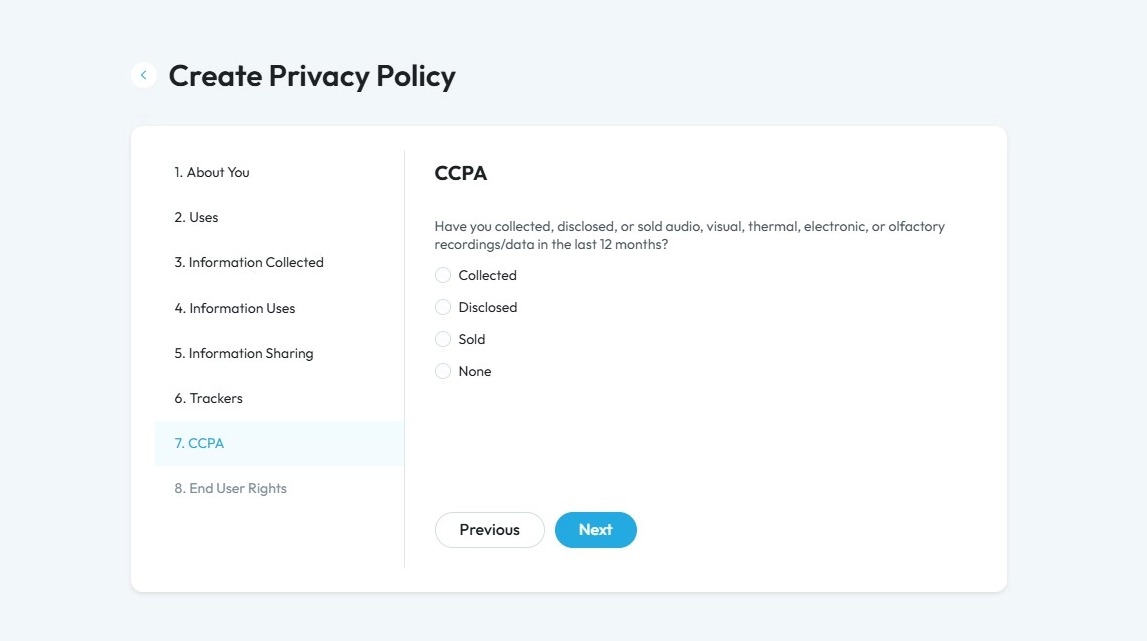
47. Select the respective option as per your policy. If you select "Collected", "Disclosed", or "Sold" a second question will appear asking how long you keep the information for
- "Collected": If you have collected professional- or employment-related information in the last 12 months
- "Disclosed": If you have collected and disclosed professional- or employment-related information in the last 12 months
- "Sold": If you have collected, disclosed, and sold professional- or employment-related information in the last 12 months
- "None": If you did not collect, disclose, and sold professional- or employment-related information in the last 12 months
Click "Next" to continue to the next page. Click "Previous" to return to the last page you were on
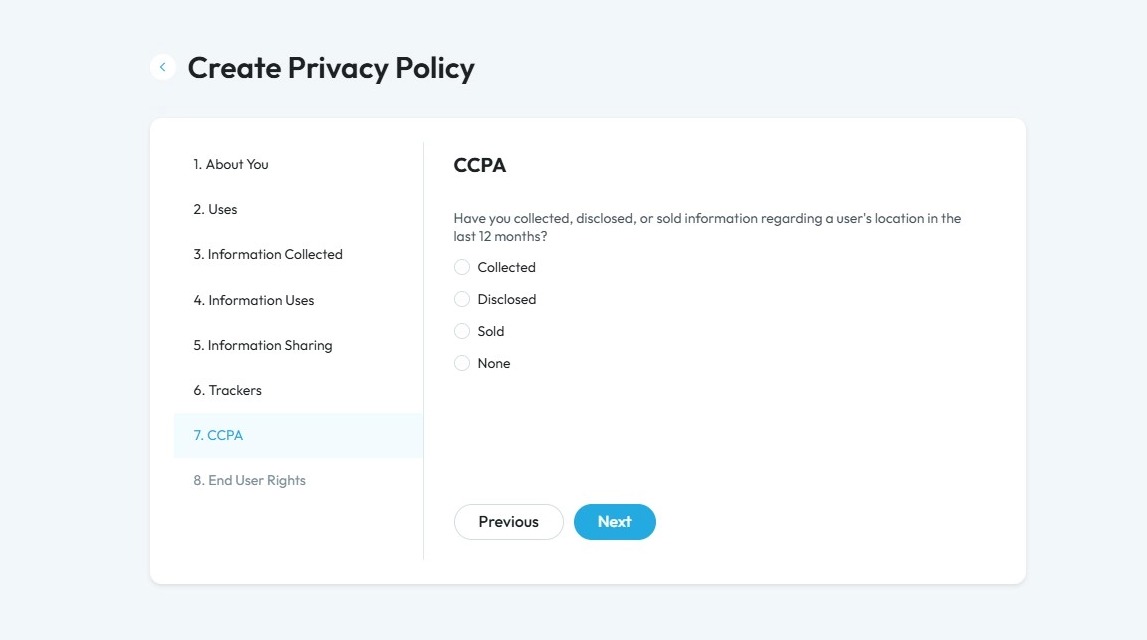
48. Select the respective option as per your policy. If you select "Collected", "Disclosed", or "Sold" a second question will appear asking how long you keep the information for
- "Collected": If you have collected professional- or employment-related information in the last 12 months
- "Disclosed": If you have collected and disclosed professional- or employment-related information in the last 12 months
- "Sold": If you have collected, disclosed, and sold professional- or employment-related information in the last 12 months
- "None": If you did not collect, disclose, and sold professional- or employment-related information in the last 12 months
Click "Next" to continue to the next page. Click "Previous" to return to the last page you were on
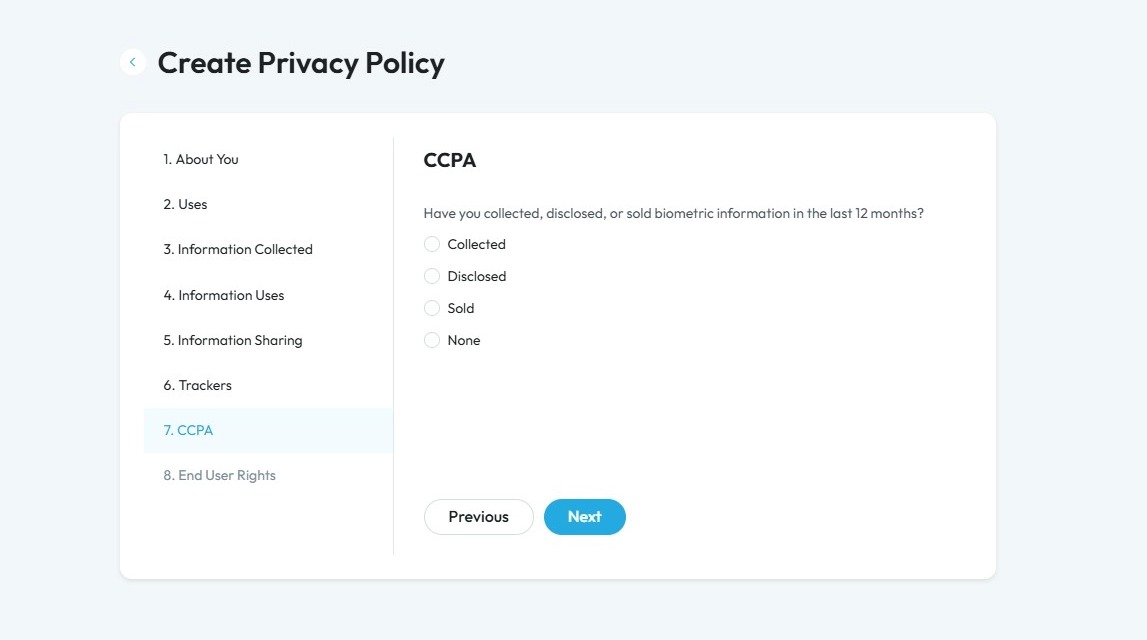
49. Select the respective option as per your policy. If you select "Collected", "Disclosed", or "Sold" a second question will appear asking how long you keep the information for
- "Collected": If you have collected professional- or employment-related information in the last 12 months
- "Disclosed": If you have collected and disclosed professional- or employment-related information in the last 12 months
- "Sold": If you have collected, disclosed, and sold professional- or employment-related information in the last 12 months
- "None": If you did not collect, disclose, and sold professional- or employment-related information in the last 12 months
Click "Next" to continue to the next page. Click "Previous" to return to the last page you were on
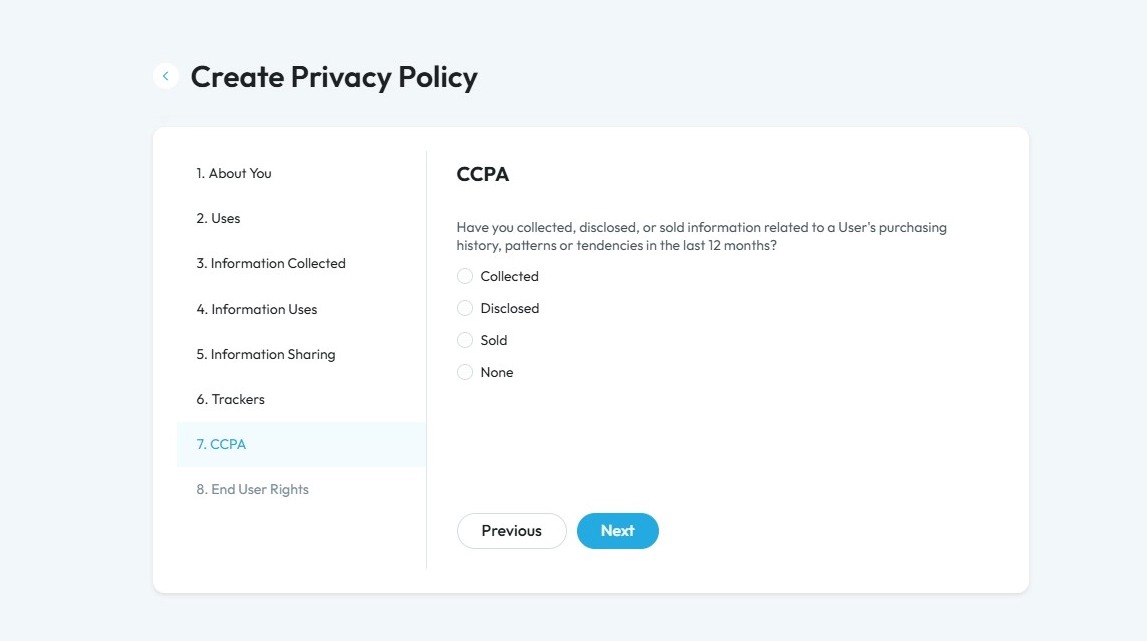
50. Select the respective option as per your policy. If you select "Collected", "Disclosed", or "Sold" a second question will appear asking how long you keep the information for
- "Collected": If you have collected professional- or employment-related information in the last 12 months
- "Disclosed": If you have collected and disclosed professional- or employment-related information in the last 12 months
- "Sold": If you have collected, disclosed, and sold professional- or employment-related information in the last 12 months
- "None": If you did not collect, disclose, and sold professional- or employment-related information in the last 12 months
Click "Next" to continue to the next page. Click "Previous" to return to the last page you were on
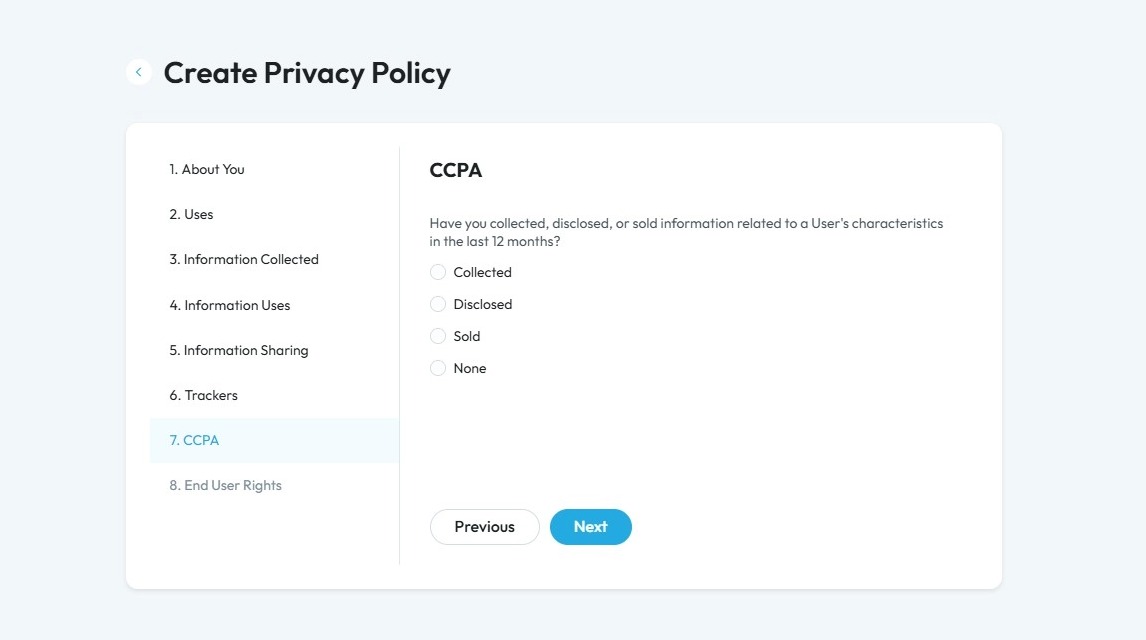
51. Select the respective option as per your policy. If you select "Collected", "Disclosed", or "Sold" a second question will appear asking how long you keep the information for
- "Collected": If you have collected professional- or employment-related information in the last 12 months
- "Disclosed": If you have collected and disclosed professional- or employment-related information in the last 12 months
- "Sold": If you have collected, disclosed, and sold professional- or employment-related information in the last 12 months
- "None": If you did not collect, disclose, and sold professional- or employment-related information in the last 12 months
Click "Next" to continue to the next page. Click "Previous" to return to the last page you were on
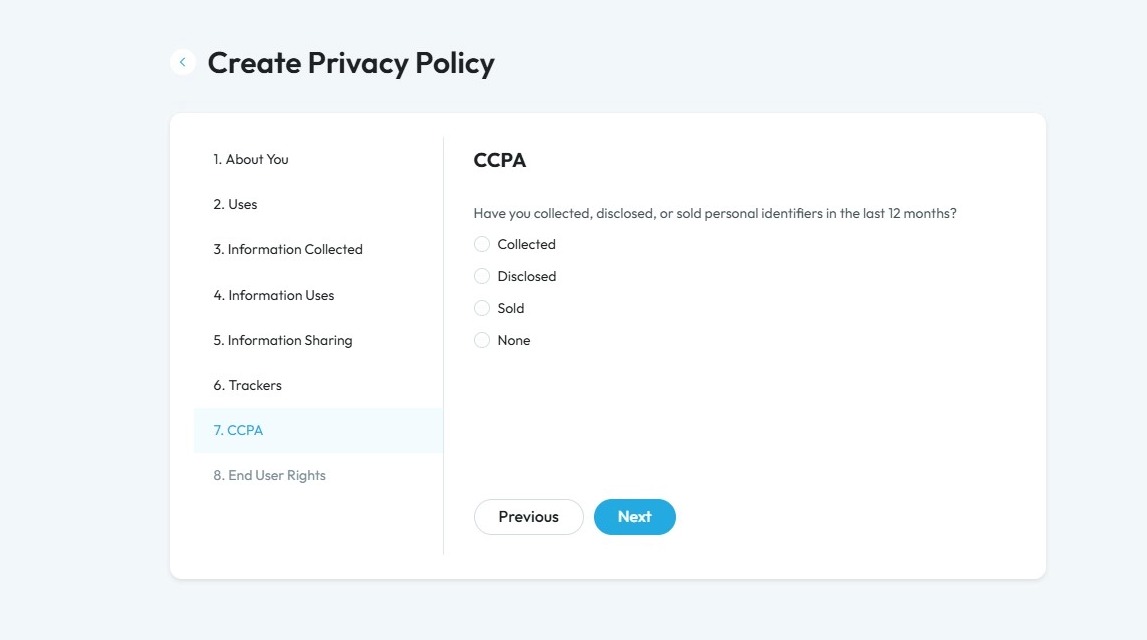
52. Select the respective option as per your policy. If you select "Collected", "Disclosed", or "Sold" a second question will appear asking how long you keep the information for
- "Collected": If you have collected professional- or employment-related information in the last 12 months
- "Disclosed": If you have collected and disclosed professional- or employment-related information in the last 12 months
- "Sold": If you have collected, disclosed, and sold professional- or employment-related information in the last 12 months
- "None": If you did not collect, disclose, and sold professional- or employment-related information in the last 12 months
Click "Next" to continue to the next page. Click "Previous" to return to the last page you were on
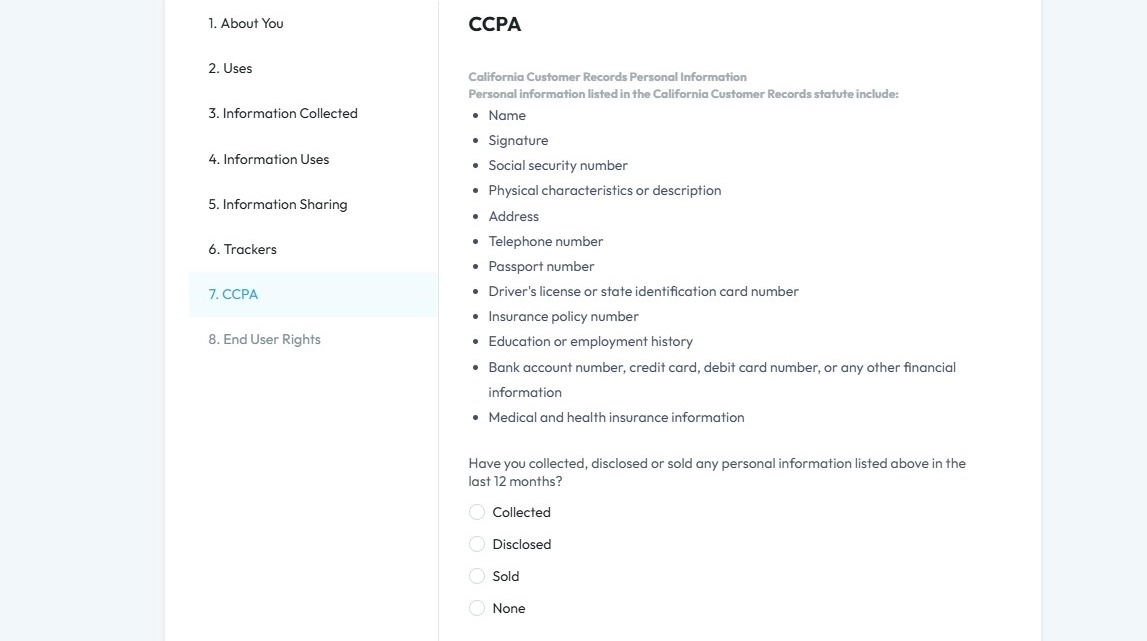
53. Click "Yes" or "No" based on your policy
Financial incentives: Benefits a business offers in exchange for personal information. These can include things like discounts, coupons, free services, loyalty programs, or cash rewards given when someone shares their data, signs up for emails, or joins a membership program.
Click "Next" to continue to the next page. Click "Previous" to return to the last page you were on
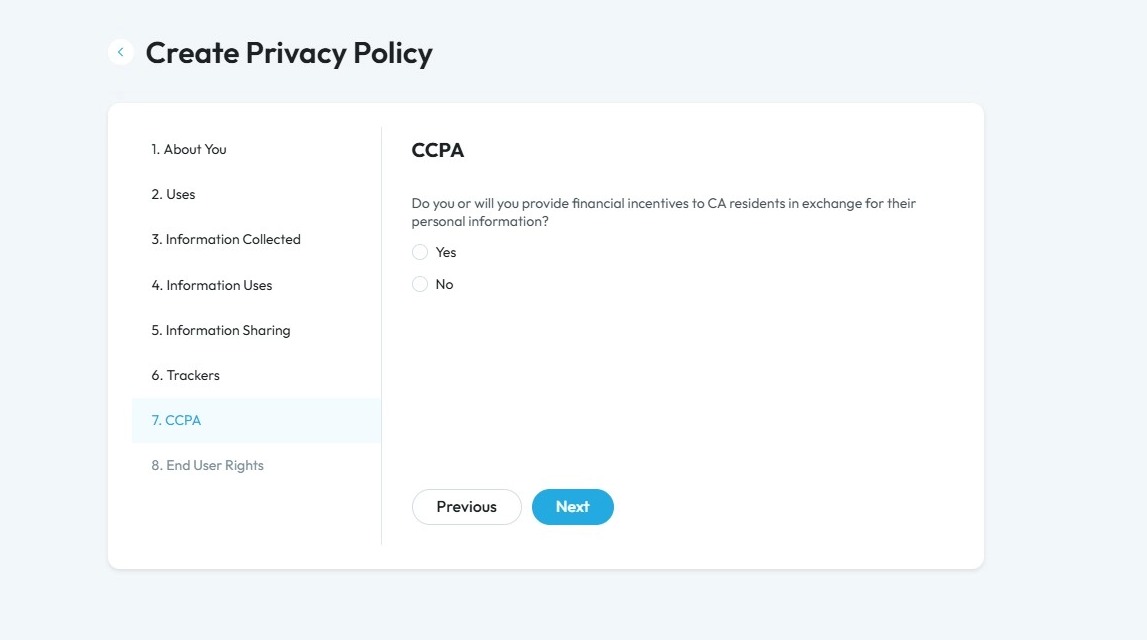
54. Click "Yes" or "No" based on your policy
Click "Next" to continue to the next page. Click "Previous" to return to the last page you were on
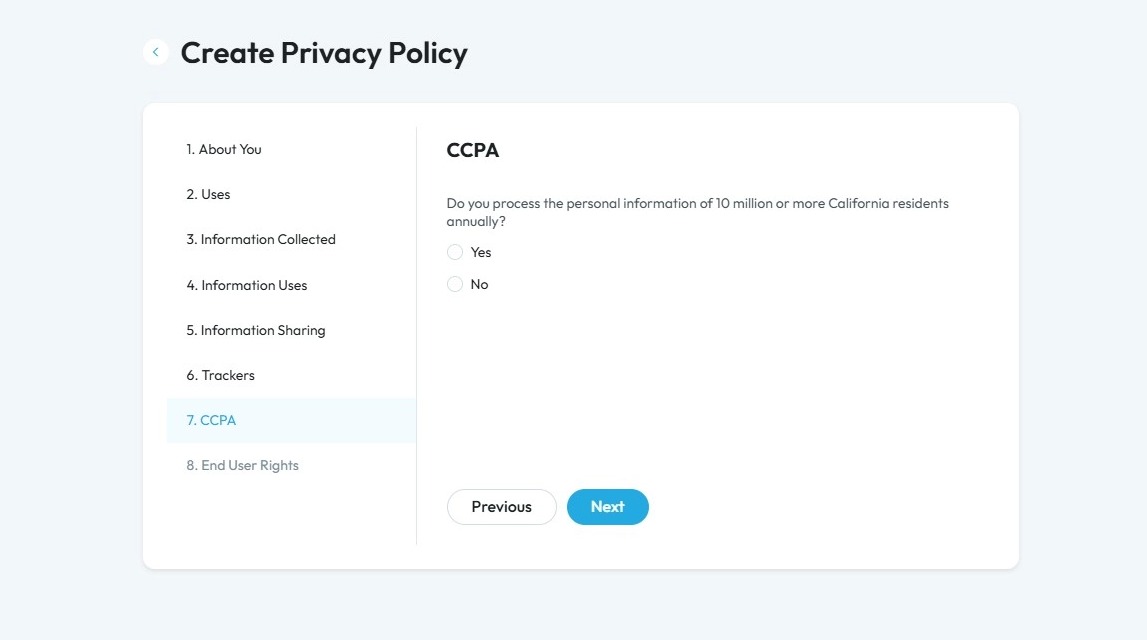
55. Click "Yes" or "No" based on if you will have a data protection office
- Data Protection Officer: A person responsible for making sure a company follows privacy laws and protects people’s personal information.
Click "Next" to continue to the next page. Click "Previous" to return to the last page you were on
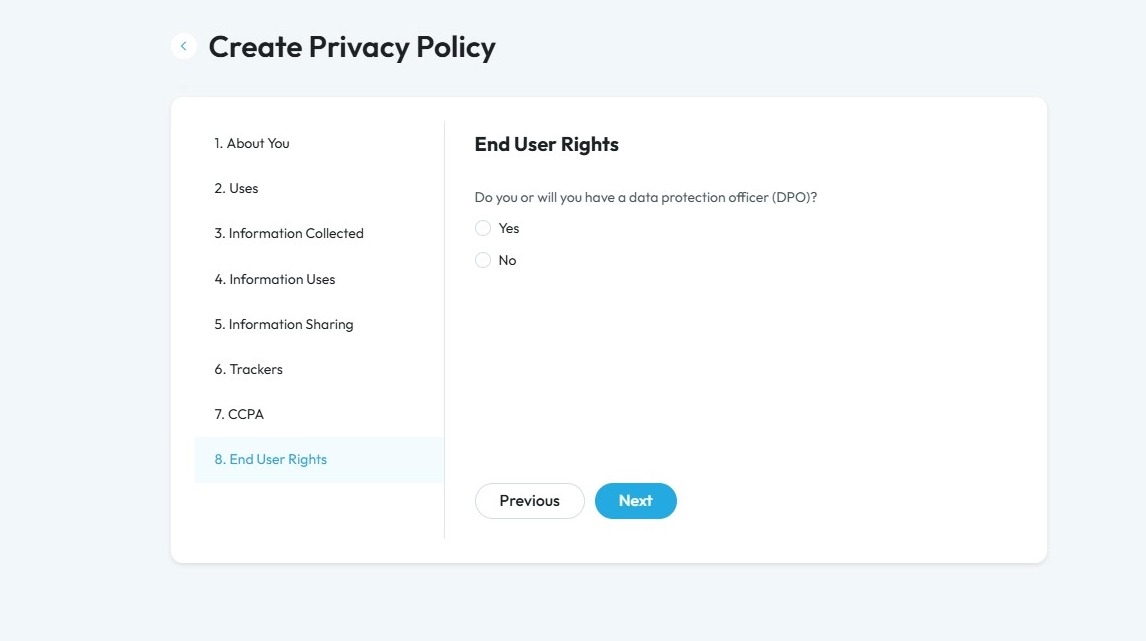
56. Select based on your policy
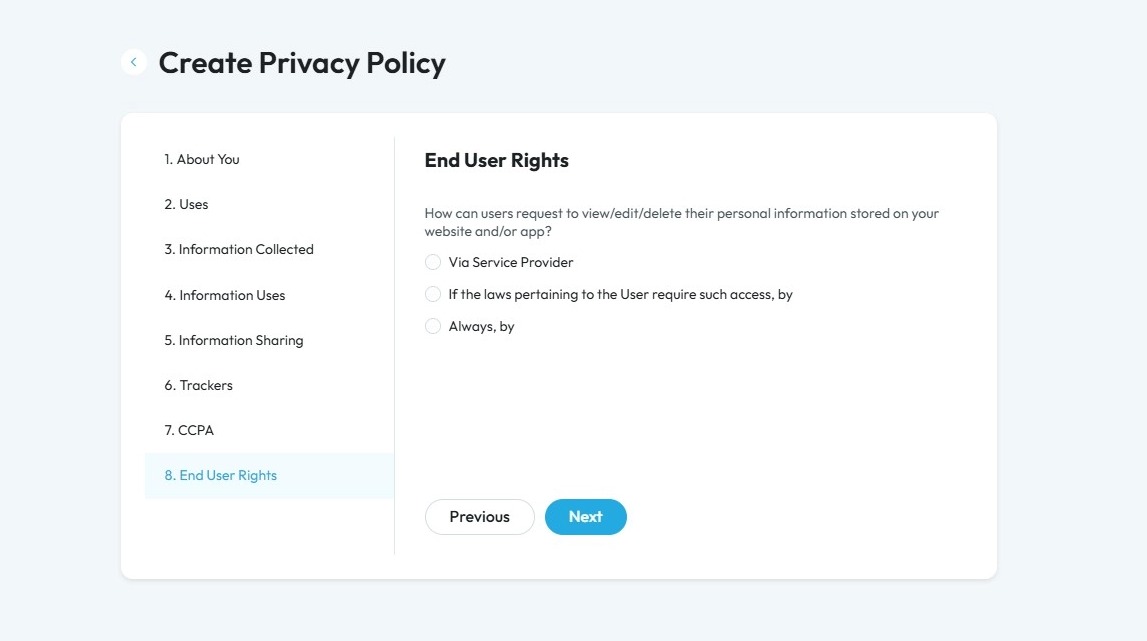
57. Click "Via Service Provider" and a second question will appear for you to type in the URL of the service provider
Service Provider: A company or person that handles personal information on behalf of another business.
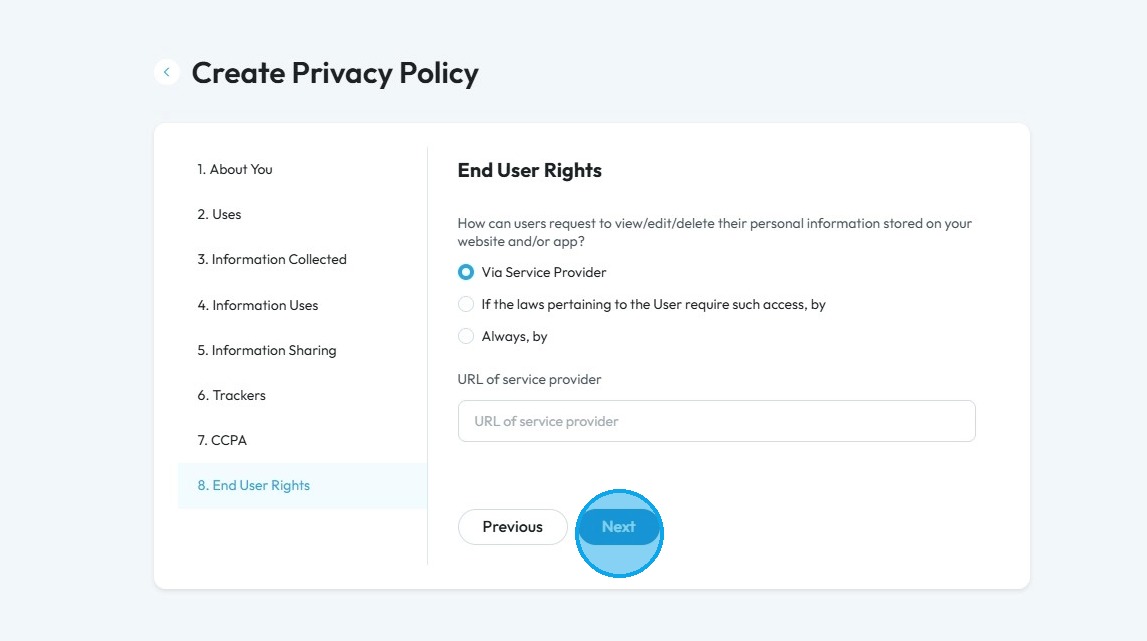
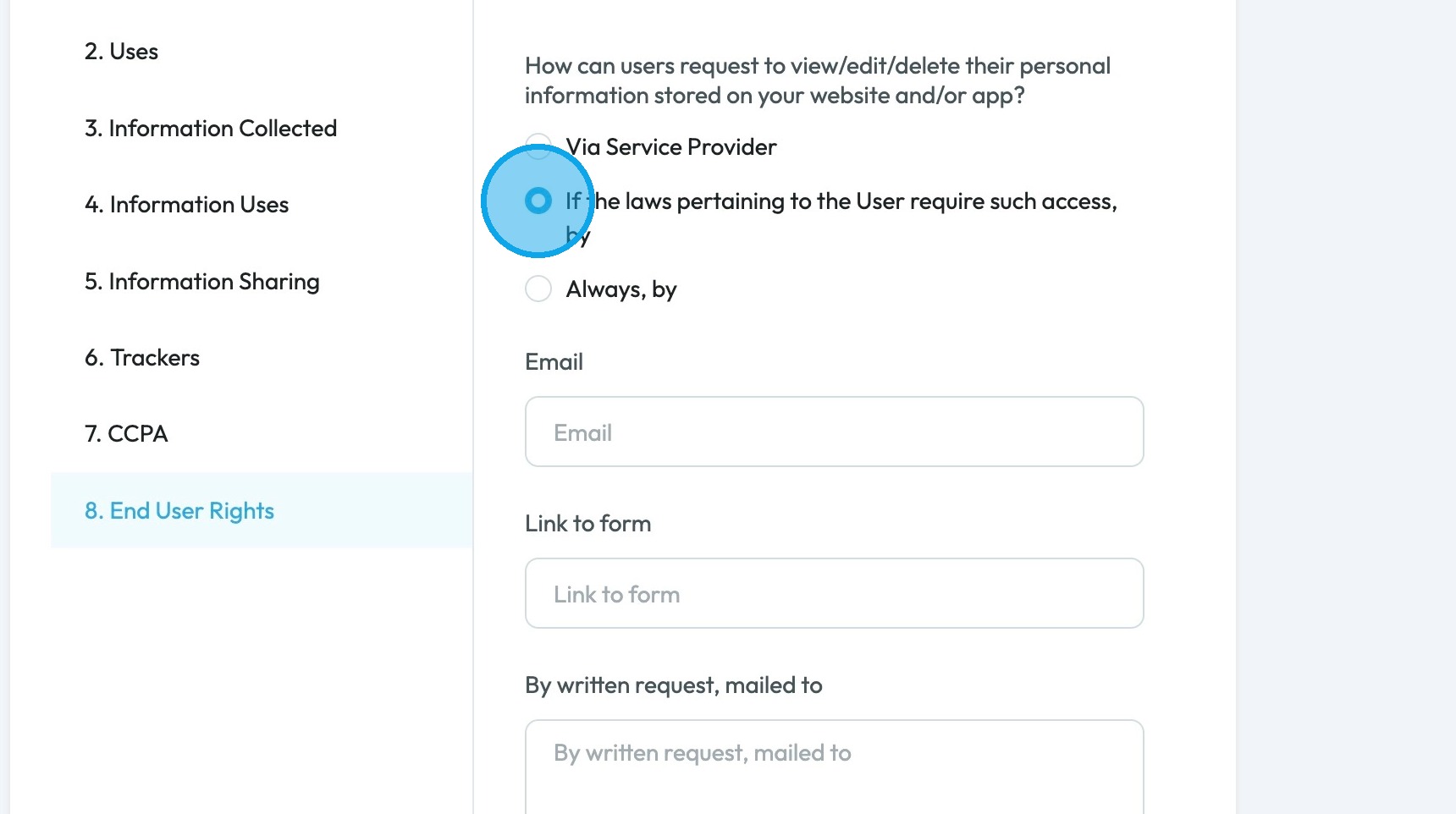
58. If you select "If the laws pertaining to the User require such access, by" 3 questions will open allowing you to input the email, link to the form and a physical address
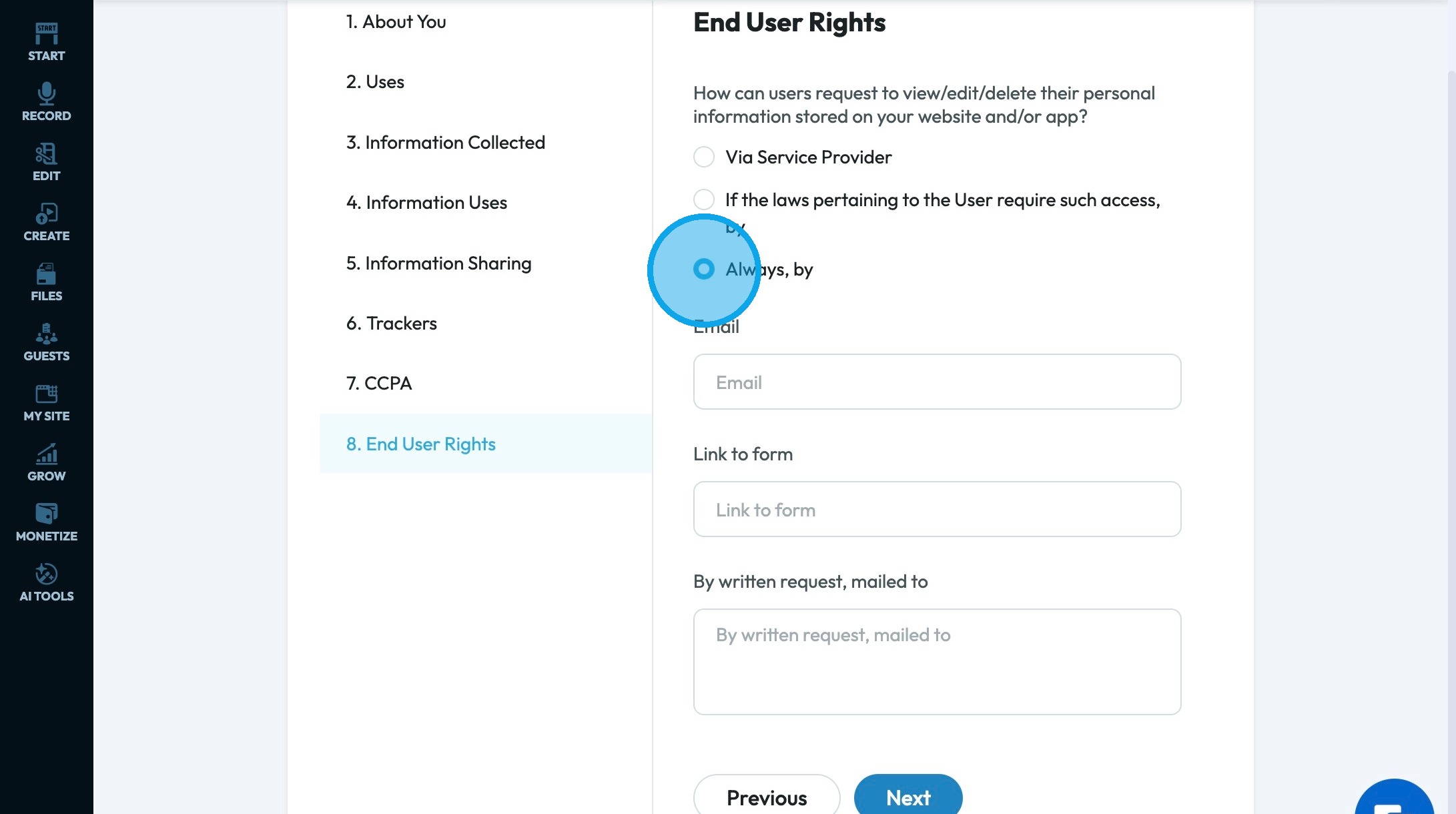
59. If you select "Always, by" 3 questions will open, allowing you to input the email, link to the form and a physical address
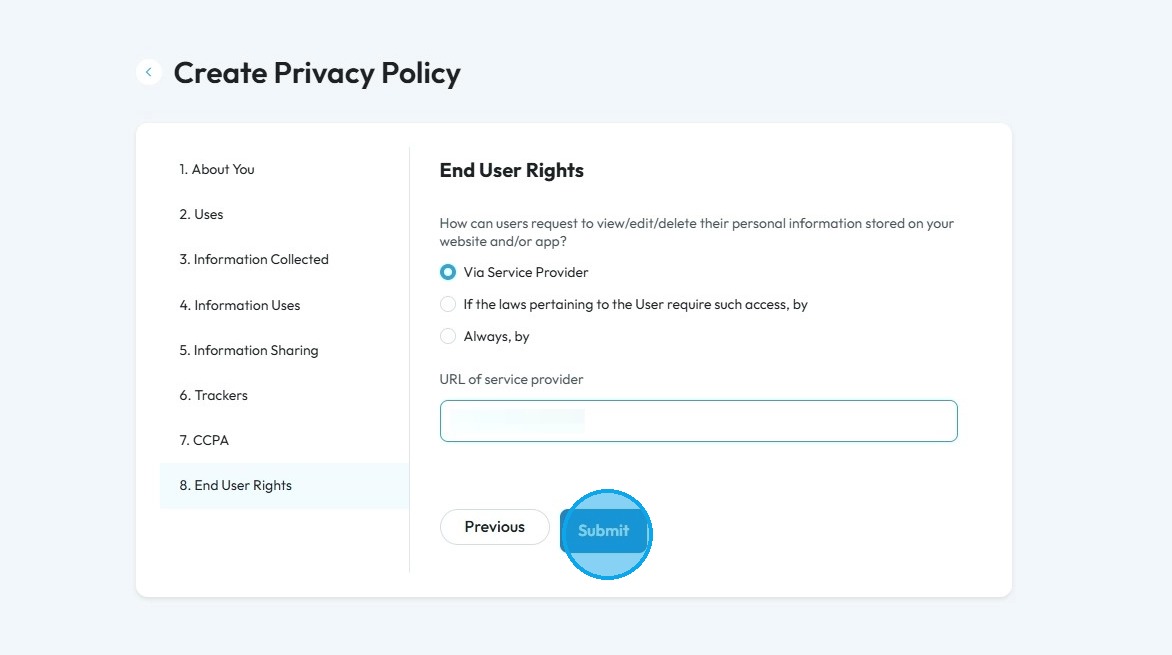
60. Click "Submit" to complete your Privacy Policy Document
Alert: Alert! LLC is a show technology company that makes creating, producing and monetizing shows simpler and more affordable. Please note that LLC is not a lawyer referral service, accountant referral service, accounting firm, or law firm, does not provide legal or tax advice or representation, and is not intended as a substitute for an attorney, accountant, accounting firm, or law firm. LLC has placed the information on this website as a service to the general public. While some of the information on this site is about legal issues, it is not, and is not intended as legal or tax advice or as a substitute for the particularized advice of your own counsel. Anyone seeking specific legal, tax or professional advice or assistance should retain an attorney, accountant or other licensed professional as the case may be. This website could include inaccuracies or typographical errors. The materials on this website do not constitute legal advice, do not necessarily reflect the opinions of LLC or any of its employees, and are not guaranteed to be correct, complete, or up-to-date. The information on this website is provided “AS IS” without warranty of any kind, either express or implied, including but not limited to, the implied warranties of merchantability, fitness for a particular purpose, or non-infringement. Each individual document published on this website may contain other proprietary notices and copyright information relating to that specific document.
Related Articles
How to Navigate PodUp Legal Docs
This guide is essential for anyone looking to create legal documents efficiently using PodUp's templates. It provides clear instructions on accessing and utilizing a range of legal policies, from Privacy Policies to Contractor Agreements, which are ...How to Create Terms and Conditions for Your Podcast Website using PodUp Legal Docs
By following this guide, you can create customized Terms and Conditions for your podcast website to ensure legal compliance and build trust. Alert: Alert! LLC is a show technology company that makes creating, producing and monetizing shows simpler ...How To Create a Cookie Policy Notice on PodUp Legal Docs
Use this guide to create a Cookie Policy Notice on PodUp and build audience trust Alert: Alert! LLC is a show technology company that makes creating, producing, and monetizing shows simpler and more affordable. Please note that LLC is not a lawyer ...How To Submit A Media Release Using PodUp Legal Docs
Use this guide to submit a media release on PodUp and allow your content to be used Alert: Alert! LLC is a show-technology company that makes it simpler and more affordable to create, produce, and monetize shows. Please note that LLC is not a lawyer ...How to create a Return Policy in PodUp Shop?
This guide provides a straightforward process for creating a new return policy on the Podup platform, ensuring that your shop maintains clear and effective customer service standards. 1. Navigate to https://app.podup.com/home 2. Click "Monetize" 3. ...