How Do I Encourage Google to Look for My Website
By following this guide, you can enable search engine indexing to boost your website’s visibility and traffic.
1. Navigate to https://app.podup.com/home
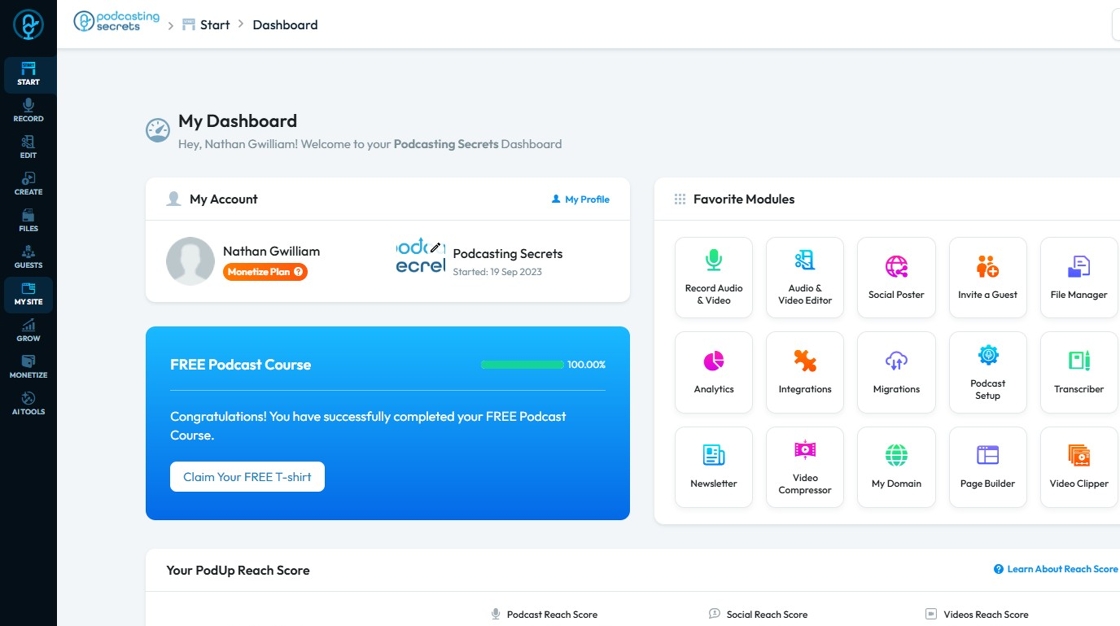
2. Click "My Site"
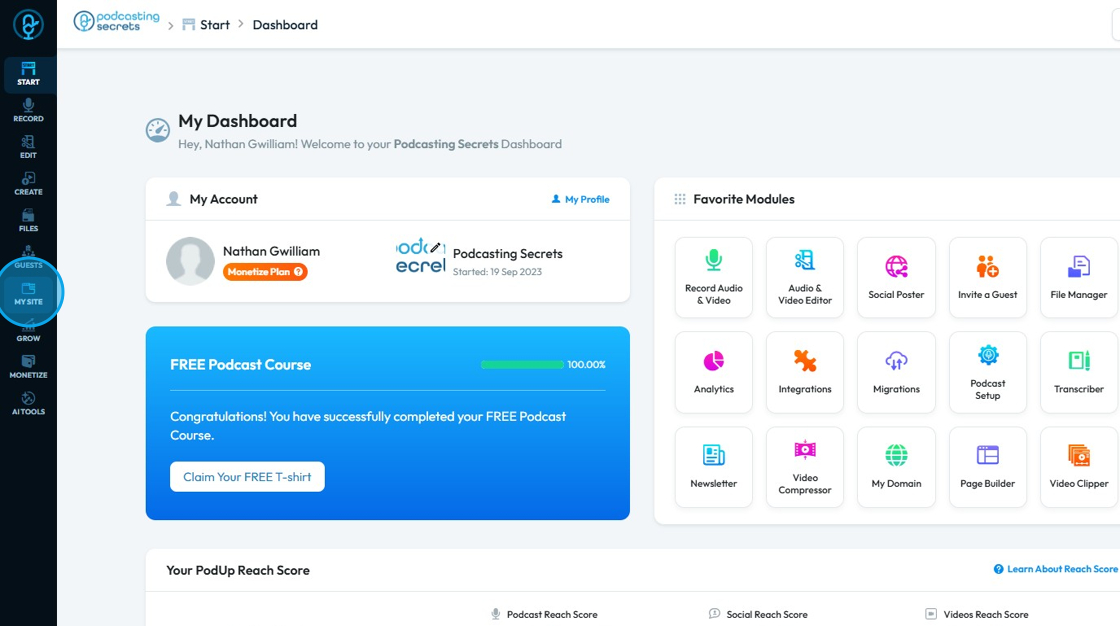
3. Select "My Domain"

4. This section displays your ‘Domain’ name
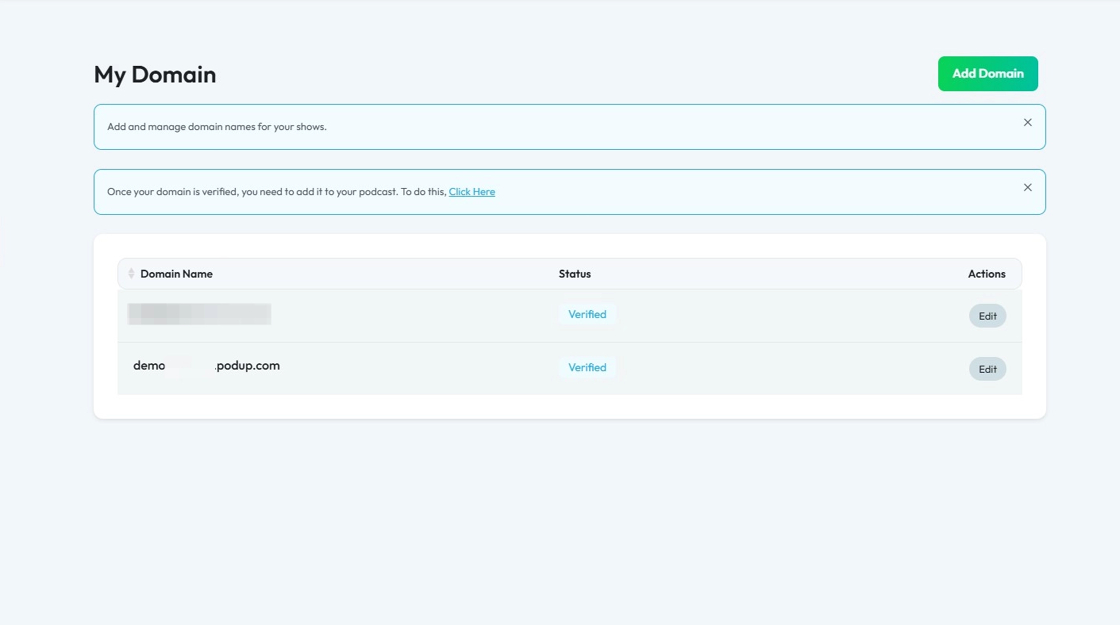
5. Click "Edit" button of a Domain

6. Uncheck "Discourage search engines from indexing this site"
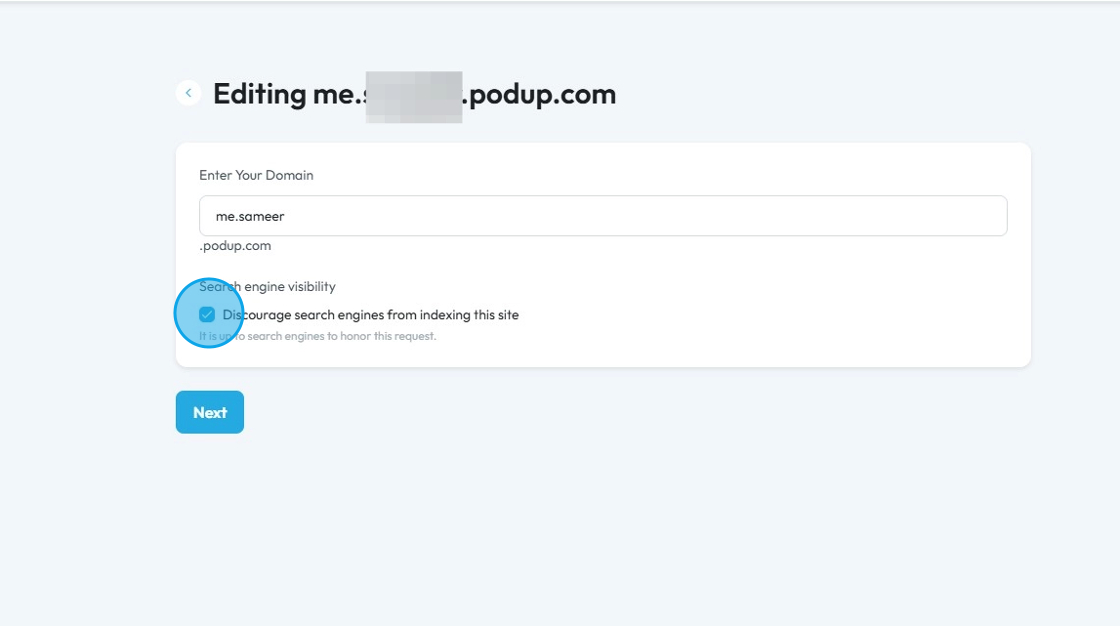
7. After clicking ‘Next,’ search engines will begin indexing your website

Related Articles
How to Connect Google Analytics Account to PodUp Analytics Using Integrations
This guide helps you easily connect Google Analytics to PodUp Analytics with clear, step-by-step instructions. It offers different ways to access the integration page and shows you how to track your podcast’s performance. Get better insights into ...How to Connect Google Analytics Account to PodUp Analytics Using Integrations
This guide helps you easily connect Google Analytics to PodUp Analytics with clear, step-by-step instructions. It offers different ways to access the integration page and shows you how to track your podcast’s performance. Get better insights into ...How to Connect Google Calendar Using PodUp Integrations
This guide shows you how to easily connect Google Calendar to PodUp. Follow the simple steps to manage events and reminders all in one place. Whether you're new or already using PodUp, this integration can boost your organization and productivity. 1. ...How to Connect Google Calendar Using PodUp Integrations
This guide shows you how to easily connect Google Calendar to PodUp. Follow the simple steps to manage events and reminders all in one place. Whether you're new or already using PodUp, this integration can boost your organization and productivity. 1. ...How to fetch Google review?
This guide shows you how to access Google reviews on PodUp to boost visibility 1. Navigate to https://app.podup.com/home 2. Select "Integrations" under "Favorite Modules". 3. You will be directed to the “Podcast Integrations” page 4. Select "Reviews" ...