Why do I need to create multiple studios?
By following this guide, you can create multiple studios to organize your recordings efficiently and streamline your workflow.
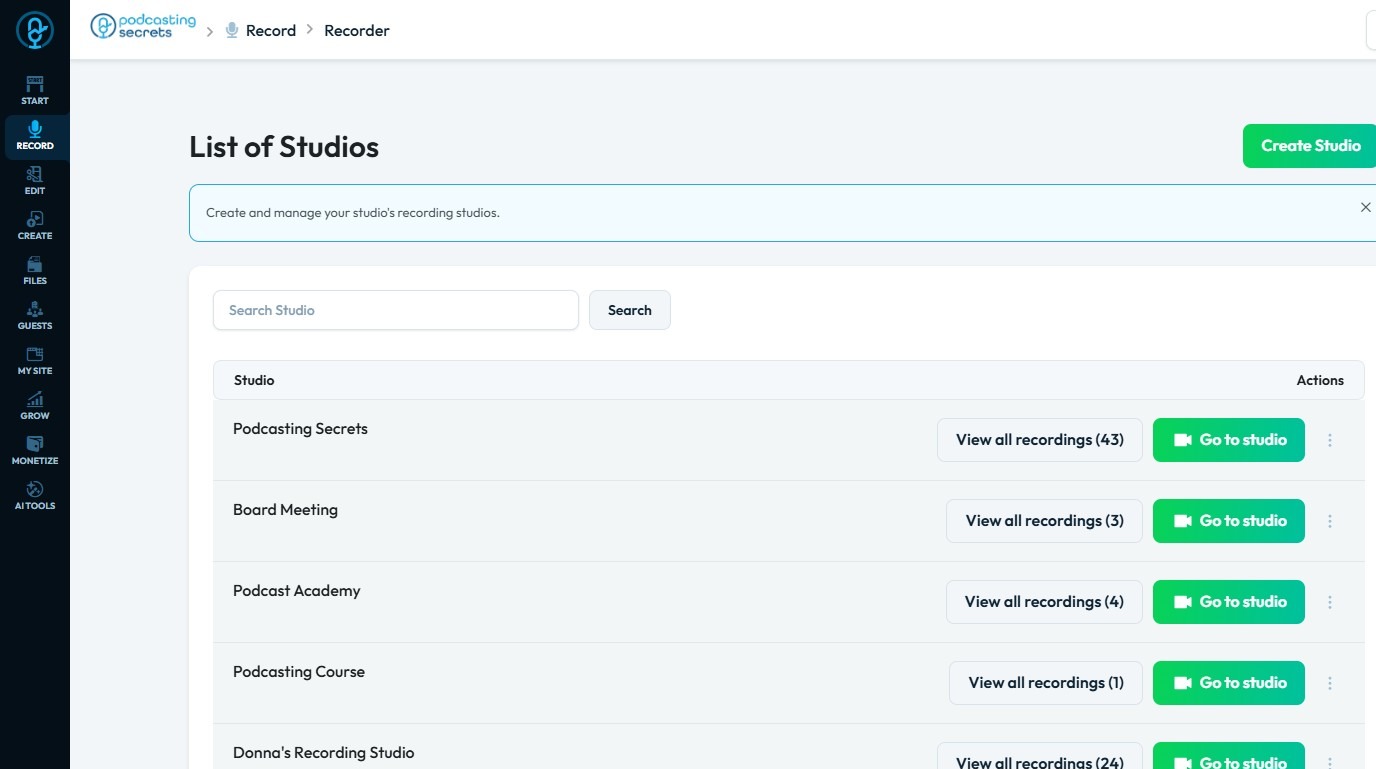
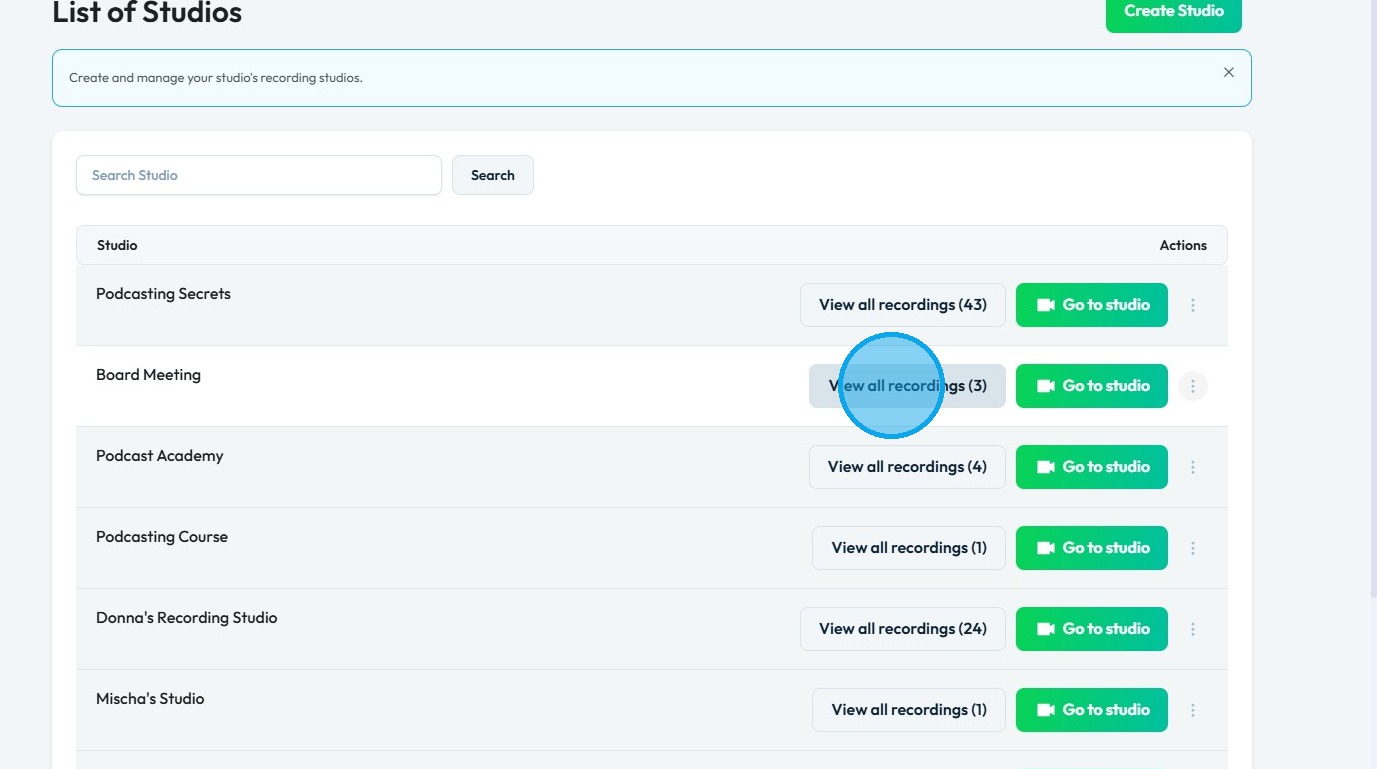
2. The list of studios will be displayed
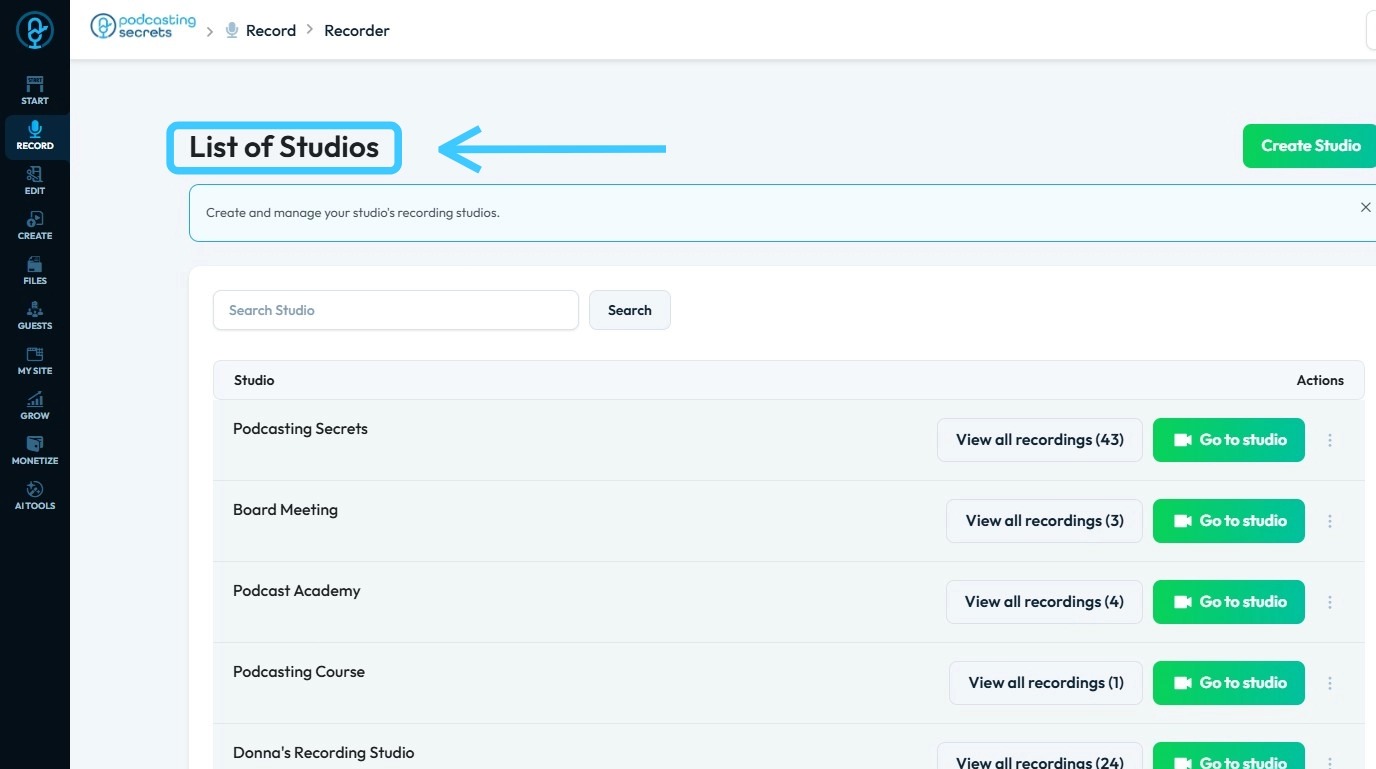
3. You can create multiple studios to organize your recordings efficiently.
For example, the "Podcasting Secrets" studio will contain all related episodes; click "View All Recordings" to access them.
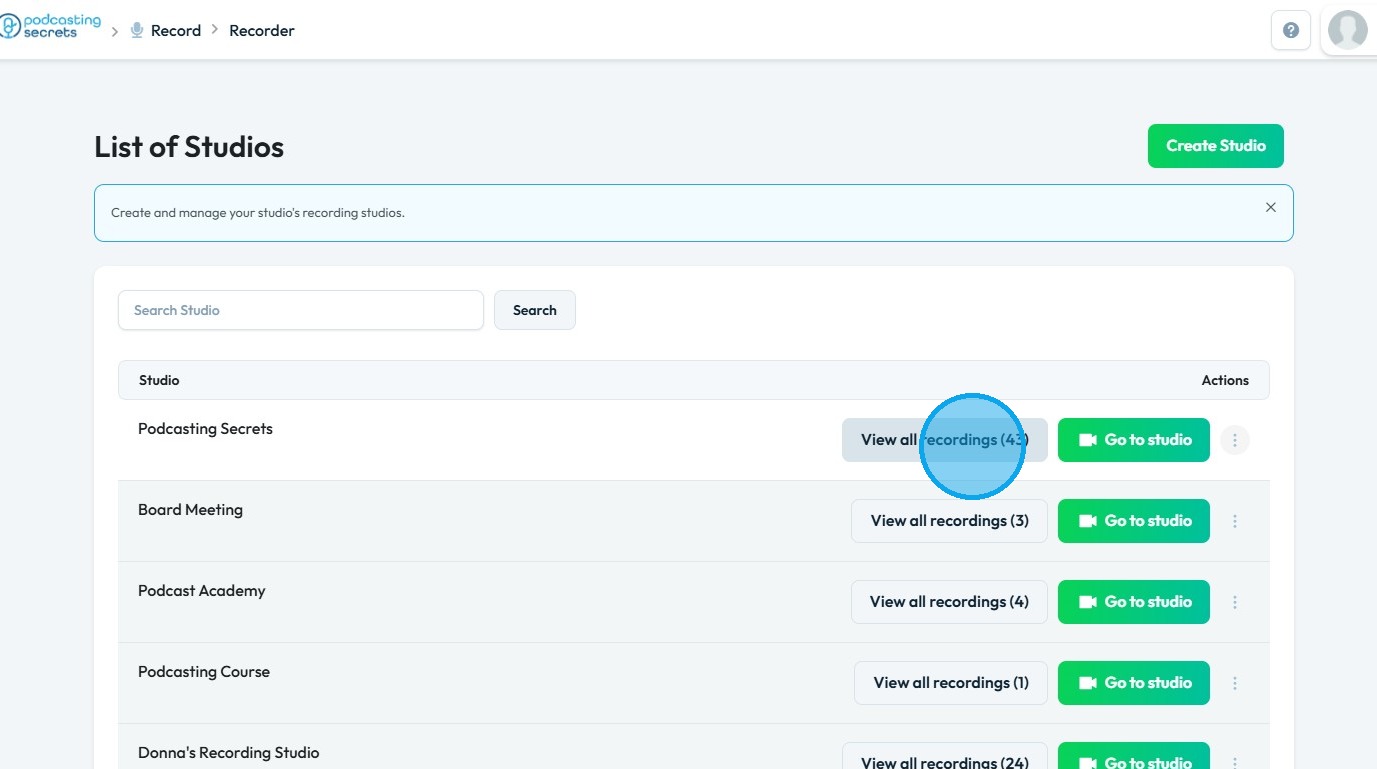
4. All episodes of "Podcasting Secrets" can be accessed under "View All Recordings," making it easy to navigate and search through your files
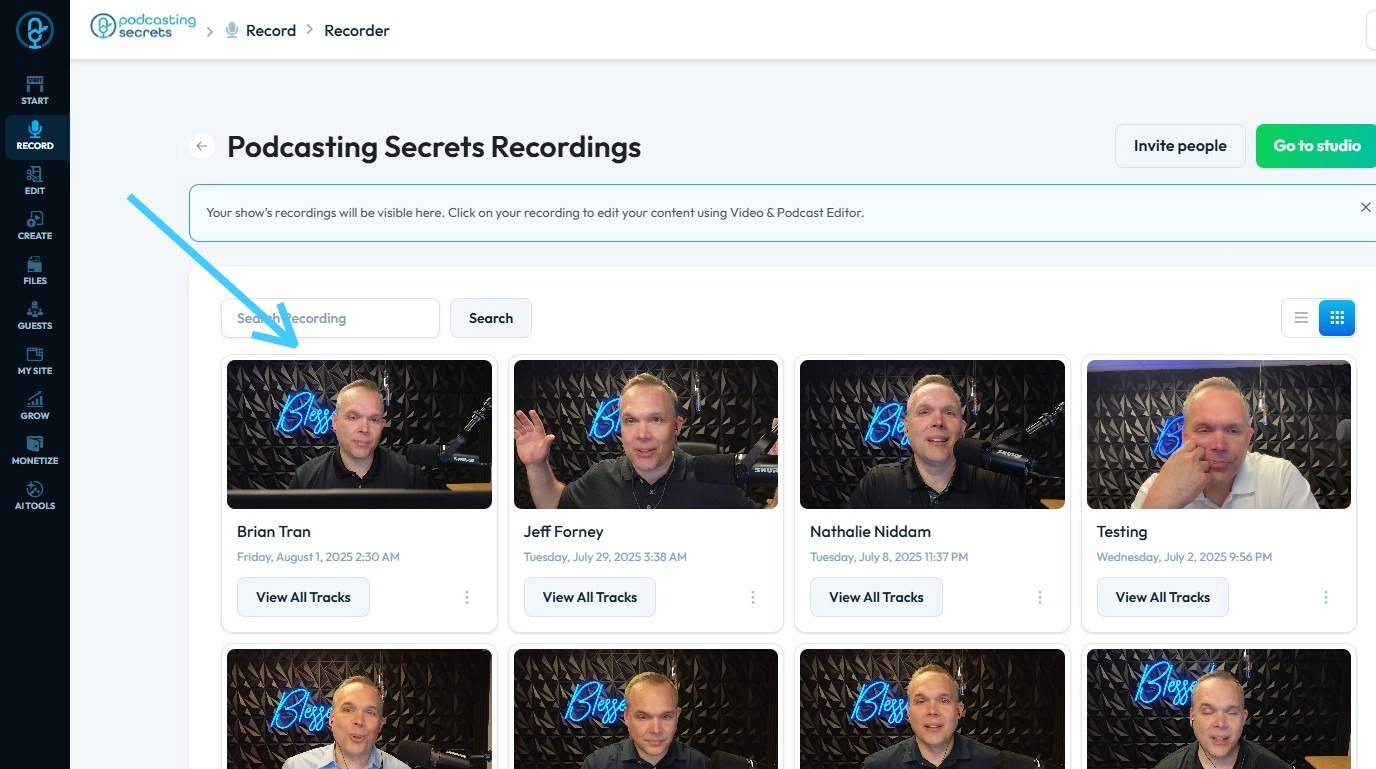
5. As another example, click "View All Recordings" in the Board Meeting studio
6. All board meeting recordings will be displayed, allowing for easy navigation and efficient file searching
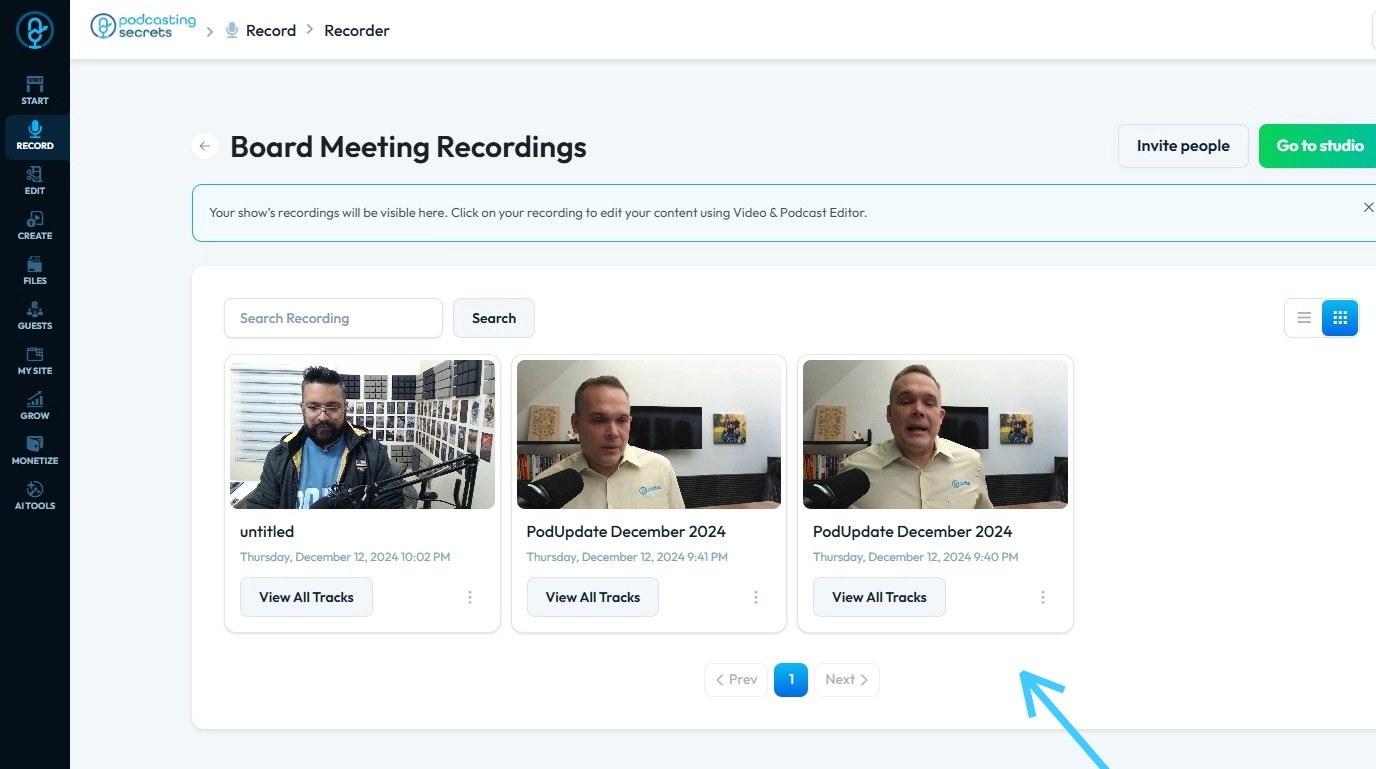
7. You'd want to create multiple studios to organize your recordings. Think of each studio as a separate folder.
Here are some reasons why you might use them:
- Project-based work: Keep recordings for different projects separate.
- Client or team separation: Manage recordings for different clients or internal teams without mixing them up.
- Content type: A podcaster might have one studio for interviews and another for solo episodes.
If you don't have a need to separate your recordings, one studio is all you need.
Related Articles
Do I need to create a new page to edit my page
Use this guide to edit your PodUp webpage and quickly update your site Tip: No, you don't need to create a page to edit my page. 1. Navigate to https://app.podup.com/home 2. Click "My Site" 3. Select "Page Builder" 4. You will arrive at the “Pages” ...How To Create Privacy Policy Using Podup Legal Docs
By following this guide, you can create a comprehensive privacy policy on PodUp to ensure legal compliance and build trust. Alert: Alert! LLC is a show technology company that makes creating, producing and monetizing shows simpler and more ...How Do I Create a Blog Post
This guide shows you how to create a blog step by step. It covers SEO, categories, and social sharing to help you reach more people and grow your online presence. 1. Click "Create" 2. Click "Blogs" 3. Click "Create Post" to write your own blog or ...How to Create Terms and Conditions for Your Podcast Website using PodUp Legal Docs
By following this guide, you can create customized Terms and Conditions for your podcast website to ensure legal compliance and build trust. Alert: Alert! LLC is a show technology company that makes creating, producing and monetizing shows simpler ...How to Create an Image Gallery on PodUp
This guide shows you how to create and manage image galleries in PodUp. It walks you through the steps to showcase images with a clean, professional look and interactive features—great for boosting engagement on your site. 1. Click "My Site" 2. Click ...