Where to check subscriber entries
Use this guide to access and manage subscriber entries on PodUp to engage your audience better
1. Navigate to https://app.podup.com/home
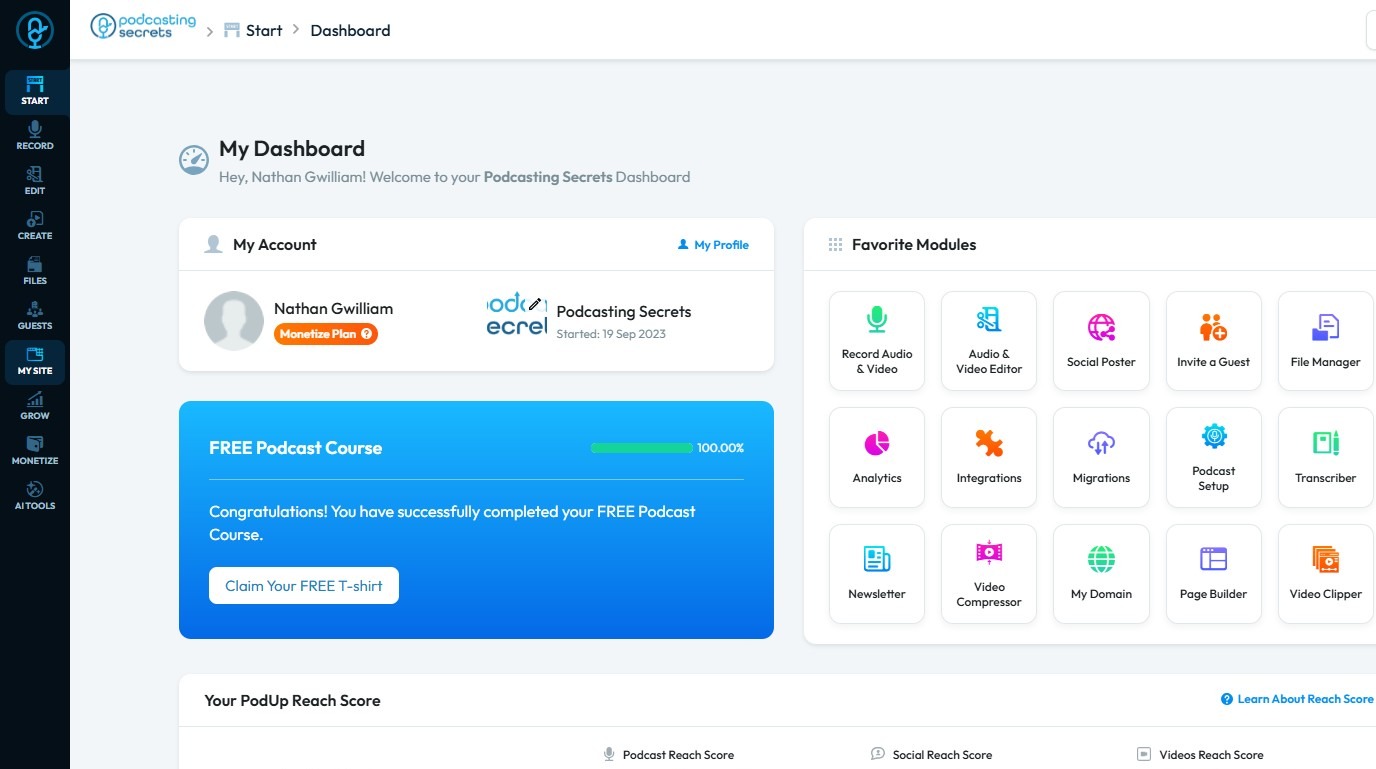
2. Click "My Site"
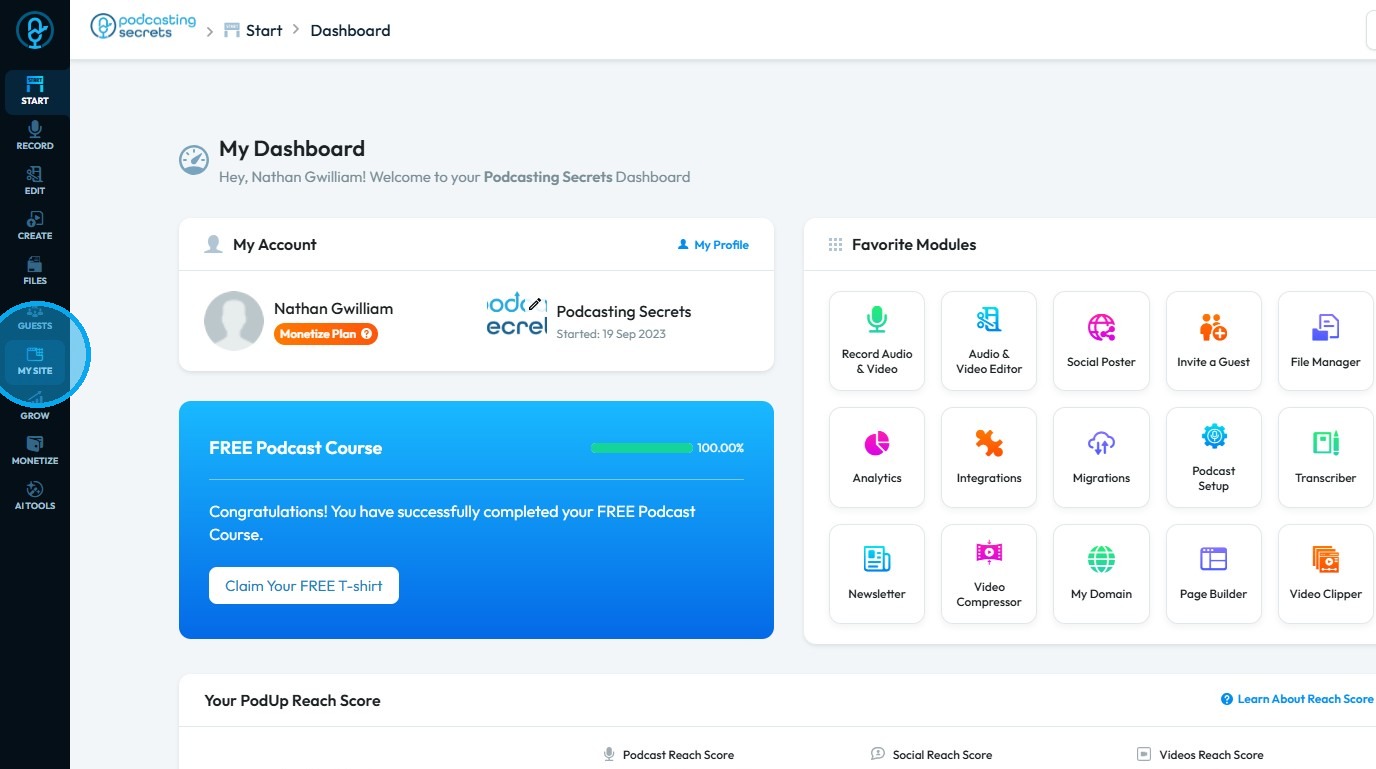
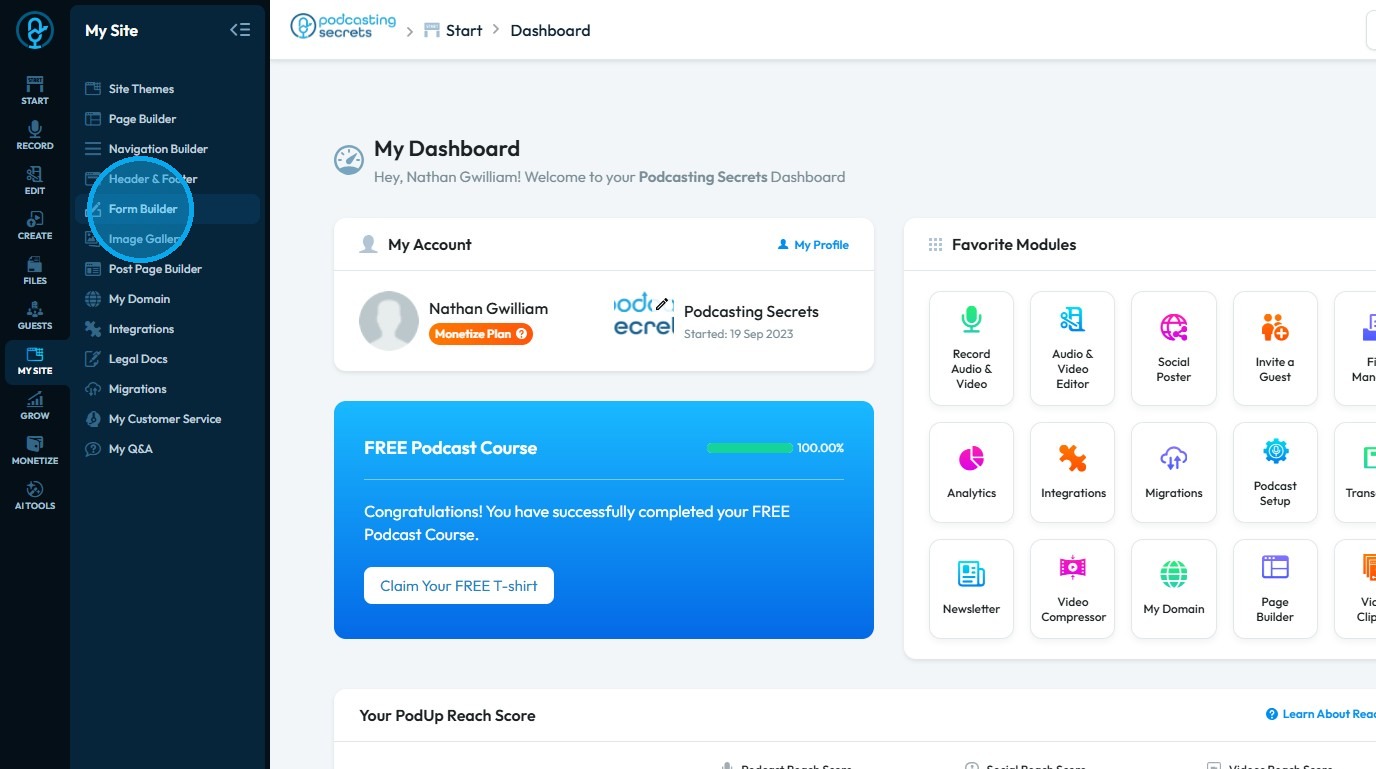
3. Select "Form Builder"
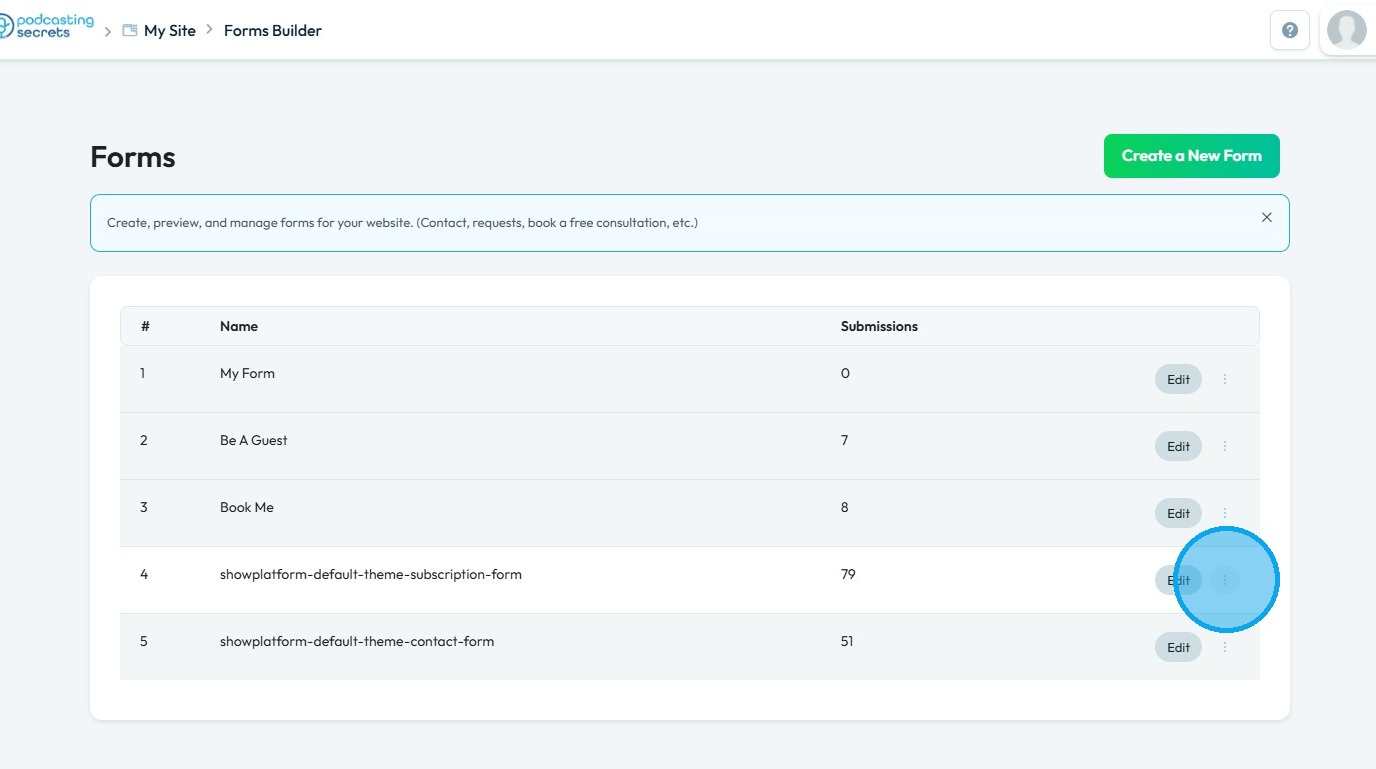
4. On the “Forms” page, locate the form labeled “subscription-form.”
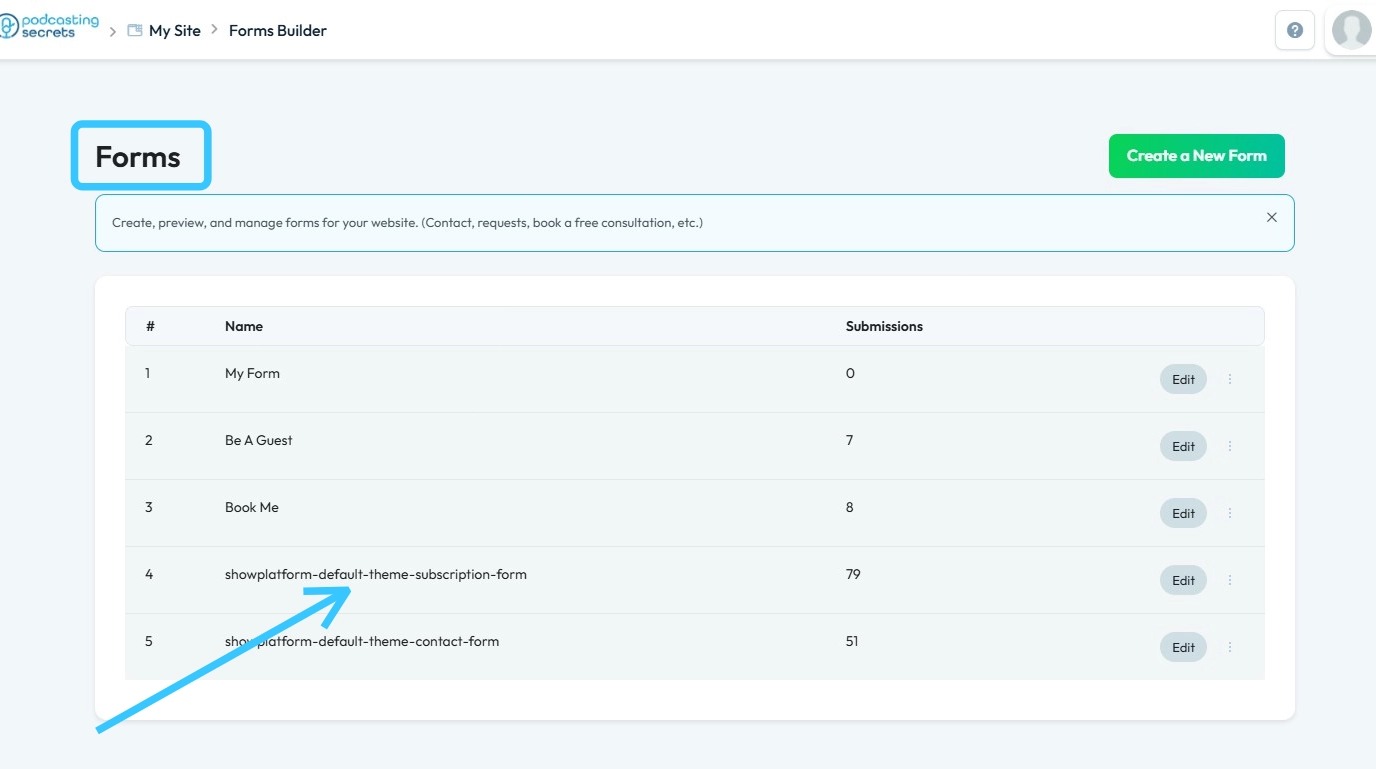
5. Click the three dots next to the “subscription-form”
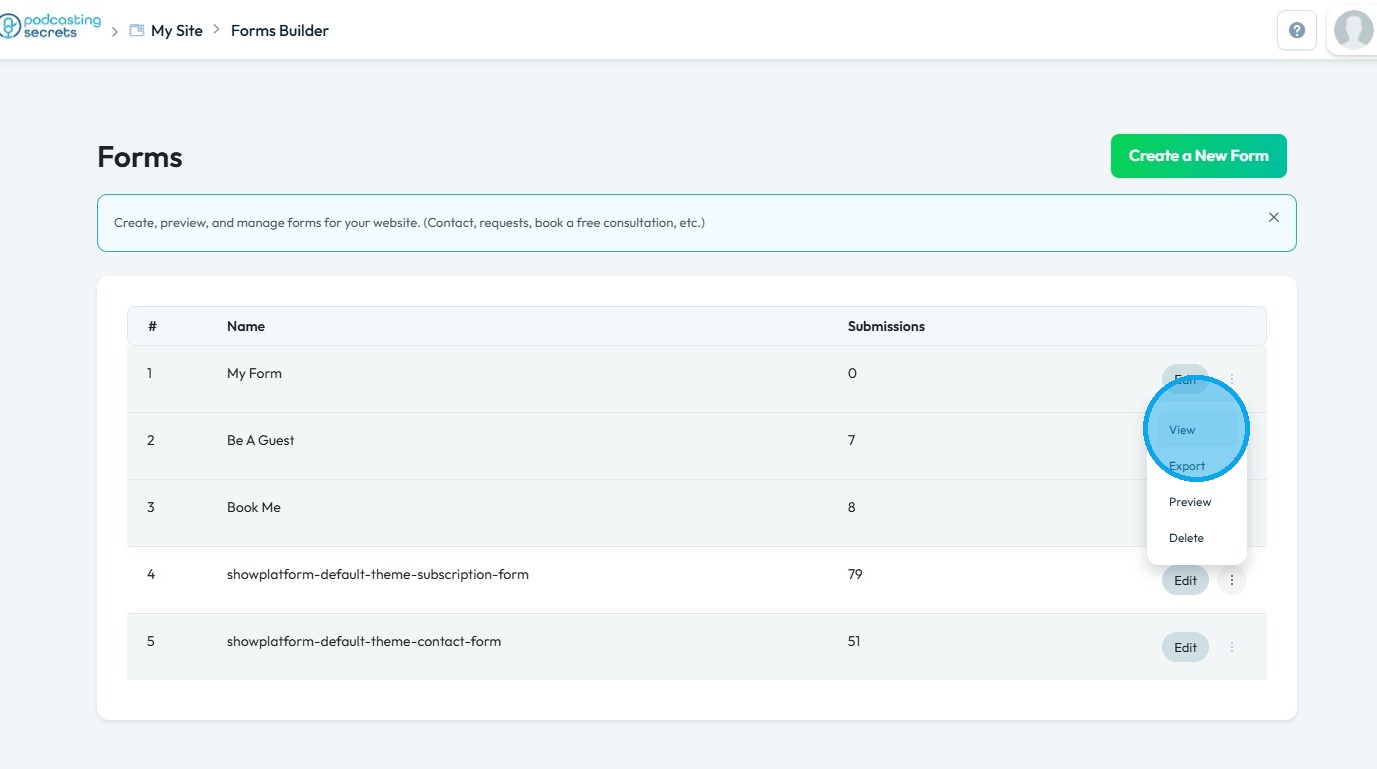
6. Select "View"
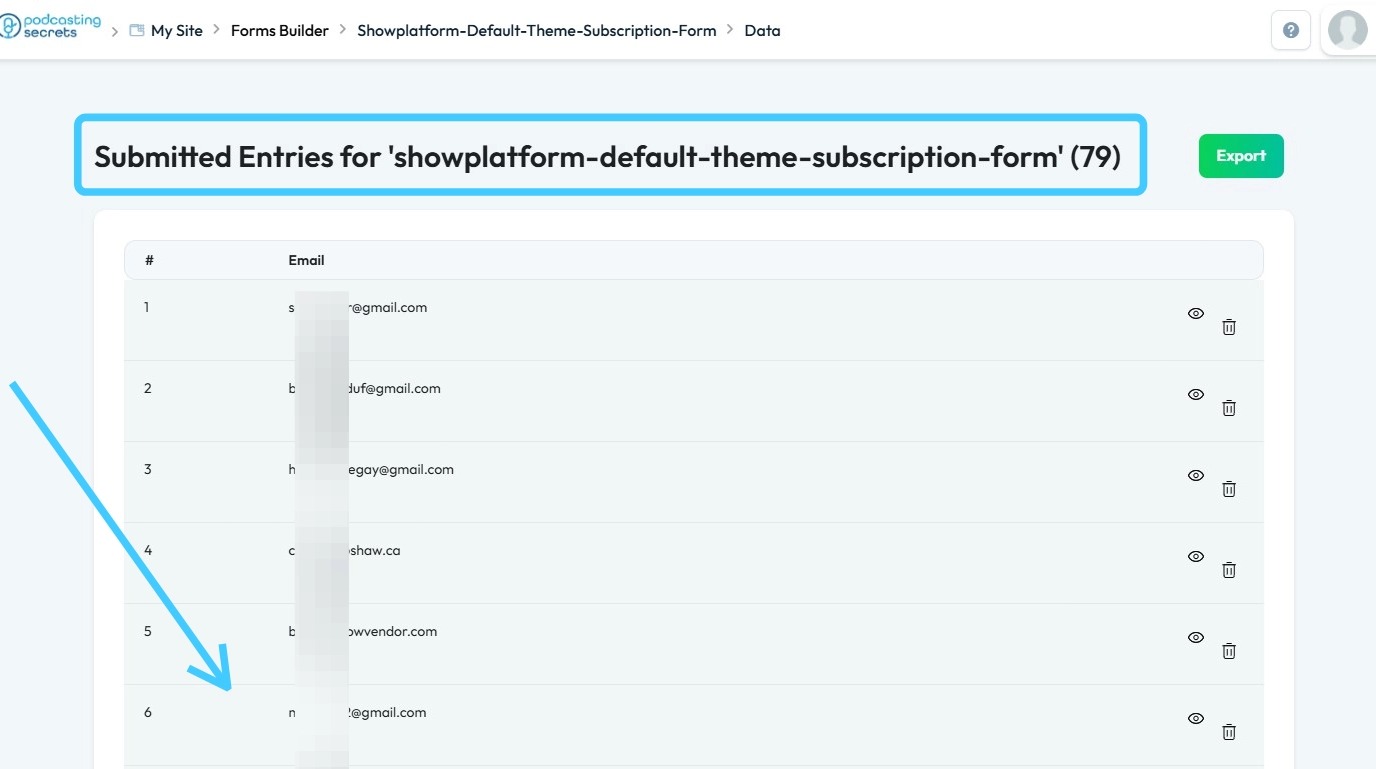
7. This section displays all entries submitted through your site
Related Articles
How Can I Check Who has Access to Recorder
By following the steps outlined, users can easily identify roles and permissions, ensuring proper access management. 1. Navigate to https://app.podup.com/home 2. Click "Start" 3. Click "My Team" 4. The ‘My Team’ page will open, where you can check ...How can I check who has access to my website
Use this guide to manage team member access and keep your website secure. 1. Navigate to https://app.podup.com/home 2. Click "Start. 3. Select "My Team" 4. "My Team" page will show you all the Team members 5. Click "Edit" button of a team member to ...How to check Reviews in PodUp Shop?
This guide provides a straightforward method for accessing and managing product reviews in the PodUp Shop, ensuring you can easily evaluate customer feedback. 1. Navigate to https://app.podup.com/home 2. Click "Monetize" 3. Click "Shop" 4. Click ...How to Create a Newsletter List and Segment in PodUp
This guide shows you how to create and manage a newsletter list in PodUp. Learn how to customize lists, segment subscribers, and track results to improve targeting and boost engagement. 1. Navigate to https://app.podup.com/home 2. Click "Grow" 3. ...How to change the category of my video episode?
Easily change video episode categories in PodUp to improve organization, visibility, and engagement 1. Navigate to https://app.podup.com/home 2. Click "Create" 3. Select "Videos" 4. The "Videos" page will load, displaying all published videos 5. ...