What is the Difference between the Episode Manager Module and Blog/Video/Podcast modules?
1. In short - Episode Module is the central hub for all the content. Blog/Video/Podcast modules are for all the details fo the specific parts but they can be connected to an episode
2. Blog Module: The blog module allows users to create and manage written posts. It provides fields for entering the
- Blog title
- Excerpt
- Content
- Categories
- Tags, and
- Images
Each blog can be assigned to a specific episode, making it easy to organize blog posts within an episodic structure. Scheduling, author selection, and visibility controls are available to manage publishing workflows.
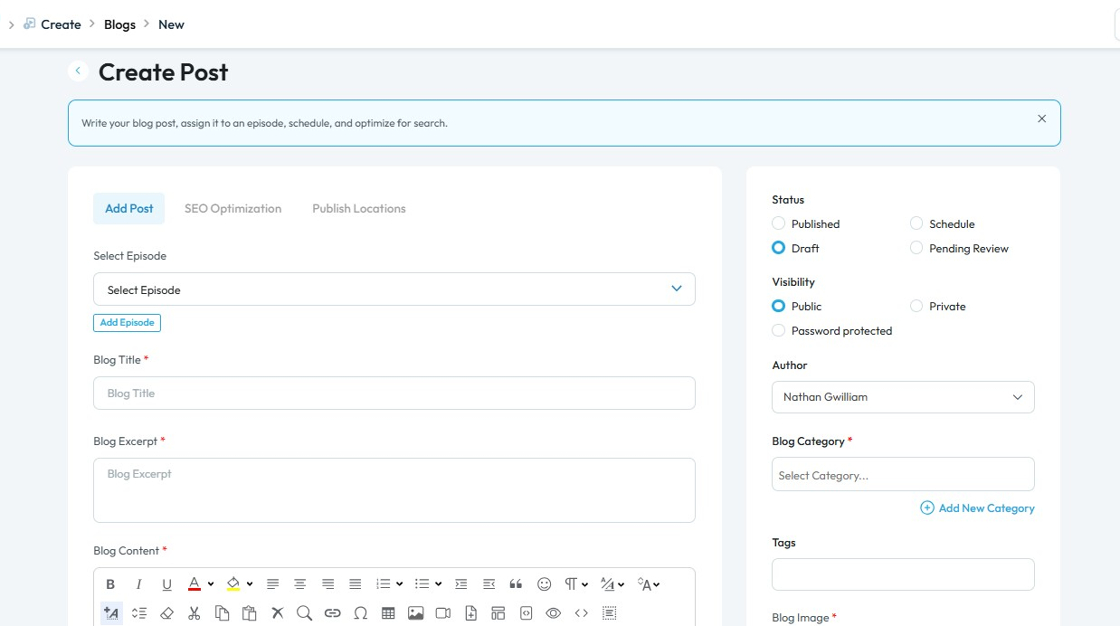
3. Video Module: This module is designed for uploading and organizing video content. Users can input
- Video titles
- Excerpts
- Upload video files or provide YouTube links, and
- Add descriptive content
Videos can be
- linked to episodes and categorized
- Optimized with for tags and images.
The module ensures all video-related metadata is captured for seamless integration into episodes and the overall content library.
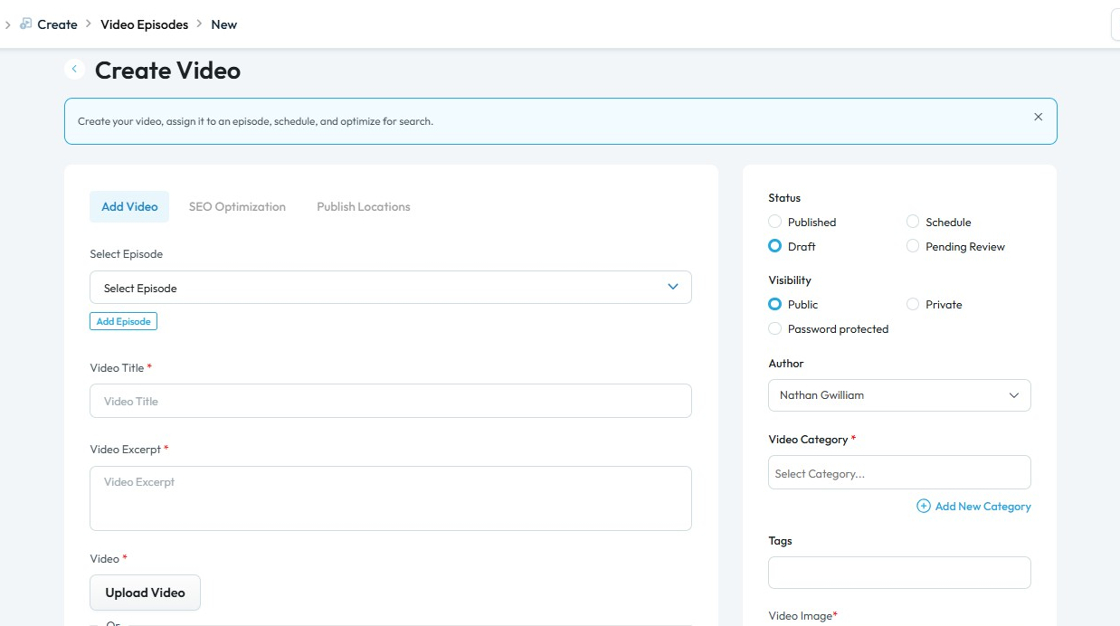
4. Podcast Module: The podcast module enables the creation and publication of podcast episodes. Users can upload
- Podcast audio
- Title
- Summary
- Tags, and
- Assign content to specific episodes
Distribution and discovery of podcasts through
- Categories
- Images
- Scheduling options maintaining an organized archive for listeners.
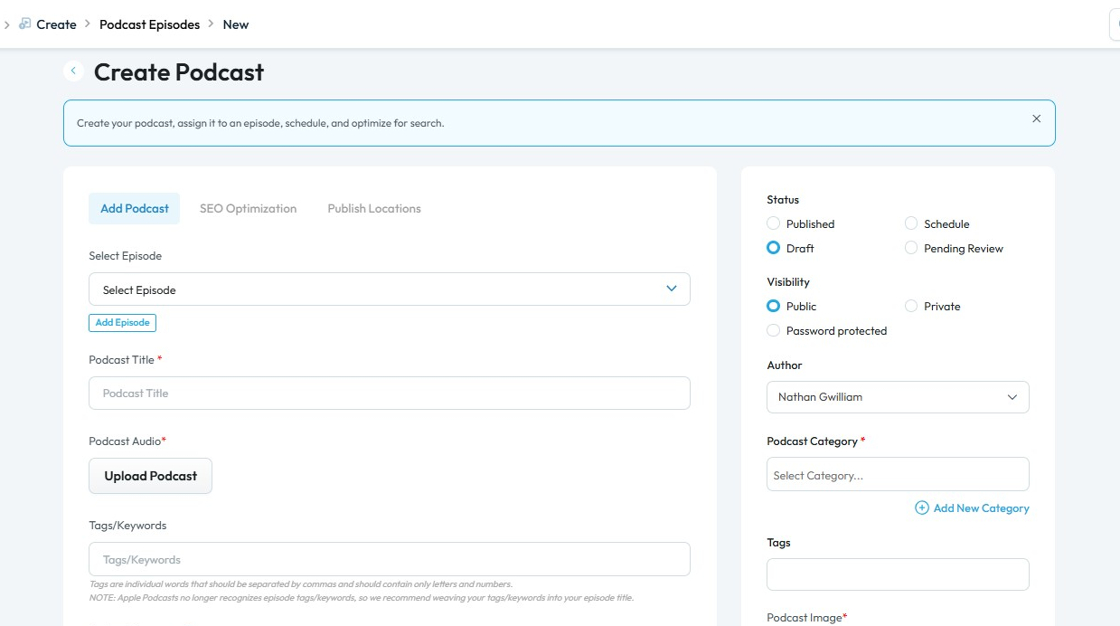
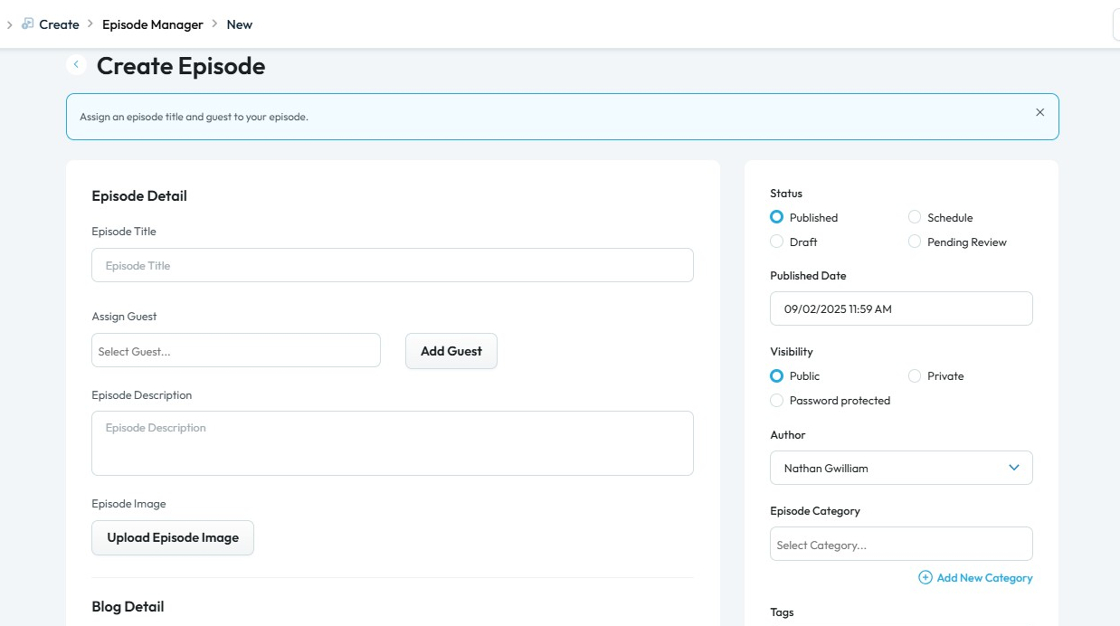
5. Episode Manager Module: The episode manager module serves as the organizational hub, linking blogs, videos, and podcasts to specific episodes. It allows for adding and selecting episodes, ensuring that all content types can be grouped, tracked, and discovered by episode.
This centralizes episode management and simplifies cross-media publishing for each episode in a series.
Related Articles
How To Navigate Episode Manager (Detailed)
This guide provides a step-by-step process for adding an episode in PodUp, making it an invaluable resource for podcasters looking to streamline their workflow. It covers everything from entering episode details to uploading images and sharing links, ...How To Navigate Podcast Episode (Detailed)
This guide offers a step-by-step approach to creating and publishing a podcast episode on Podup, making it accessible even for beginners. It emphasizes the importance of SEO and categorization to enhance discoverability and engagement. By following ...How to Navigate File Manager (Detailed)
This guide offers essential insights into effectively managing your podcast files within PodUp. It covers everything from accessing the File Manager to organizing, uploading, and sharing files, ensuring a streamlined workflow. With tips on sorting, ...How to categorize my podcast episode?
This guide provides a straightforward process for categorizing your podcast episodes, ensuring they will be easily discoverable for you and your listeners! 1. Navigate to https://app.podup.com/home 2. Click "Create" 3. Click "Podcast Episodes" 4. ...Episode Manager Demo Video