How to Publish a Social Media Post?
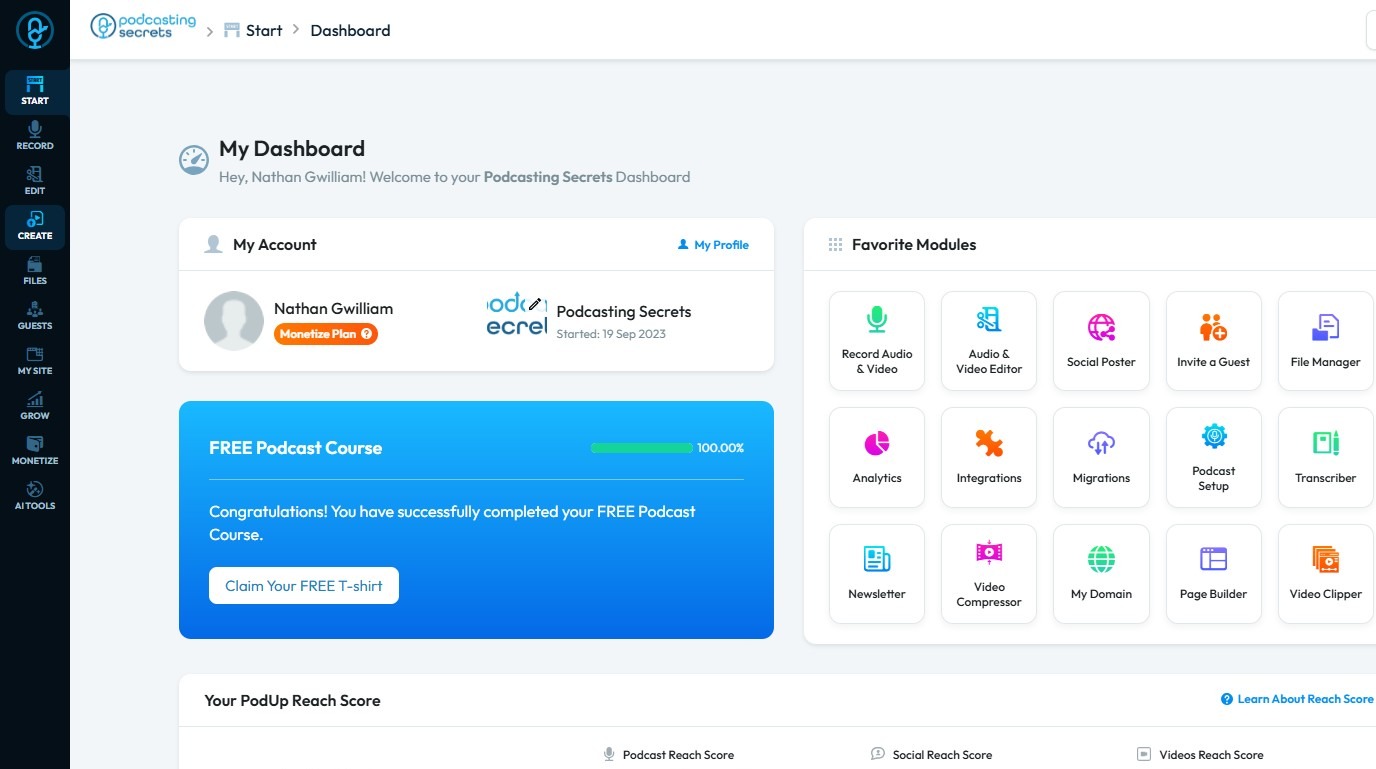
2. Click "Create"
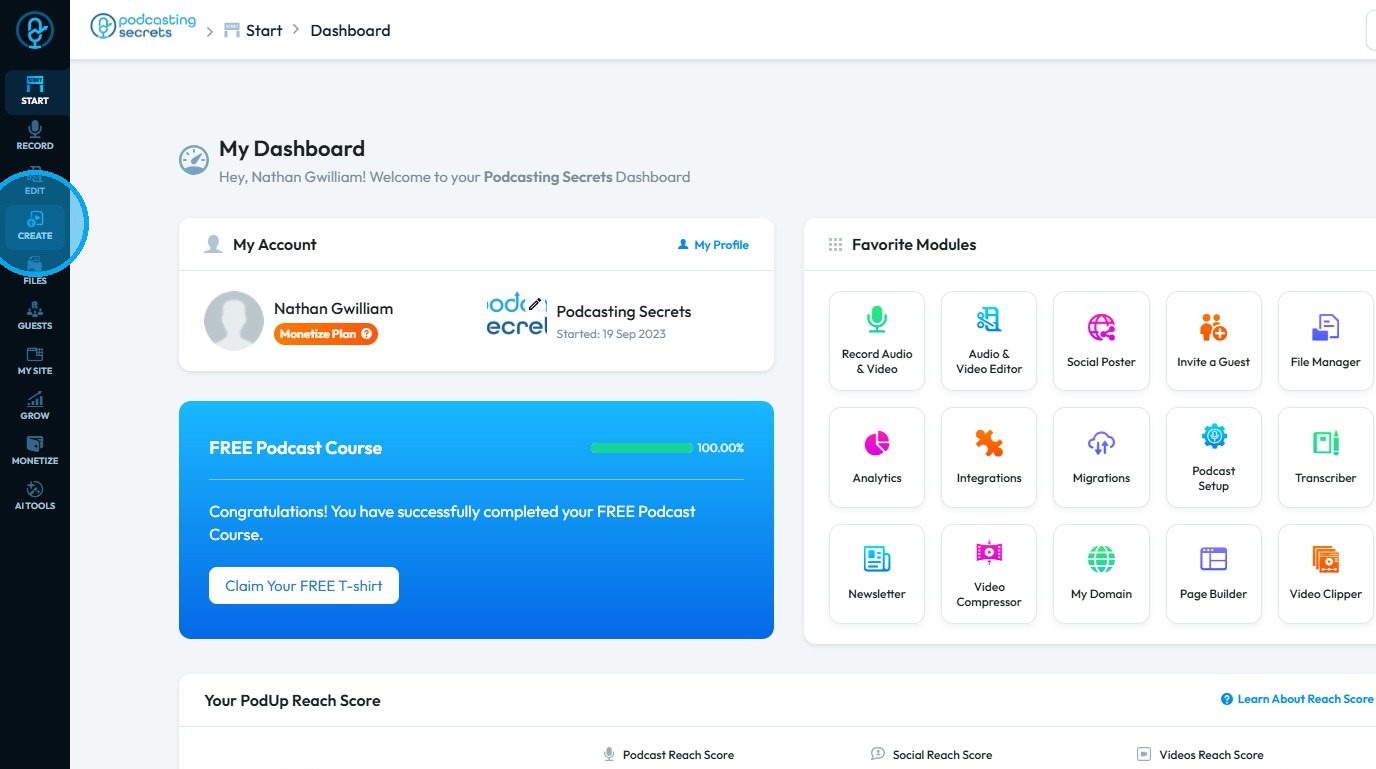
3. Select "Social Poster"
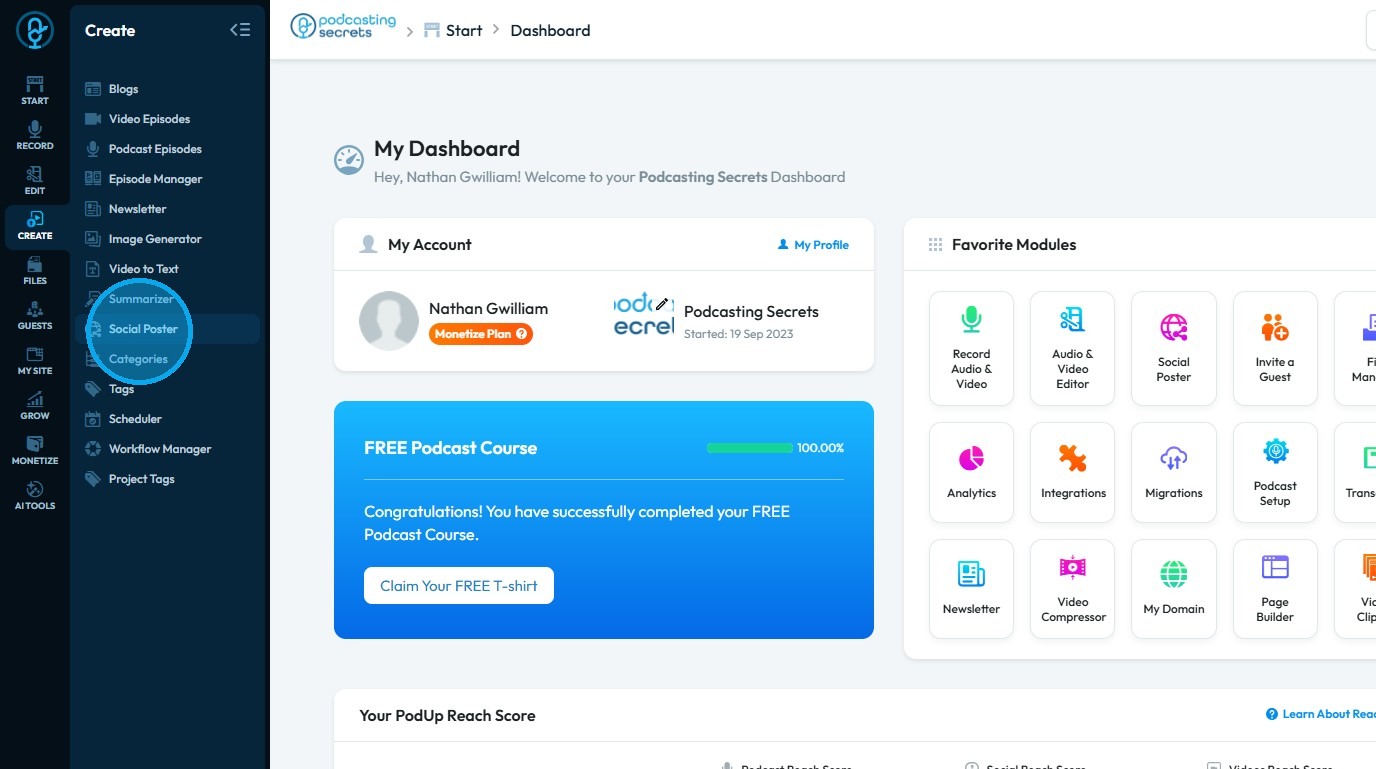
4. You will be directed to the "Social Poster" page
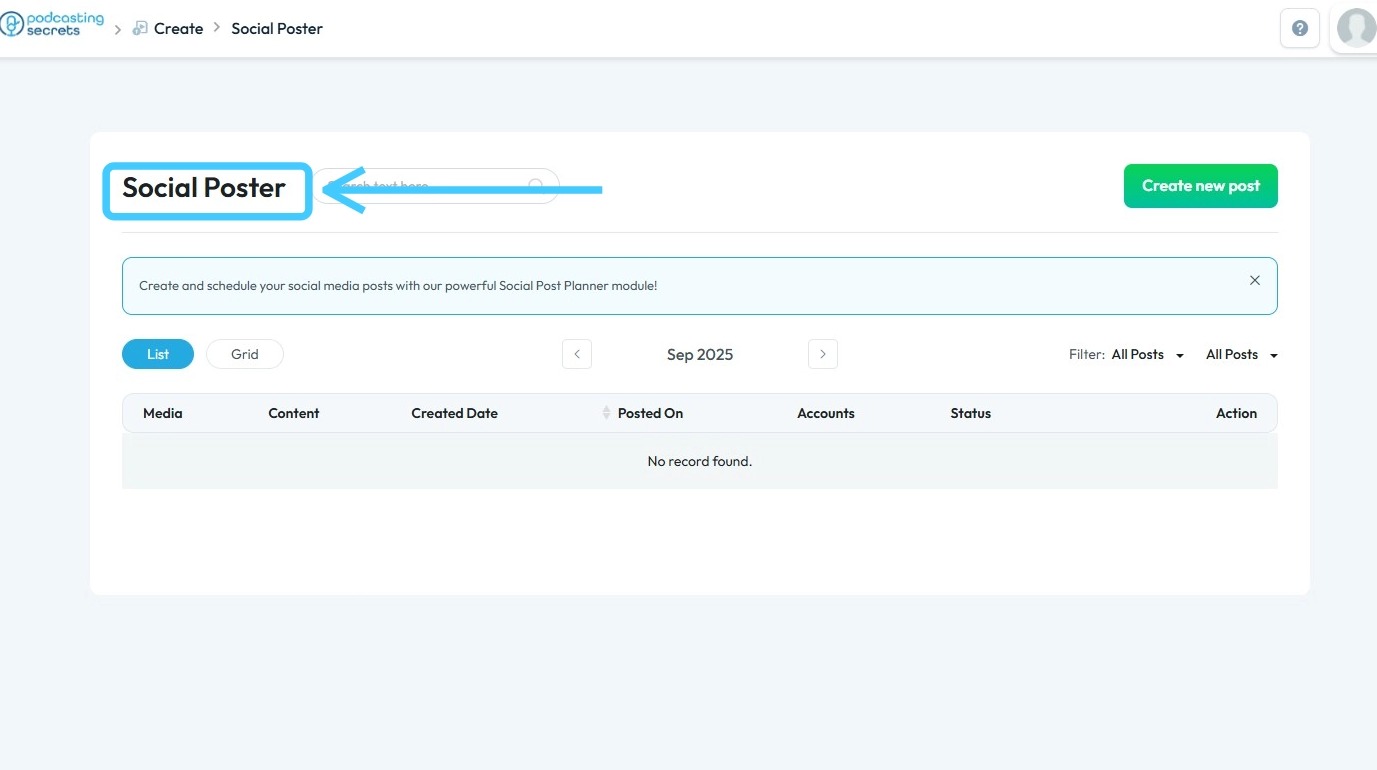
5. Click "Create New Post" to create a new social media post
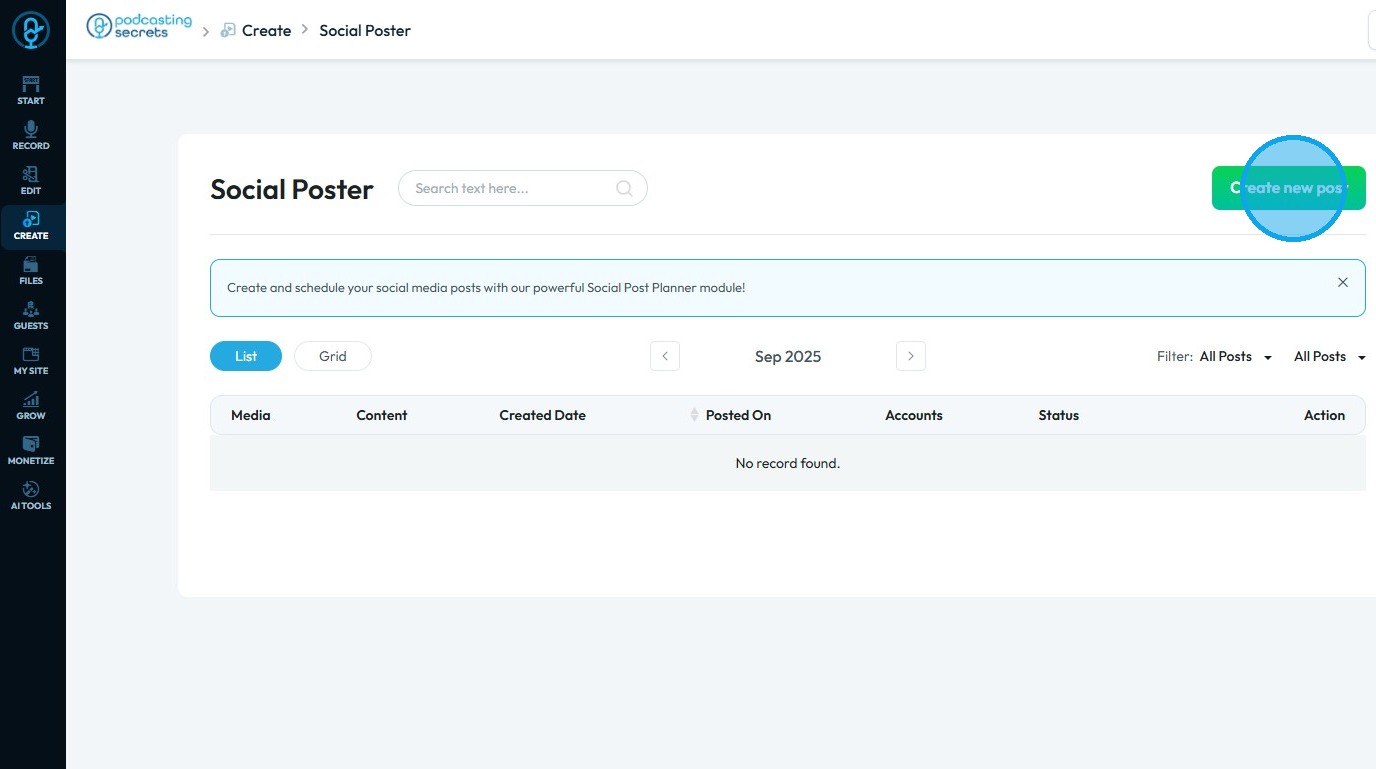
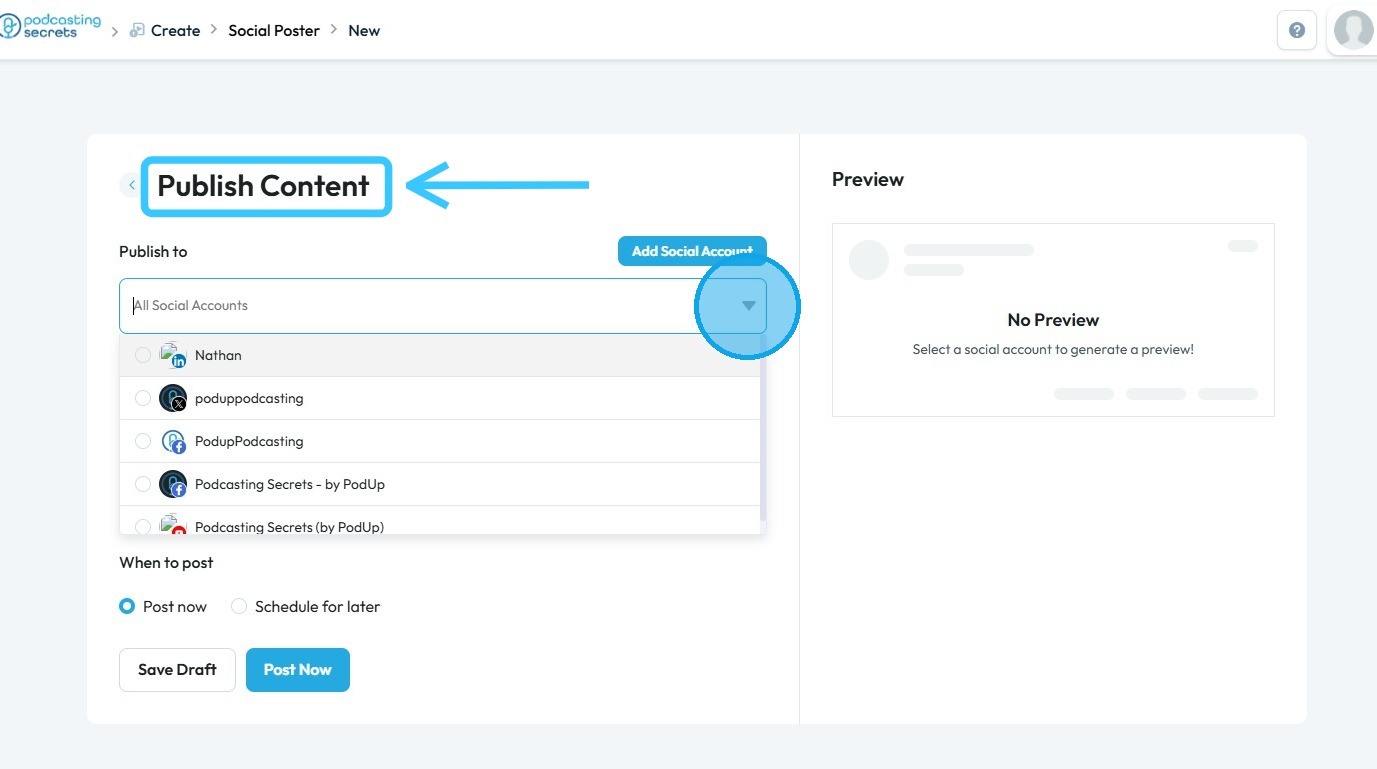
6. You will be redirected to the "Publish Content" page. Then, click the drop-down arrow under the "Publish To" section and select the social media accounts where you want to share your content
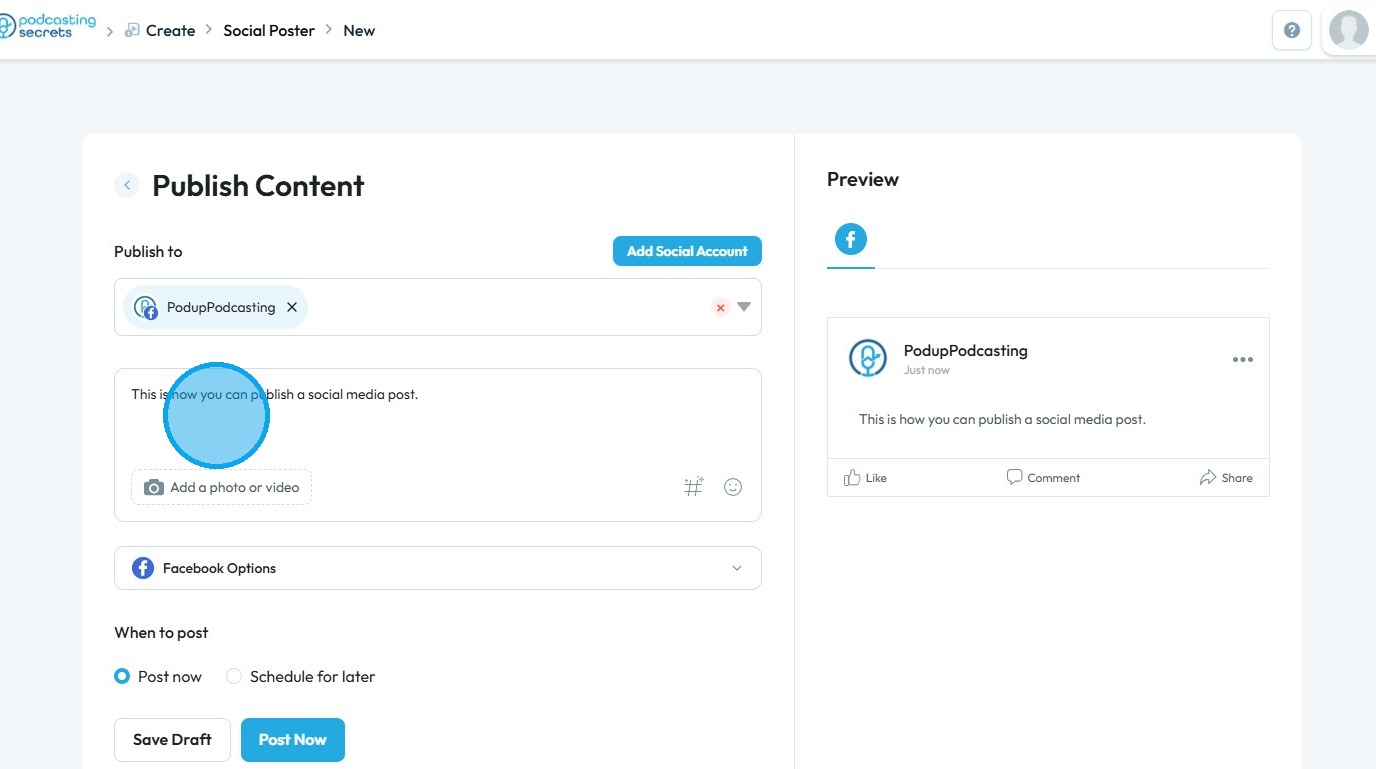
7. Next, enter the text you wish to share on your social media platforms
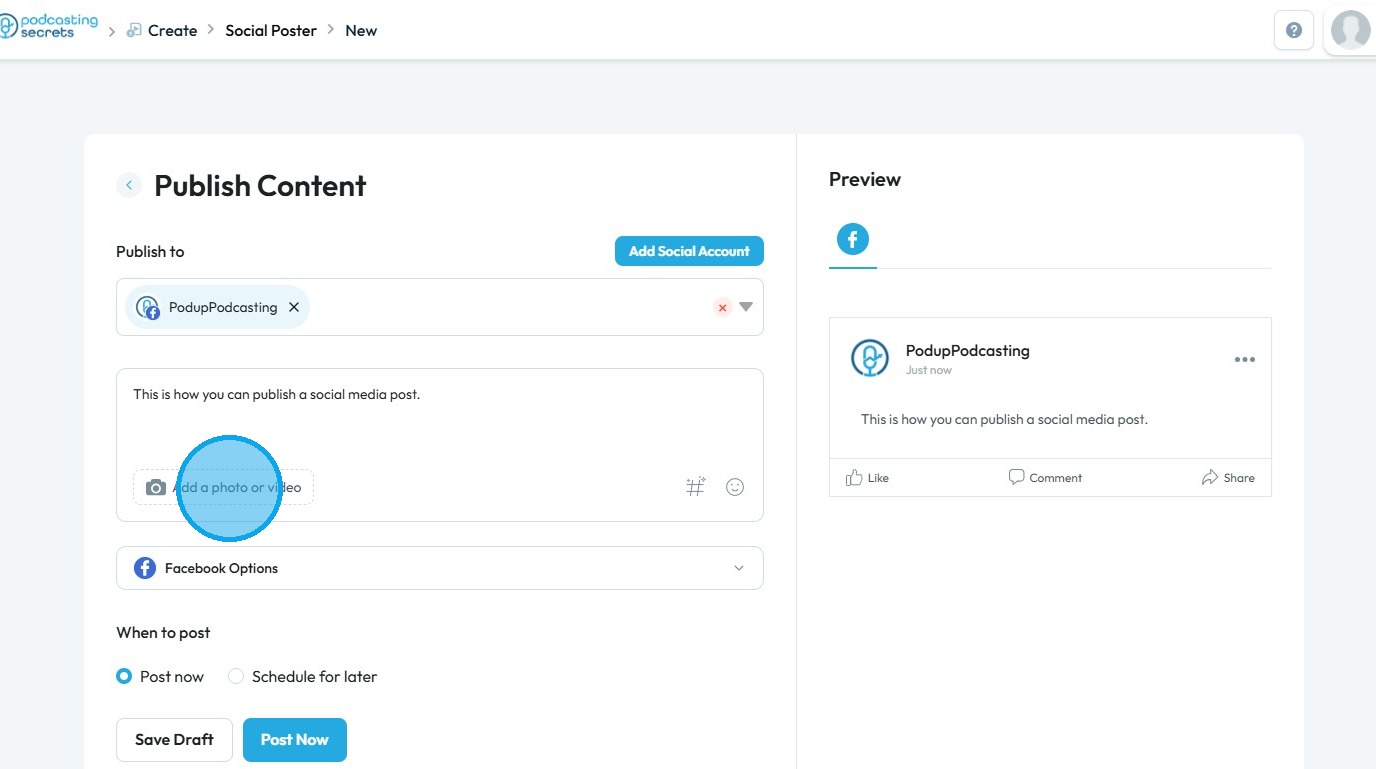
8. Click "Add a Photo or Video" to upload the media you want to share on your selected social media accounts
9. The PodUp File Manager will open in a pop-up window. Select the photo or video you want to share
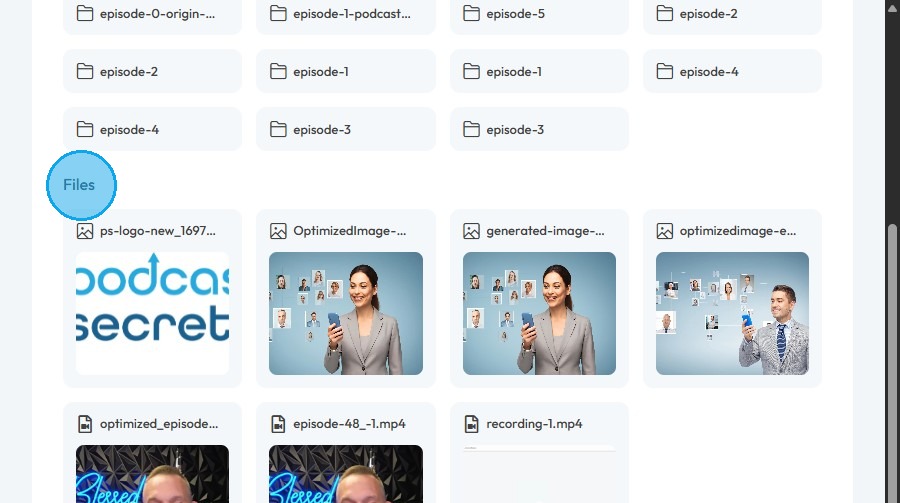
10. Click "Select" to confirm
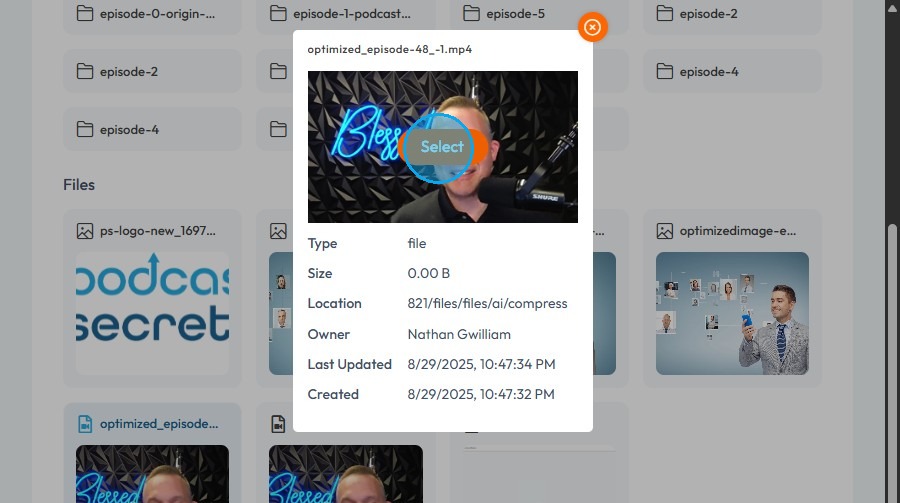
11. Click the drop-down arrow for the selected social media account
Under "Post Type," choose one of the following options:
- Post: Share the content as a standard post
- Reel: Share the content as a reel
- Story: Share the content as a story
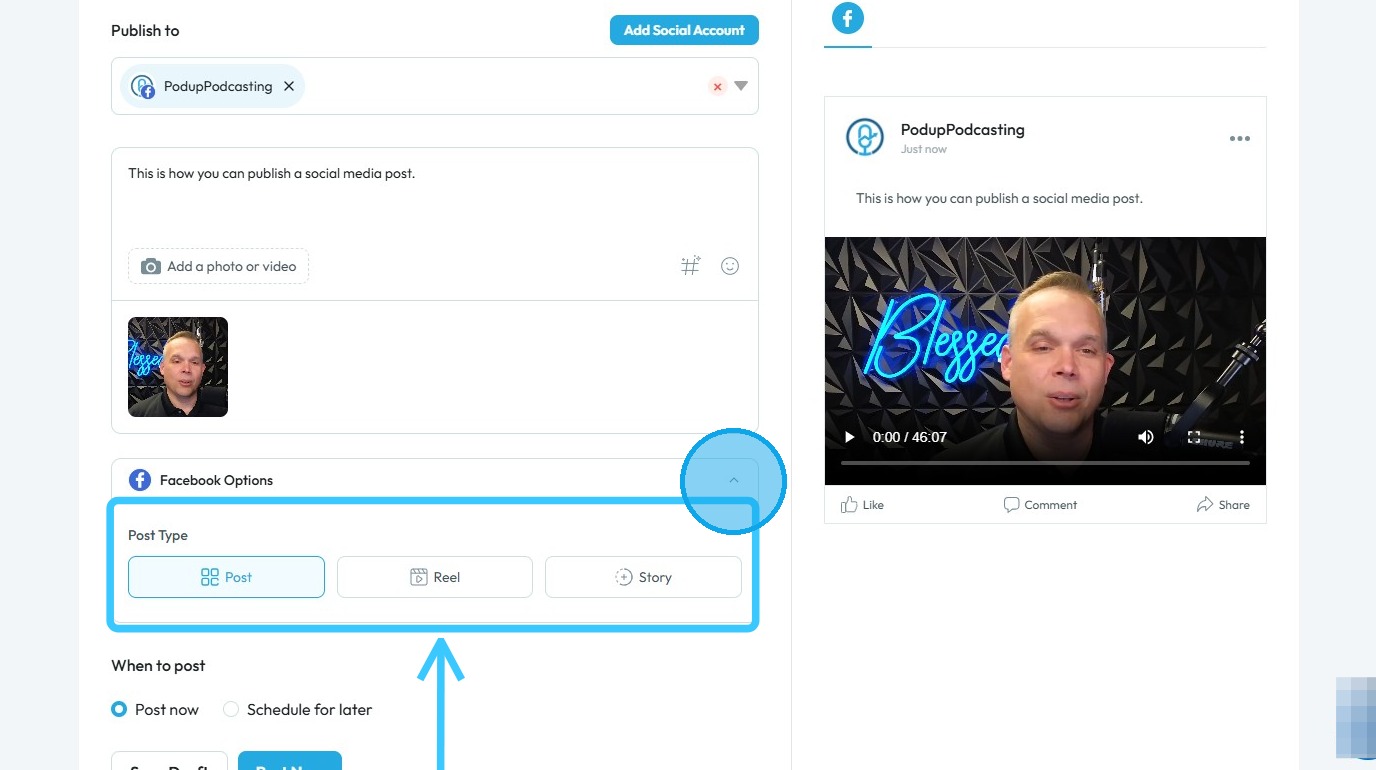
12. Under the "When to Post" section, select Post Now, then click Post Now to publish your content immediately
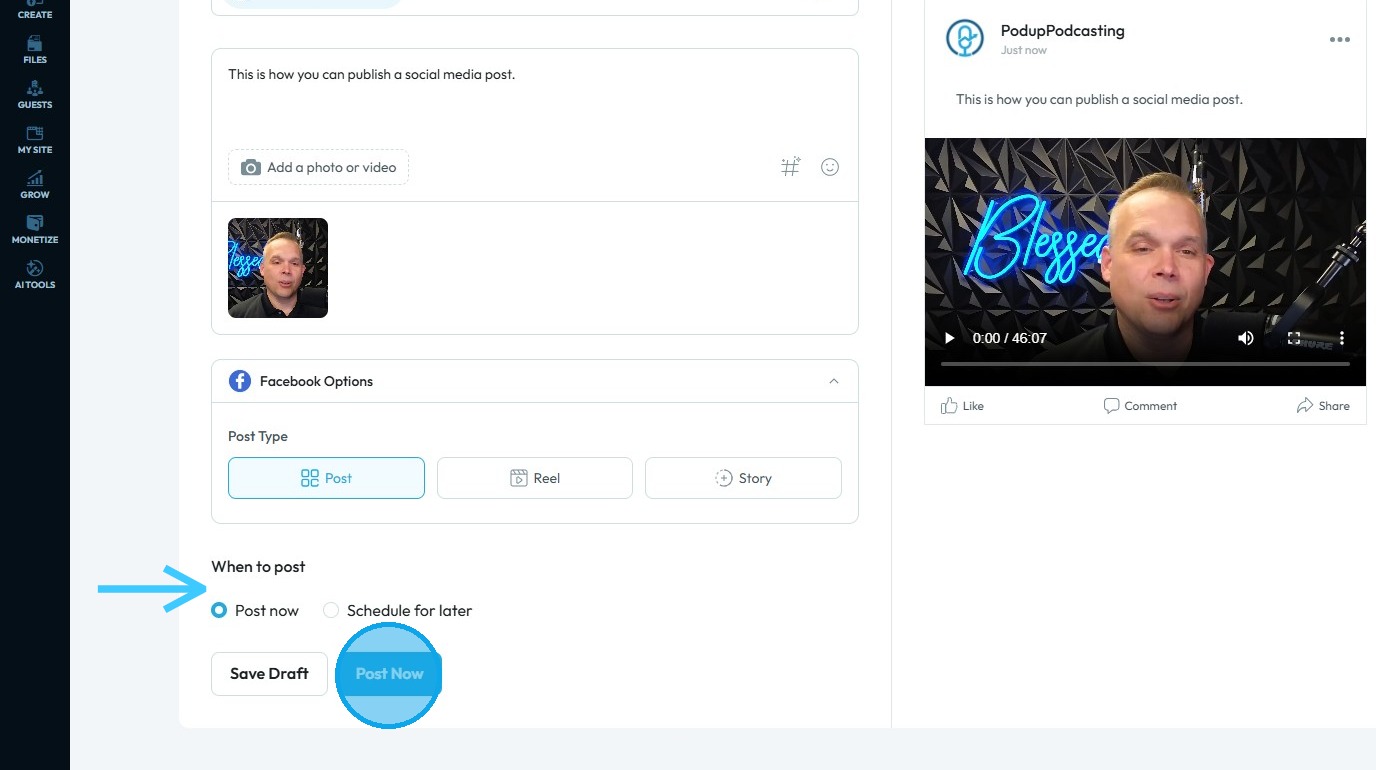
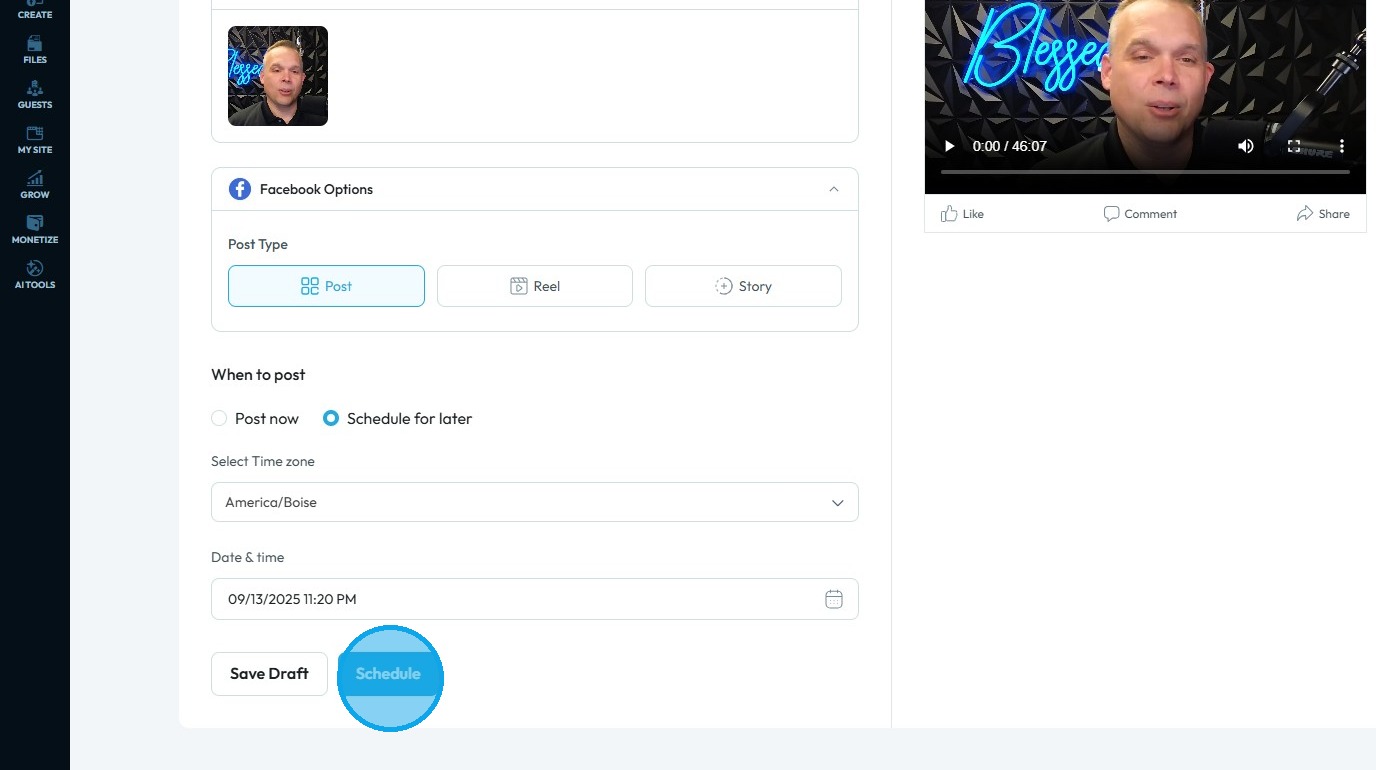
13. Alternatively, select Schedule for Later if you wish to publish the content at a future date and time
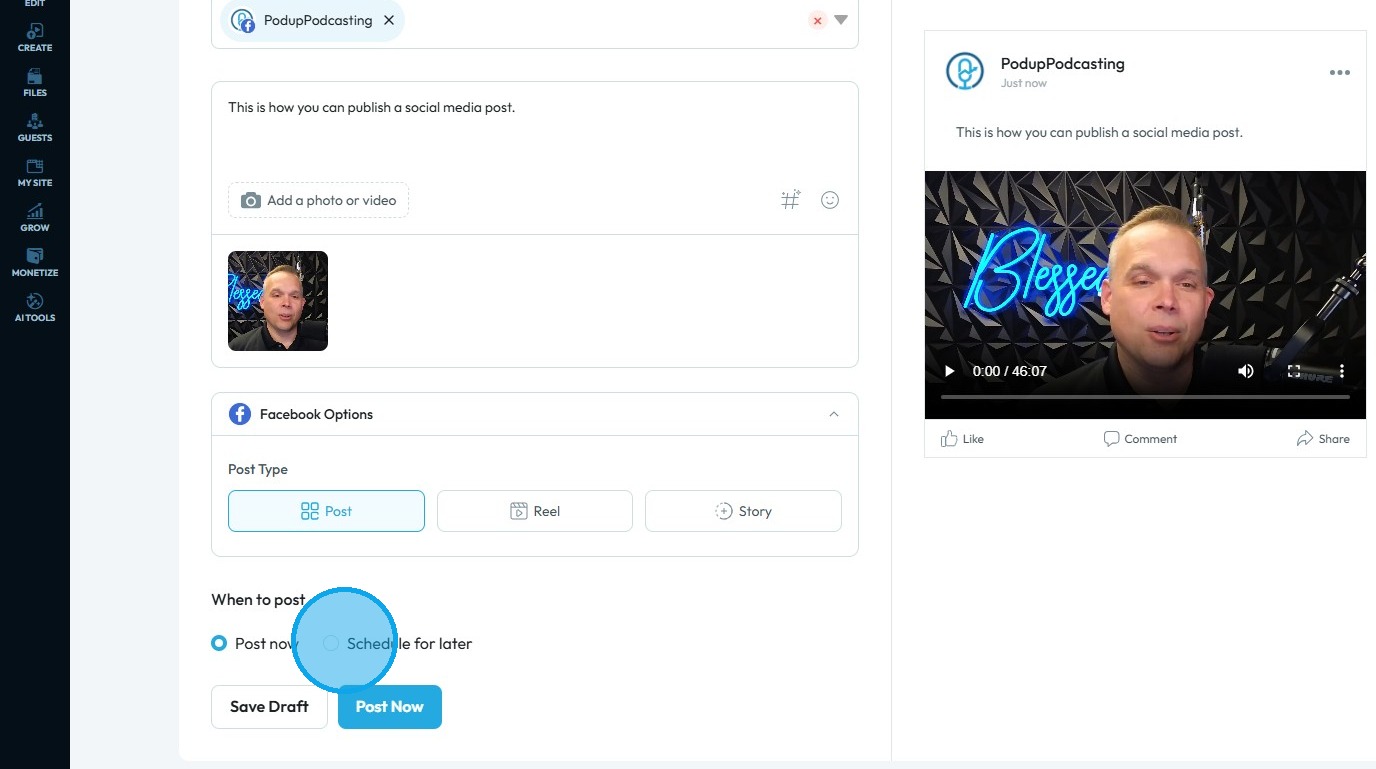
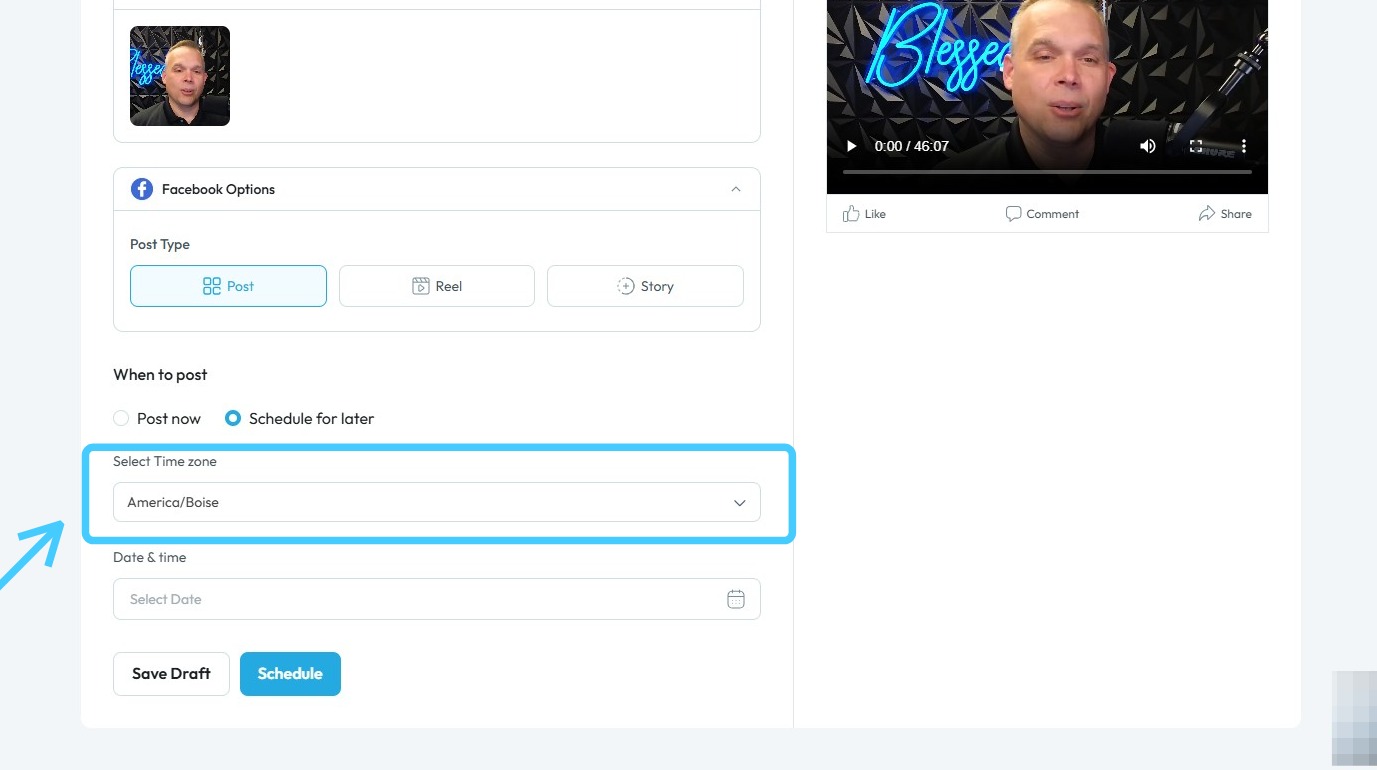
14. When Schedule for Later is selected, two options will appear
First, select the appropriate time zone before scheduling your post
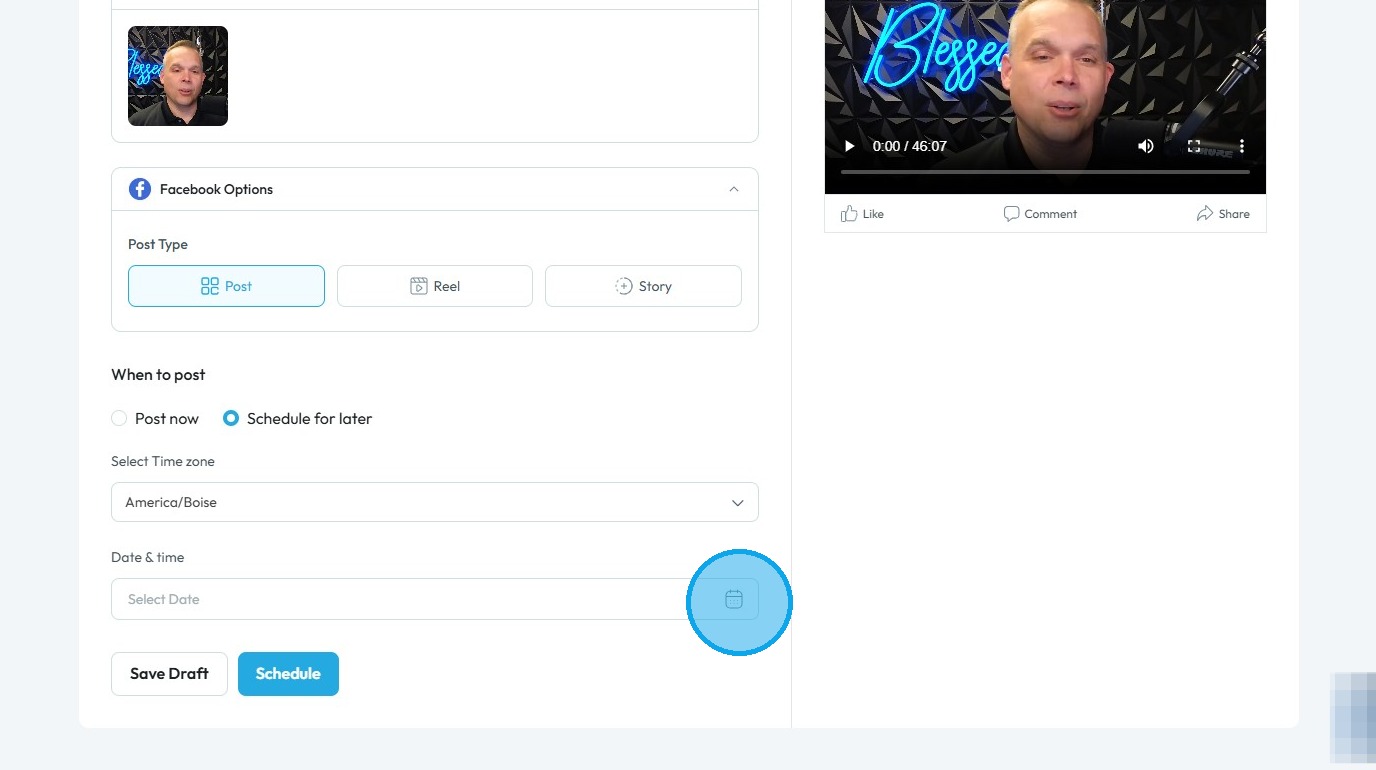
15. Next, click the "Select Date & Time" field
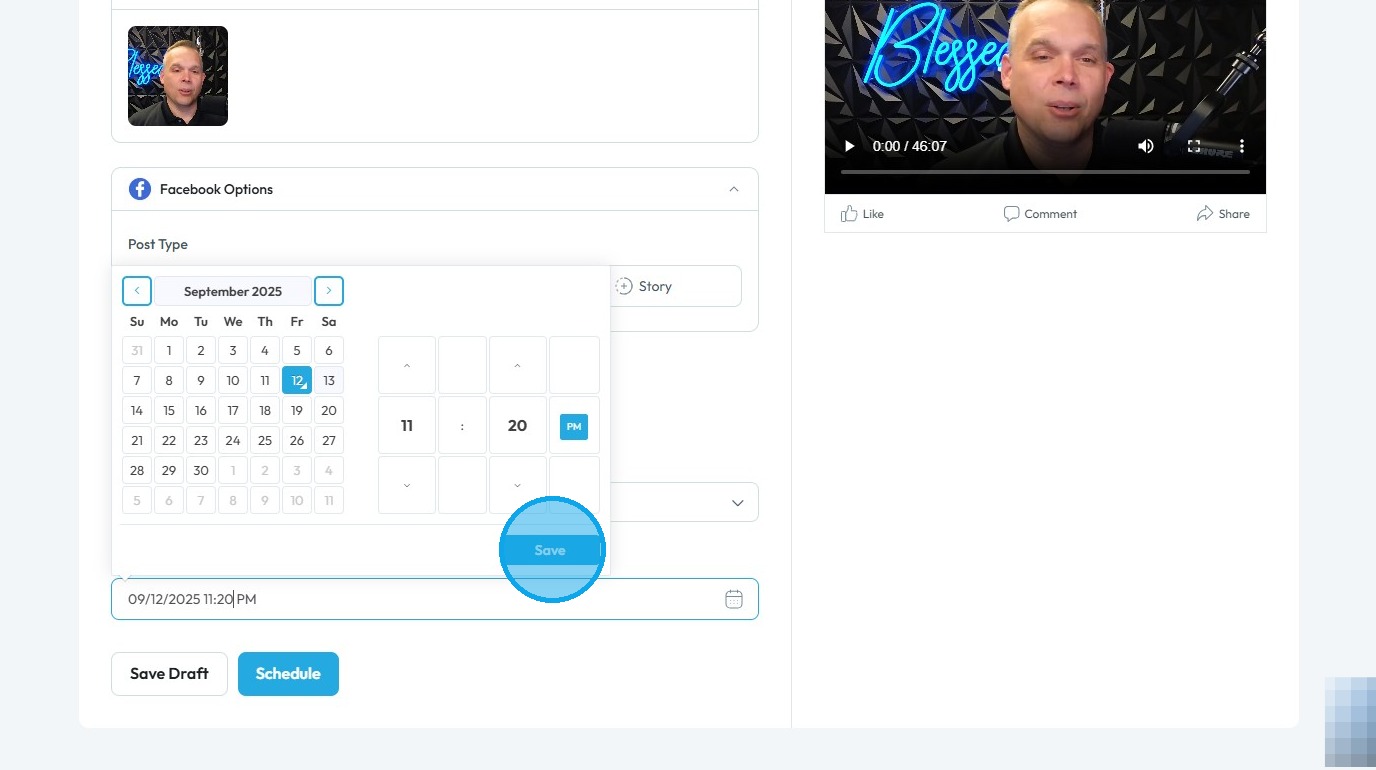
16. Next, choose the desired date and time for your content to be published, then click "Save"
17. Click "Schedule" to publish the post at a later time, or select "Save Draft" to save your progress without publishing
Related Articles
How can I schedule a social media post for later?
Use this guide to schedule social media posts for better timing and engagement. 1. Navigate to https://app.podup.com/home 2. Click "Create" 3. Select "Social Poster" 4. Click "Create new post" 5. You will be directed to the Publish Content page 6. ...How To Navigate Social Media Poster (Detailed)
This guide provides a straightforward method for creating and scheduling social media posts using the Podup platform. It offers step-by-step instructions, ensuring users can easily navigate through the process of adding content, selecting social ...How do I publish a video clip
Easily publish video clips to social media with PodUp to boost engagement and grow your presence 1. Navigate to https://app.podup.com/home 2. Click "Create" 3. Select "Social Poster" 4. Click "Create new post" 5. You will be directed to the "Publish ...How Do I Create a Blog Post
This guide shows you how to create a blog step by step. It covers SEO, categories, and social sharing to help you reach more people and grow your online presence. 1. Click "Create" 2. Click "Blogs" 3. Click "Create Post" to write your own blog or ...How to Publish a Video Podcast
Easily publish your video podcast with this guide—covering creation, SEO, and social media distribution 1. Navigate to https://app.podup.com/home 2. Click "Create" 3. Select "Video Episodes" 4. The "Video Episodes" page will open 5. Click "Create ...