How to Publish a Blog

How to Publish a Blog

Easily publish your blog with clear steps and tips for a smooth experience

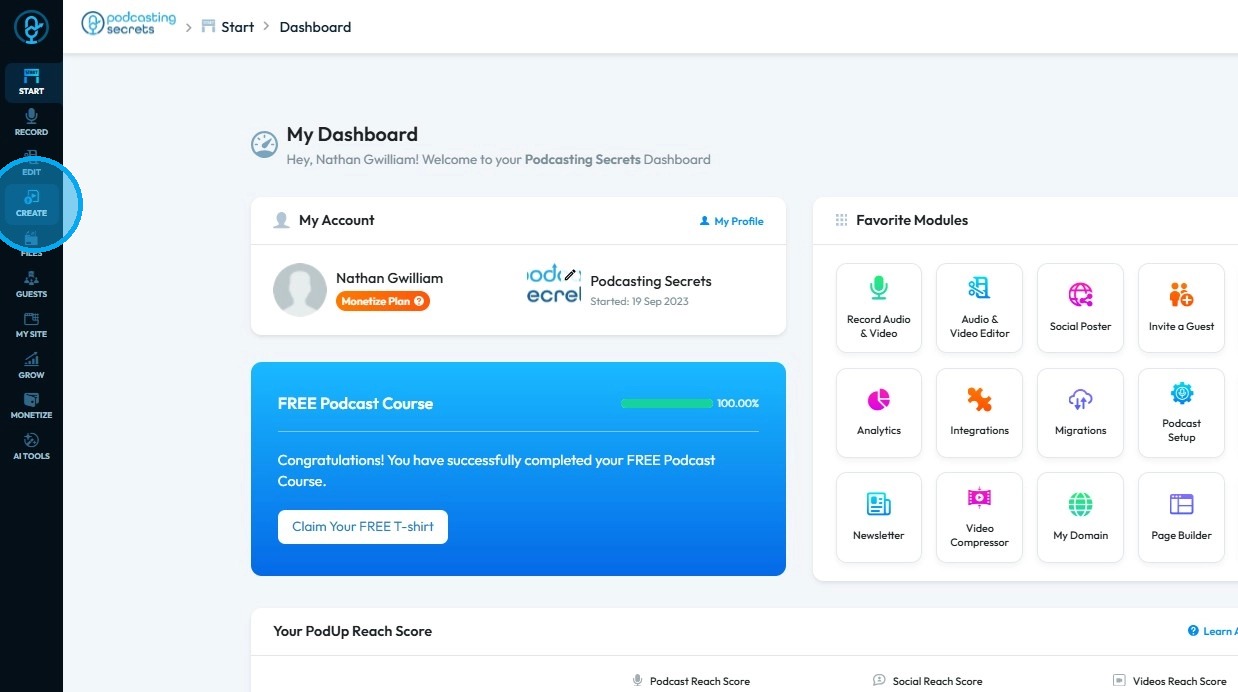
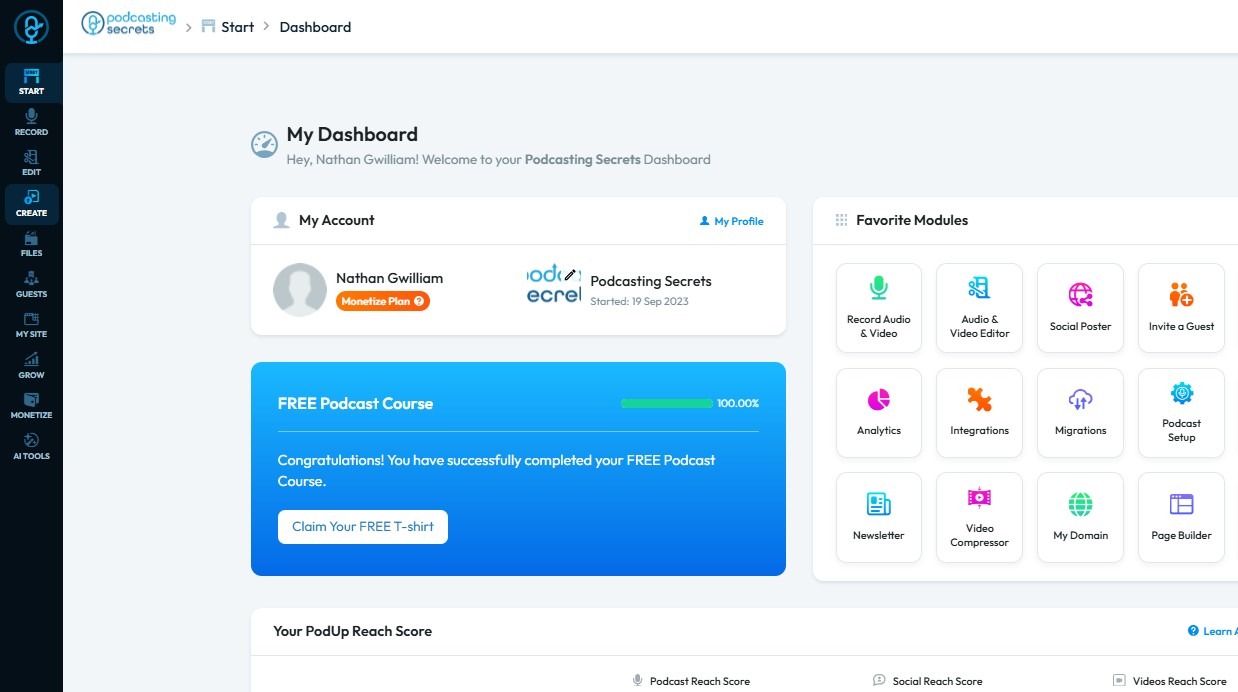
2. Click "Create"

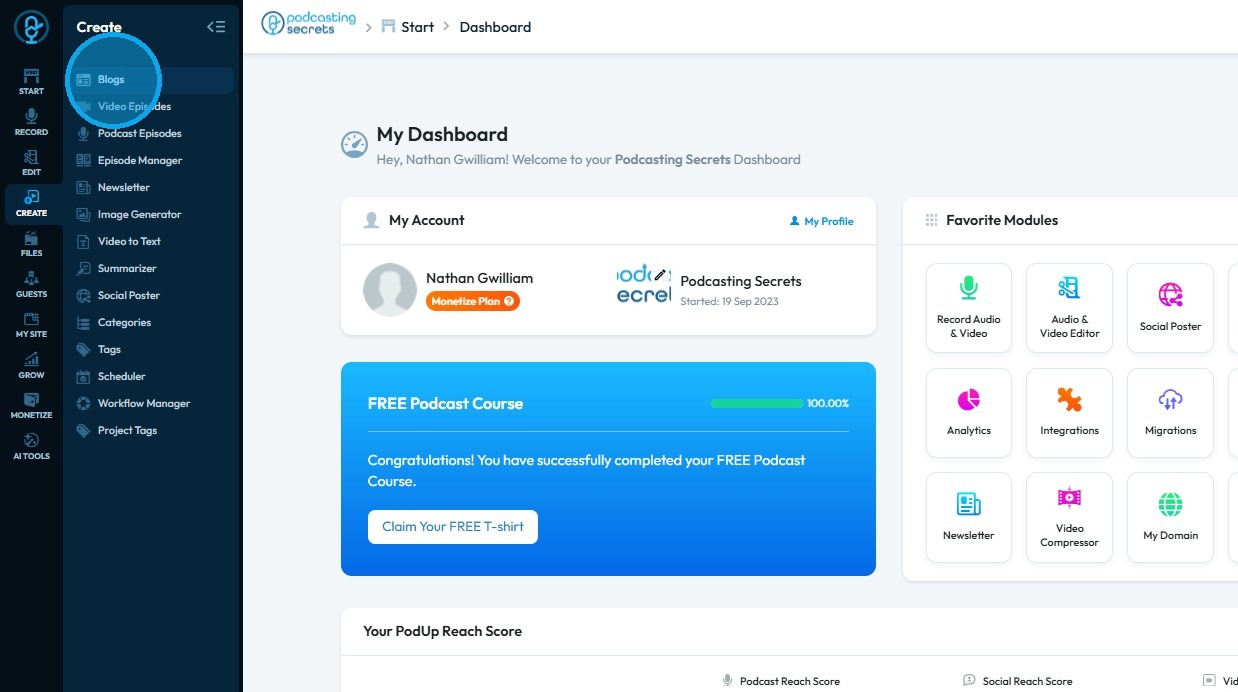
3. Select "Blogs"

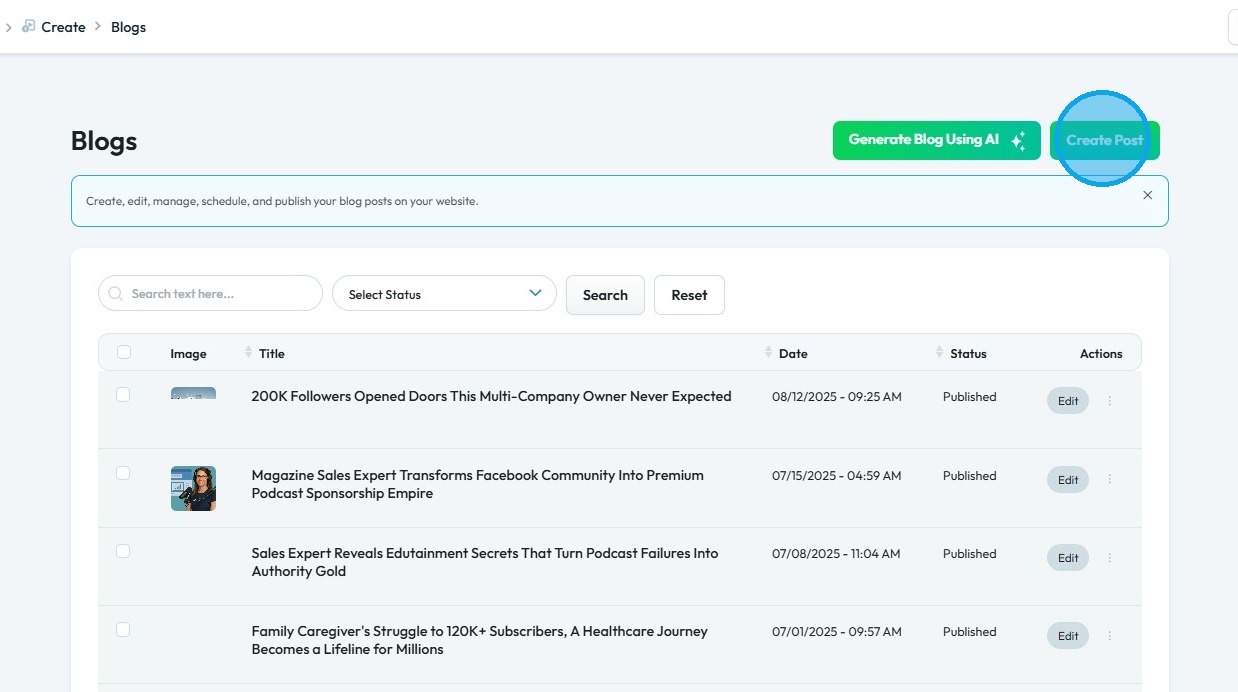
4. Click "Create Post"

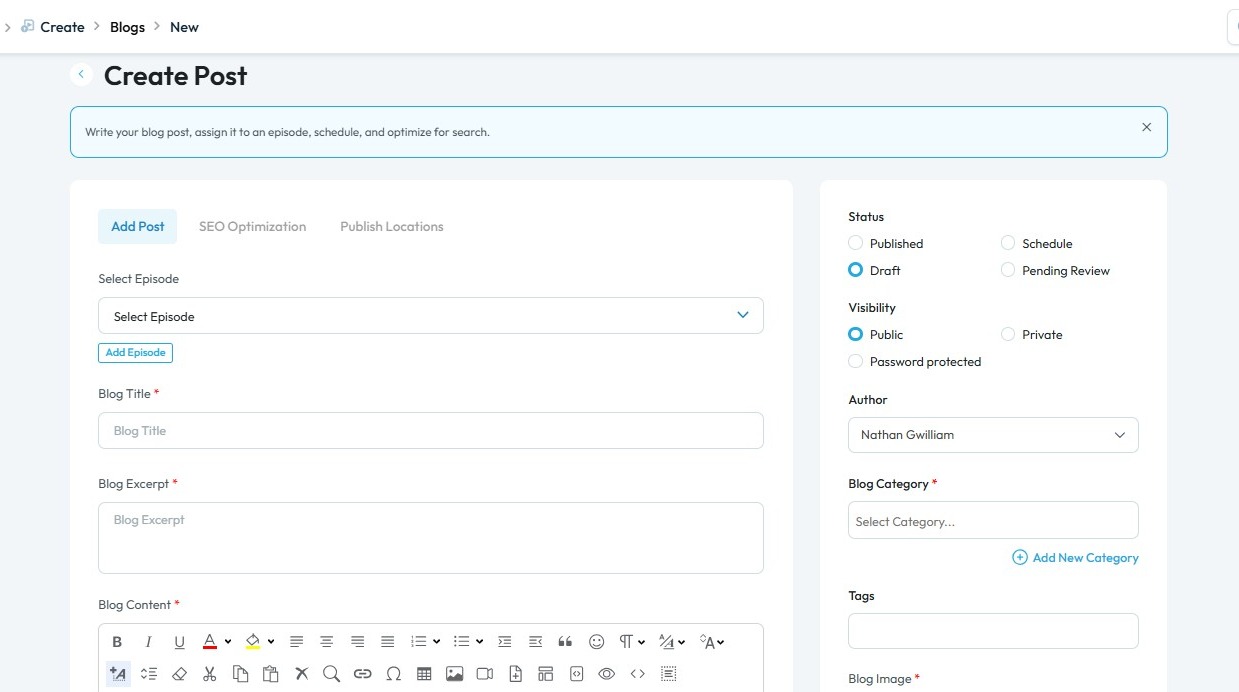
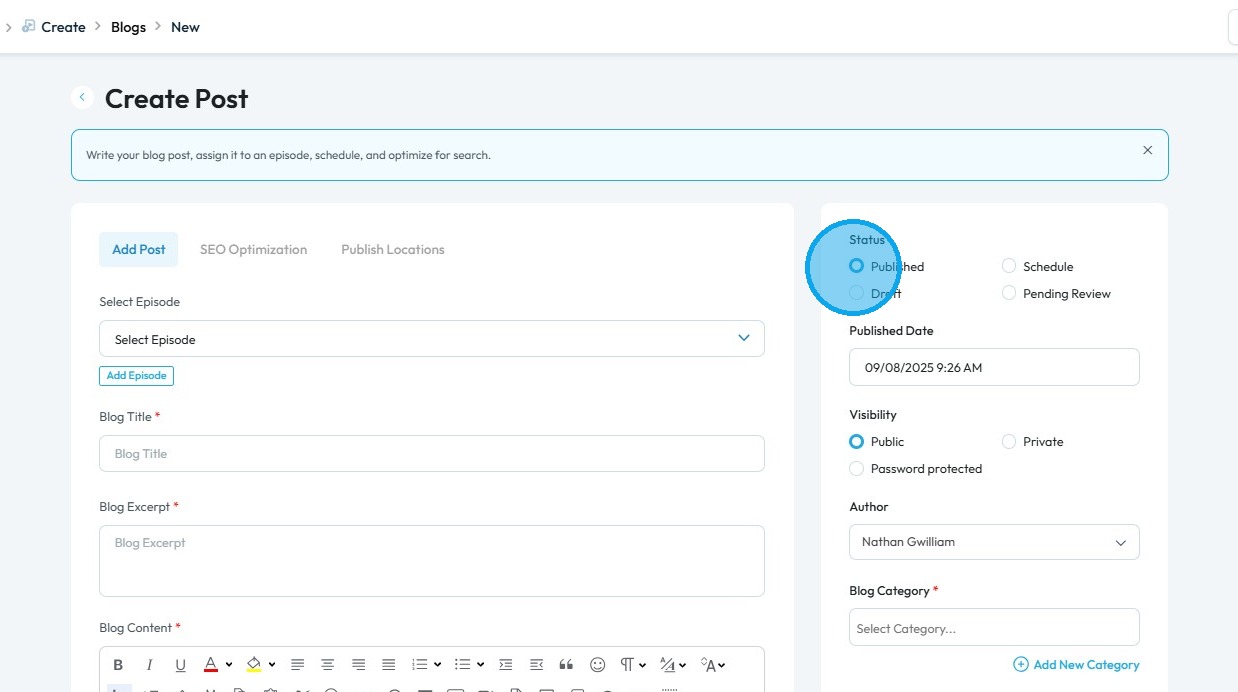
5. The "Create Post" page will open. Enter the required details for your post

Tip: Tip! Ensure to fill all the starred fields.

6. Click "Published" to make your post live

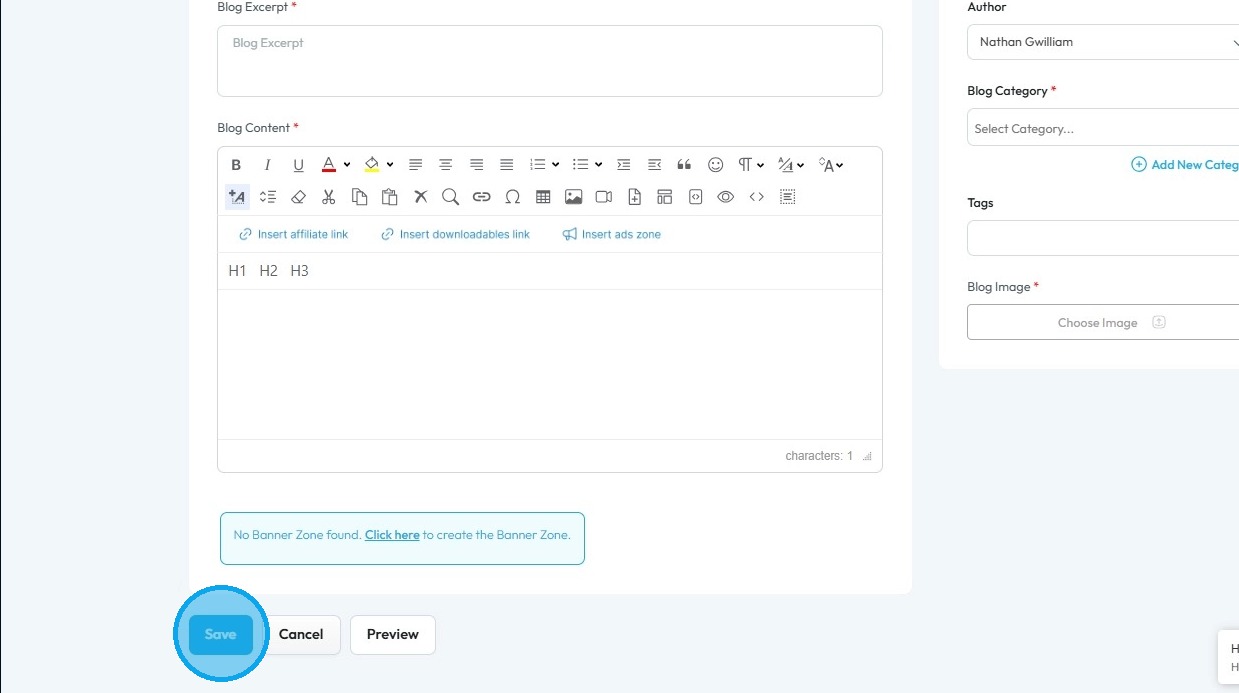
7. Scroll down and click "Save" to publish your blog post


    • Related Articles

    • How Do I Create a Blog Post

      This guide shows you how to create a blog step by step. It covers SEO, categories, and social sharing to help you reach more people and grow your online presence. 1. Click "Create" 2. Click "Blogs" 3. Click "Create Post" to write your own blog or ...
    • How To Navigate AI Blog Generator on PodUp

      This guide walks you through using PodUp’s AI Blog Generator to quickly create SEO-friendly blog content. It covers title ideas, keyword use, and tone selection to help you write faster and reach your audience more effectively. 1. Navigate to ...
    • How to Use AI to Generate A Blog

      This guide shows you how to use AI to create blog posts faster. It covers generating titles, optimizing for SEO, and adjusting tone and audience to make your content more effective. 1. Click "Create" 2. Click "Blogs" 3. Click "Generate Blog Using AI" ...
    • How Do I Configure Share Settings For My Blog Episode?

      By following this guide, you can easily customize how your blog is shared, enhancing visibility and engagement. It simplifies the setup, making it accessible and efficient. 1. Navigate to https://app.podup.com/home 2. Click "Create". 3. Select ...
    • Create a New Blog Page on Podup Website

      This guide provides a straightforward, step-by-step process for creating a new blog page on the PodUp website. By following these instructions, users can efficiently navigate the platform, customize their blog layout, and publish content that meets ...