How To Navigate Affiliate Links On PodUp (Detailed)
This guide shows you how to add affiliate links on PodUp to monetize your content. Learn to organize links with titles, categories, and descriptions that boost clicks and earnings.
1. Click "Monetize"

2. Click "Affiliate Links"

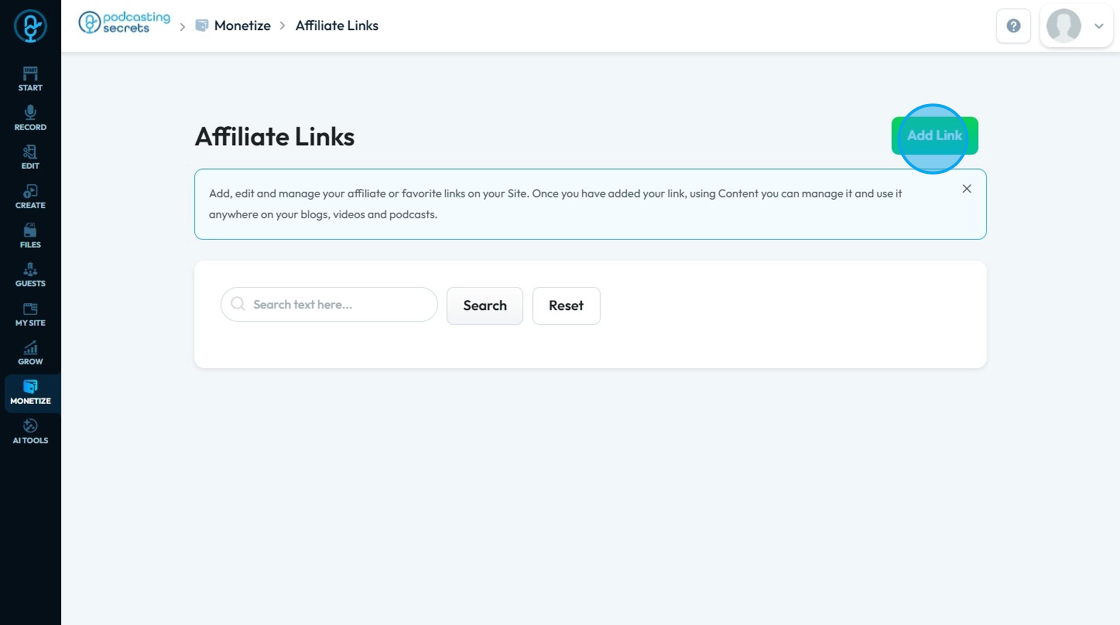
3. Click "Add Link" to add a new link
4. Click "Title" and enter the title, which will be the display name for the link you are adding. It's how you will identify this specific link within your website

5. Click "Category" and select the category that will allow you to organize your links into different groups. This is particularly useful if you have many links

6. Click "Thumbnail*" and choose the image from your system

7. Click "Content" to add descriptive text or a brief explanation that will accompany the link on your website. This is where you can provide more context, a short review, or compelling reasons for users to click the link

8. Click "Link" and enter the URL (web address) where the user will be directed when users click on your link
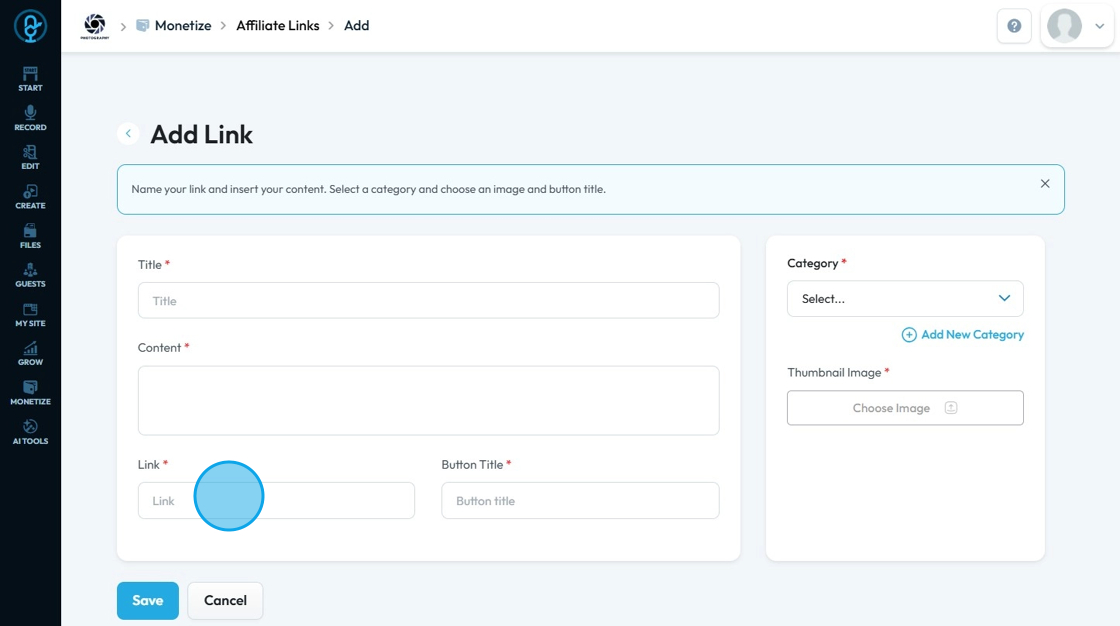
9. Click the "Button title" field and enter the button name/title which is the text that will appear on the button that users will click to go to the link URL. It acts as the call-to-action for your link

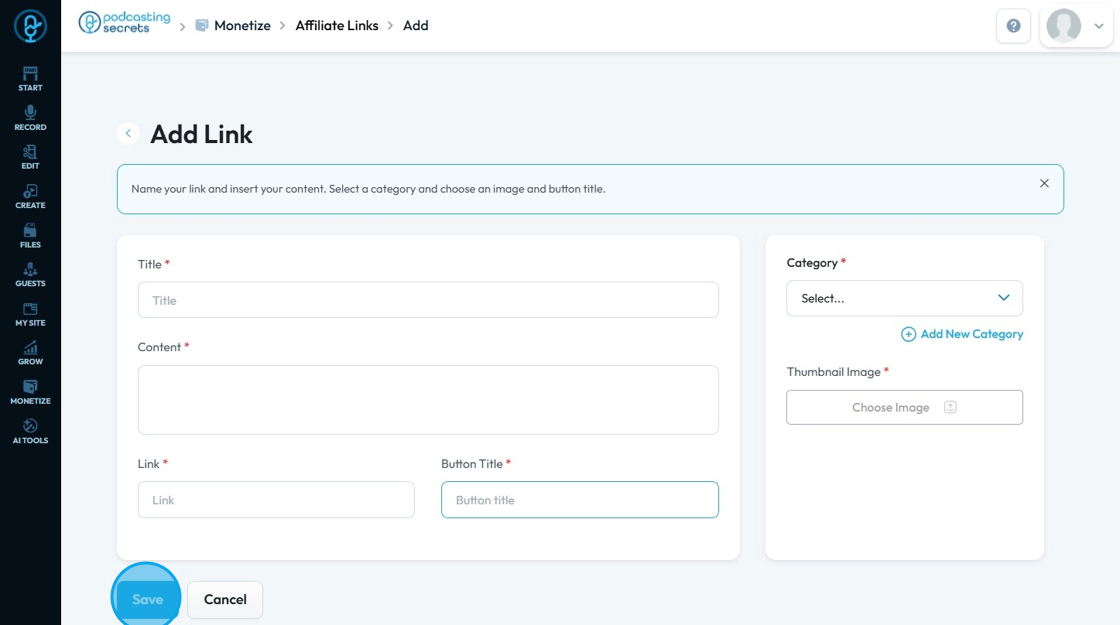
10. Click "Save" to add it or "Cancel" to delete the product