How to Invite Guest to Join My Studio
This guide provides a straightforward process for inviting guests to your studio on Podup, making collaboration seamless. With clear steps, users can easily share studio access either through a direct link or an automated email invitation. It's an essential resource for anyone looking to enhance their recording experience by including others, ensuring a smooth invitation process.
1. Navigate to https://app.podup.com/home
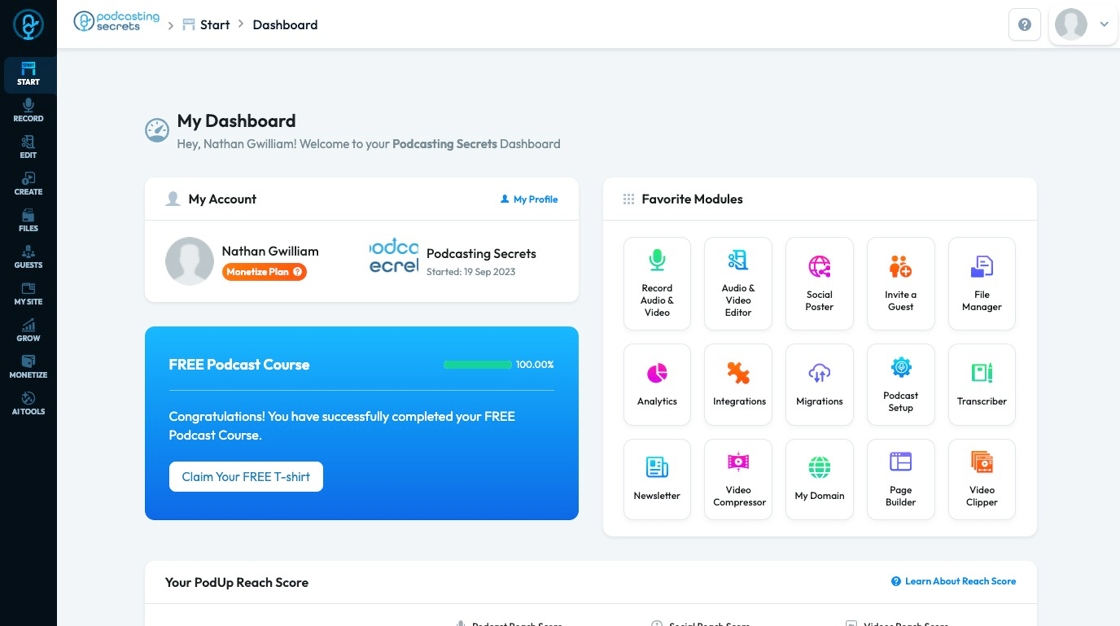
2. Click "Record Audio & Video" in "Favorite Modules" on the Dashboard
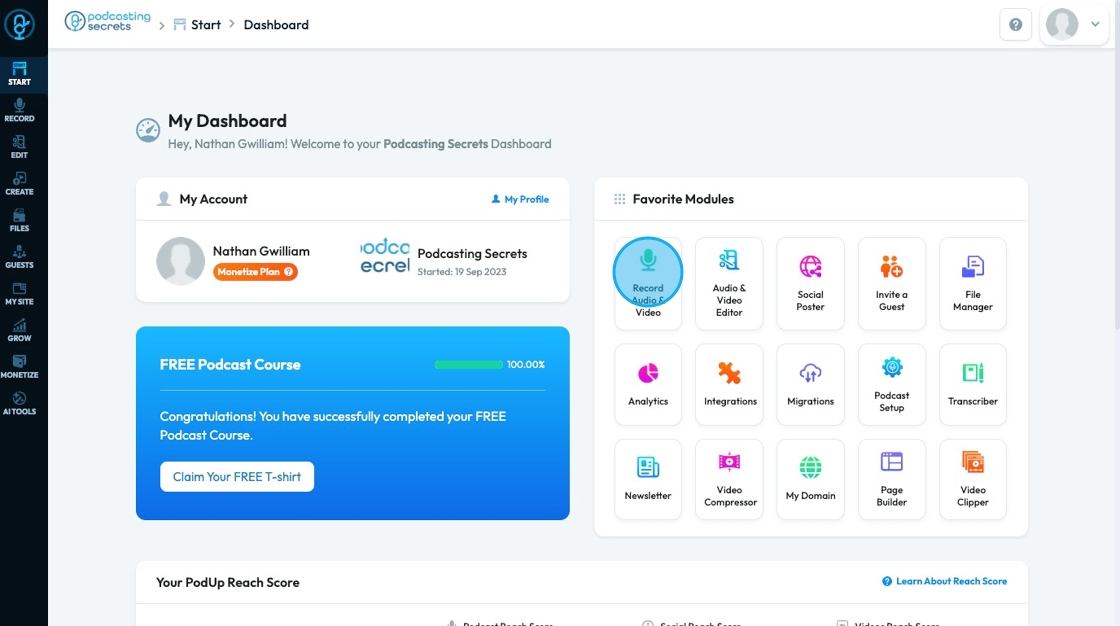
3. Enter the studio information by clicking "View all recordings"
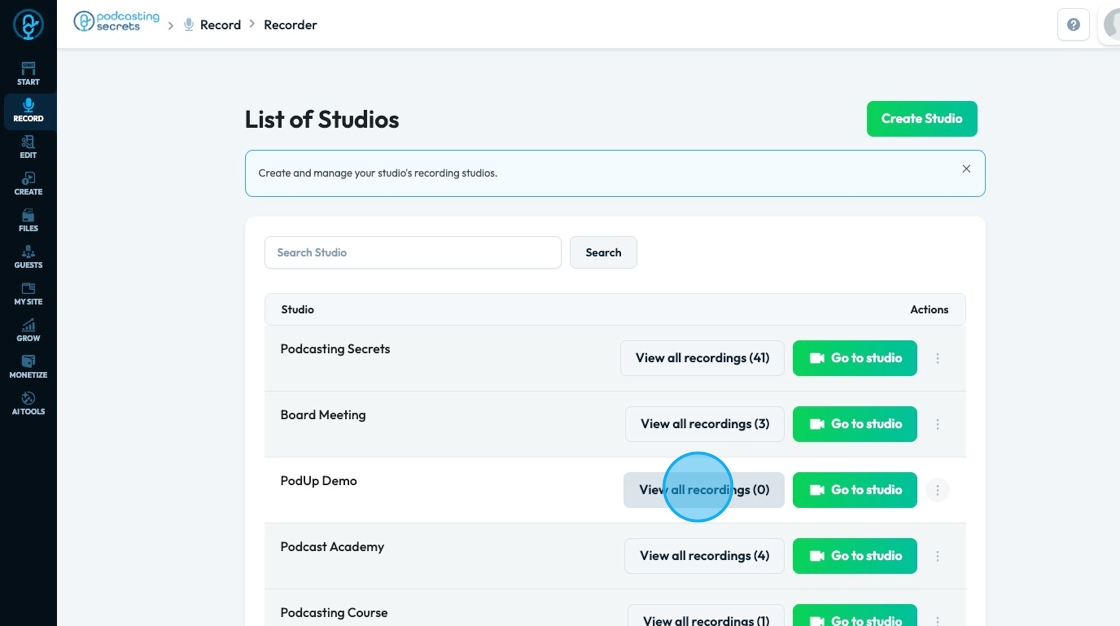
4. From "Recordings" you can invite people to join your studio
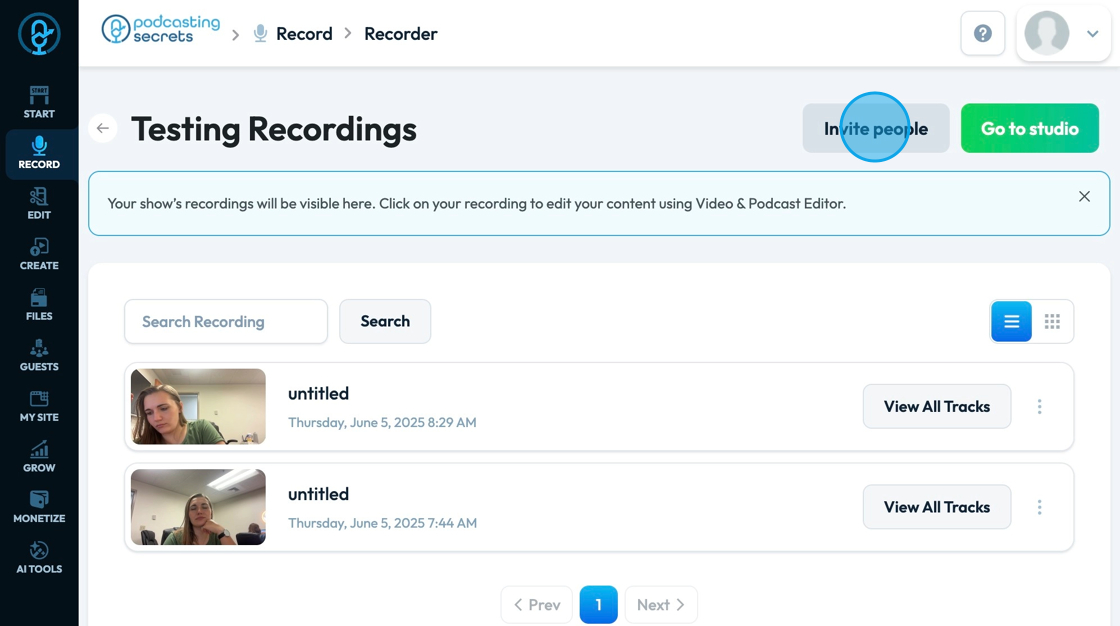
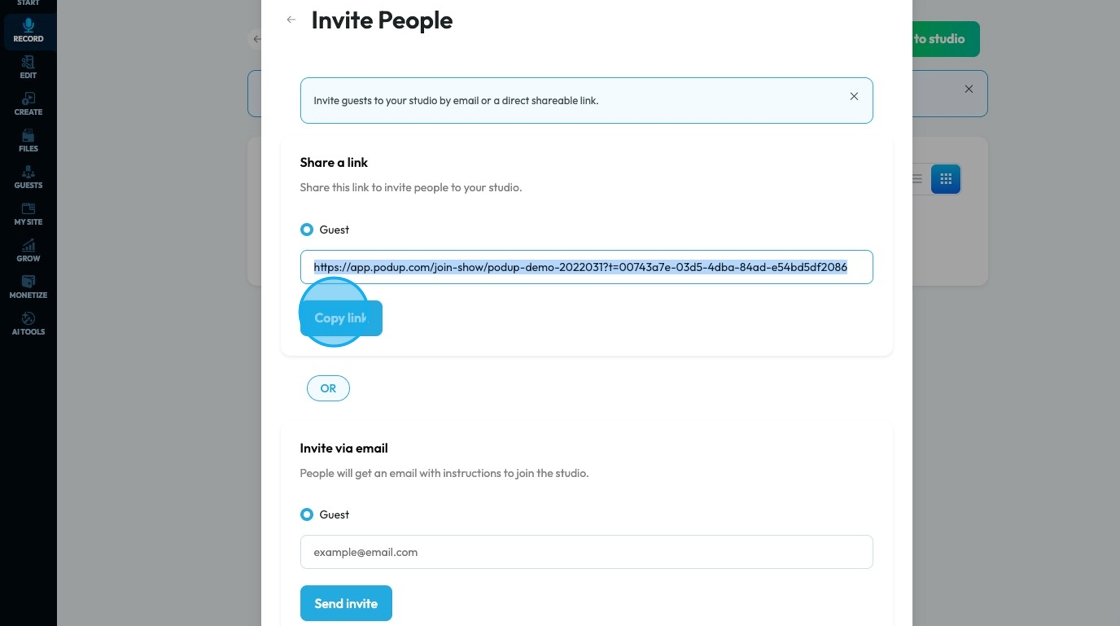
5. A popup will appear with 2 options to share the studio invite.
To send the link to the guest yourself, click "Copy link"
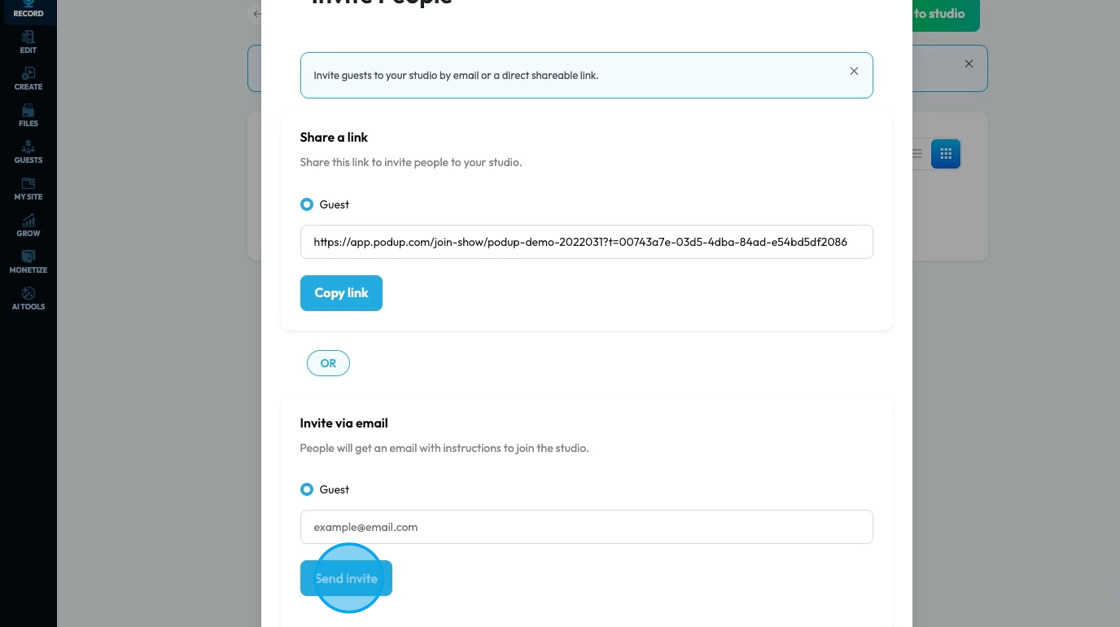
6. Or Podup will automatically send an email invitation. Enter the guest's email into the text field then click "Send invite"
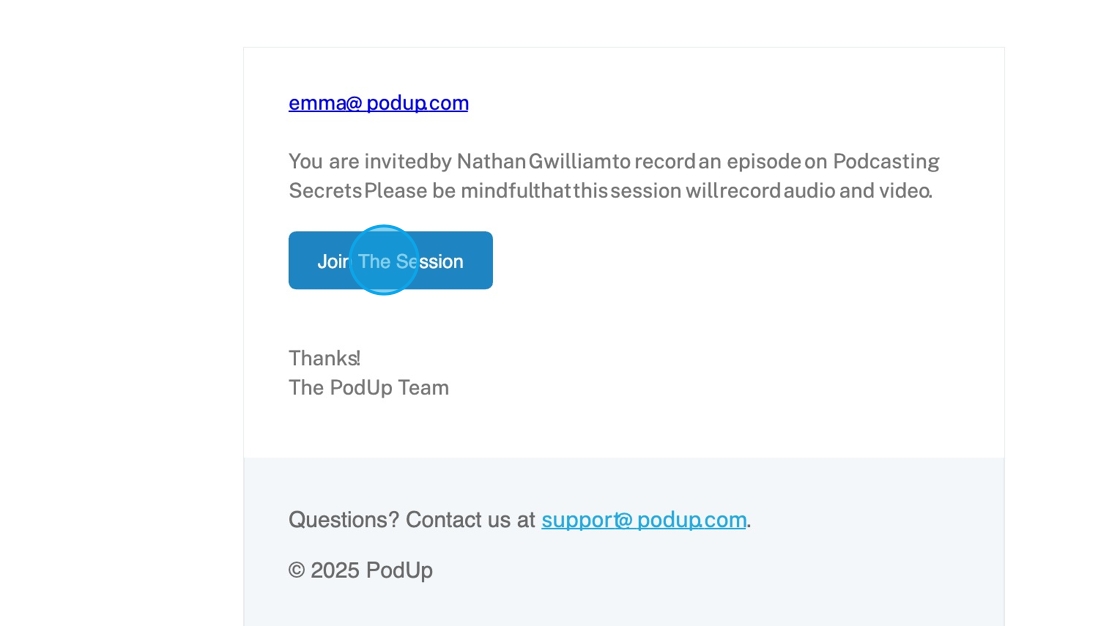
7. They will receive an email that looks like this where the guest can simply click on the link to join the studio just like any meet invitation
Related Articles
What Does My Guest Get When I Invite Them to Join My Studio?
By following this guide, you can help guests understand what to expect in your recording studio and enhance their experience. 1. The guest will receive an invitation at their email address with the studio link.How To Navigate Recorder (Detailed)
This guide gives you clear steps to record and manage a podcast studio. It covers setup, adding guests, recording, and editing. With this easy-to-follow resource, you can improve your podcast quality and work more efficiently. Tip: Words to know ...How to Navigate Guest Manager (Detailed)
This guide provides a straightforward process for adding guests to the PodUp application, ensuring you can efficiently manage guest information and invitations. By following the steps outlined, users can easily input necessary details and customize ...What can my Guest do During our Recording
This guide is essential for maximizing your recording experience, as it outlines the interactive features available to guests, such as real-time chatting, creating polls, and sharing screens. Additionally, the guide highlights options for adjusting ...Confusing workflow
confusing workflow, don't know where to start, unclear steps, workflow doesn't make sense, navigation confusing This guide gives you clear steps to record and manage a podcast studio. It covers setup, adding guests, recording, and editing. With this ...