How to Import My Existing Blog to PodUp Using Wordpress Post
1. Navigate to https://app.podup.com/home

2. Click "Migrations" in "Favorite Modules" on the Dashboard
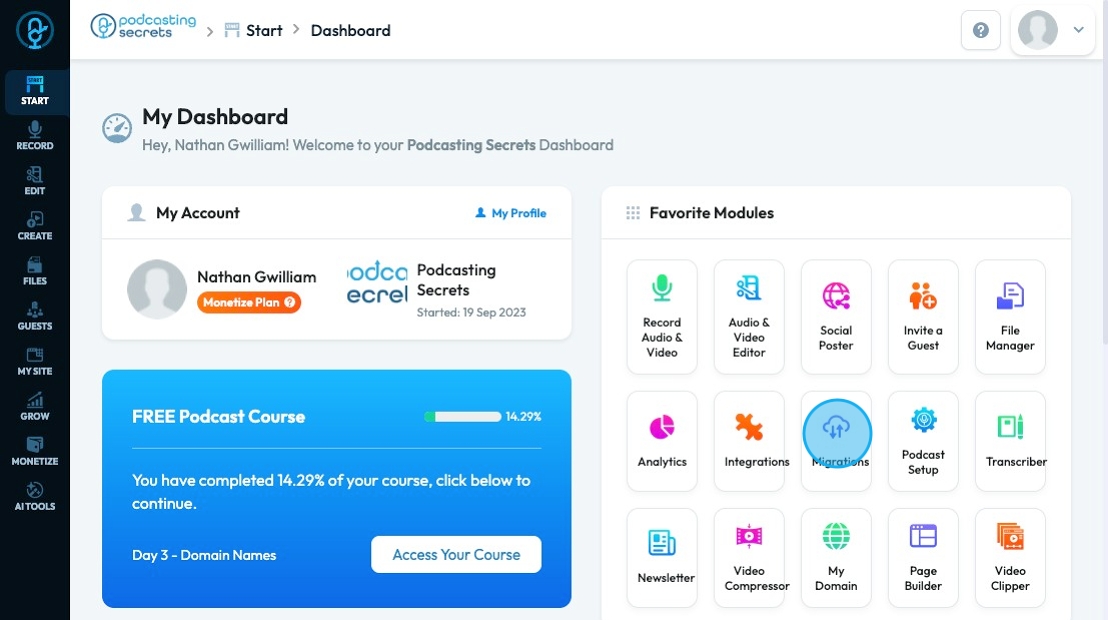
3. To import your existing blog, click "Import Existing Blog"

4. Click "Wordpress Post Import"

5. Insert your full URL

6. Click "All" to import everything from your website

7. Check the box to confirm that the content on this website is owned by you

8. Click "Import" to start the importation process

Related Articles
How to Import My Existing Blog to PodUp Using RSS Feed
This guide shows you how to easily import your blog into PodUp using an RSS feed. The simple steps help you move your content without losing anything. Whether you're combining platforms or growing your audience, this guide makes the switch quick and ...How to Navigate Migrations (Detailed)
This guide shows how to easily import your YouTube, blog, or podcast into PodUp using RSS feeds. It simplifies the migration process and helps you move content smoothly, keep ownership, and grow your digital presence without starting over. Tip: ...How To Import My Existing Youtube Channel to PodUp
This guide shows you how to import your YouTube channel to PodUp. Follow the steps to move your content smoothly and manage everything in one place. 1. Navigate to https://app.podup.com/home 2. Click "Migrations" in "Favorite Modules" on the ...How to Import My Existing Podcast to PodUp
This guide shows podcasters how to move their show to PodUp. It covers how to import content, confirm ownership, and keep your audience while switching platforms. 1. Navigate to https://app.podup.com/home 2. Click "Migrations" in "Favorite Modules" ...How can I import existing guest info to PodUp?
Use this guide to import and manage guest information in PodUp. 1. Navigate to https://app.podup.com/home 2. Click "Guest" 3. Choose "Guest Manager" 4. The “Guest Manager” will open 5. Click "Add Guest" 6. This will open your “Add Guest” page 7. ...