How to Delete Music From My Video?
This guide shows how to easily remove music from your videos using PodUp. With simple steps, it helps you quickly clean up audio and improve content quality—perfect for any skill level.
1. Navigate to https://app.podup.com/home
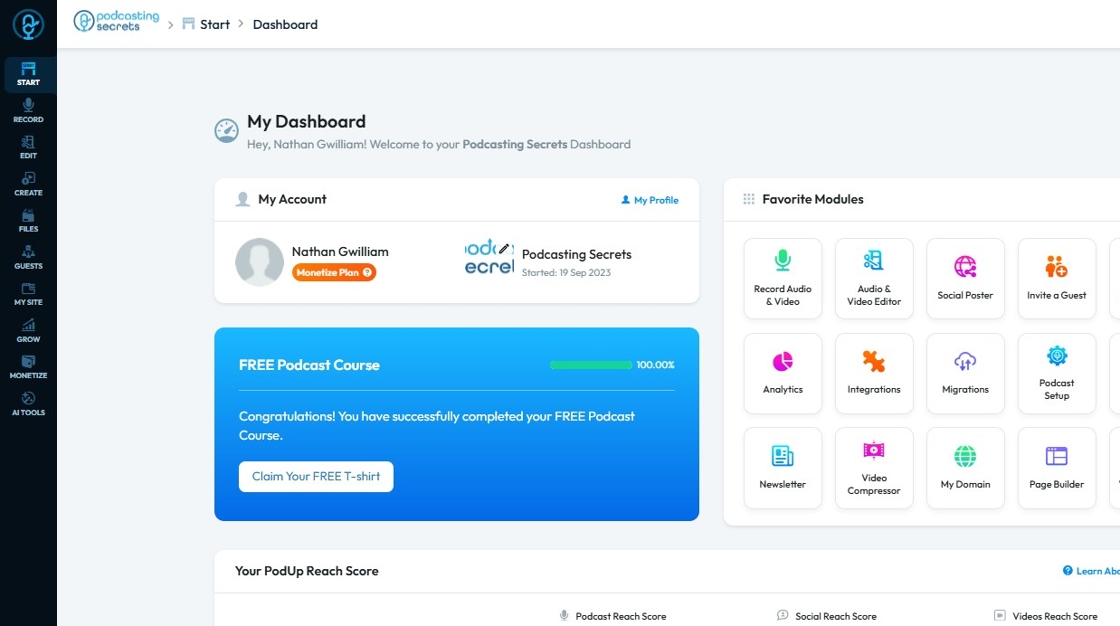
2. Click on "Audio & Video Editor" in "Favorites Modules" on your "Dashboard"
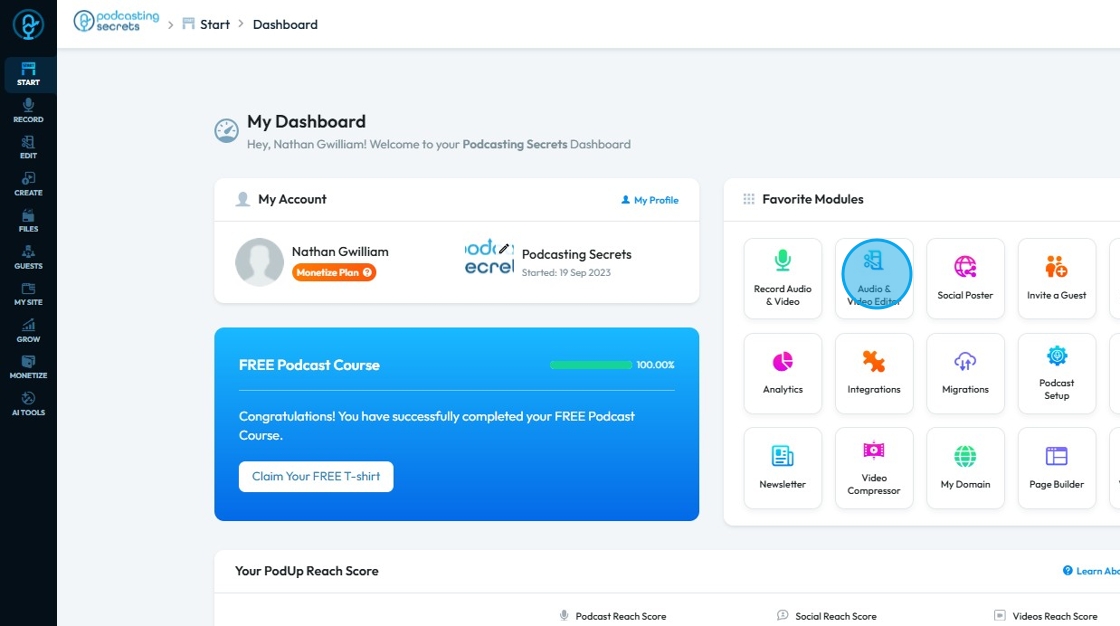
3. This is how "Editor" will look like.
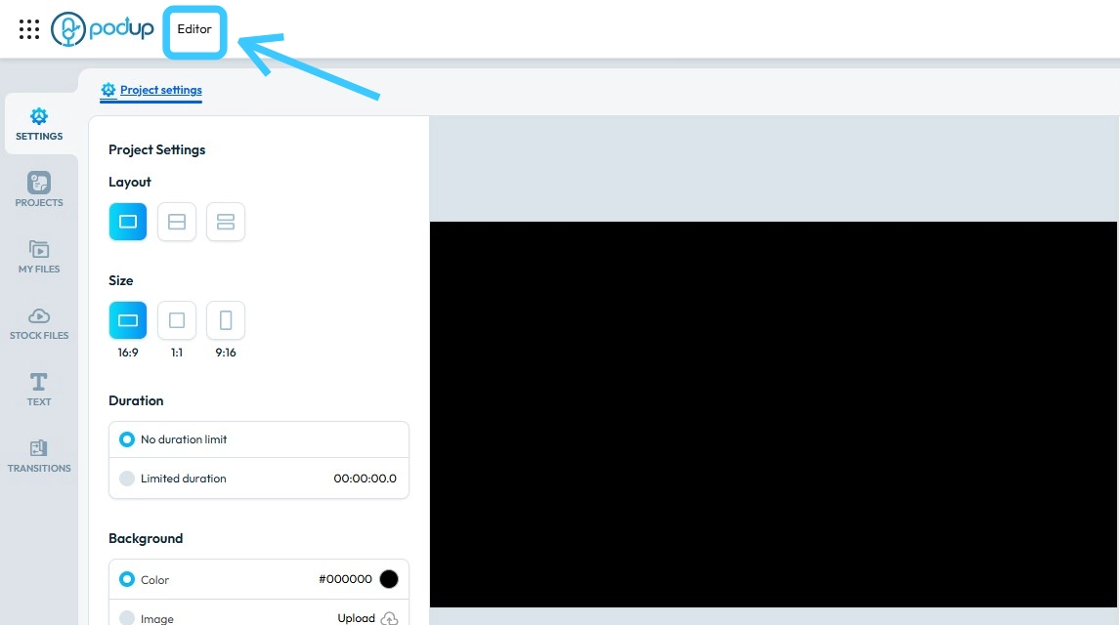
4. Identify the audio file you want to delete
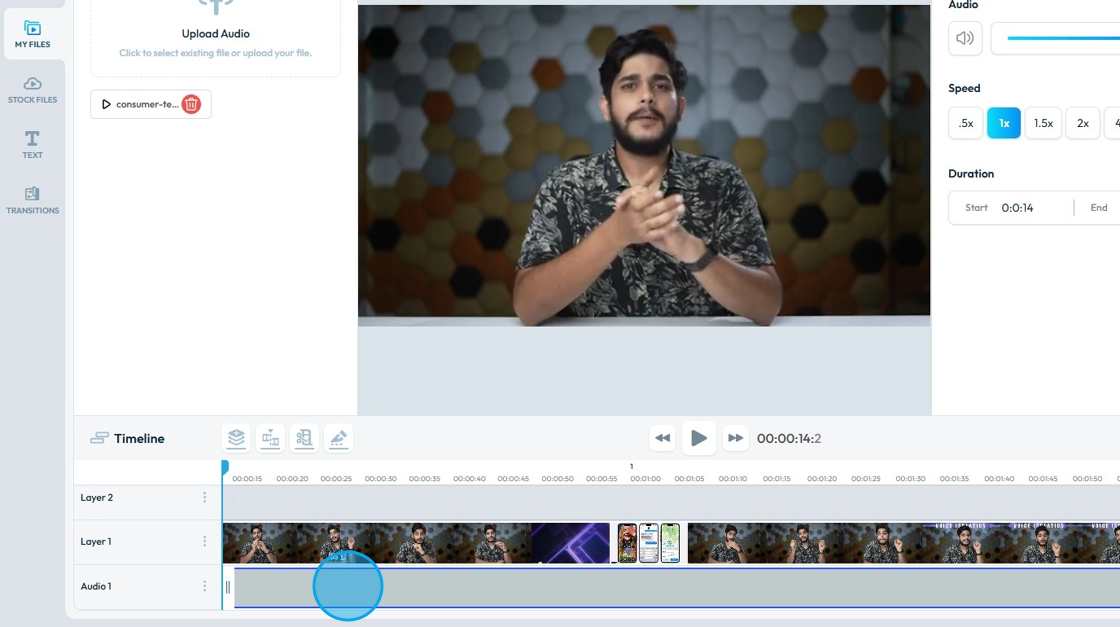
5. To remove the "Music Track" click on the "Close (x)" button.
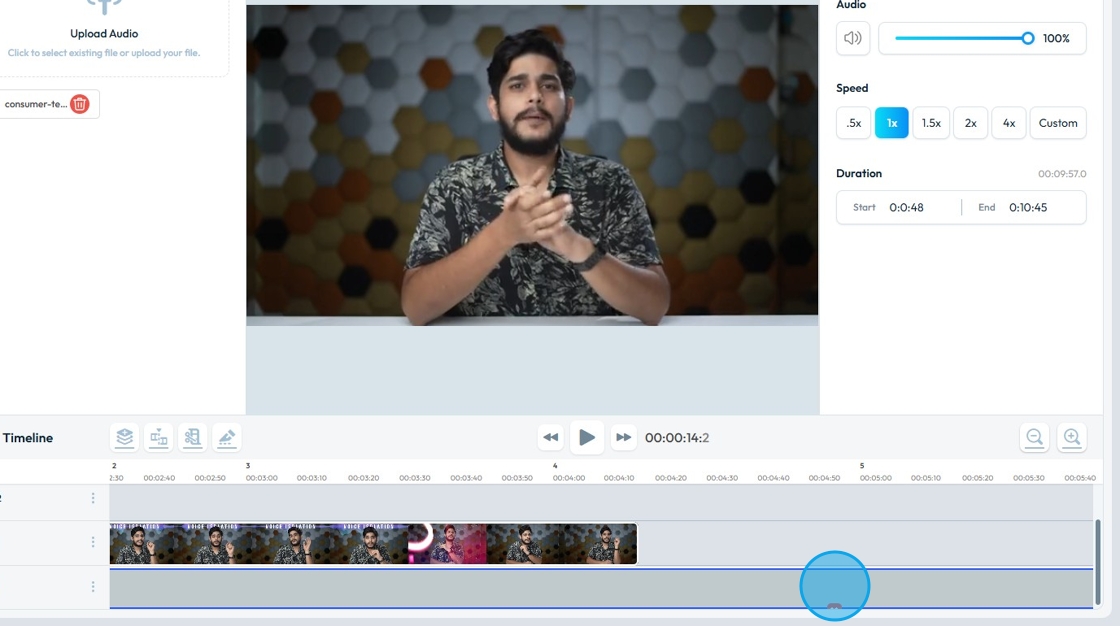
6. The music file will then be gone

Related Articles
How to Delete Music from My Podcast
Easily remove music from your podcast with PodUp. This guide walks you through the editor and shows how to delete unwanted music in just a few steps. 1. Navigate to https://app.podup.com/home 2. Click on "Audio & Video Editor" in "Favorites Modules" ...How Can I Add Music to My Video?
Learn how to add music to your videos with PodUp’s Editor. This easy guide walks you through importing and adjusting audio to create more dynamic, polished content. 1. Navigate to https://app.podup.com/home 2. Click on "Audio & Video Editor" in ...How do I save the music I added to my video
Use these steps to add music to your videos and securely save your work. 1. Navigate to https://editor.podup.com/ and load up a video in the timeline 2. You can add music by clicking on "Stock Files" 3. Select "Stock Audio" 4. Drag and drop an audio ...How to Delete a Video on Podup
This guide offers step-by-step process for deleting a video episode on PodUp helping users efficiently manage their content and remove unwanted videos with ease. 1. Navigate to https://app.podup.com/home 2. Click "Create" 3. Click on "Video Episodes" ...How Can I Add Music to My Podcast?
Learn how to add music to your podcast with PodUp. This step-by-step guide makes it easy to layer tracks and boost your audio quality for a more engaging show. 1. Navigate to https://app.podup.com/home 2. Click on "Audio & Video Editor" in "Favorites ...