How to Delete Music from My Podcast
Easily remove music from your podcast with PodUp. This guide walks you through the editor and shows how to delete unwanted music in just a few steps.
1. Navigate to https://app.podup.com/home

2. Click on "Audio & Video Editor" in "Favorites Modules" on your "Dashboard"

3. This is how "Editor" will look like.

4. The music will appear in the timeline in "Audio 2".
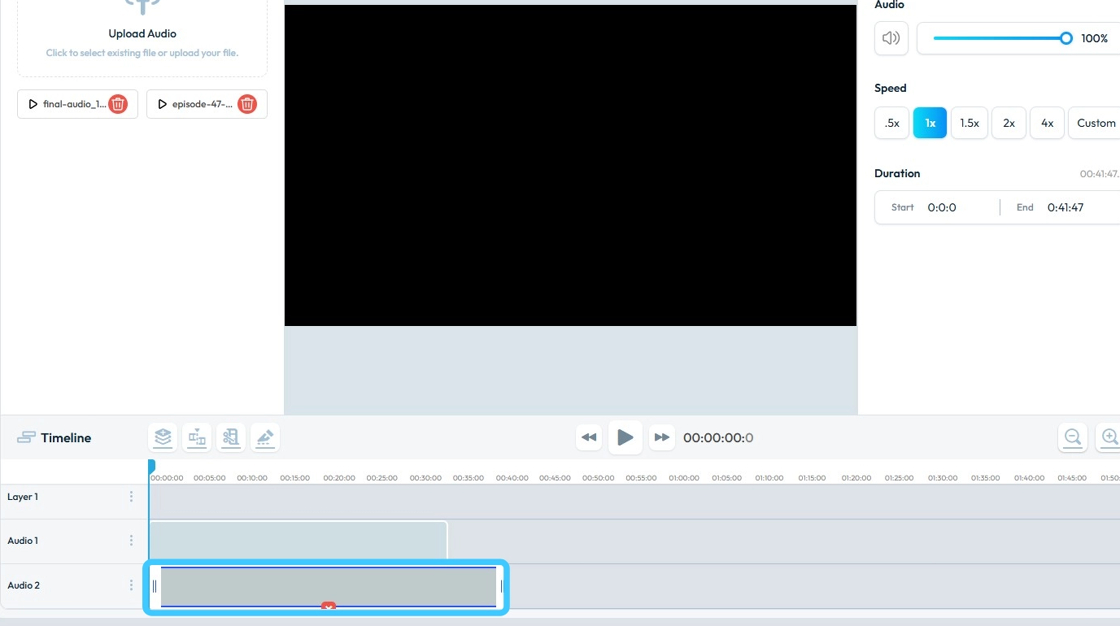
5. To delete the "Music Track" click on "Close (x)" button.

6. The music will then be gone!
