How to Delete a Blog post

How to Delete a Blog post

This guide offers a clear, step-by-step process for deleting a blog on PodUp, ensuring users can easily manage their content and quickly remove unwanted posts.


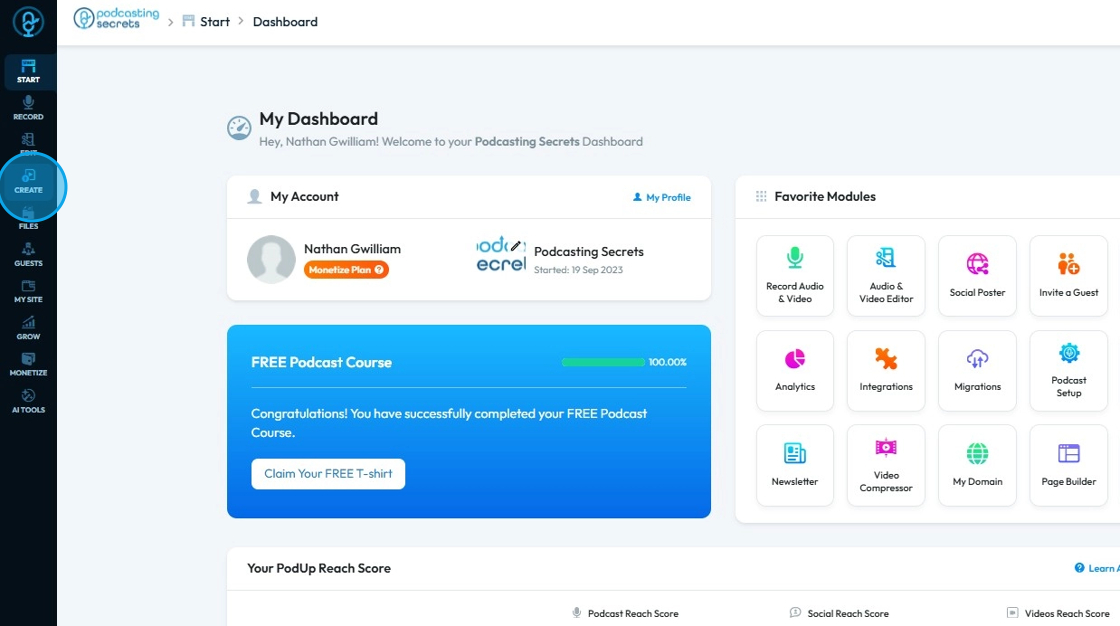
2. Click "Create"

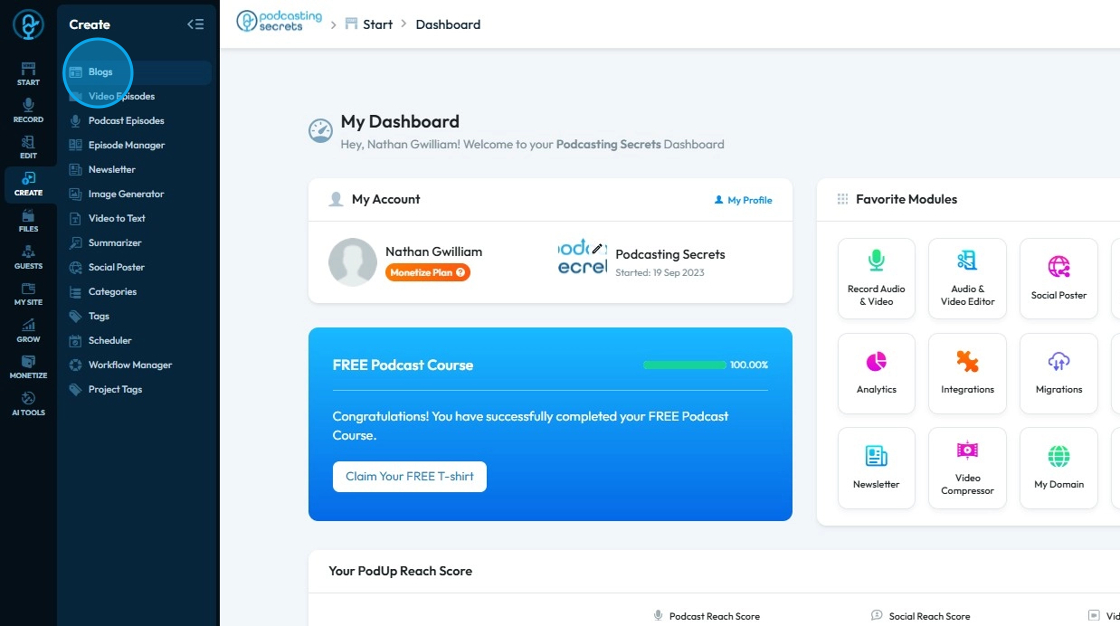
3. Select "Blogs"

4. The “Blogs” page opens
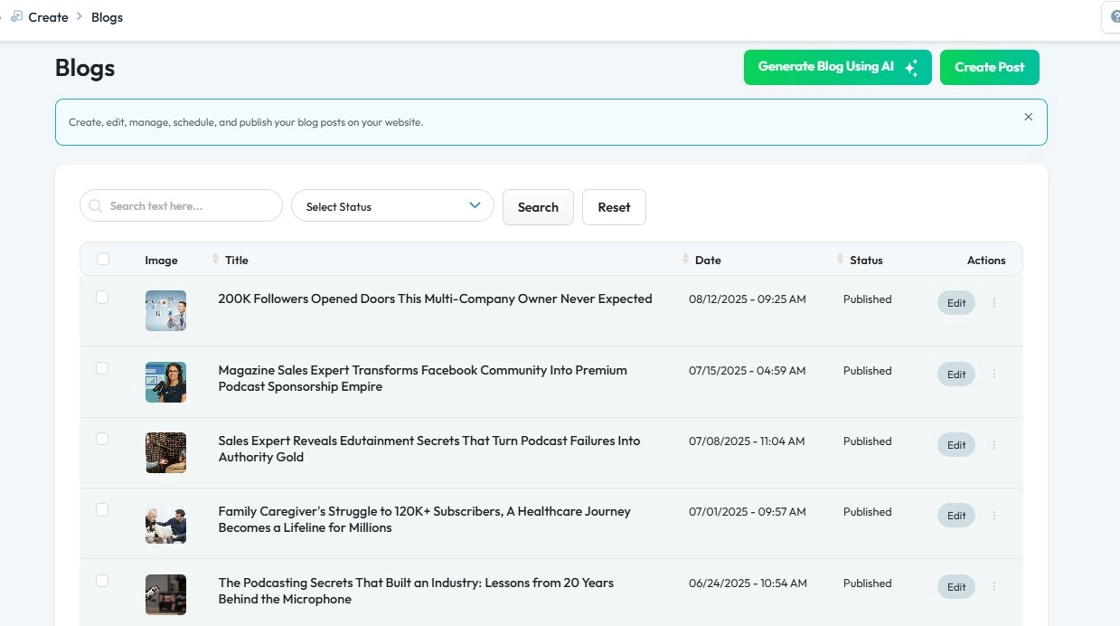
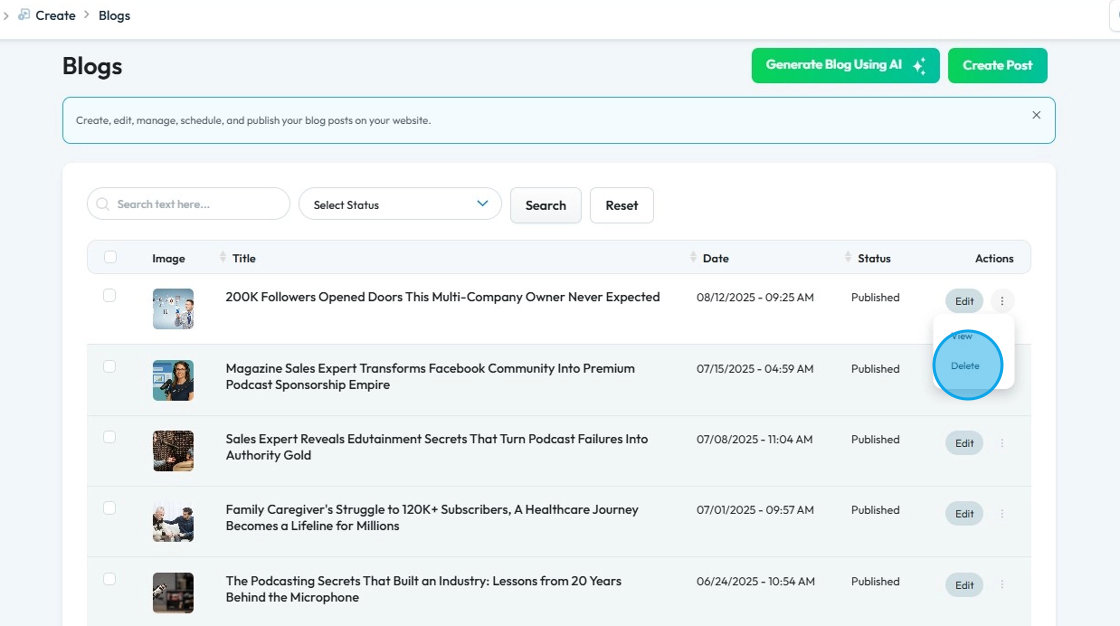
5. Click the three-dot icon next to the blog post you wish to delete

6. Select "Delete"
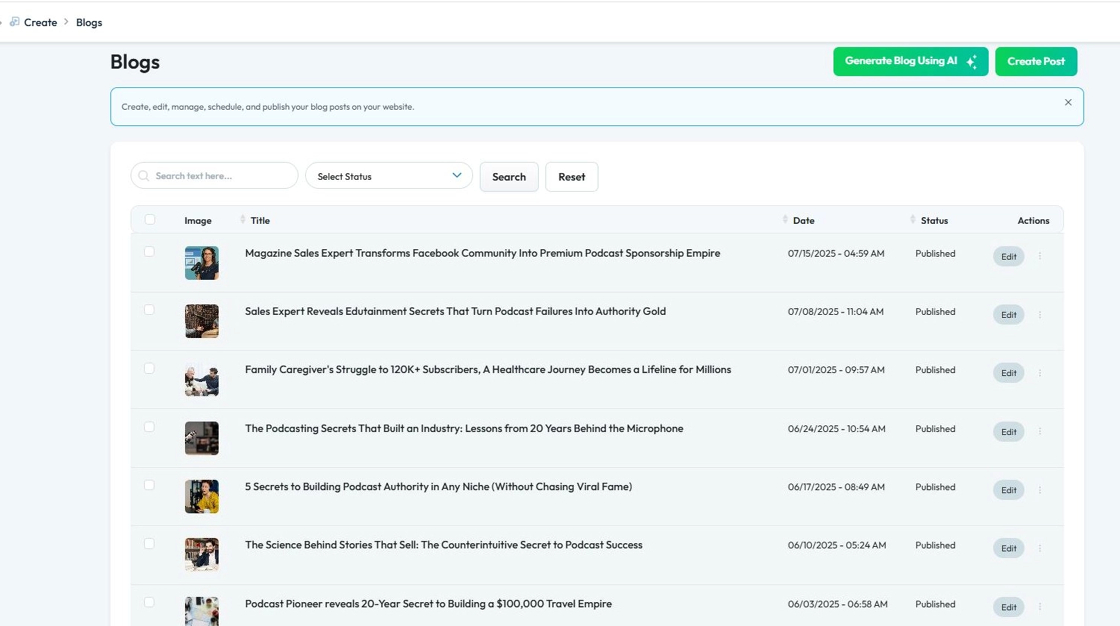
7. The selected blog post will be deleted

    • Related Articles

    • How to Navigate Post Page Builder (Detailed)

      This guide offers a straightforward approach to creating and customizing post pages using PodUp's Post Page Builder, making it ideal for bloggers, video creators, and podcasters. It provides step-by-step instructions for adding and enhancing post ...
    • How To Navigate AI Blog Generator on PodUp

      This guide walks you through using PodUp’s AI Blog Generator to quickly create SEO-friendly blog content. It covers title ideas, keyword use, and tone selection to help you write faster and reach your audience more effectively. 1. Navigate to ...
    • How to Use AI to Generate A Blog

      This guide shows you how to use AI to create blog posts faster. It covers generating titles, optimizing for SEO, and adjusting tone and audience to make your content more effective. 1. Click "Create" 2. Click "Blogs" 3. Click "Generate Blog Using AI" ...
    • How to Categorize My Blog Post

      This guide provides a straightforward process for categorizing your blog posts, ensuring that your content is organized, easily discoverable, and more user friendly. Tip: Categories make it easier on the readers and the editors to find the blog! 1. ...
    • How Do I Create a Blog Post

      This guide shows you how to create a blog step by step. It covers SEO, categories, and social sharing to help you reach more people and grow your online presence. 1. Click "Create" 2. Click "Blogs" 3. Click "Create Post" to write your own blog or ...