How to Create a Recording Studio
This guide provides a straightforward approach to setting up a recording studio using the Podup platform. It simplifies the process, ensuring users can easily create either audio or video recording options tailored to their needs. By following the clear steps, individuals can quickly launch their studio and begin recording, making it ideal for podcasters to produce high-quality audio content.
1. Navigate to the home page
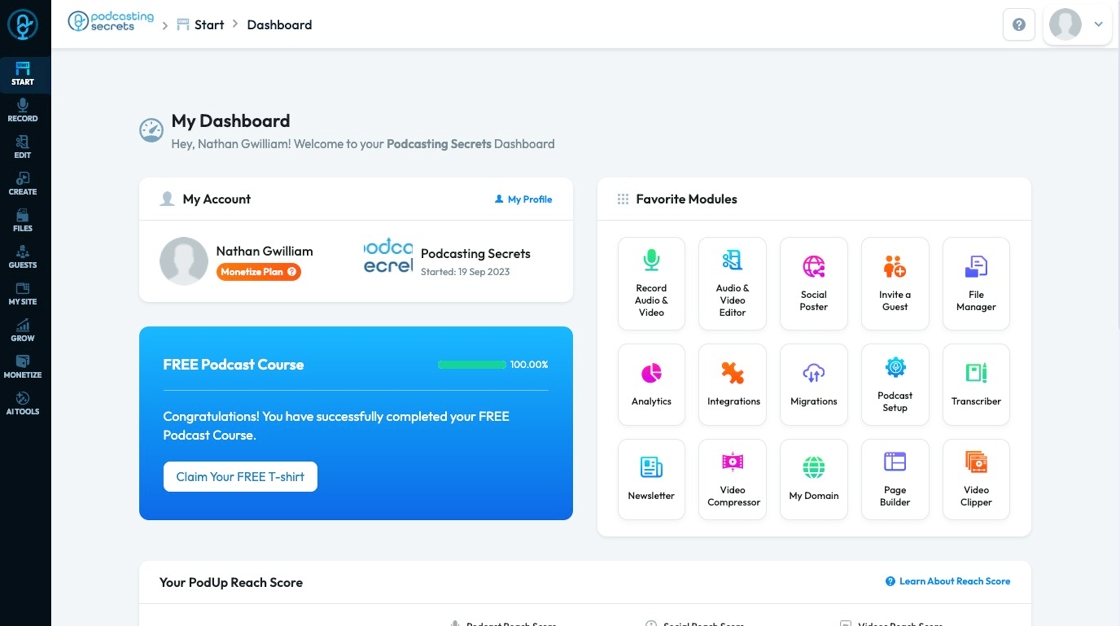
2. Click "Record Audio & Video" in "Favorite Modules" on the Dashboard

3. To open a new studio, click "Create Studio"

4. To create a studio, add a studio title
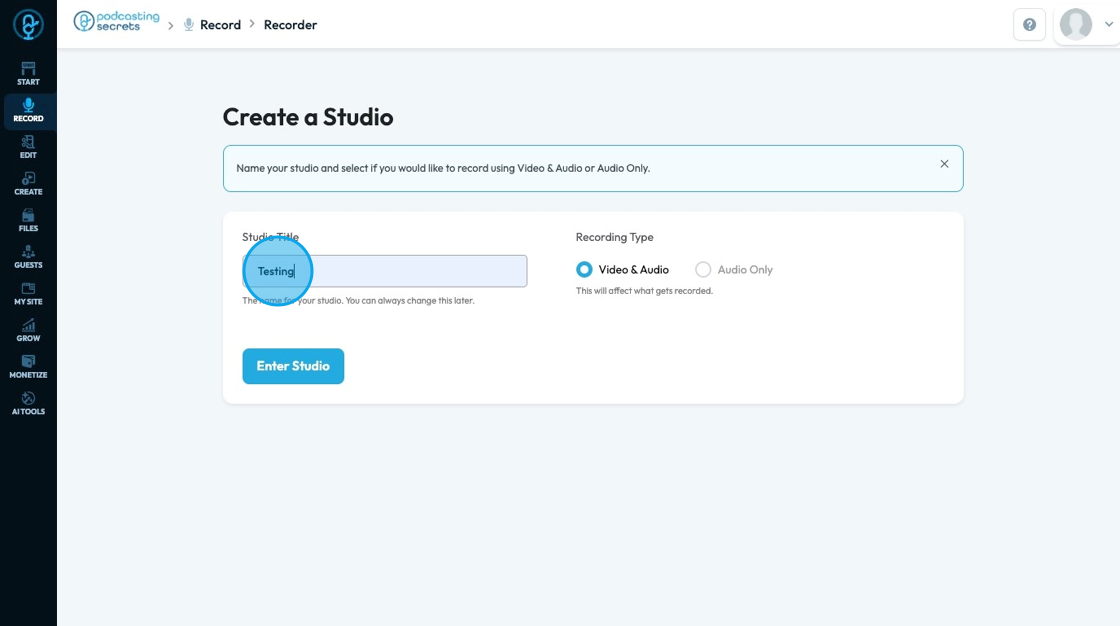
5. You can select "Video & Audio" or "Audio Only".
- If you select audio only, your studio will not record any video
- This setting cannot be changed

6. Click "Enter Studio" to create the studio

Related Articles
How to Share my Screen While Recording in Podcasting Studio on PodUp
This guide provides a straightforward process for sharing your screen while recording in the PodUp podcasting studio, making it easier to collaborate and enhance your content. By following these simple steps, you can seamlessly integrate visuals into ...Why is my recording loading?
By following this guide, users can troubleshoot recording delays on PodUp and optimize playback by understanding and addressing factors like internet speed. 1. Navigate to https://app.podup.com/home 2. Click "Record Audio & Video" 3. The “List of ...How to Denoise my recording?
Easily remove unwanted noise in PodUp to boost your audio’s clarity and quality 1. Navigate to https://app.podup.com/home 2. Click "Record" 3. Select "All Recordings" 4. The 'All Recordings' page will open 5. Select the 'Studio' for the recording you ...How to Record a Video in PodUp - Simple
This guide offers a straightforward approach to recording videos in PodUp, making it ideal for anyone looking to create professional content effortlessly. It breaks down the process step-by-step, ensuring users can navigate the platform with ease, ...How to Navigate All Recordings in PodUp (Detailed)
This guide shows you how to set up a podcast studio on Podup, from creating studios to managing and editing recordings. It helps you improve audio and video quality, making podcasting easier whether you're just starting or improving your setup. 1. ...