How to Change Your Site Theme on PodUp
1. Navigate to https://app.podup.com/home
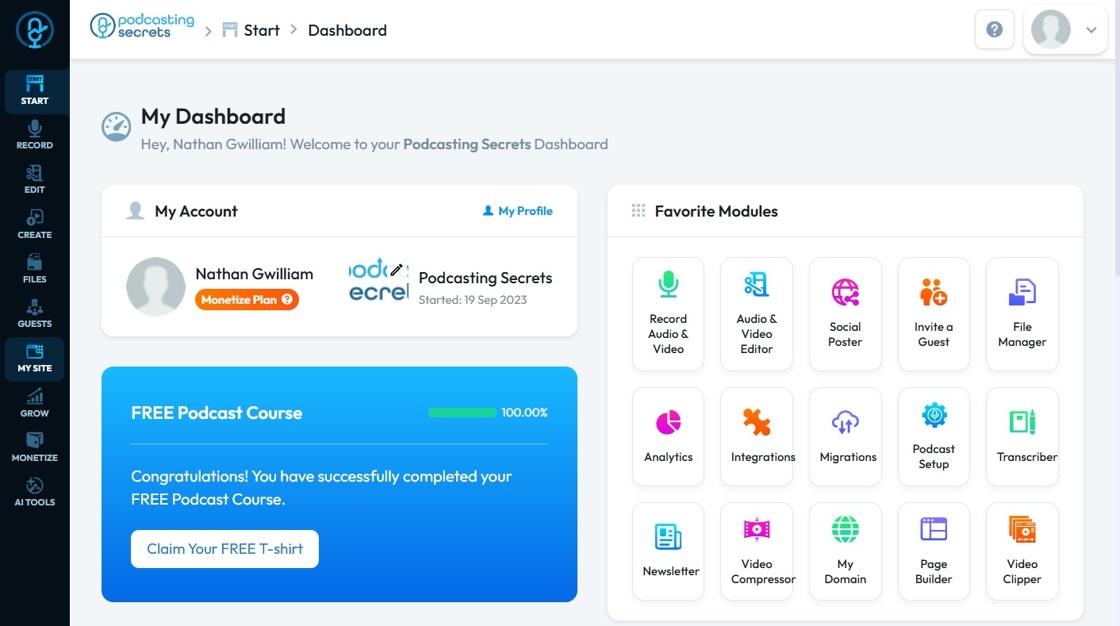
2. Click "My Site"
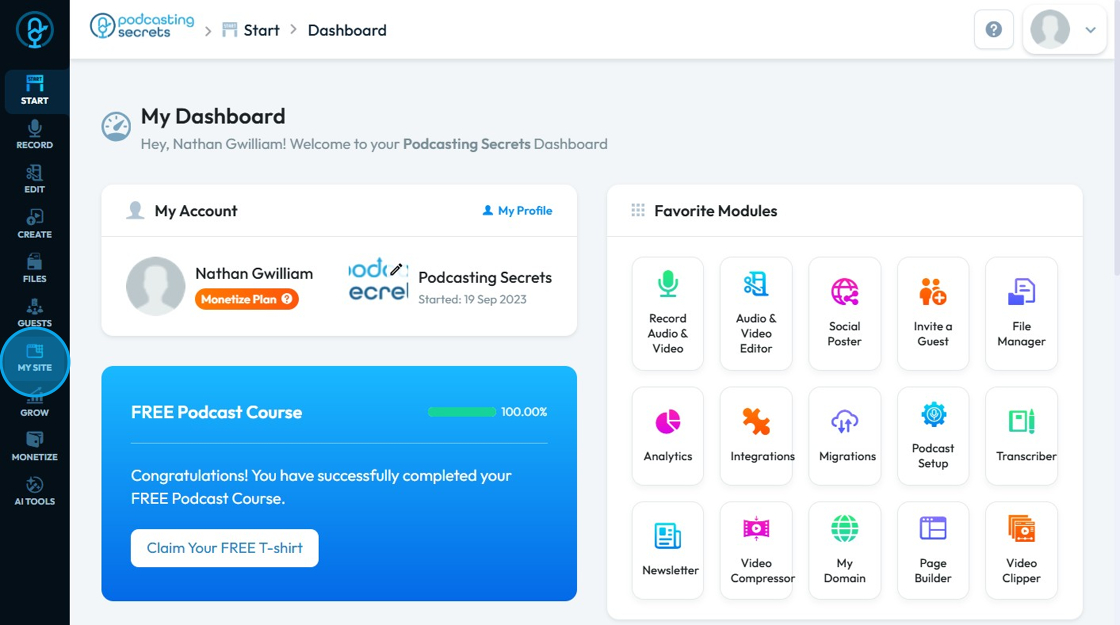
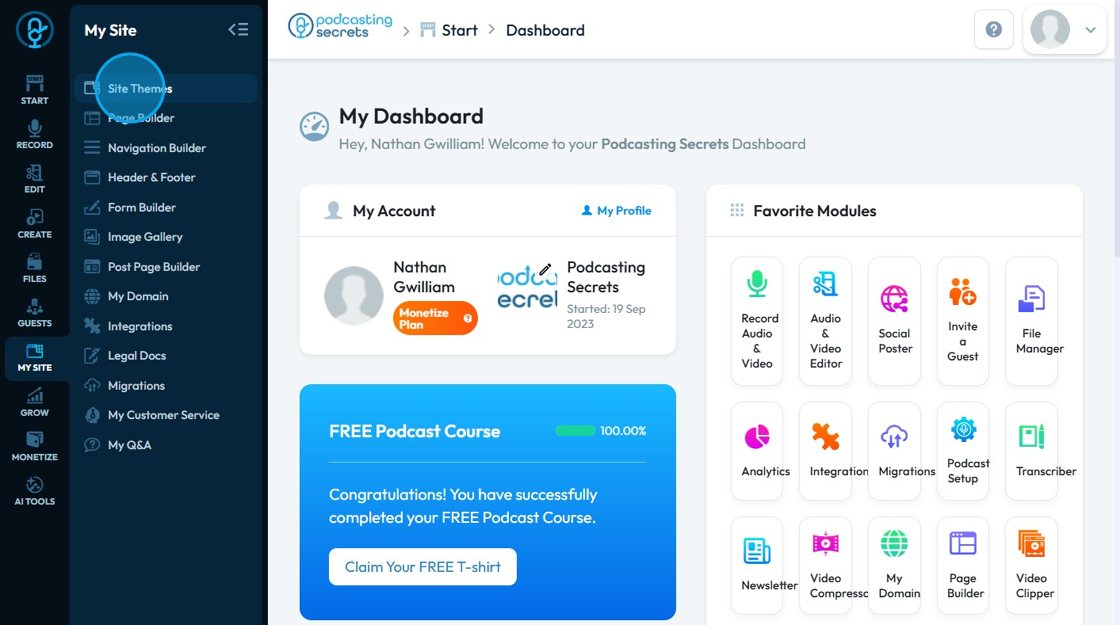
3. Select "Site Themes"
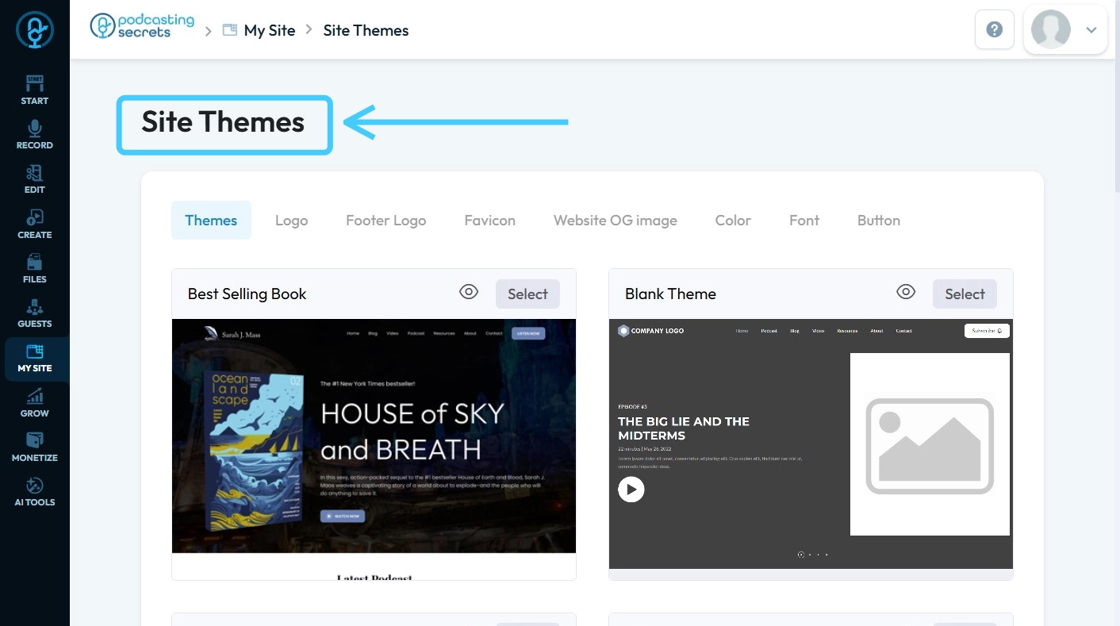
4. The ‘Site Themes’ page will load
5. The ‘Personal-coach’ template is currently applied
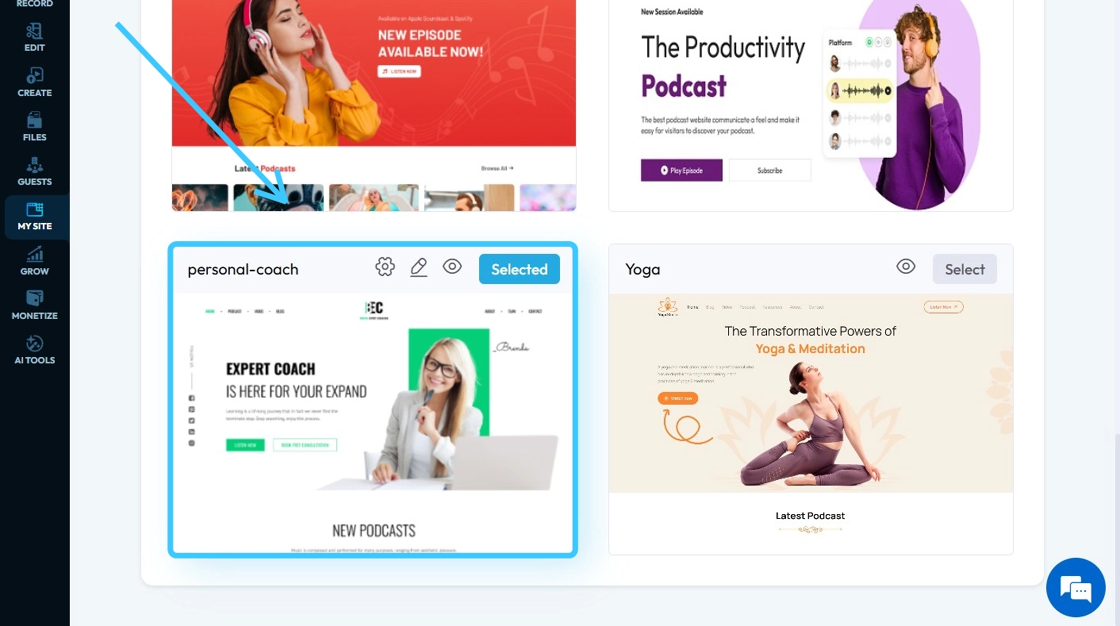
6. This is the website with the selected theme template applied

7. Click "Select" of a theme you want to replace with the current one.
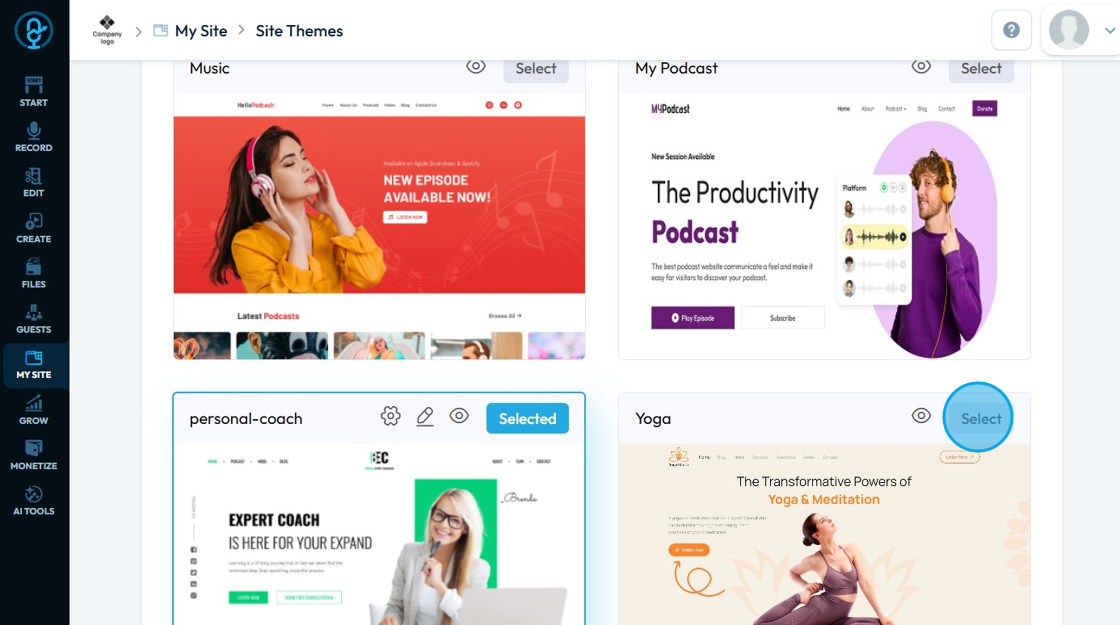
8. Click "OK"

9. On "Themes" page you can customize:-
Color palette: Define primary/secondary brand colors used by components and surfaces site‑wide.
Logo/Footer logo: Upload main and footer‑specific logo assets under Site Identity or theme options, depending on the theme.
Website OG image: The image used in social/link previews, set via Open Graph metadata (og:image).
Accent color: The key highlight color applied to links, buttons, and interactive elements.
Font: Choose global typography families to apply across headings and body text.
Button style: Control button appearance (e.g., colors follow the theme palette so components stay on brand).
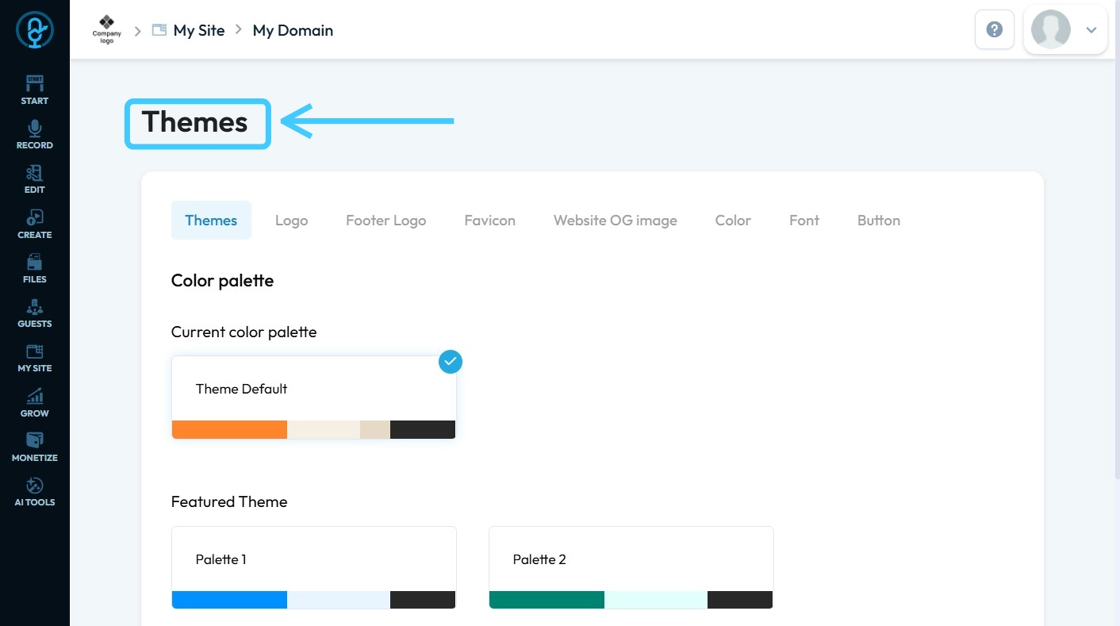
10. Double-click "Save & Next"

11. Customize the color scheme and click "Save & Next"
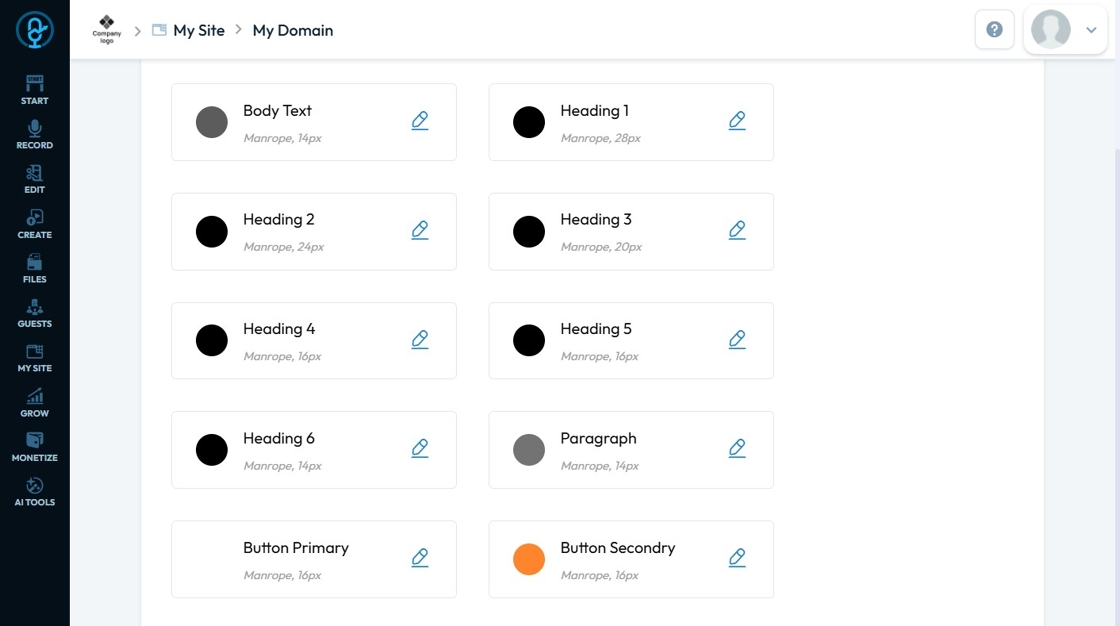
12. A preview of the site template will load
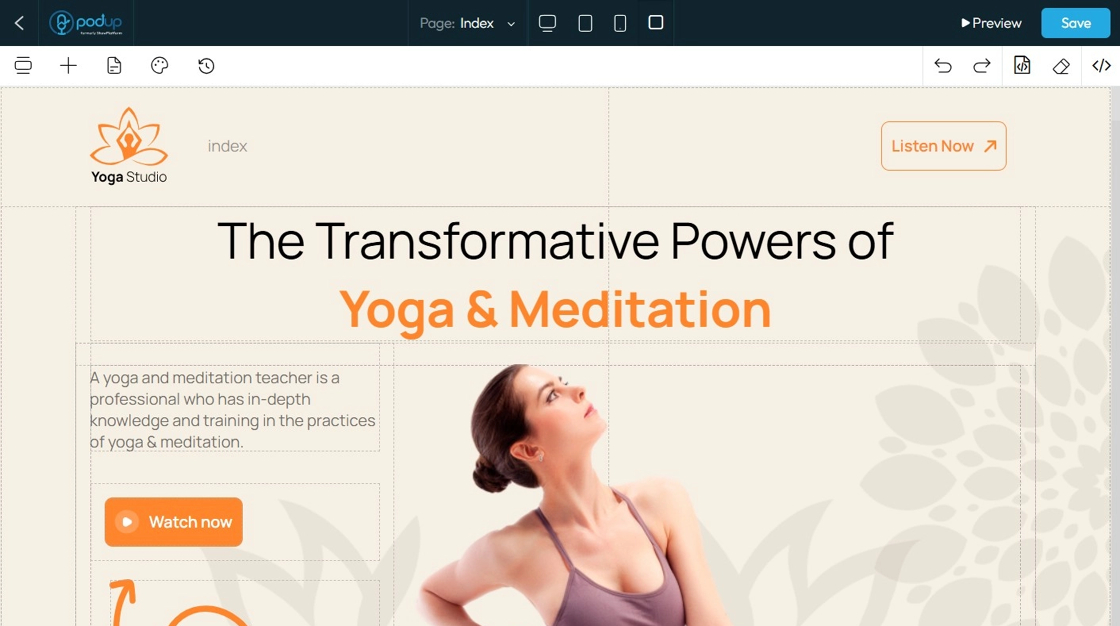
13. Customize or add any components you want, then click ‘Save’ in the top-right corner.

14. The new theme will be applied to your website

Related Articles
What happens when I change my site theme
This guide provides essential steps for changing your website's theme, crucial for updating its layout and aesthetics. It highlights the importance of understanding that a new theme will significantly affect the arrangement of content and images on ...How To Add A Theme to My Website
This guide shows you how to add a nice-looking theme to your website using PodUp. It walks you through picking a template, changing colors and fonts, and making your site match your brand. It also helps you avoid common mistakes, like losing your ...How To Navigate Site Themes (Detailed)
This guide offers a comprehensive step-by-step approach to customizing your website's theme and logo using PodUp, providing valuable insights on design elements such as templates, colors, fonts, and logos. It empowers users to create a visually ...How To Customize Link Quick Add in PodUp Page Builder (Detailed)
This guide is essential for anyone looking to enhance their website using PodUp's Page Builder. It provides step-by-step instructions on customizing the Quick Add link feature, allowing you to create interactive and visually appealing elements ...How to Customize "Text" Quick Add in PodUp Page Builder (Detailed)
This guide offers a comprehensive and friendly approach to customizing the "Text" Quick Add feature in PodUp's Page Builder. It provides step-by-step instructions on enhancing your website's text elements, including formatting options, color choices, ...