How to Automatically Add My Domain My Website
This guide walks you through adding your domain to your website quickly and easily. It covers privacy settings, DNS tips, and helps you avoid setup hassles so you can focus on building your site.
1. Navigate to https://app.podup.com/home

2. Click here.

3. Click "My Domain"

4. Click "Add Domain"

5. Click the "Domain Name" field and enter the name of your podcast
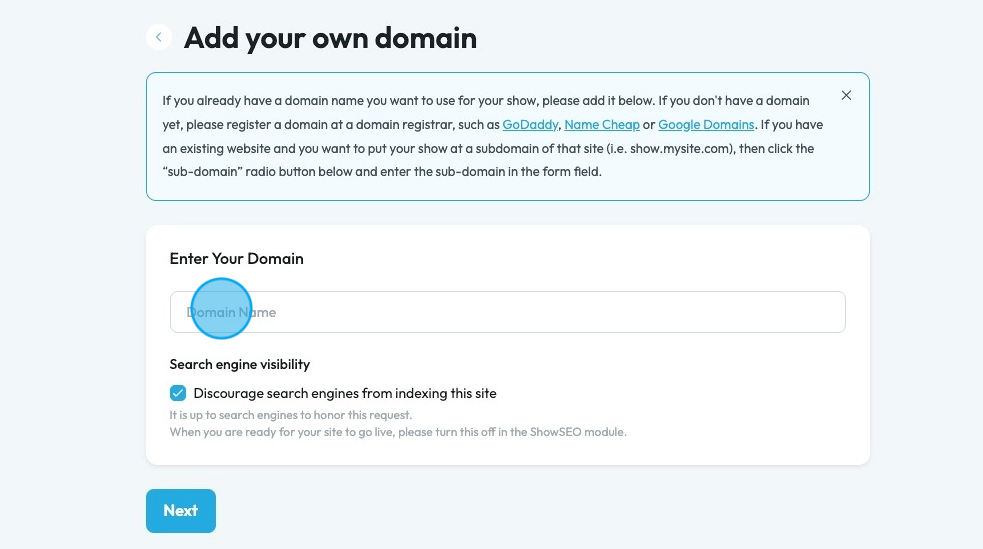
6. Click "Discourage search engines from indexing this site" to ensure that search engines like Google won't go searching your site.
- This is helpful when you are building a website and don't want people to check it out
- Once you have finished building your site, uncheck this box

7. Click "Next"

8. Click "Start domain setup"

9. A pop-up will appear to inform you that PodUp uses Entri to configure the domain. Click "Continue"

10. Entri will start to run an analysis of your domain.
- This make take a few minutes

11. Entri will detect the DNS provider and provide the login portal
- For this example the DNS provide Spaceship i sused but ther are many different DNS Providers

12. Login to your DNS provider as if you were entering their website.
- Enter your username into the Username field

13. Click the "Password" field and enter the password of your DNS provider account

14. Click "Continue"

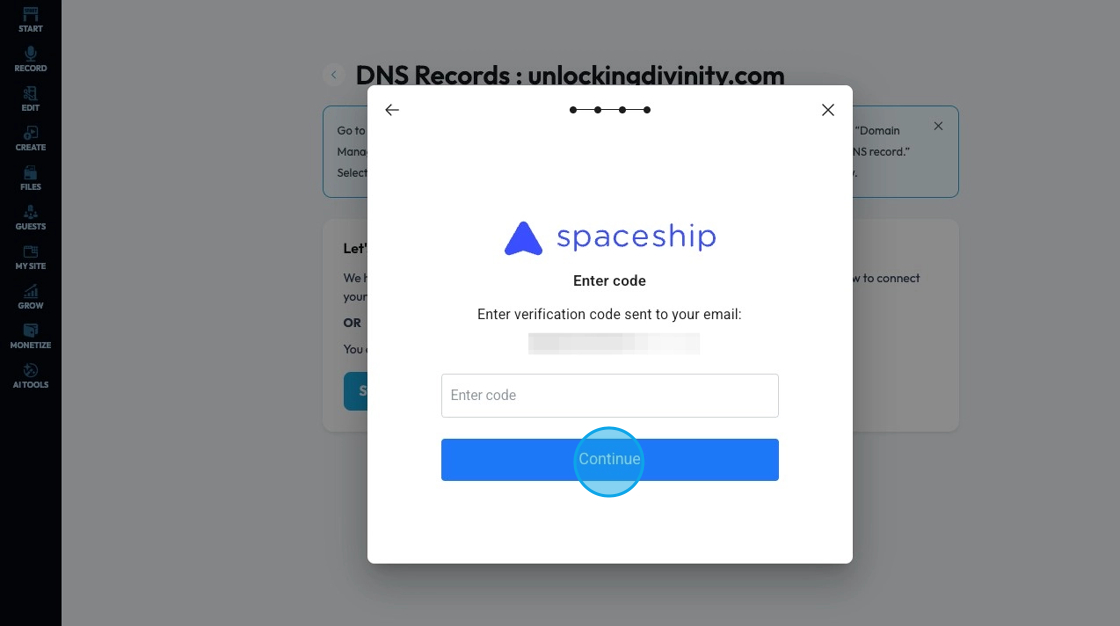
15. A verification code will be sent to your email. Click the "Enter code" field and enter the code then click "Continue"
16. The popup will then appear with a confirmation that the domain has been configured. Click "Done" to dismiss the popup
