How to Assign Studio Manager role in PodUp
By following this guide, you can assign the Studio Manager role in PodUp to ensure a smooth recording workflow and maintain high-quality episode production.
1. Navigate to https://app.podup.com/home
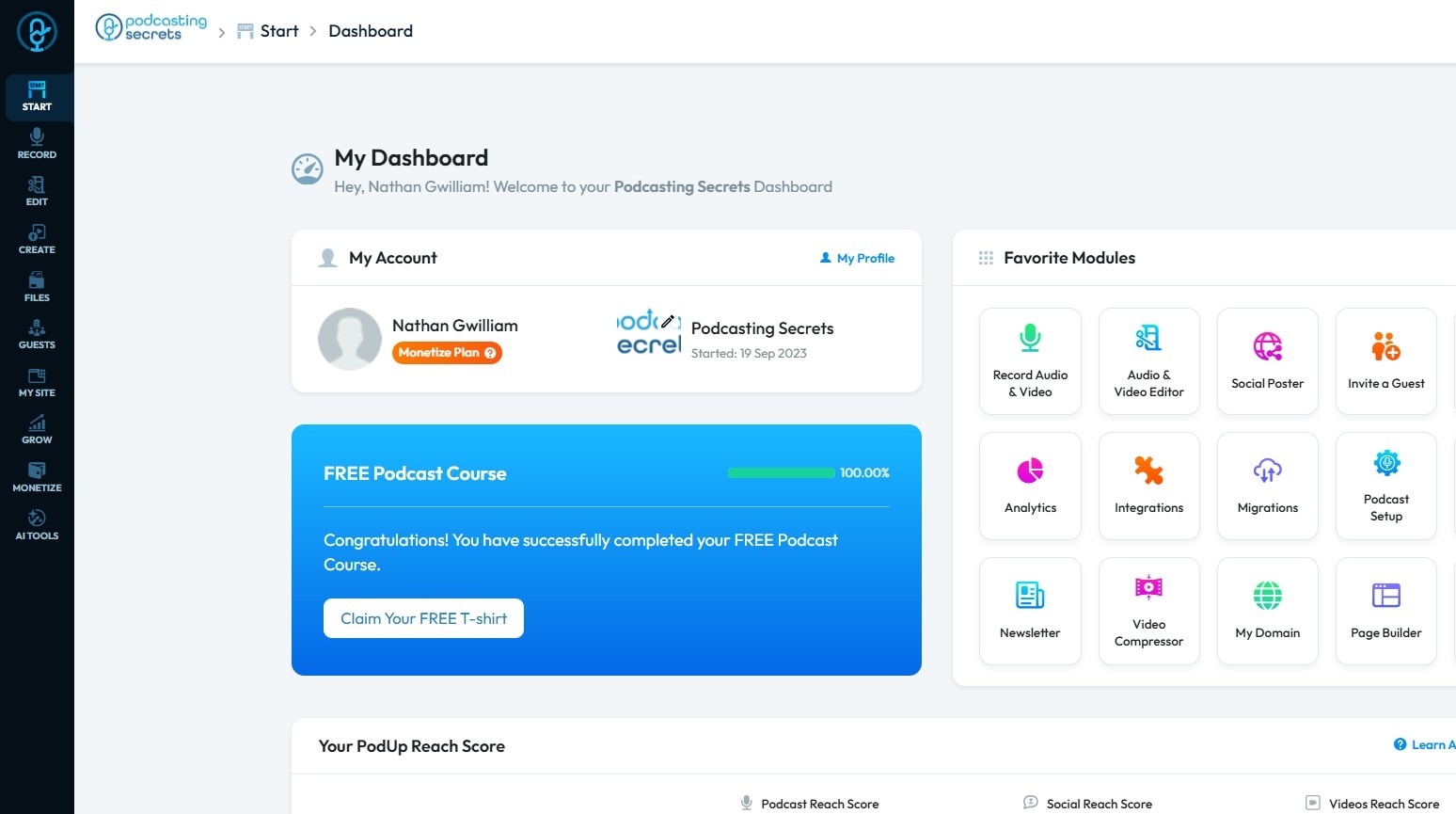
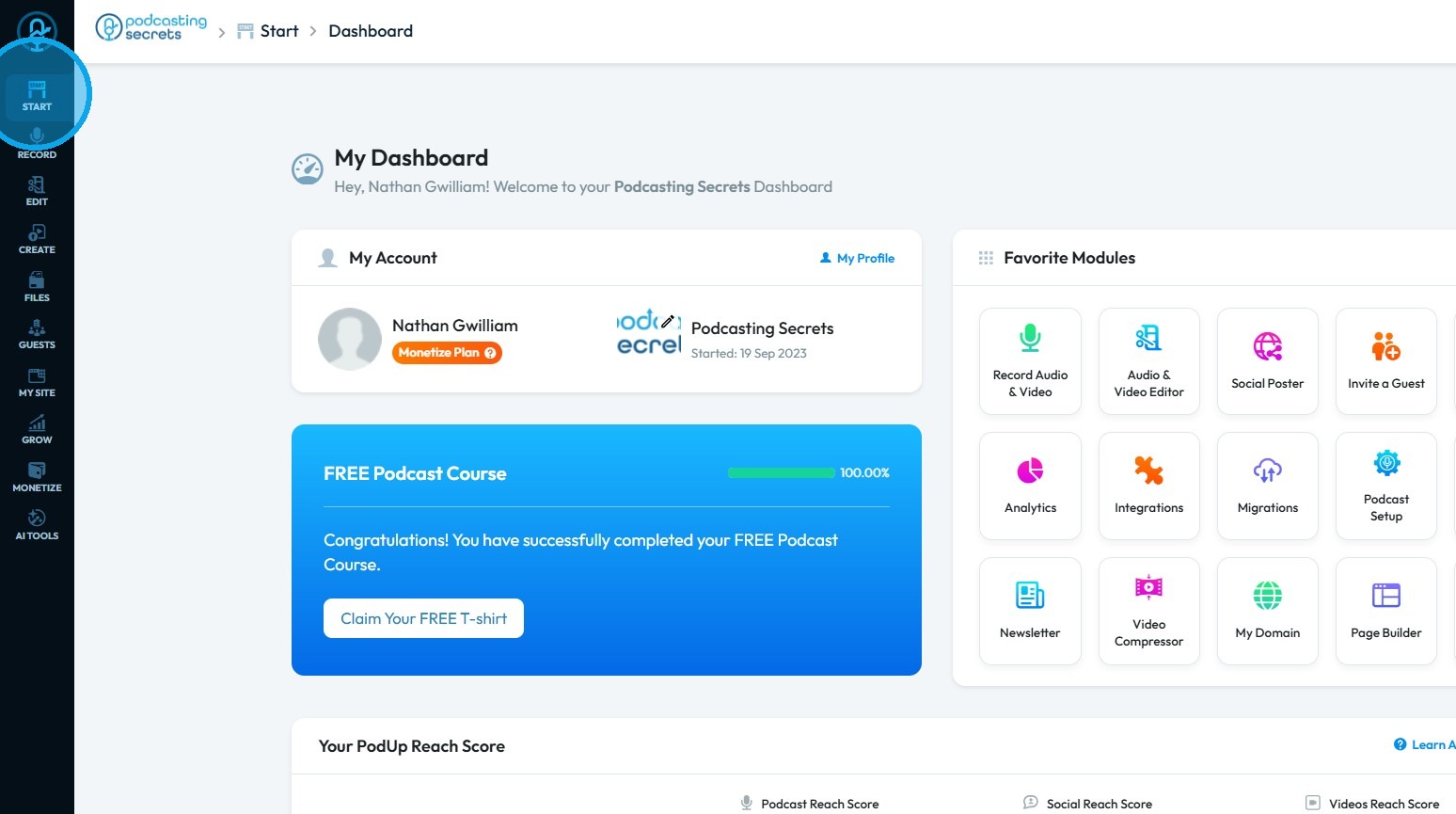
2. Click "Start"
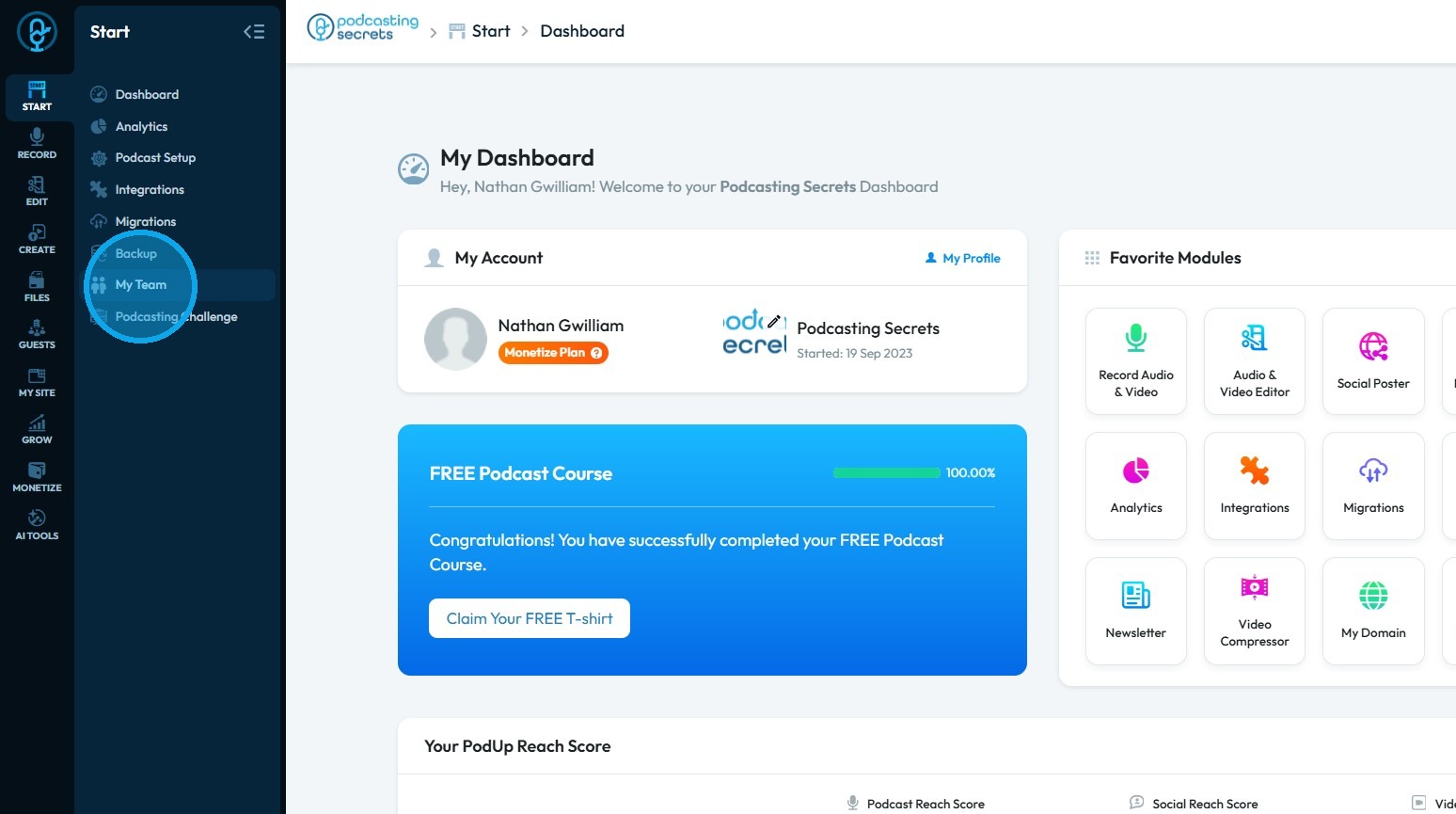
3. Click "My Team"
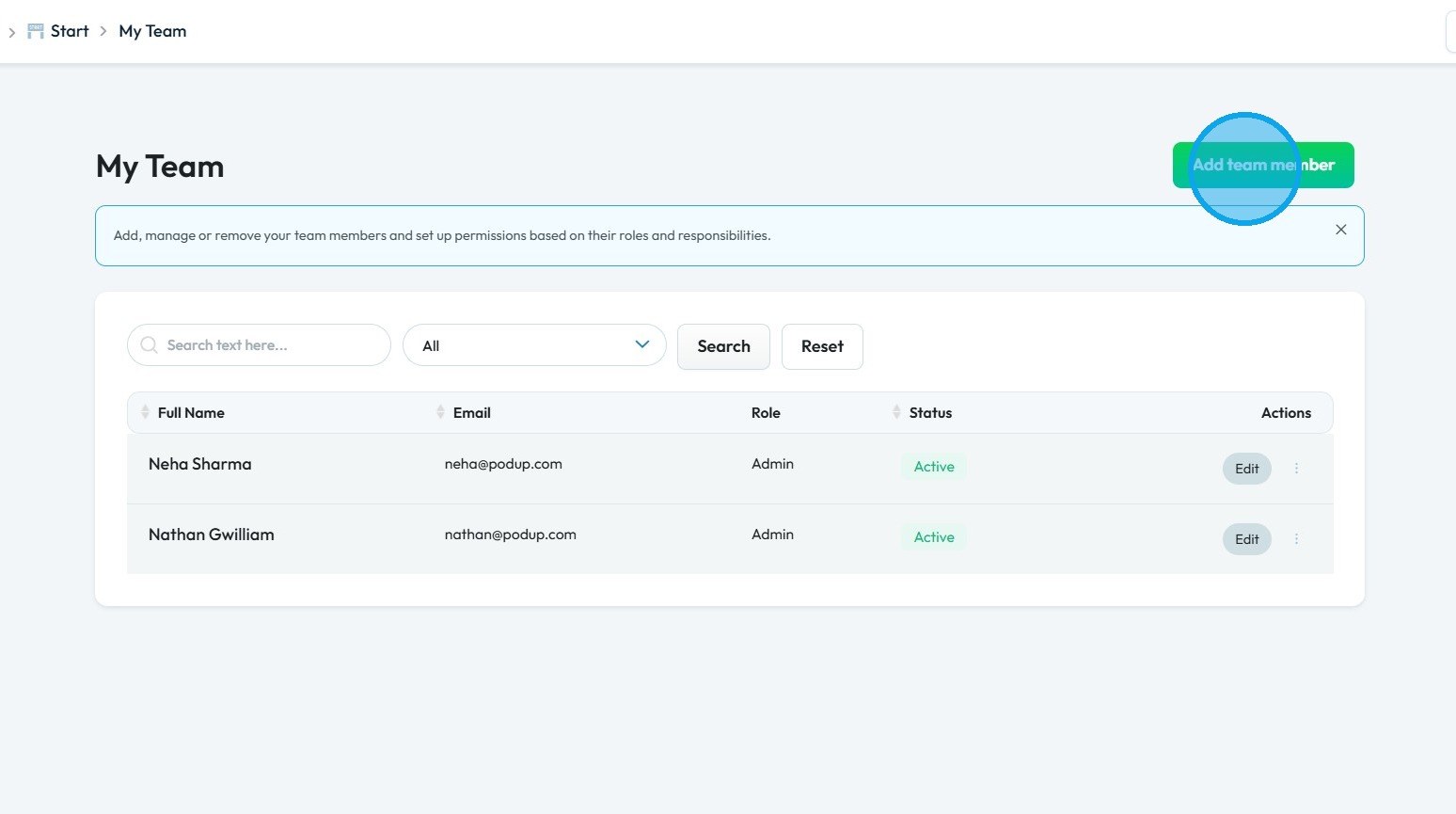
4. Click "Add team member"
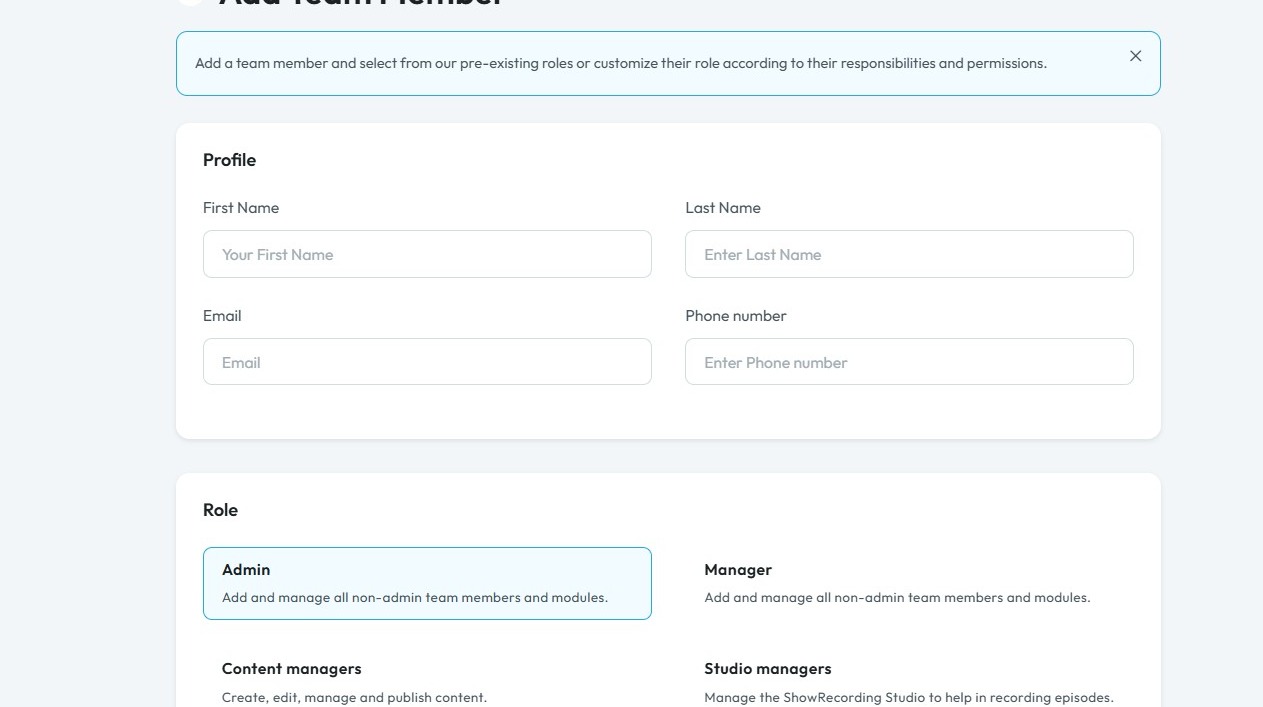
5. The Add Team Member page will open.
Enter the required information
Tip:
Studio Manager: The Studio manager is the go-to person for all things related to the actual recording process. Their duties are confined to the "Show Recording Studio", making them an essential part of the production workflow, but not necessarily involved in the broader aspects of content management, publishing, or website building. They are a dedicated technical resource for getting episodes recorded efficiently and professionally.
6. Click "Studio manager"
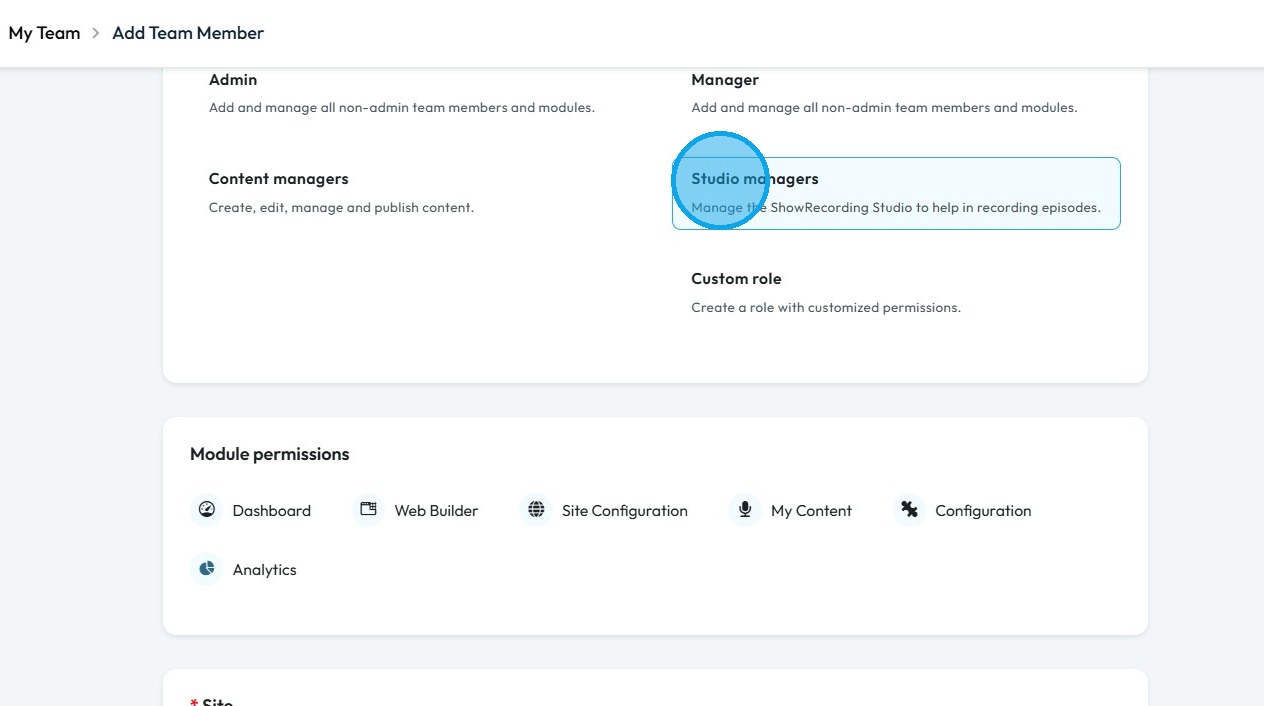
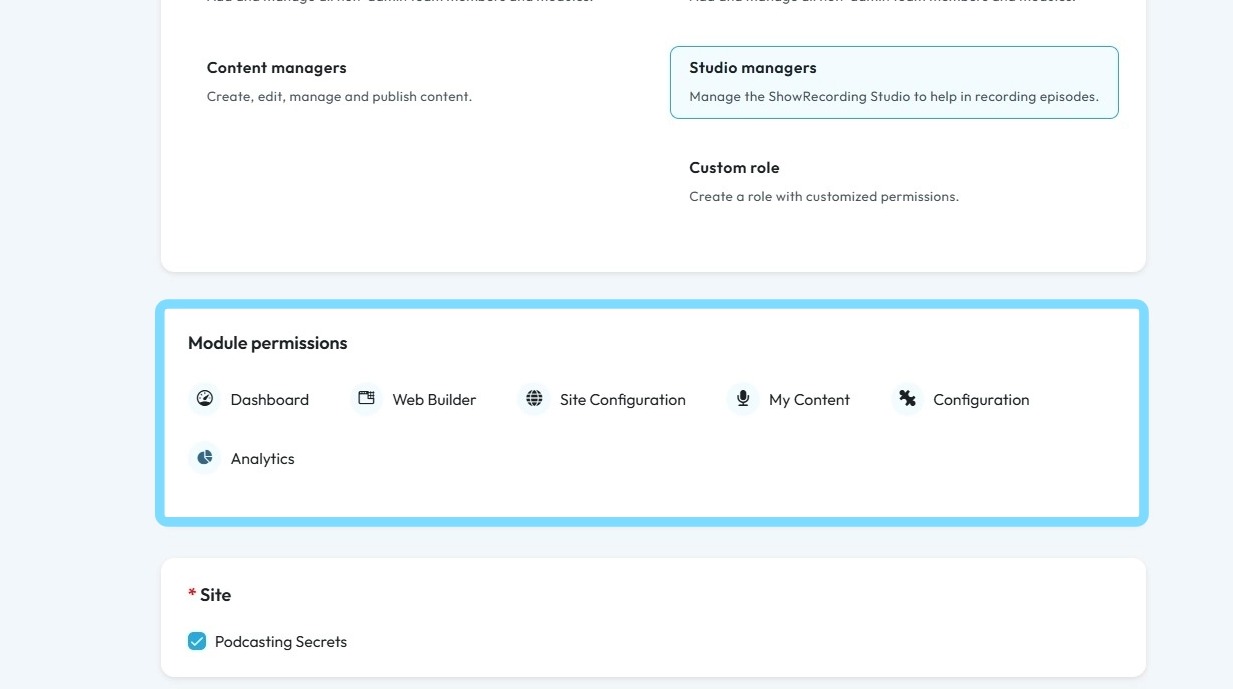
7. Under Studio Manager role the user have access to Dashboard, Web Builder, Site Configuration, My Content, Configuration and Analytics
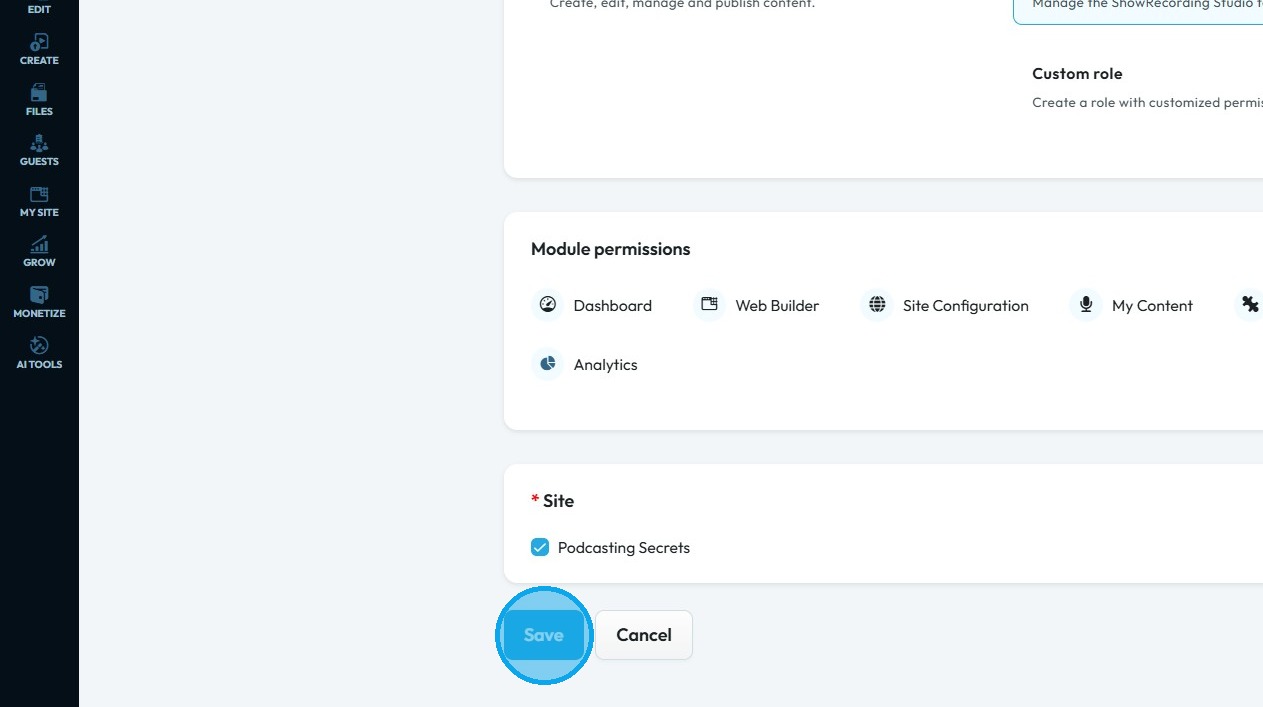
8. Click "Save"
Related Articles
How to Assign Custom role in Podup
By following this guide, you can create custom roles in PodUp to optimize team structure and assign appropriate permissions for effective task management. 1. Navigate to https://app.podup.com/home 2. Click "Start" 3. Click "My Team" 4. Click "Add ...How to Assign Admin role in Podup
By following this guide, you can easily assign an Admin role in PodUp, ensuring team members have the necessary permissions to manage tasks effectively. 1. Navigate to https://app.podup.com/home 2. Click "Start" 3. Select "My Team" 4. Click "Add team ...How to Assign Manager role in Podup
By following this guide, you can assign a Manager role in PodUp to empower users to oversee team operations and manage access to essential tools. 1. Navigate to https://app.podup.com/home 2. Click "Start" 3. Select "My Team" 4. Click "Add team ...How to Assign Content Manager role in Podup
By following this guide, you can assign the Content Manager role in PodUp to streamline content creation and ensure effective publication and distribution. 1. Navigate to https://app.podup.com/home 2. Click "Start" 3. Click "My Team" 4. Click "Add ...How To Delete A Studio In Podup
This guide provides a straightforward, step-by-step process for deleting a studio in Podup, making it easy to manage your recordings. It simplifies the task with clear instructions, ensuring users can navigate the platform efficiently. By following ...