How to Add Text to My Website
This guide provides a straightforward method for adding text to your website using Podup's Page Builder. It walks you through the process step-by-step, ensuring even beginners can follow along easily. The included tips on formatting text enhance your site's visual appeal and effectiveness. By following this guide, you’ll be able to enrich your website's content quickly and efficiently.
1. Navigate to https://app.podup.com/home

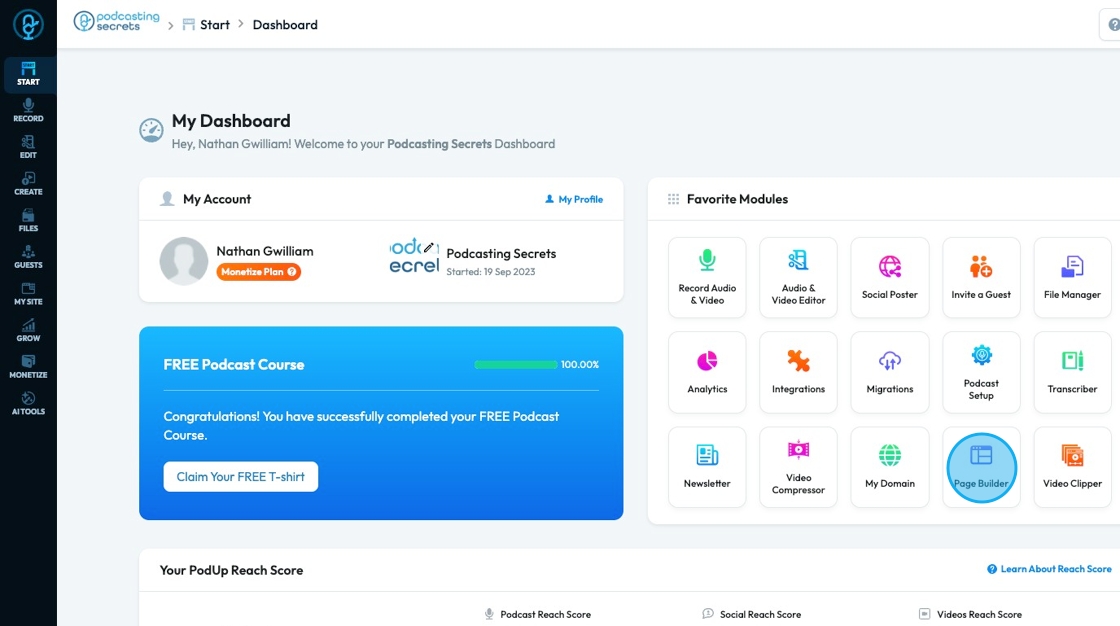
2. Click "Page Builder" in the "Favorite Modules" on the Dashboard
3. Click "Build" on the page that you want to build

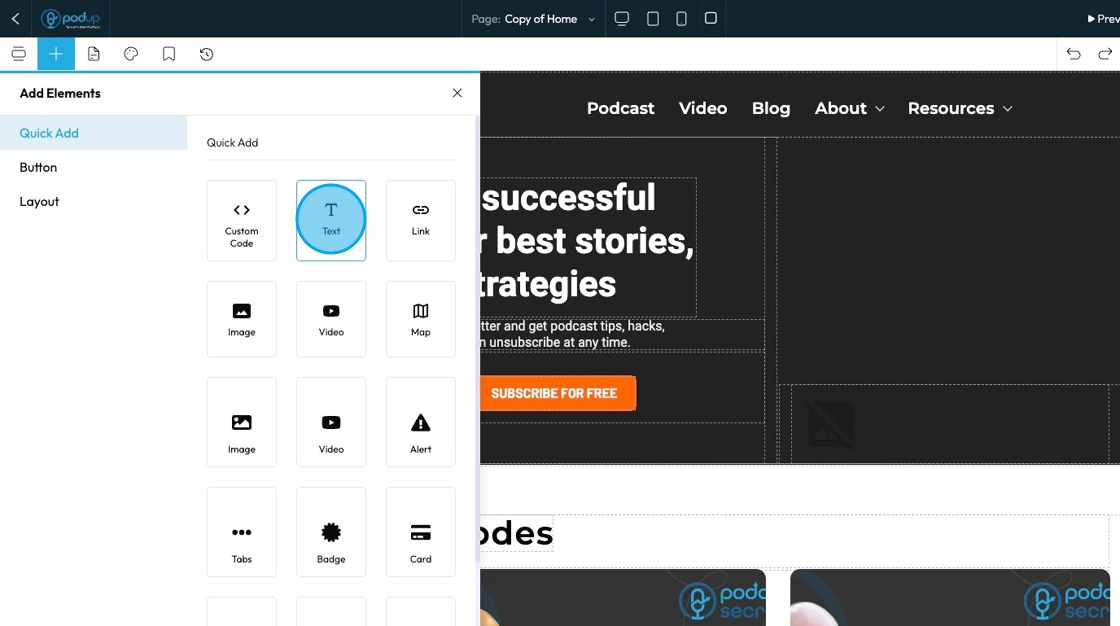
4. Click "Add" to add a "Quick Add" element

5. Click "Text" and drag it to the desired location
6. Click "Insert your text here" and type your desired text
- You can format it using the features in the customization menu above

Related Articles
How to Customize "Text" Quick Add in PodUp Page Builder (Detailed)
This guide offers a comprehensive and friendly approach to customizing the "Text" Quick Add feature in PodUp's Page Builder. It provides step-by-step instructions on enhancing your website's text elements, including formatting options, color choices, ...How To Format Text and Adding Links in PodUp Text Boxes (Detailed)
This guide provides essential tips for effectively writing text, helping users enhance their copy with various formatting options, links, and multimedia elements. By mastering text styling, table creation, and embedding features, readers can ...How to Change the Color of my Text
This guide provides a straightforward, step-by-step process for changing text color on your website, making it easy to customize your site's appearance. 1. Click "My Site" 2. Click "Page Builder" 3. Select the page where you wish to change the color ...How to Add A Link to My Website
This guide provides a straightforward method for adding links to your website, enhancing its functionality and user experience. By following the simple steps outlined, users can easily integrate links to direct visitors to relevant content. ...How To Add A Theme to My Website
This guide shows you how to add a nice-looking theme to your website using PodUp. It walks you through picking a template, changing colors and fonts, and making your site match your brand. It also helps you avoid common mistakes, like losing your ...