Add a Logo to Your PodUp Website Easily

How to Add Logo to My Website


This guide provides a straightforward approach to enhancing your website's branding by adding a logo. It offers step-by-step instructions, making the process easy even for beginners. By following these clear directions, you can quickly elevate your site's visual identity, ensuring a more professional appearance. View this guide to create a cohesive and memorable online presence effortlessly.


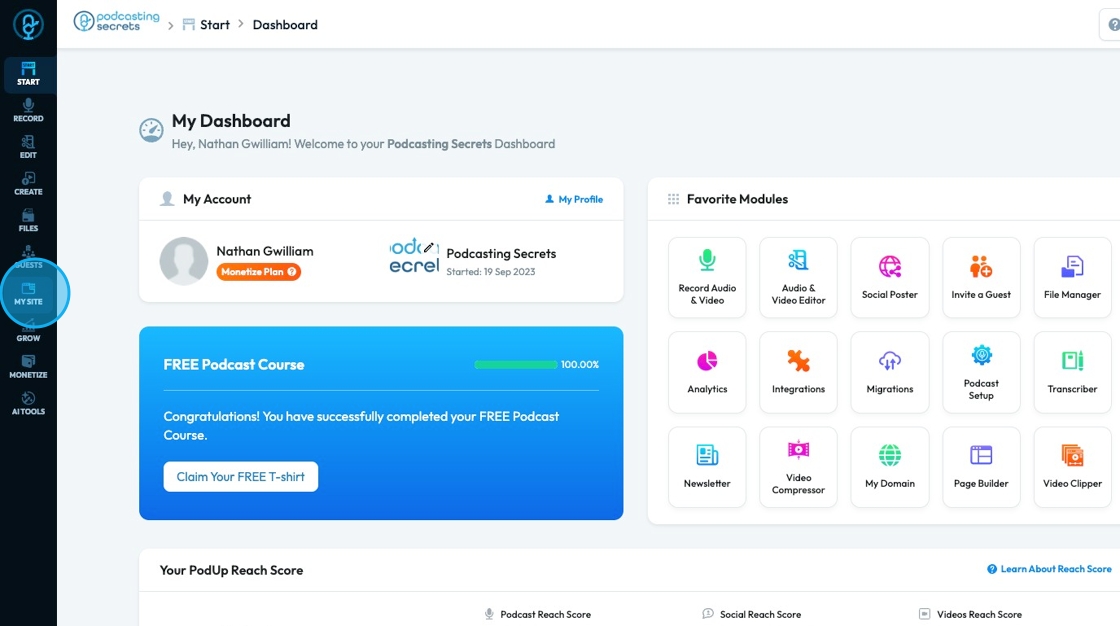
2. Click "My Site"

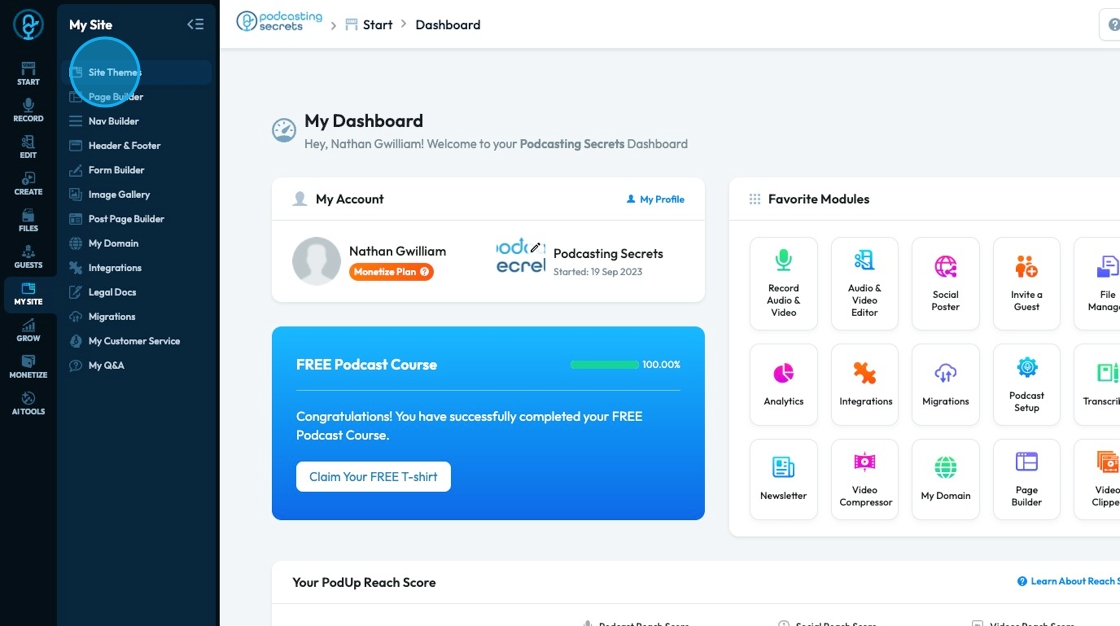
3. Click "Site Themes"

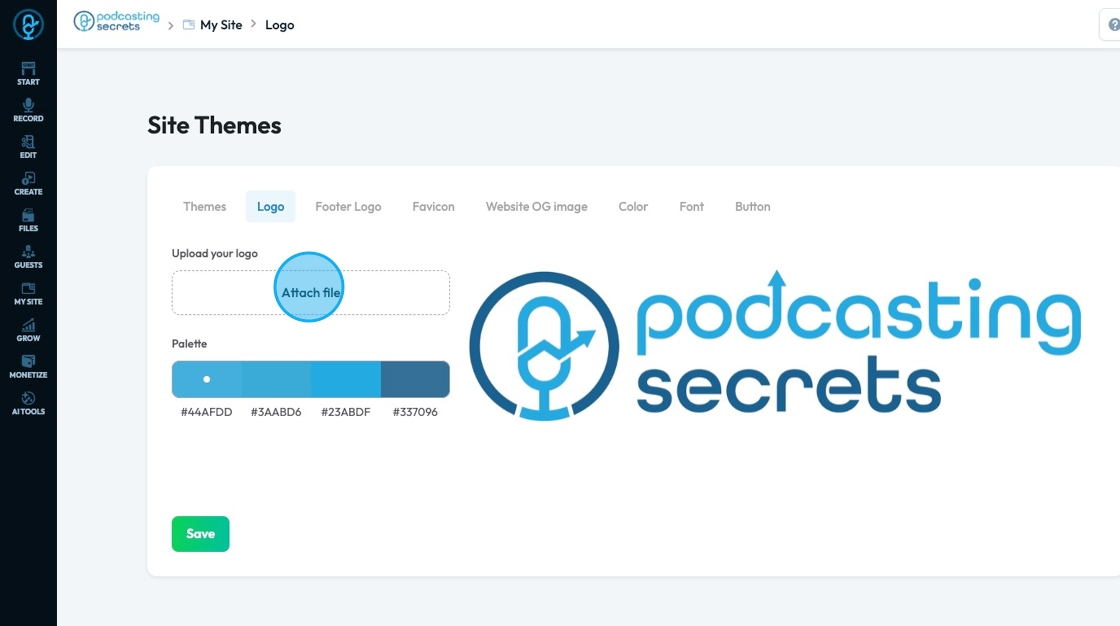
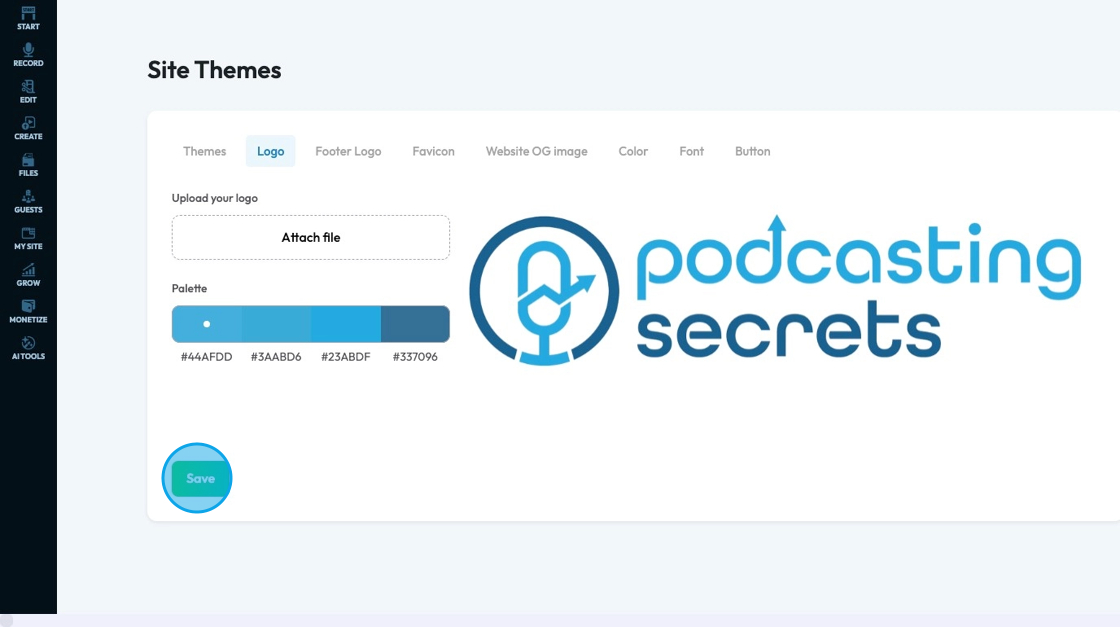
4. "Logo" allows you to attach a logo to your website by clicking "Attach file"

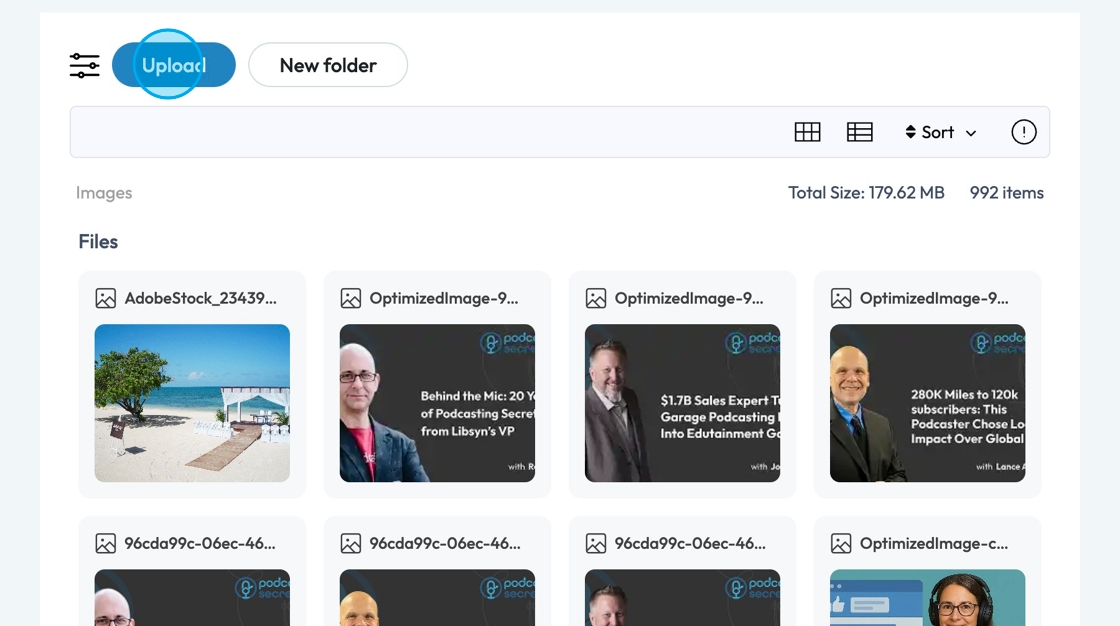
5. A pop-up of the PodUp File Manager will appear, where you can select a file that is already in PodUp or upload a file from your computer

6. Click "Save" to save the changes you made


    • Related Articles

    • How To Add A Brand To My Shop in PodUp

      This guide shows you how to add a brand to your PodUp shop. It helps you manage and display brands easily, making your store look more professional and organized. 1. Navigate to https://app.podup.com/home 2. Click "Monetize" 3. Click "My Shop" 4. ...
    • How to Add a Header to my Page

      This guide helps you customize your podcast website header with logos, colors, fonts, and 20+ templates. Create a polished, on-brand look that’s easy to set up and improves user experience. Tip: Header: The top section of a website that usually ...
    • How to Add a Banner to my Page

      This guide provides a straightforward process for adding a customizable banner to your page, enhancing your website's visual appeal. With over 100 templates to choose from, it caters to a variety of design preferences, ensuring you can find the ...
    • How to Add Code to My Website

      This guide offers a straightforward process for adding custom code to your website using Podup's Page Builder. It breaks down the steps clearly, making it accessible even for those with minimal technical knowledge. By following this guide, you can ...
    • How to Add Text to My Website

      This guide provides a straightforward method for adding text to your website using Podup's Page Builder. It walks you through the process step-by-step, ensuring even beginners can follow along easily. The included tips on formatting text enhance your ...