How to Add a Coupon in Podup Shop
This guide walks you through adding coupons in the Podup Shop, helping you enhance your marketing and boost sales.
1. Navigate to https://app.podup.com/home
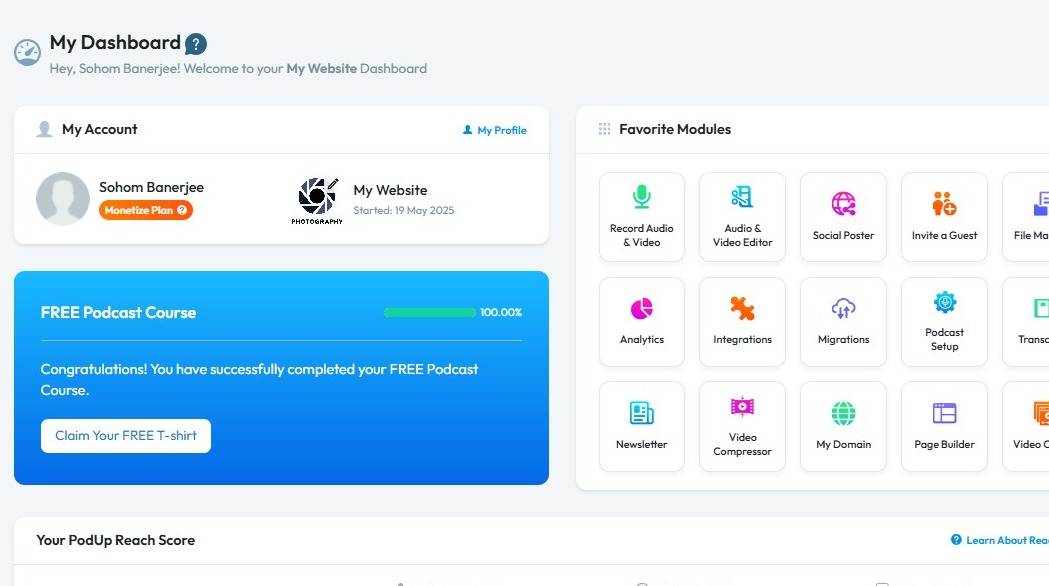
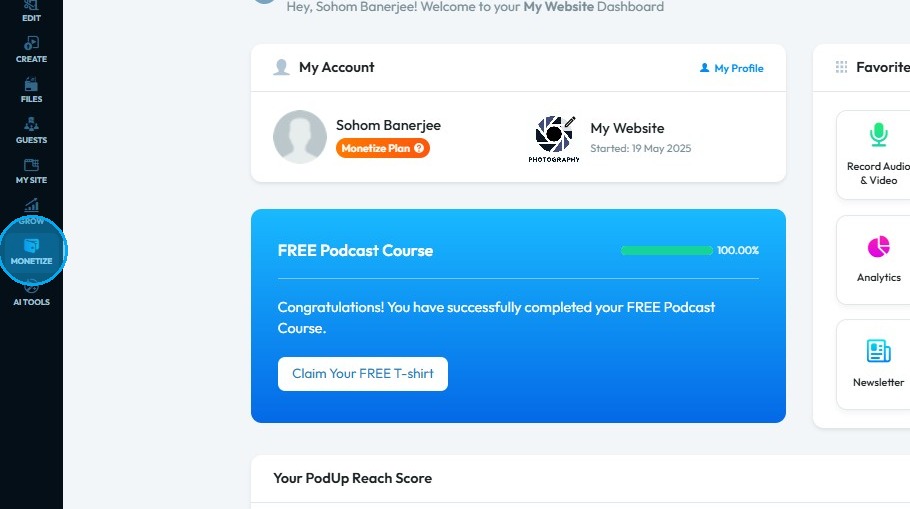
2. Click "Monetize"
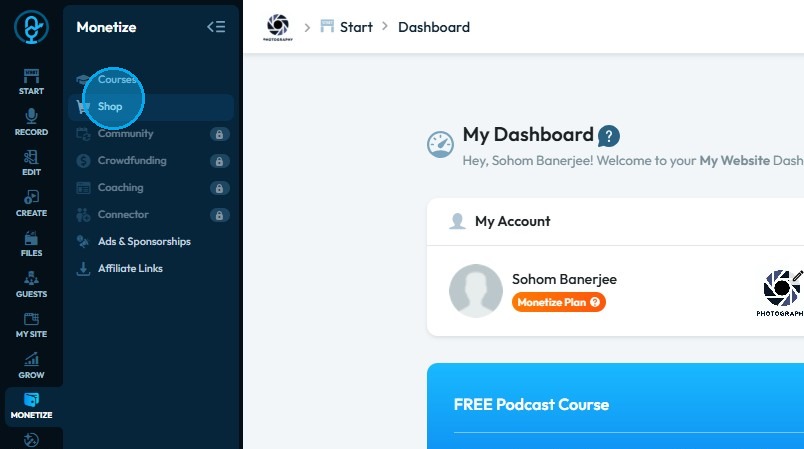
3. Click "Shop"
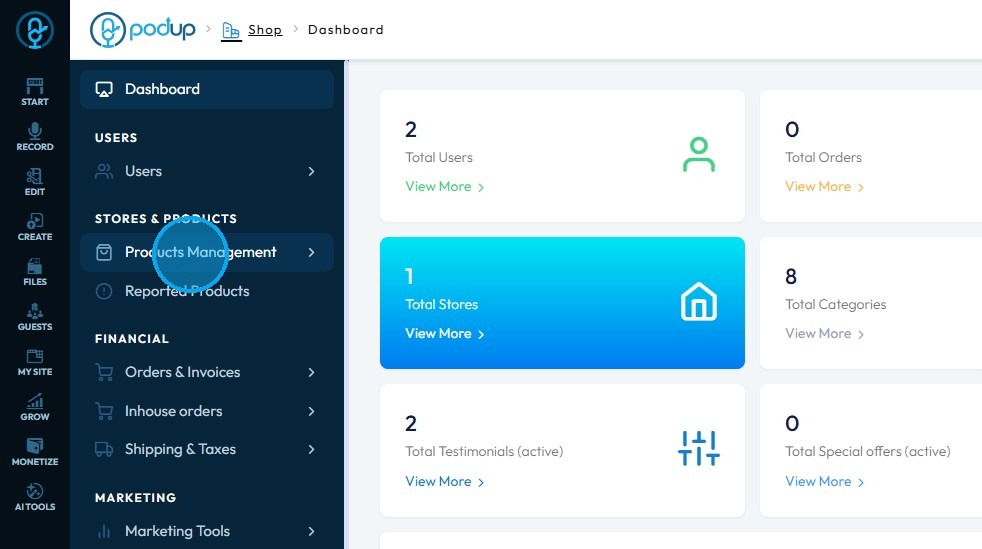
4. Click "Products Management"
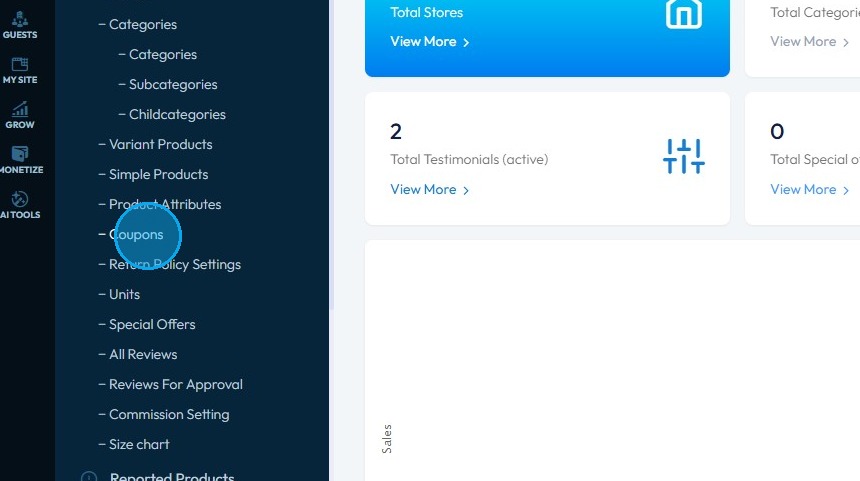
5. Click "Coupons"
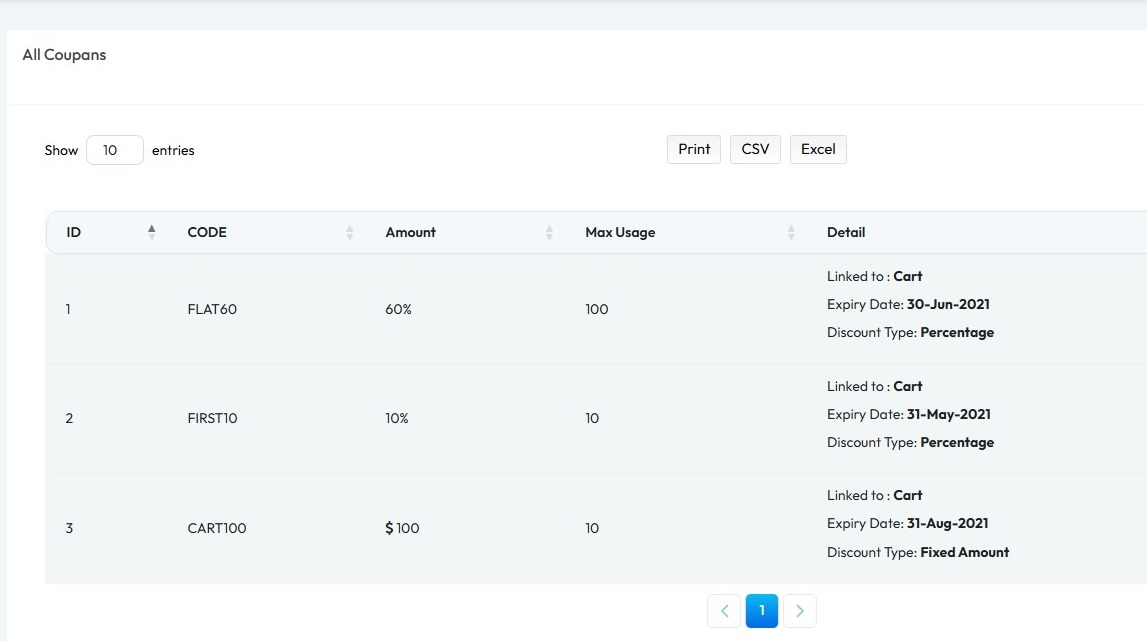
6. "All Coupans" page opens up
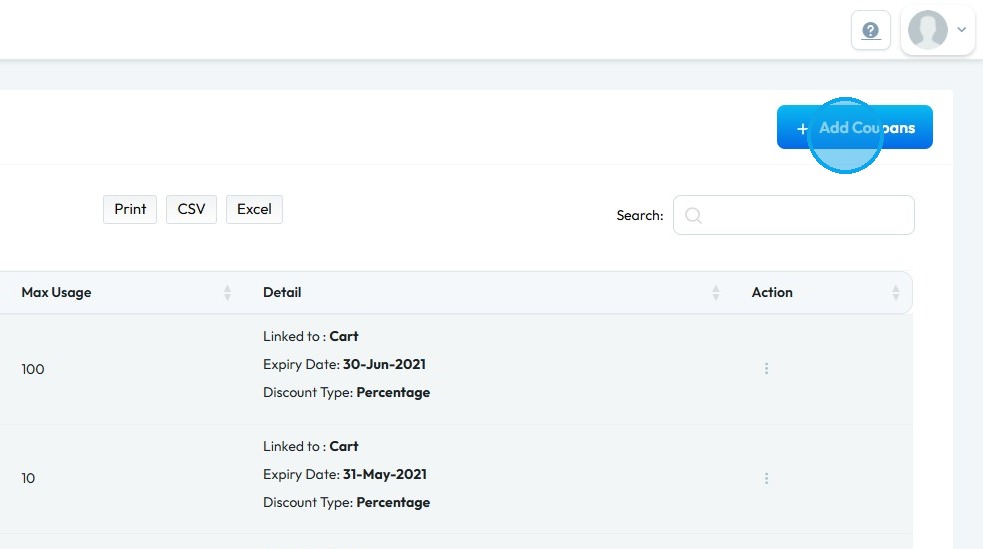
7. Click "Add Coupons."
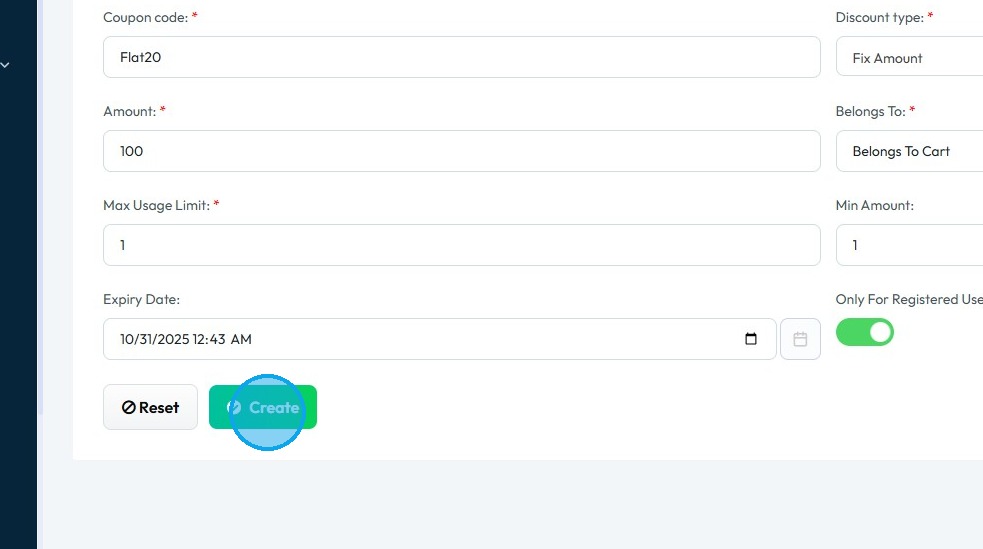
8. Enter the coupon details
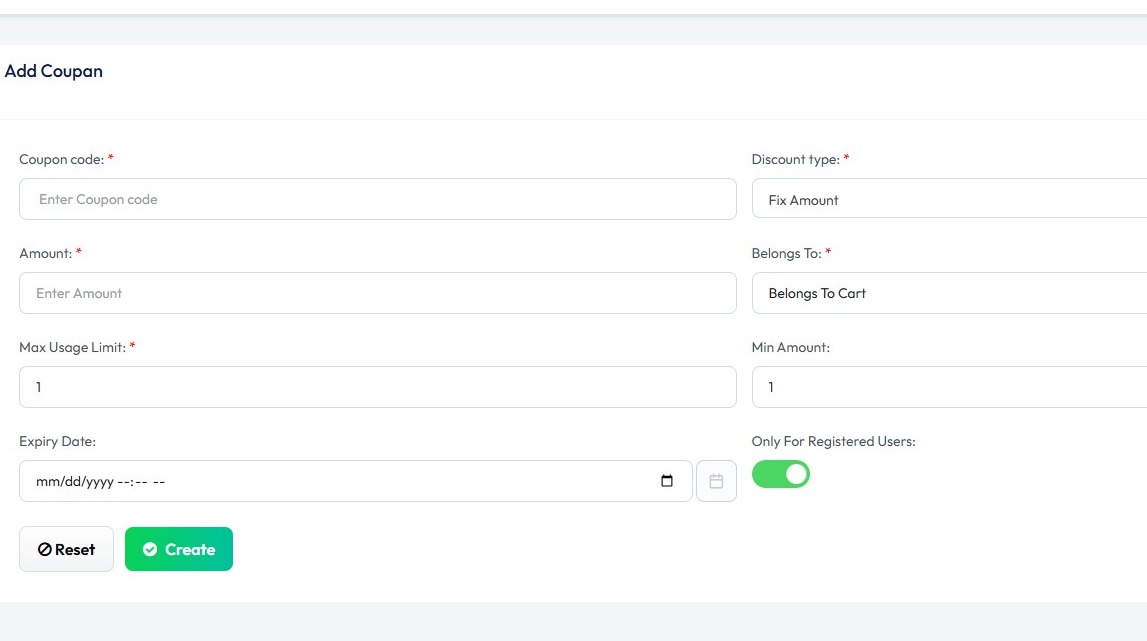
9. Once you have entered the details
Click "Create"
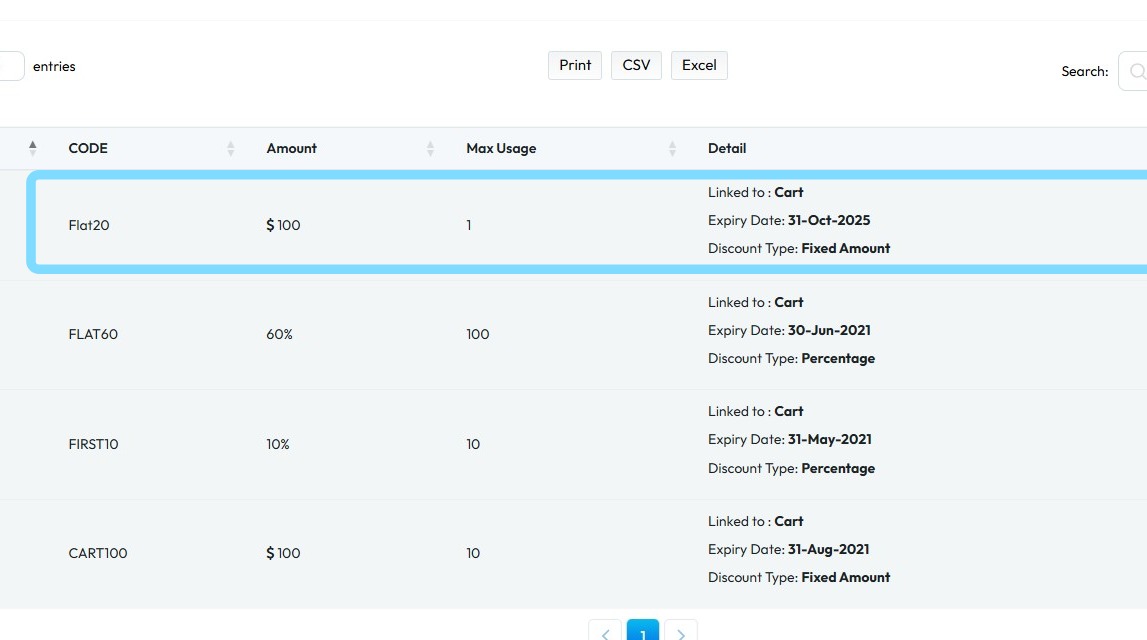
10. A new coupon will be added to the "All Coupons" page
Related Articles
How to Add a New Brand in Podup Shop?
Follow this guide to easily add a brand to your PodUp Shop and grow your products. 1. Navigate to https://app.podup.com/home 2. Click "Monetize" 3. Click "Shop" 4. Shop Dashboard opens up 5. Click "Products Management" 6. Click "Brands" 7. Brand ...How to Add Product Attribute in Podup Shop
This guide provides a straightforward process for adding product attributes in Podup Shop, enhancing your product management capabilities. Whether you're new to Podup or looking to optimize your shop, this guide is an essential resource for effective ...How to Add a Product Category in Podup Shop?
This guide provides a straightforward process for adding product categories in Podup Shop, making it easier to organize and manage your products effectively. Whether you're a beginner or looking to optimize your store, this guide is a valuable ...How to add a New Child Category in Podup Shop?
This guide provides a straightforward process for adding a new child category in Podup, making it essential for users looking to enhance their product organization. 1. Navigate to https://app.podup.com/home 2. Click here. 3. Click "Shop" 4. Click ...How to add a Unit in Podup Shop?
This guide provides a straightforward, step-by-step process for adding a unit in Podup, making it easy for users to manage their products effectively. 1. Navigate to https://app.podup.com/home 2. Click "Monetize" 3. Click "Shop" 4. Click "Products ...