How do I unsubscribe from PodUp's emails?
By following this guide, you can quickly unsubscribe from PodUp emails to manage your inbox and reduce unwanted communications.
1. Open any PodUp newsletter email in your inbox
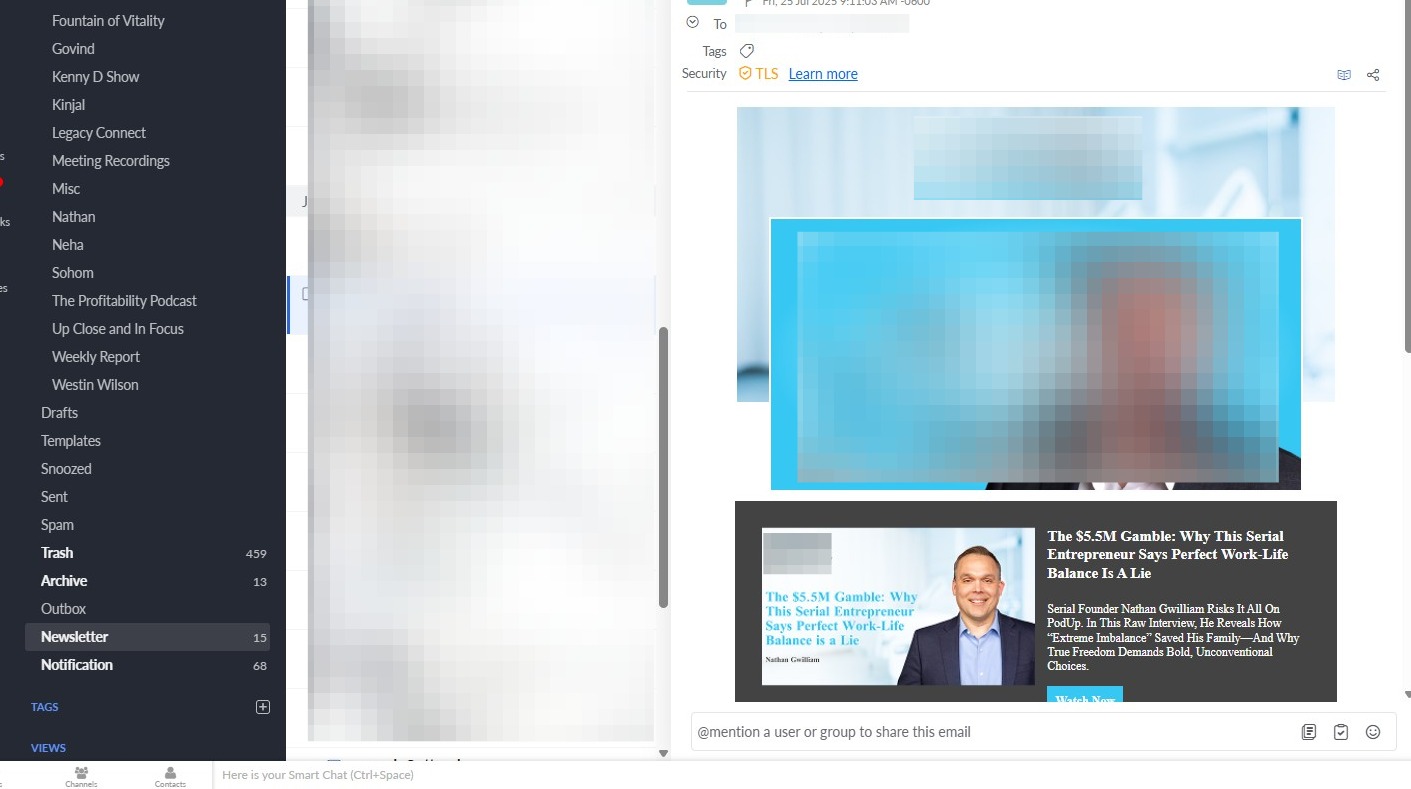
2. Locate the “unsubscribe” link
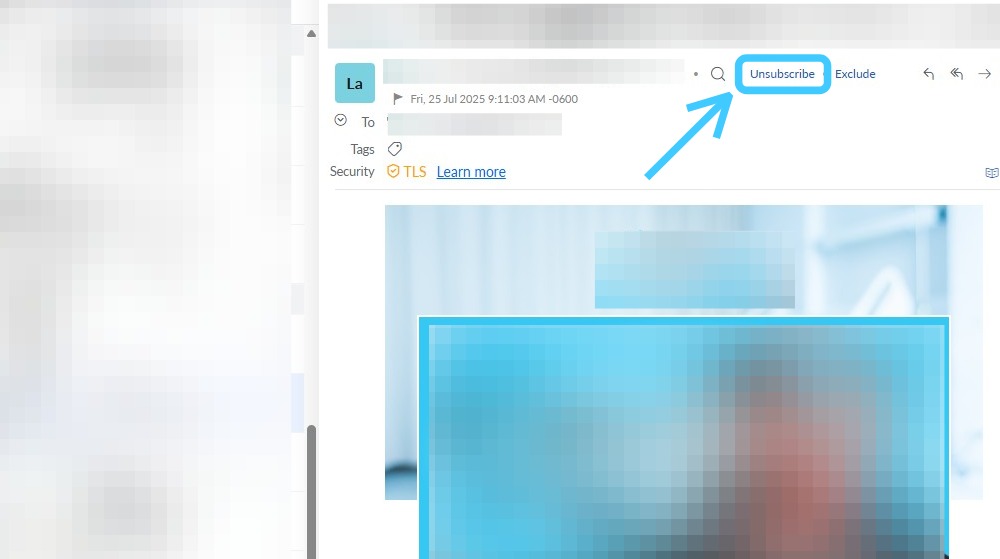
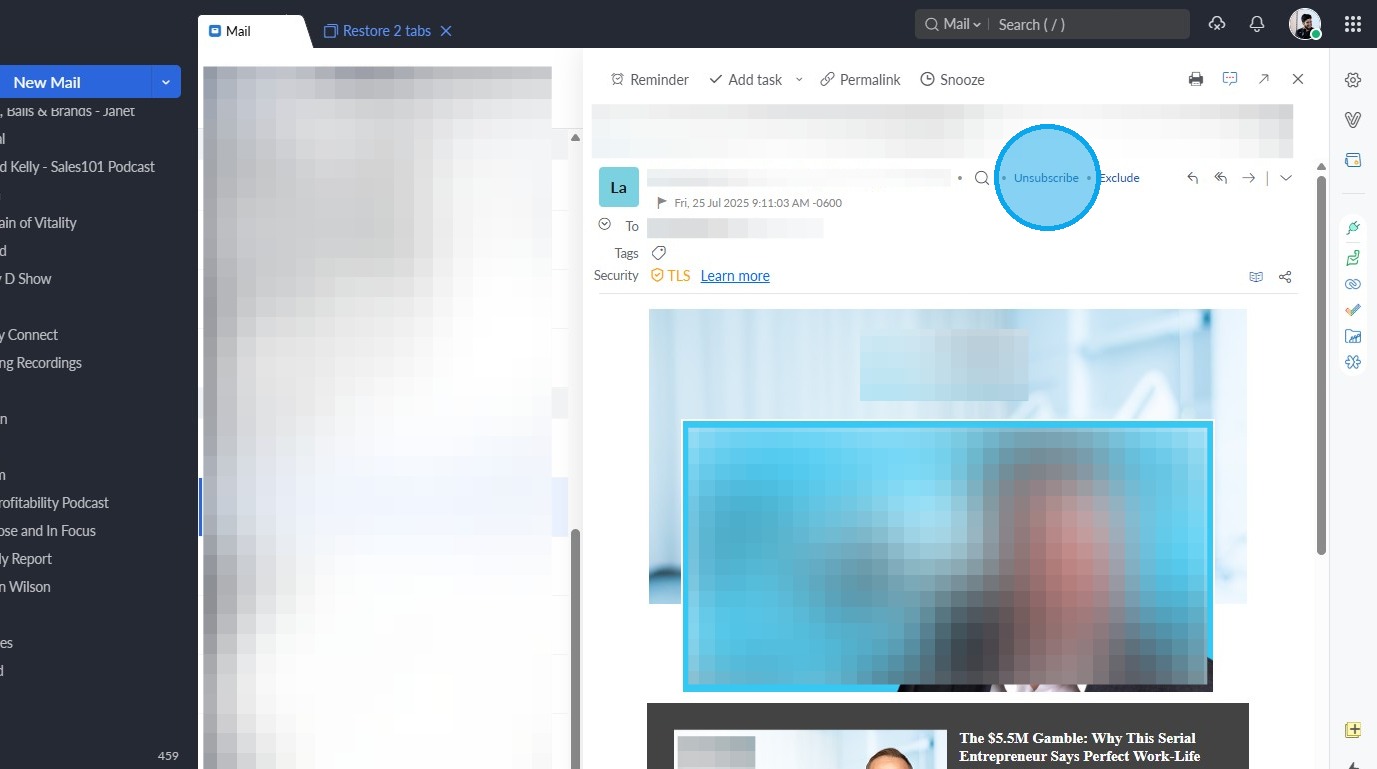
3. Click on the "Unsubscribe"
Related Articles
How To Navigate Newsletter Generator (Detailed)
This guide provides a comprehensive walkthrough on generating AI newsletters specifically tailored for podcast monetization. It simplifies the newsletter creation process, allowing users to effectively incorporate keywords, blogs, videos, and ...How to Create a Newsletter List and Segment in PodUp
This guide shows you how to create and manage a newsletter list in PodUp. Learn how to customize lists, segment subscribers, and track results to improve targeting and boost engagement. 1. Navigate to https://app.podup.com/home 2. Click "Grow" 3. ...How to Create and Send a Campaign in PodUp
This guide shows you how to create and send email campaigns in PodUp. It covers each step—from setup to testing and tracking—so you can send effective, well-timed newsletters with ease. Great for both beginners and experienced marketers. Tip: An ...Does PodUp have social channels?
By following this guide, you can connect with PodUp’s social media accounts to stay informed on podcasting tips, updates, and community interactions. 1. PodUp actively maintains social channels for both its platform and podcasting brand. Below are ...How To Create Privacy Policy Using Podup Legal Docs
By following this guide, you can create a comprehensive privacy policy on PodUp to ensure legal compliance and build trust. Alert: Alert! LLC is a show technology company that makes creating, producing and monetizing shows simpler and more ...