How can I schedule a social media post for later?
Use this guide to schedule social media posts for better timing and engagement.
1. Navigate to https://app.podup.com/home
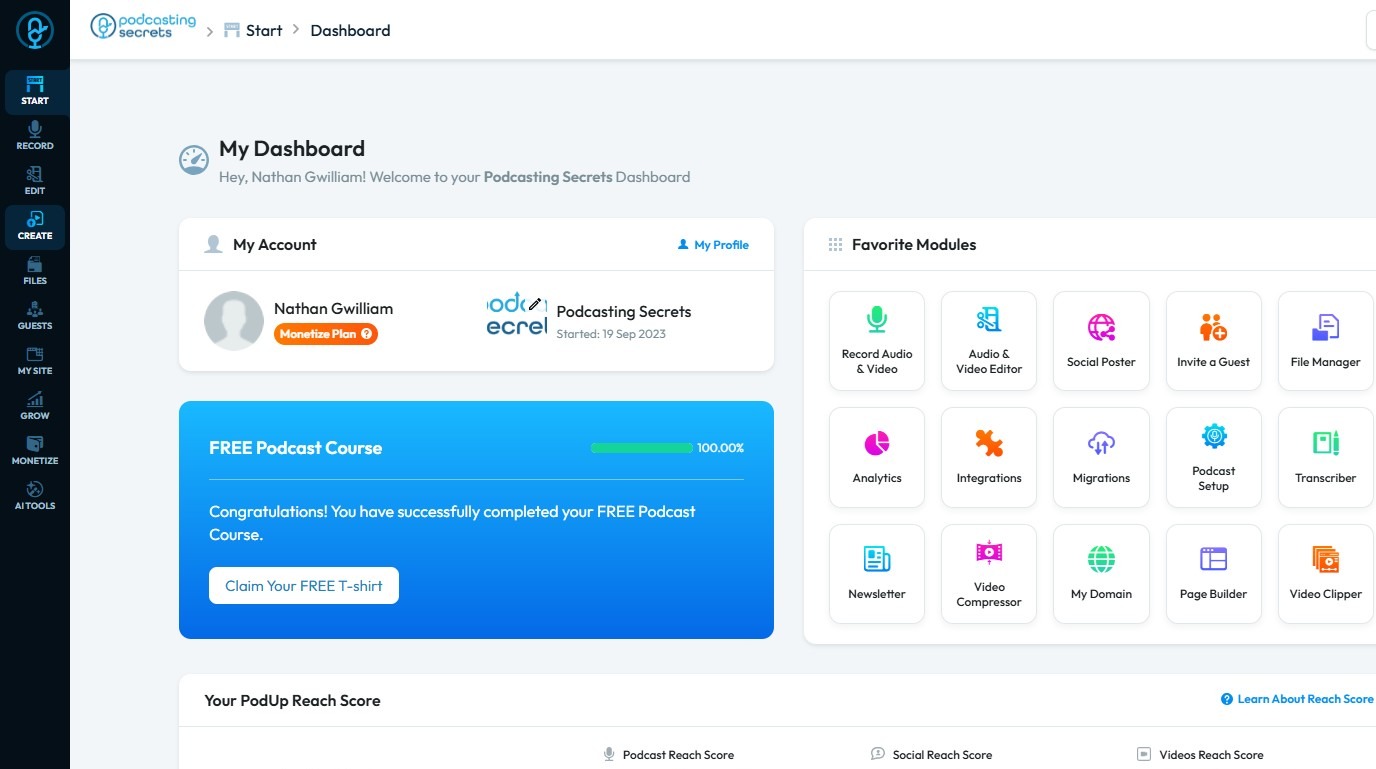
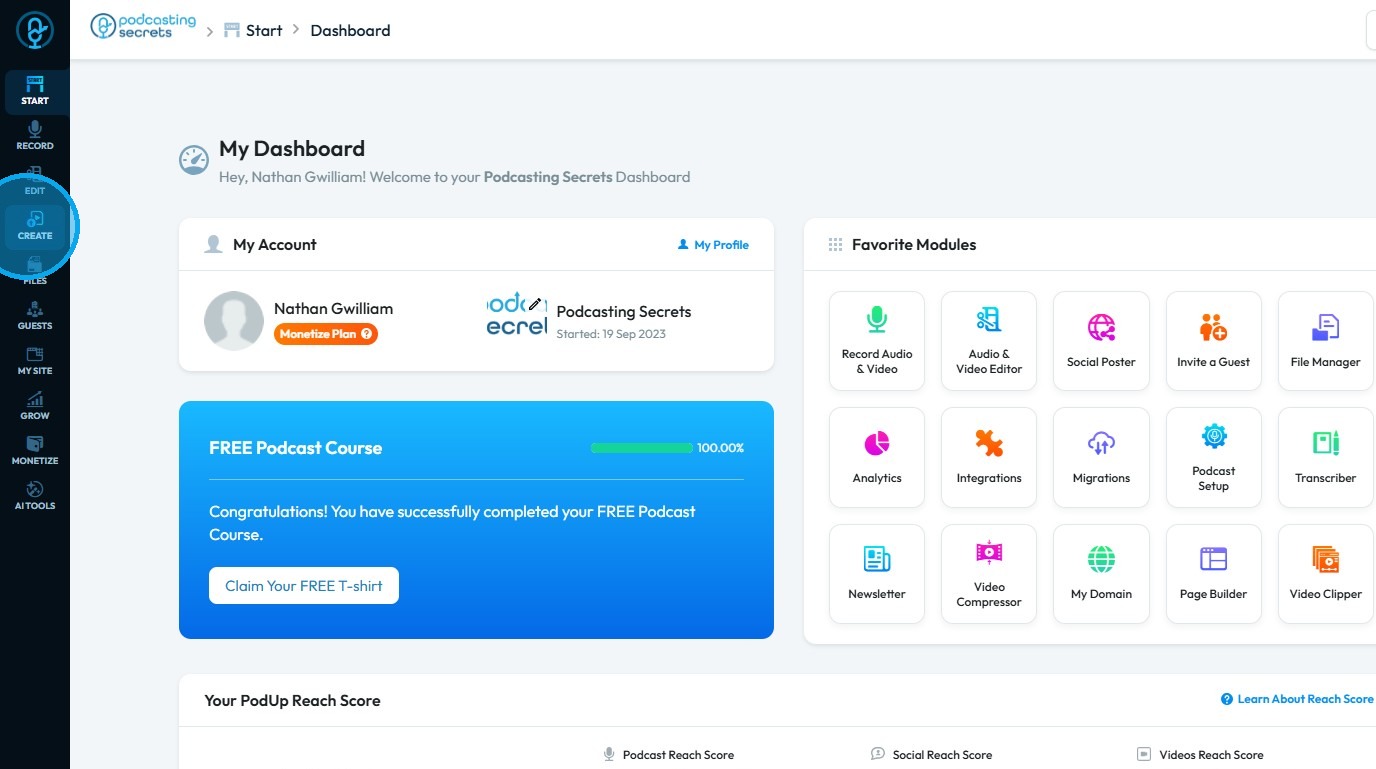
2. Click "Create"
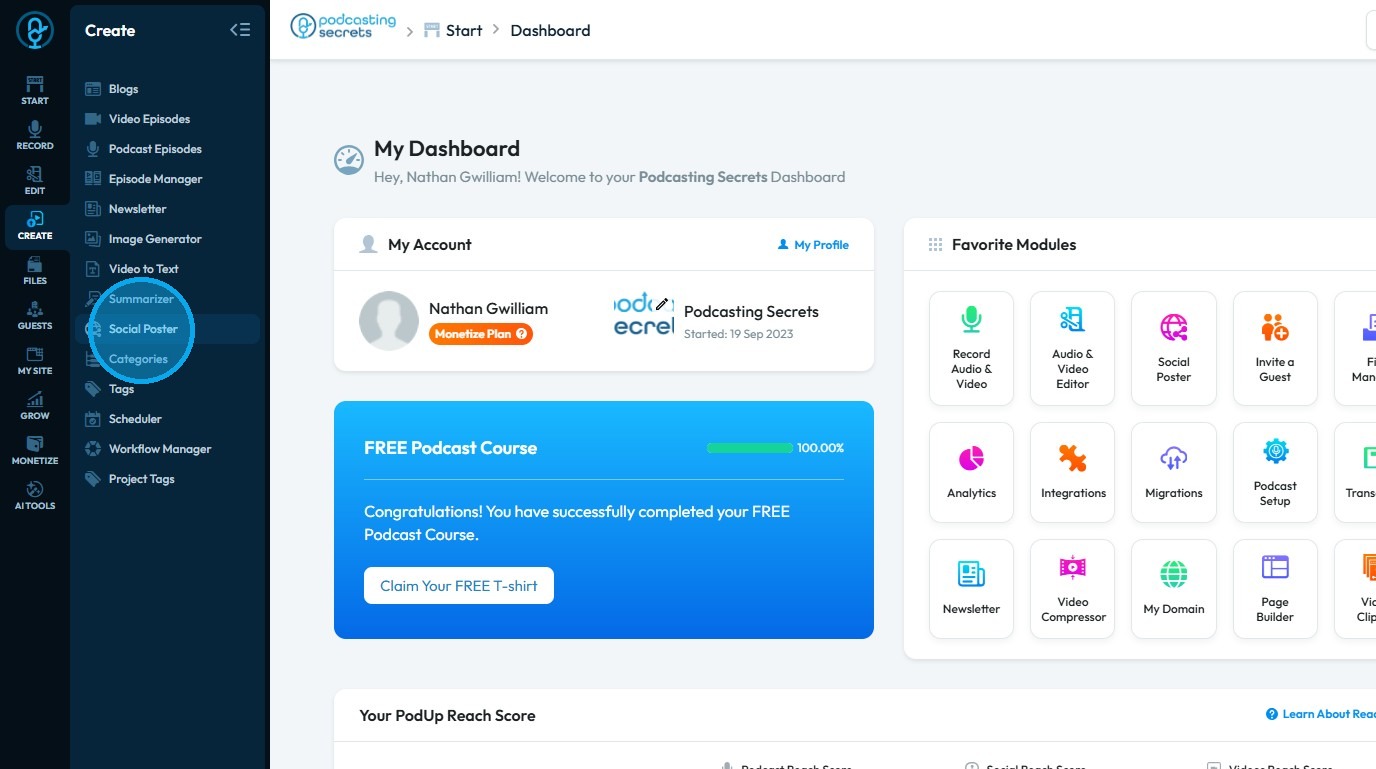
3. Select "Social Poster"
4. Click "Create new post"
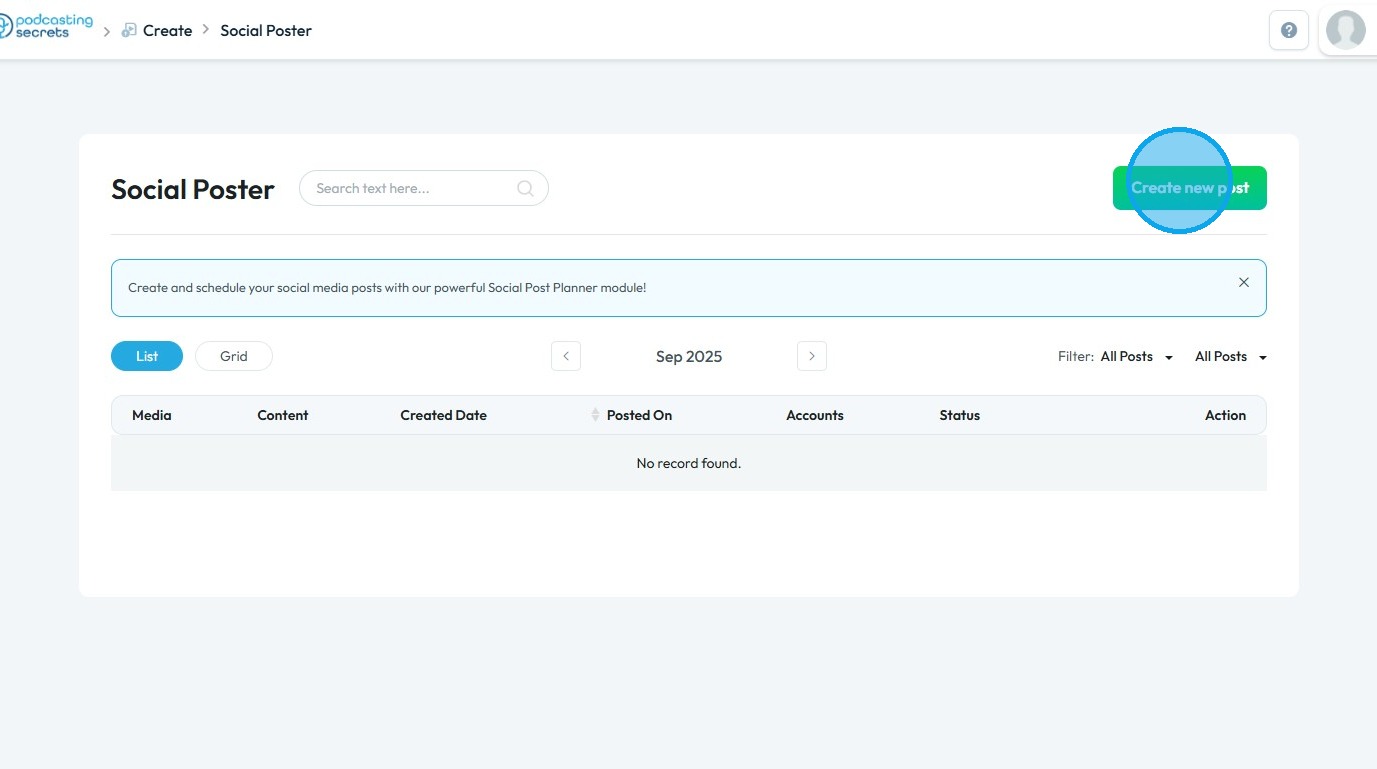
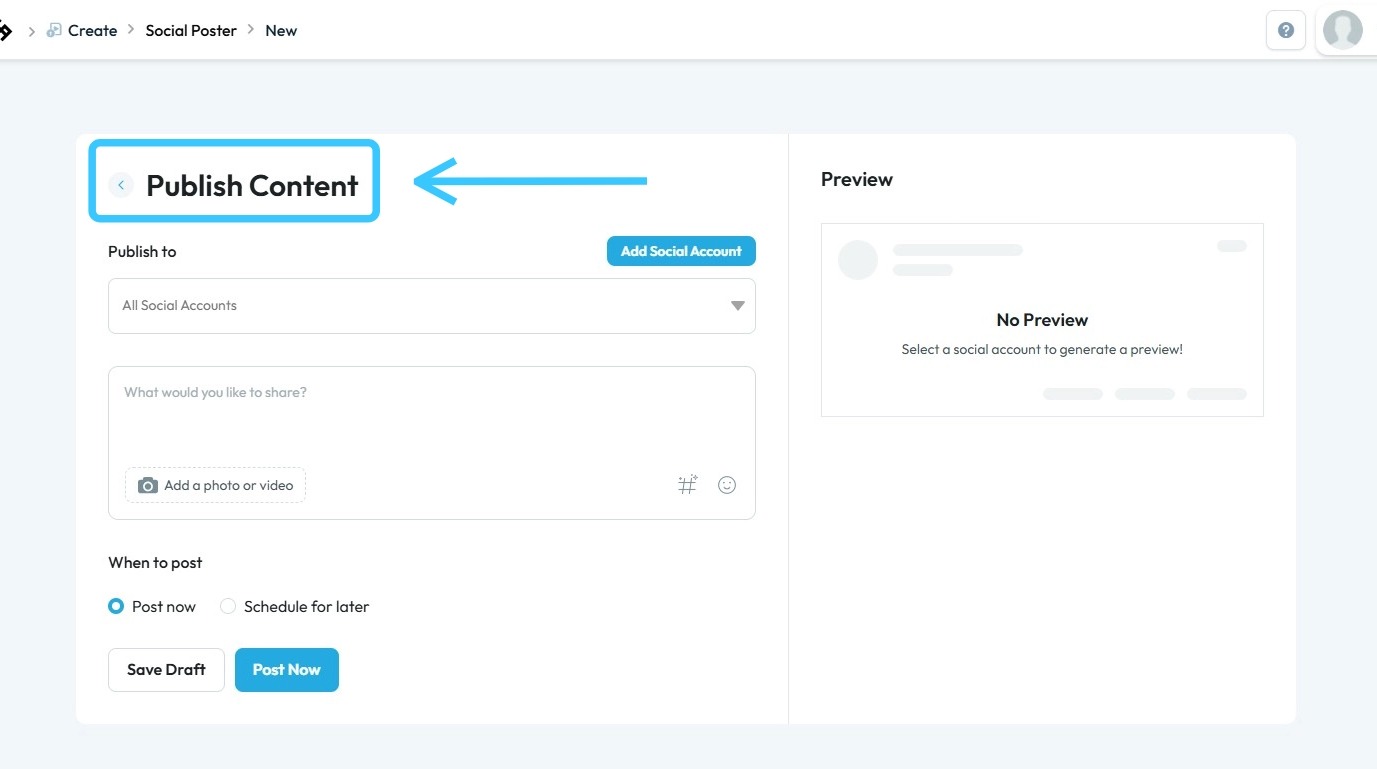
5. You will be directed to the Publish Content page
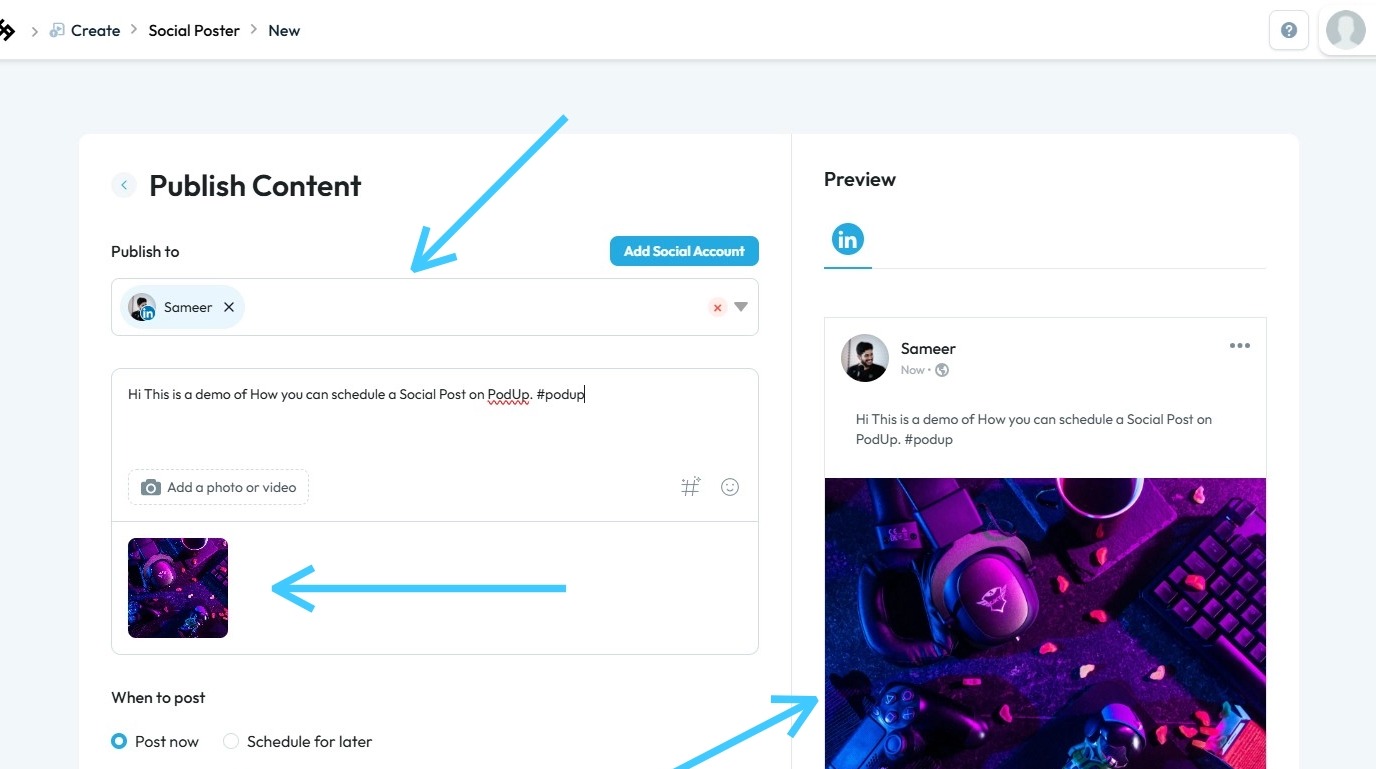
6. Enter all required details and content
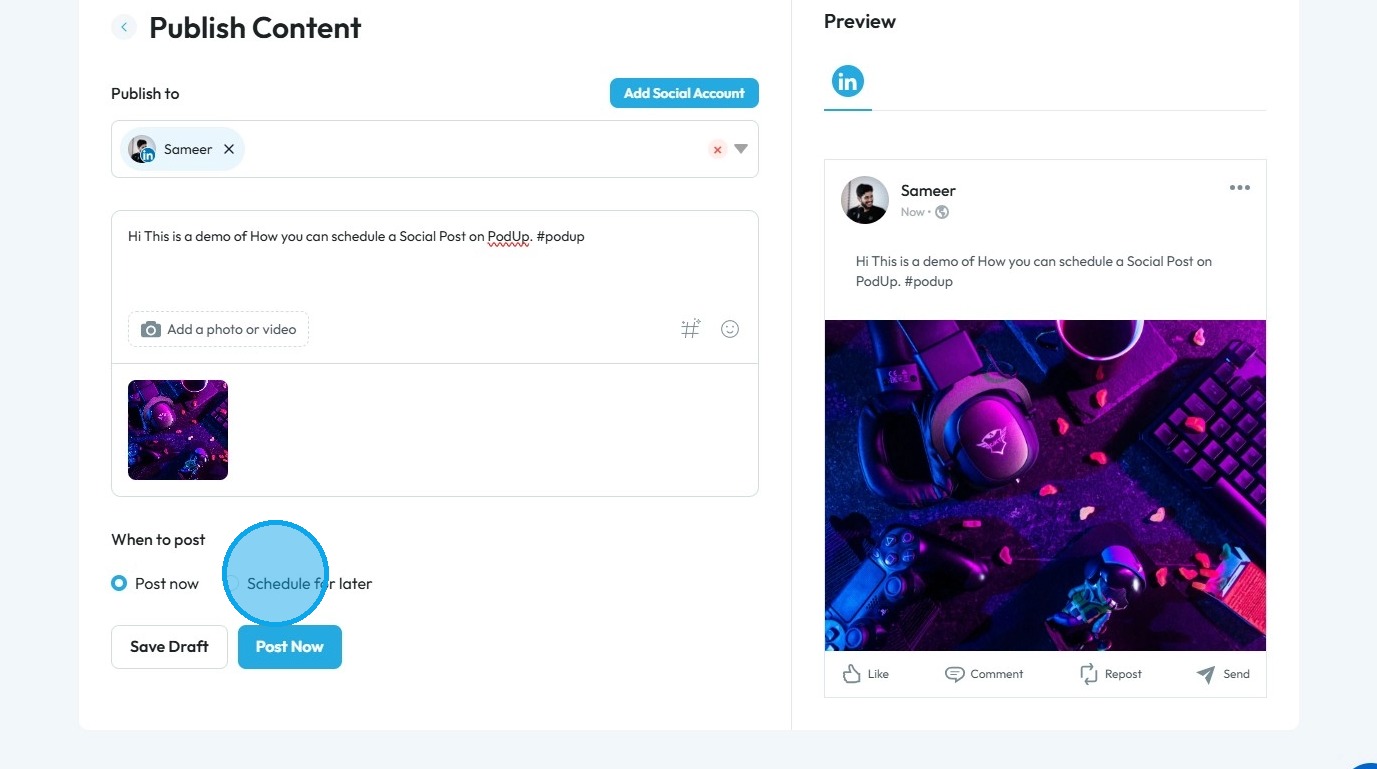
7. Under the "When to Post" section, select "Schedule for later."
8. Under "Select Time Zone," choose your time zone
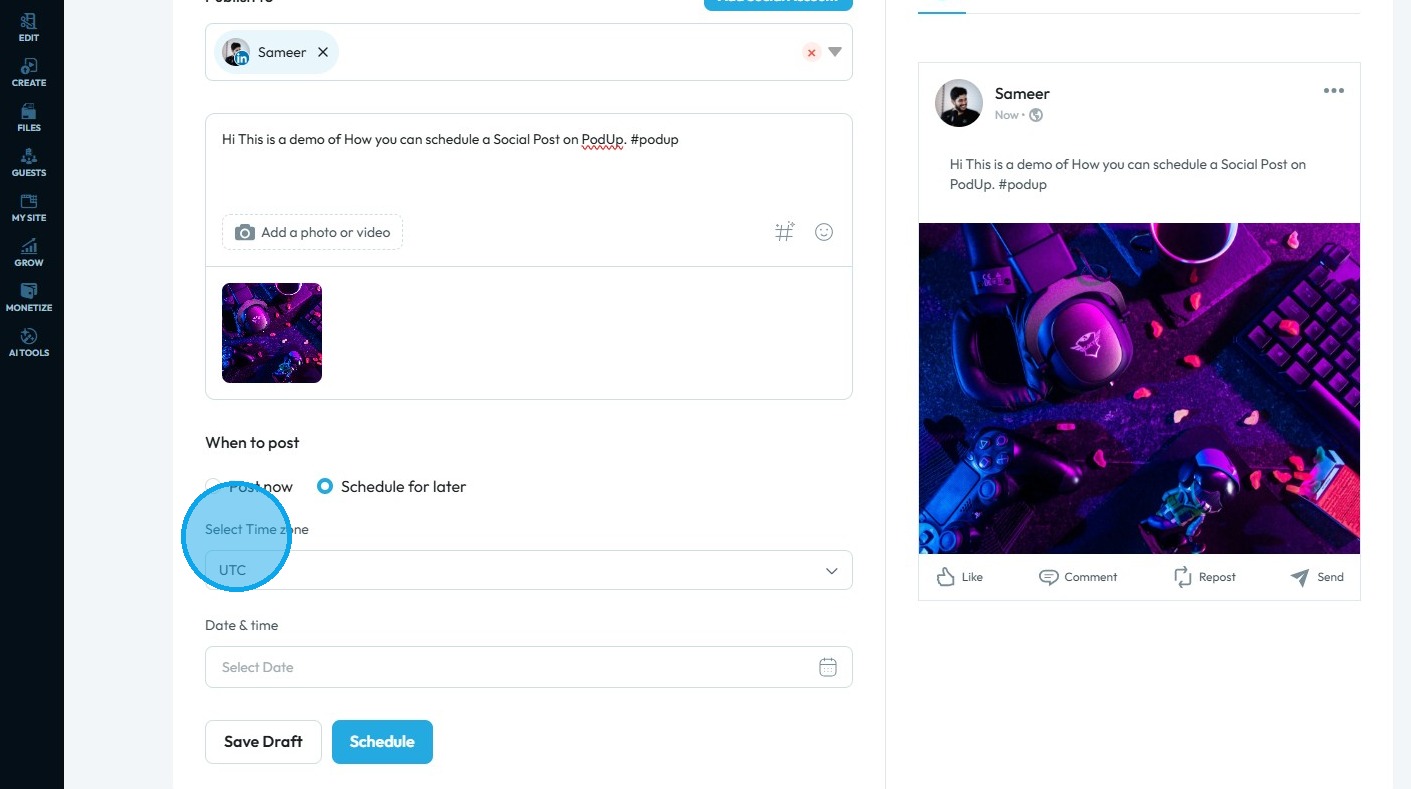
9. Click the “Date & Time” field
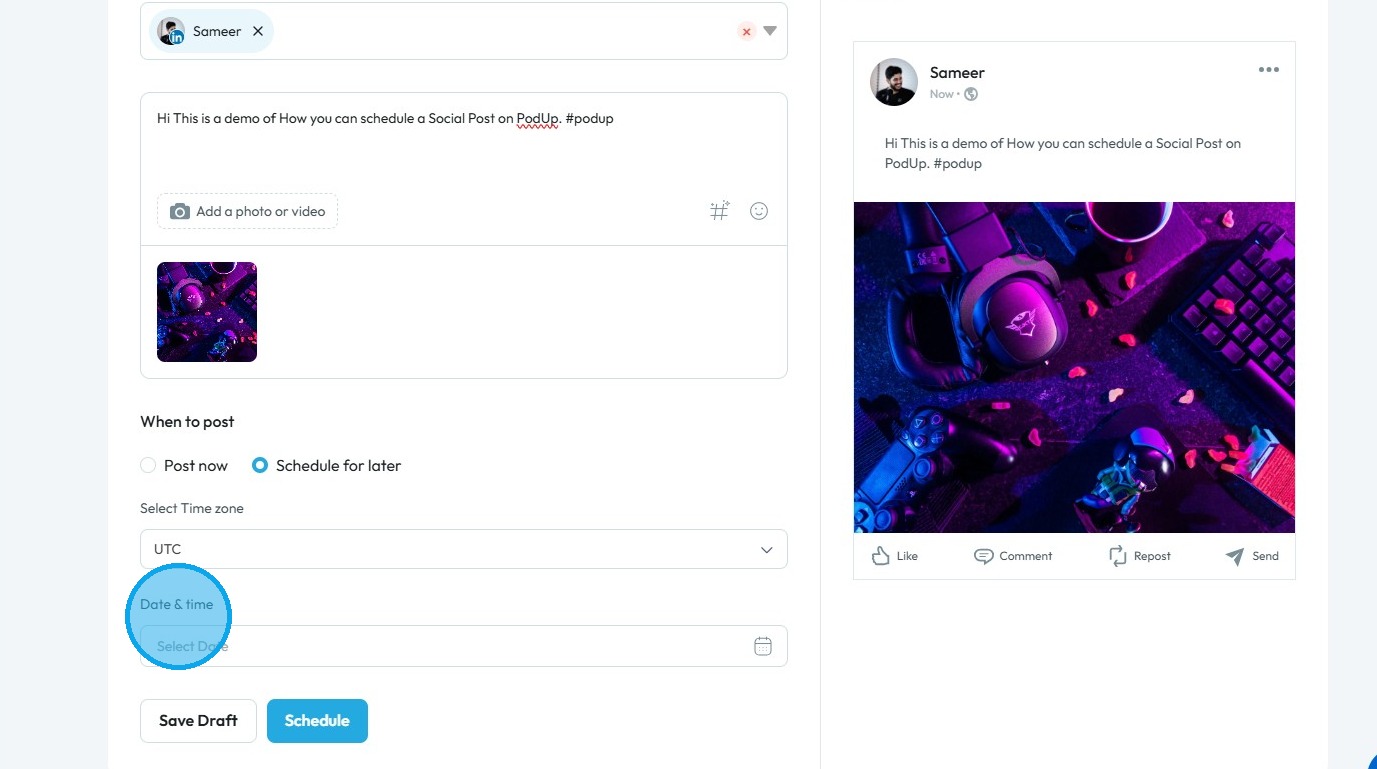
10. Select the date and time to schedule the content.
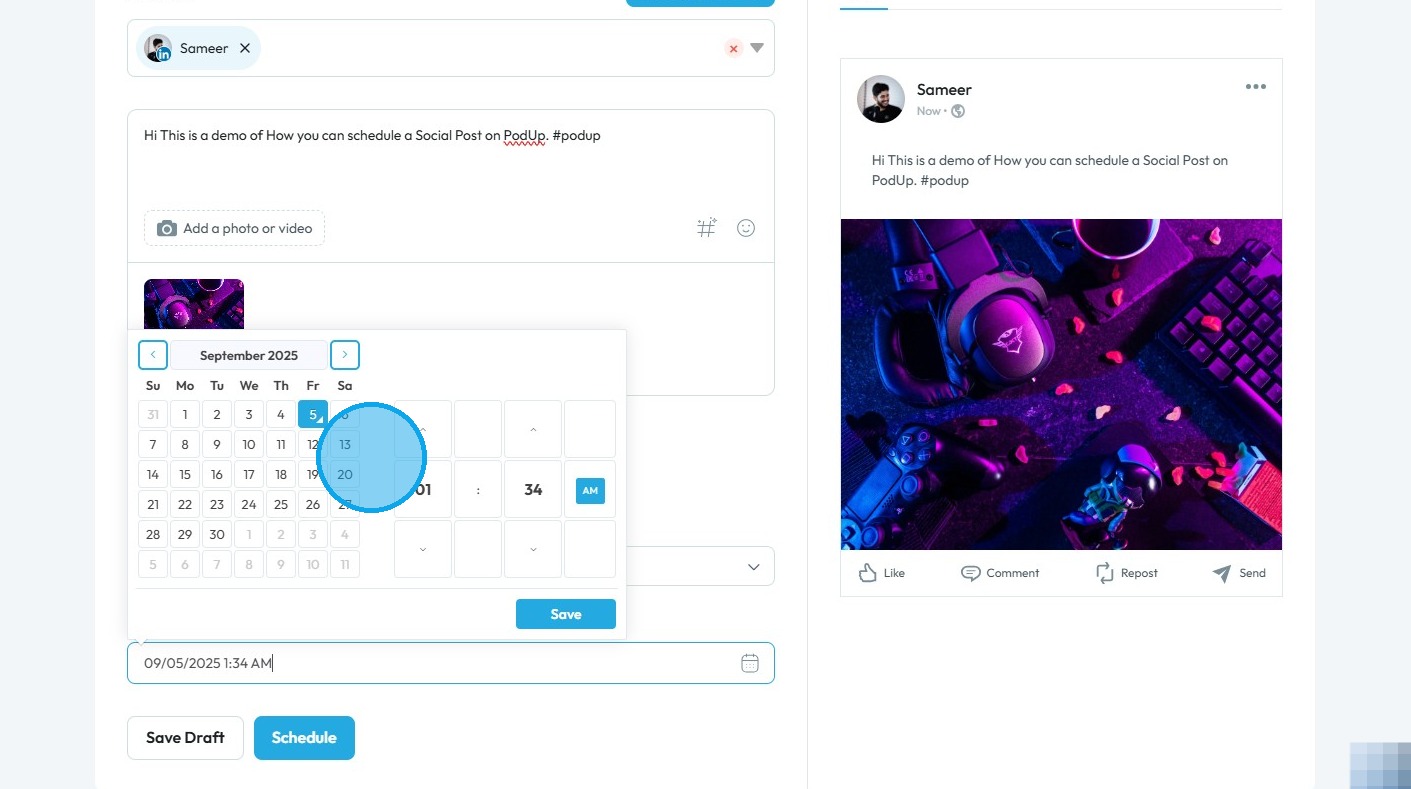
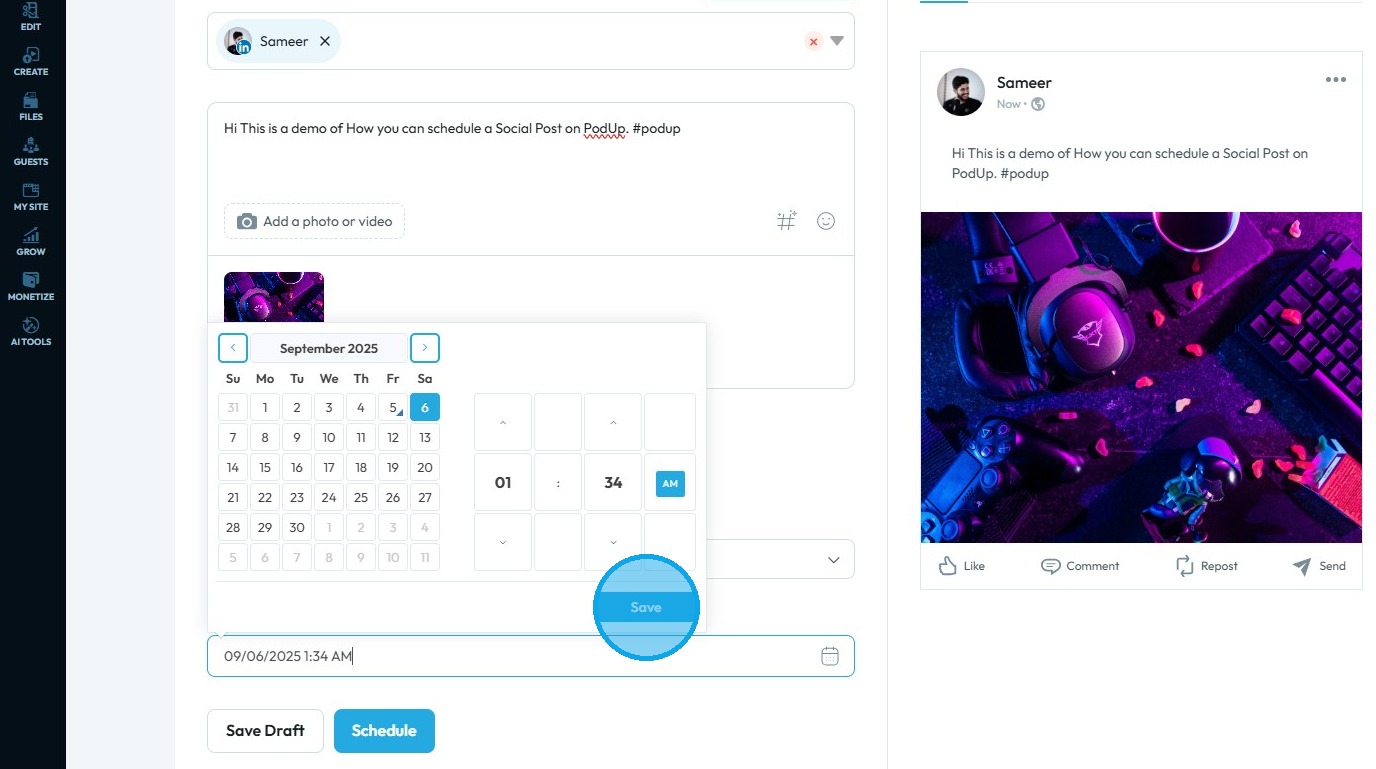
11. Click “Save” once the date and time have been finalized
12. Click "Schedule"
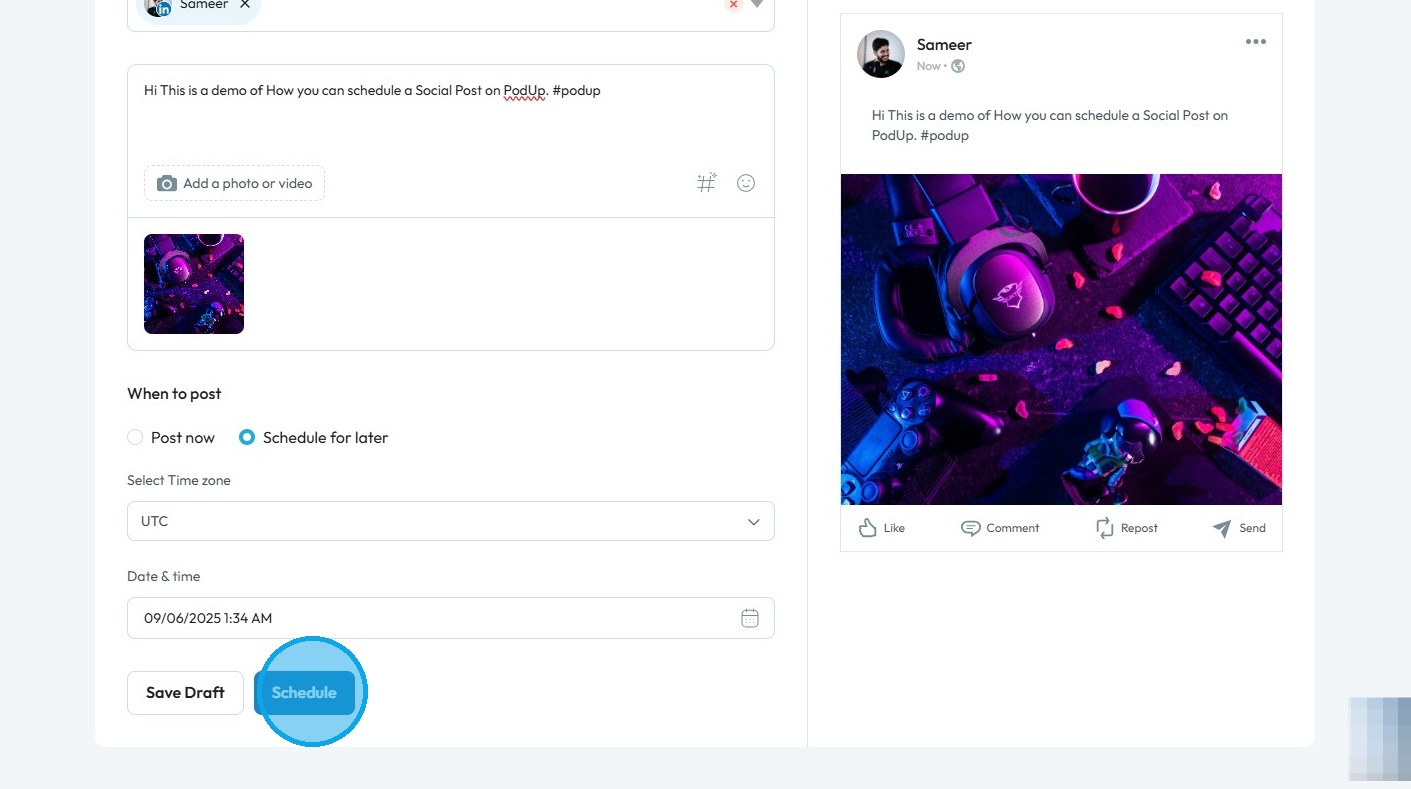
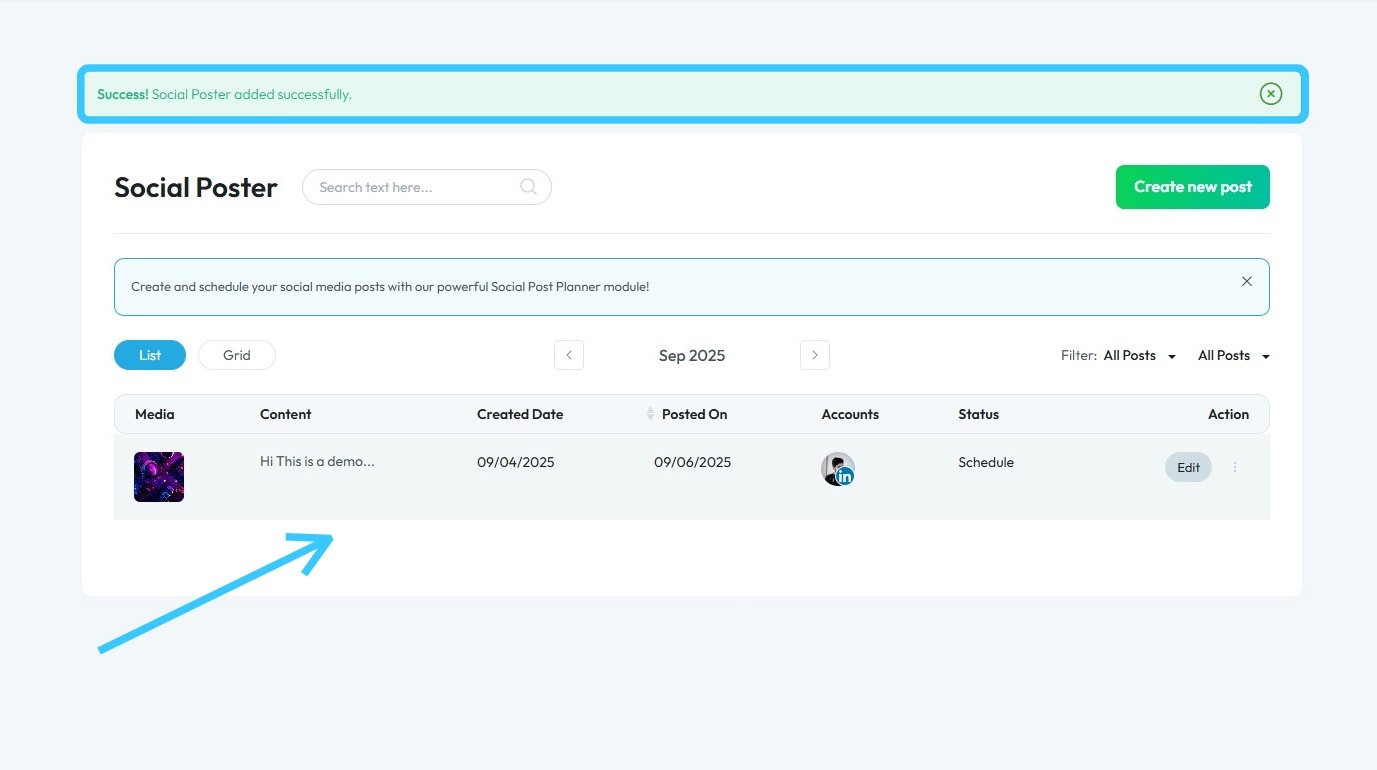
13. Your social media post will be scheduled, and a green confirmation message will appear: “Success! Social Poster added successfully.”
Related Articles
How to Publish a Social Media Post?
Easily publish and schedule social posts with PodUp to grow your presence across platforms 1. Navigate to https://app.podup.com/home 2. Click "Create" 3. Select "Social Poster" 4. You will be directed to the "Social Poster" page 5. Click "Create New ...How To Navigate Social Media Poster (Detailed)
This guide provides a straightforward method for creating and scheduling social media posts using the Podup platform. It offers step-by-step instructions, ensuring users can easily navigate through the process of adding content, selecting social ...How do I publish a video clip
Easily publish video clips to social media with PodUp to boost engagement and grow your presence 1. Navigate to https://app.podup.com/home 2. Click "Create" 3. Select "Social Poster" 4. Click "Create new post" 5. You will be directed to the "Publish ...How Do I Create a Blog Post
This guide shows you how to create a blog step by step. It covers SEO, categories, and social sharing to help you reach more people and grow your online presence. 1. Click "Create" 2. Click "Blogs" 3. Click "Create Post" to write your own blog or ...How to Navigate Post Page Builder (Detailed)
This guide offers a straightforward approach to creating and customizing post pages using PodUp's Post Page Builder, making it ideal for bloggers, video creators, and podcasters. It provides step-by-step instructions for adding and enhancing post ...