How Can I Check Who has Access to Recorder
By following the steps outlined, users can easily identify roles and permissions, ensuring proper access management.
1. Navigate to https://app.podup.com/home
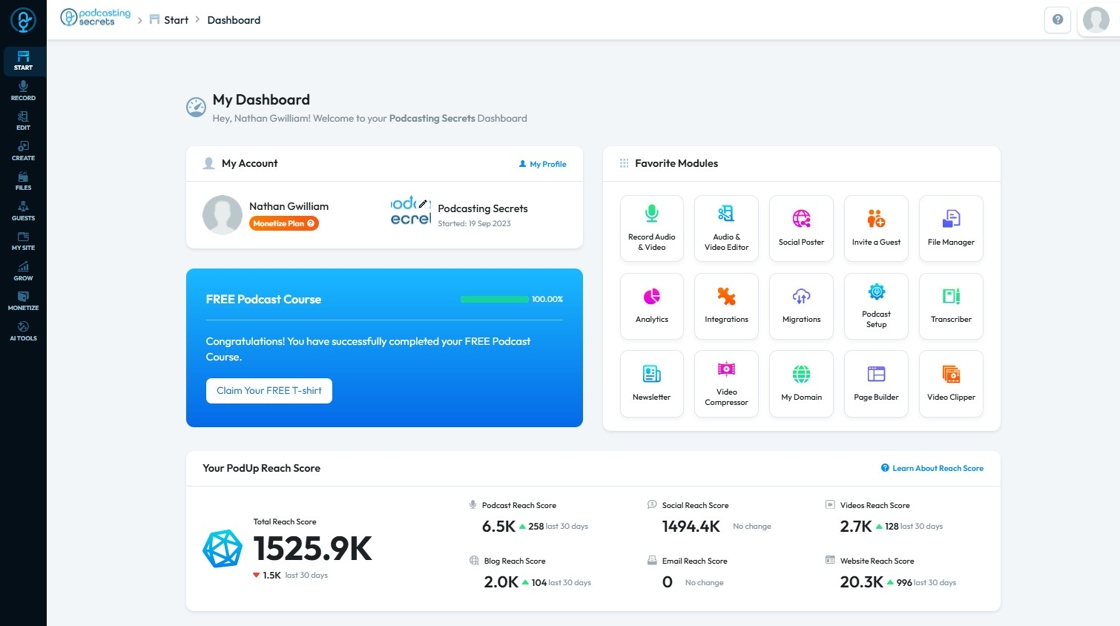
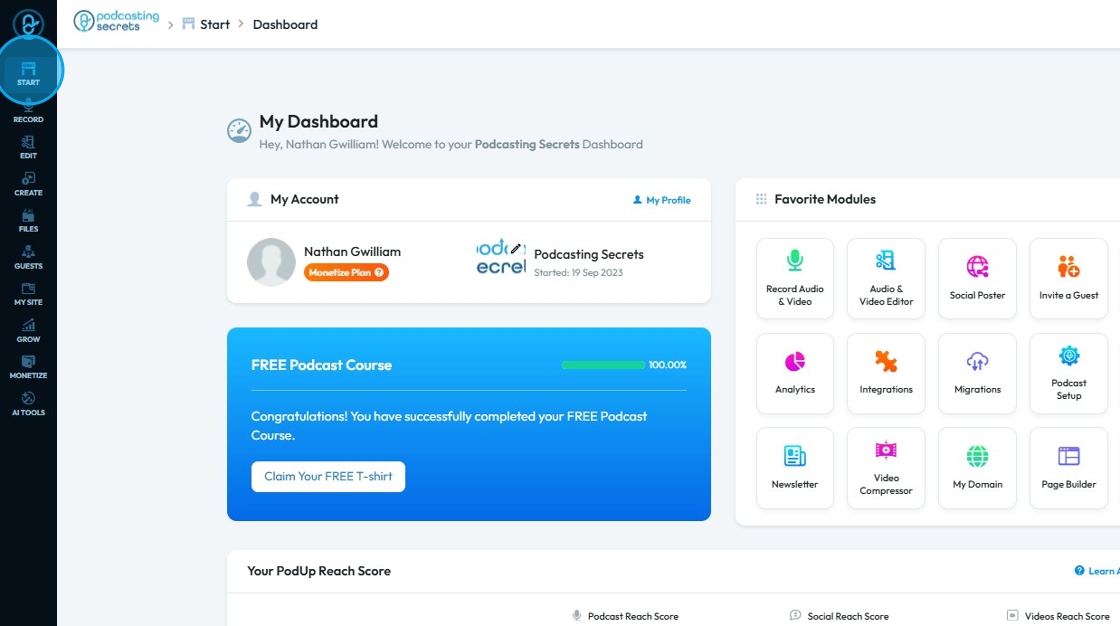
2. Click "Start"
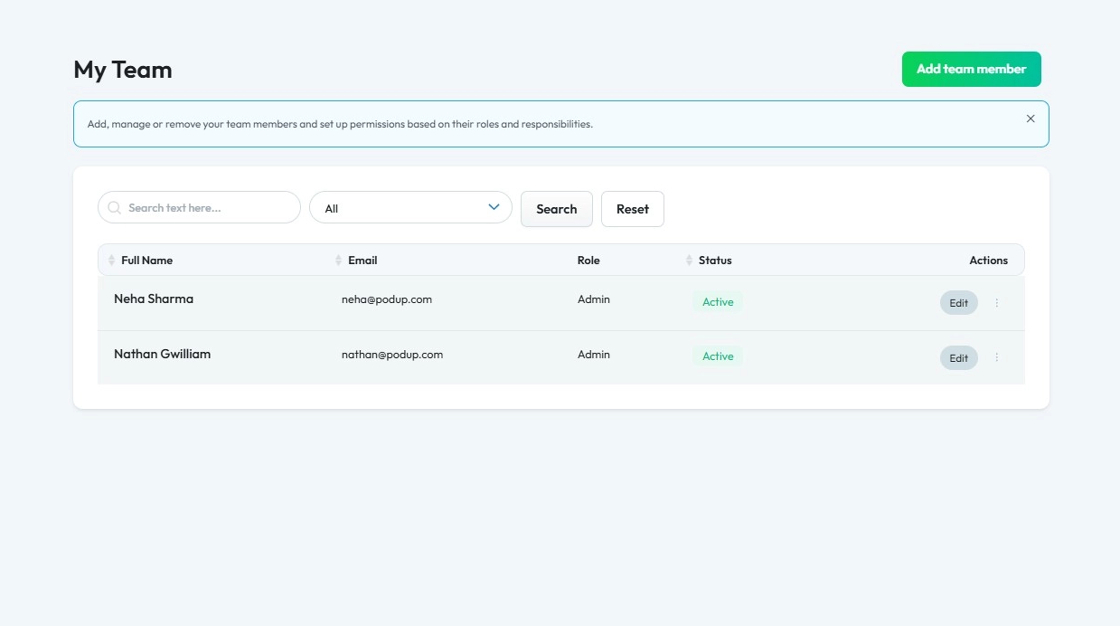
3. Click "My Team"

4. The ‘My Team’ page will open, where you can check which team members have access to the recorder by viewing their assigned roles
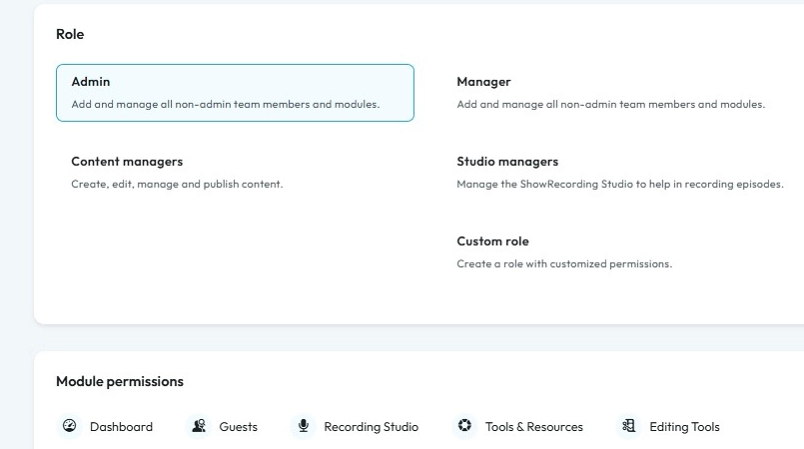
5. For reference following are the diffrent roles in PodUp
You can also add a "Custom Role" and define the access as per your needs
Related Articles
How can I check who has access to my website
Use this guide to manage team member access and keep your website secure. 1. Navigate to https://app.podup.com/home 2. Click "Start. 3. Select "My Team" 4. "My Team" page will show you all the Team members 5. Click "Edit" button of a team member to ...Hide your self-view in recorder
By following this guide, you can join a PodUp recording and manage self-view settings to focus on content without distractions. 1. Navigate to app.podup.com/home 2. Click on Record, Select Recorder 3. Select Studio 4. Navigate to ...Where to check subscriber entries
Use this guide to access and manage subscriber entries on PodUp to engage your audience better 1. Navigate to https://app.podup.com/home 2. Click "My Site" 3. Select "Form Builder" 4. On the “Forms” page, locate the form labeled “subscription-form.” ...How To Navigate Recorder (Detailed)
This guide gives you clear steps to record and manage a podcast studio. It covers setup, adding guests, recording, and editing. With this easy-to-follow resource, you can improve your podcast quality and work more efficiently. Tip: Words to know ...How To Access Trash In PodUp
This guide shows how to access the Trash in PodUp to quickly recover lost files and manage your content. 1. Click "Files" 2. Click "Trash" 3. "Trash" page opens up 4. You can also access "Trash" from the Dashboard 5. Click "File Manager" 6. Click ...