Do I need to create a new page to edit my page
Tip: No, you don't need to create a page to edit my page.
1. Navigate to https://app.podup.com/home
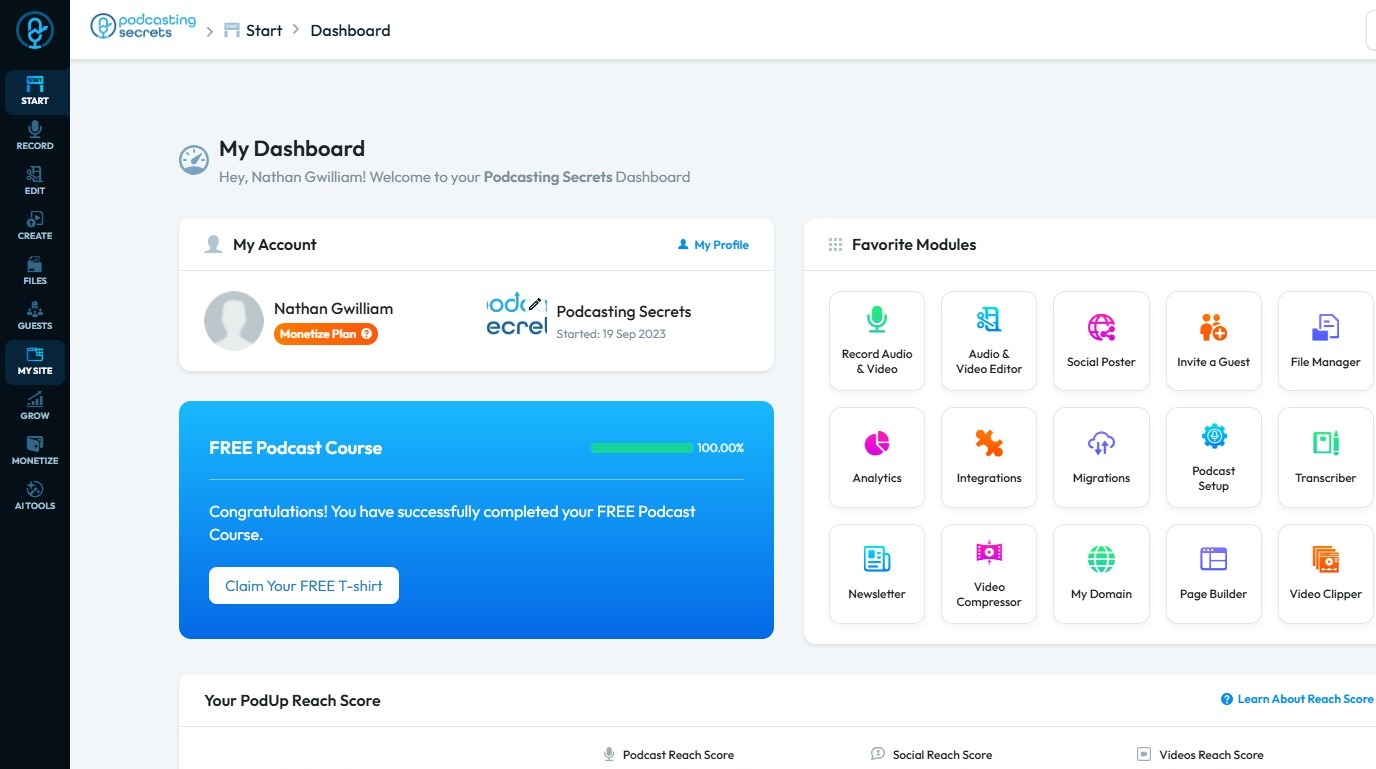
2. Click "My Site"
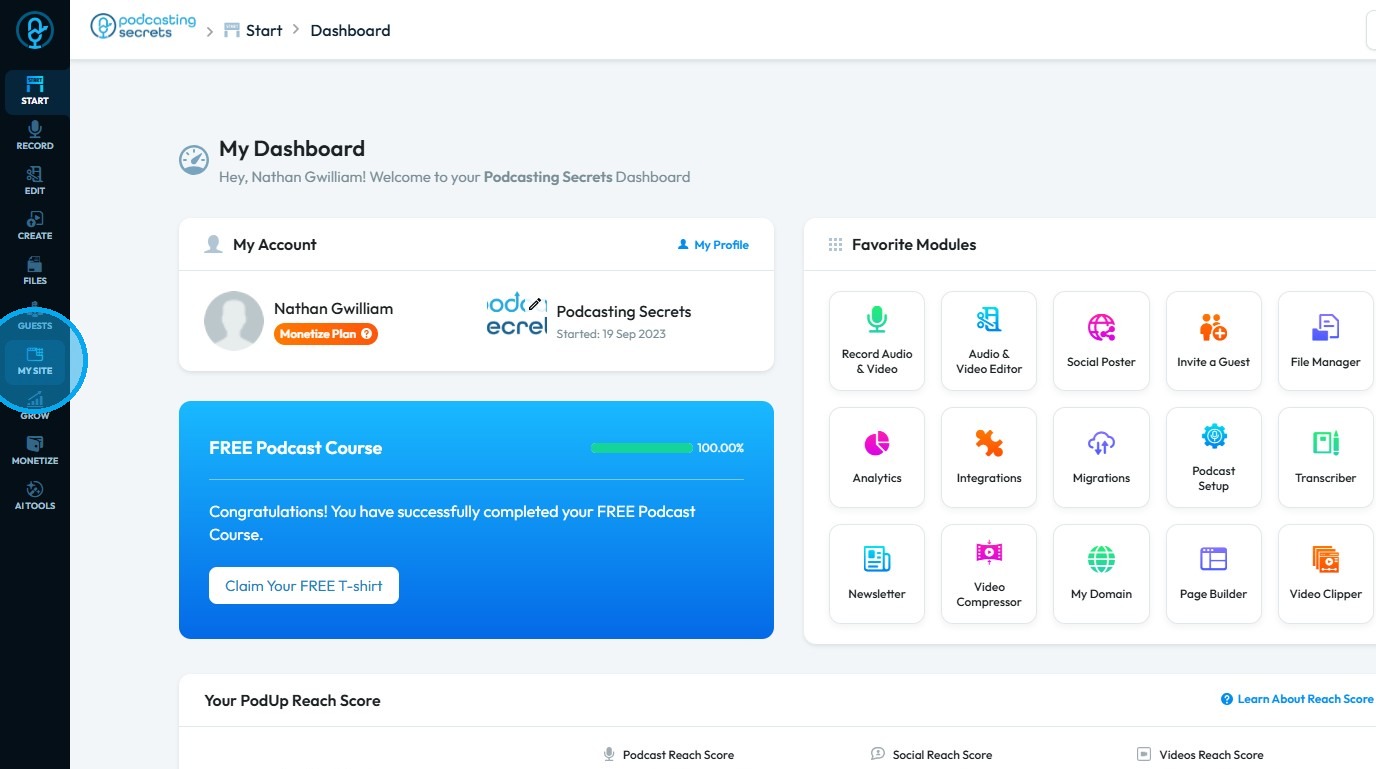
3. Select "Page Builder"
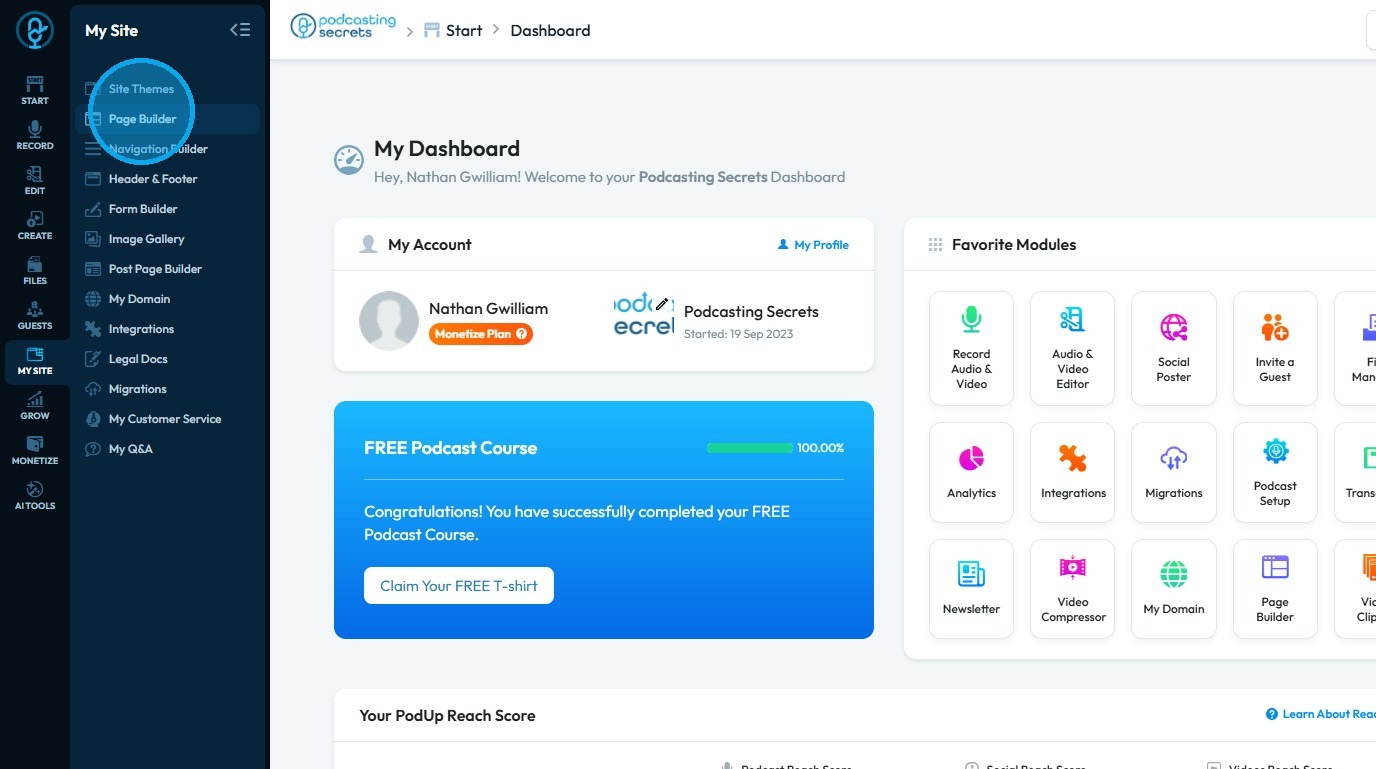
4. You will arrive at the “Pages” section, where all the pages of your website are displayed
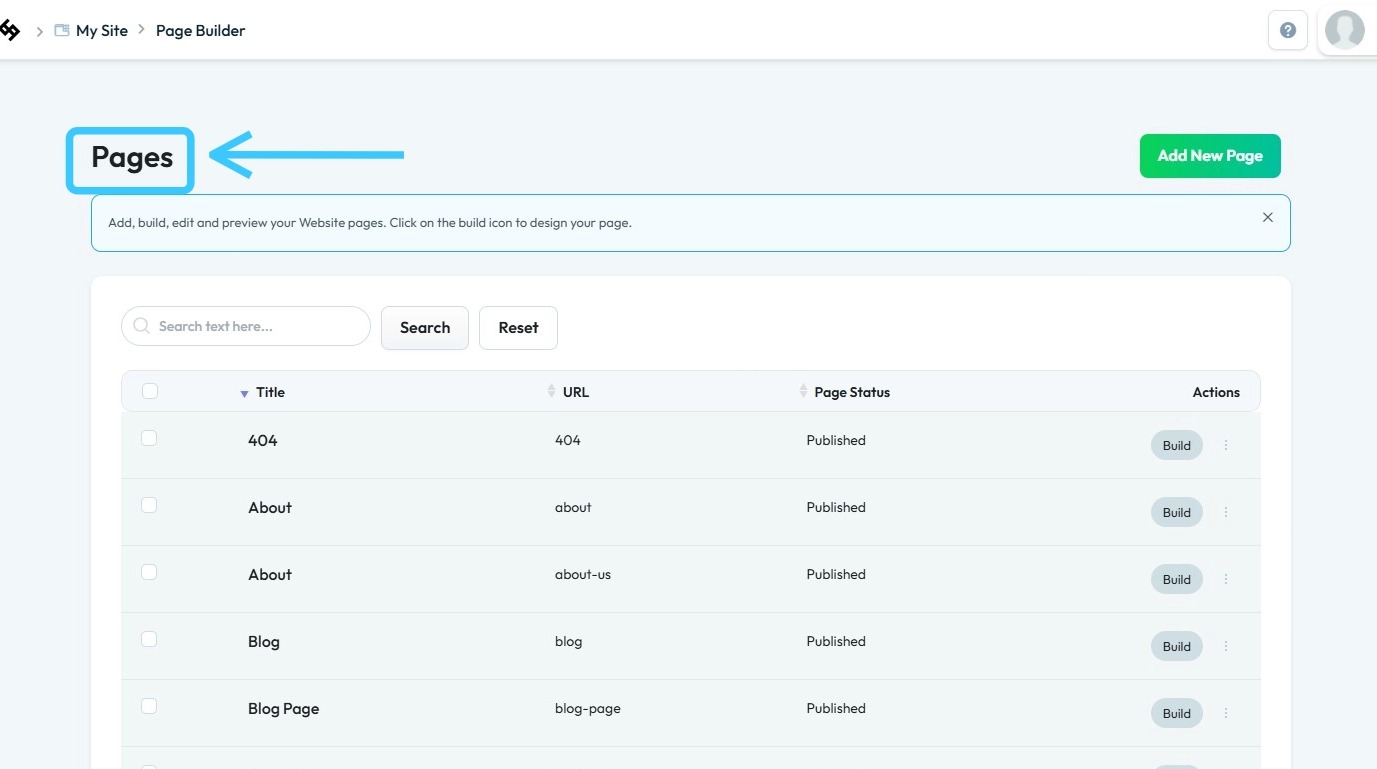
5. Click the three dots next to a page
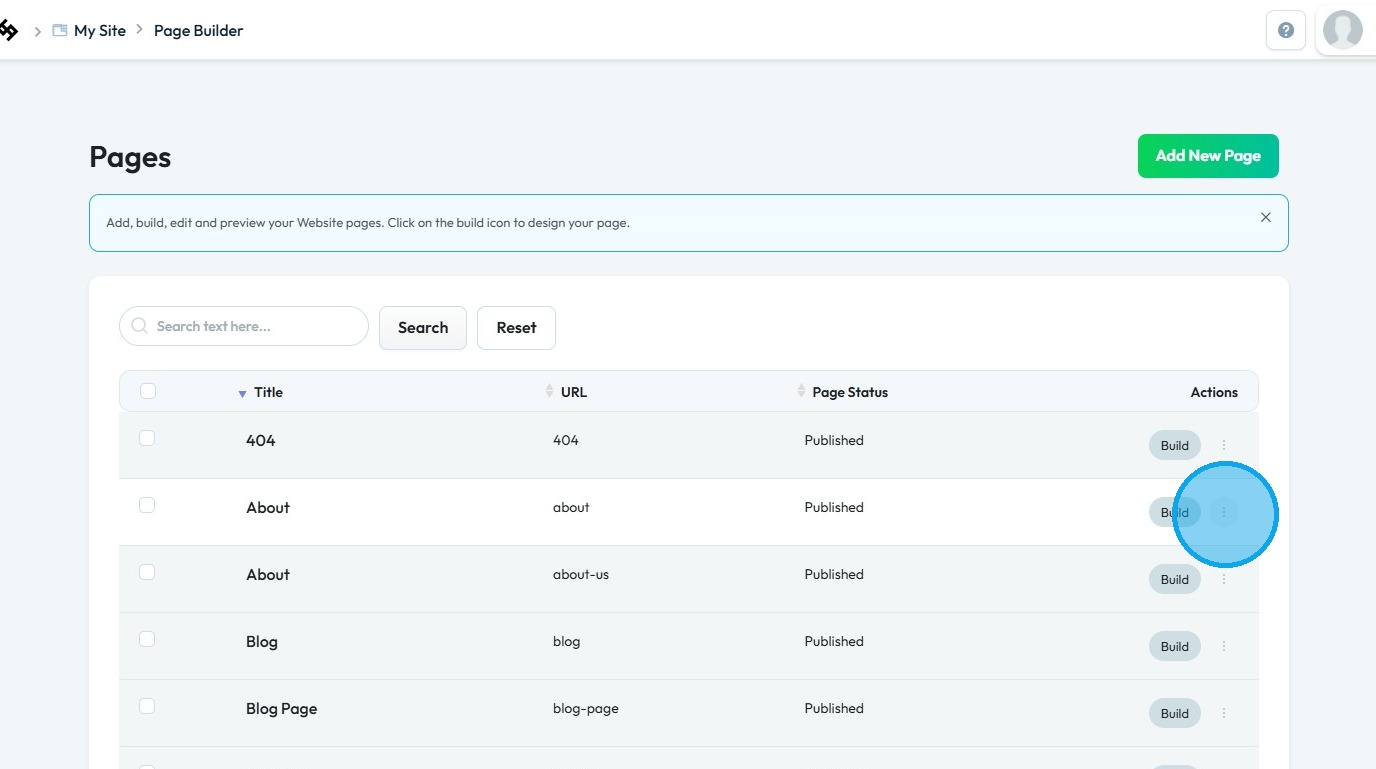
6. Select "Edit"
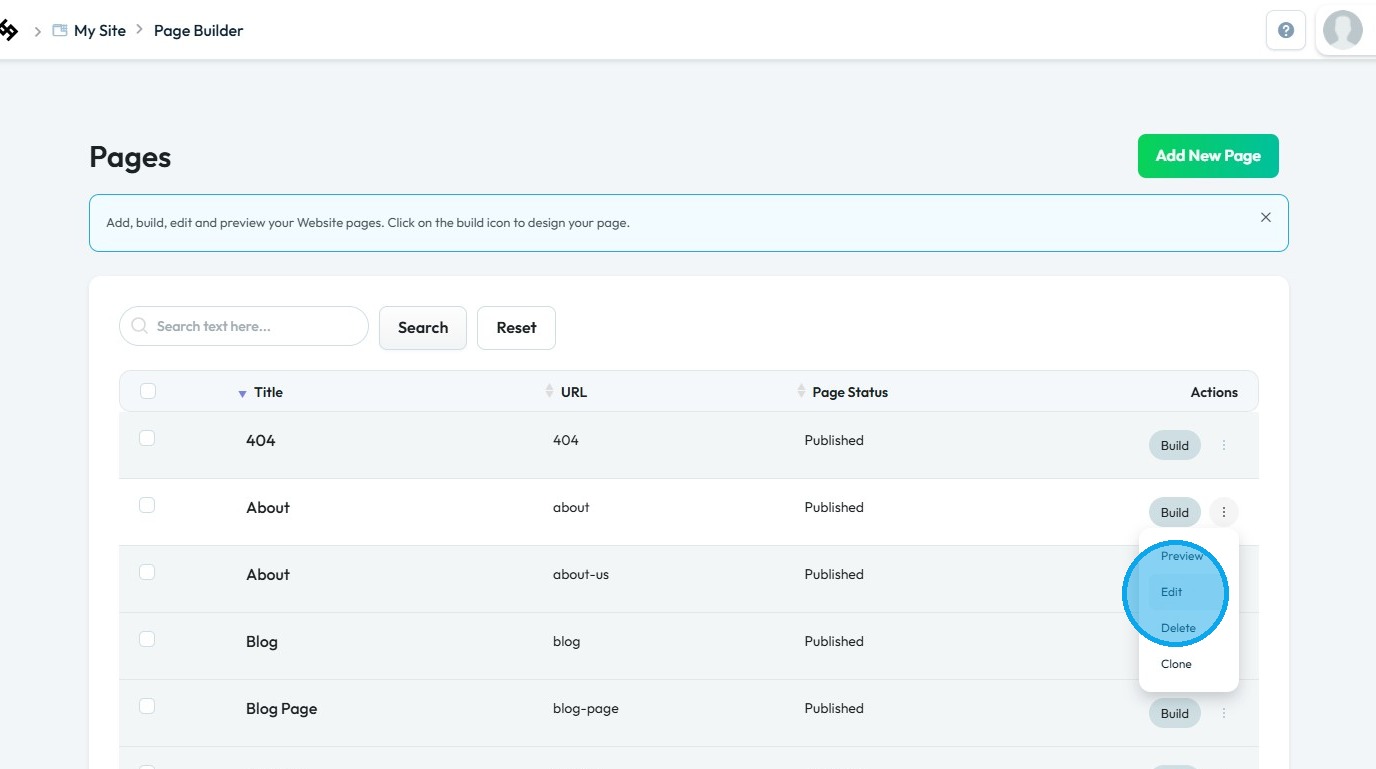
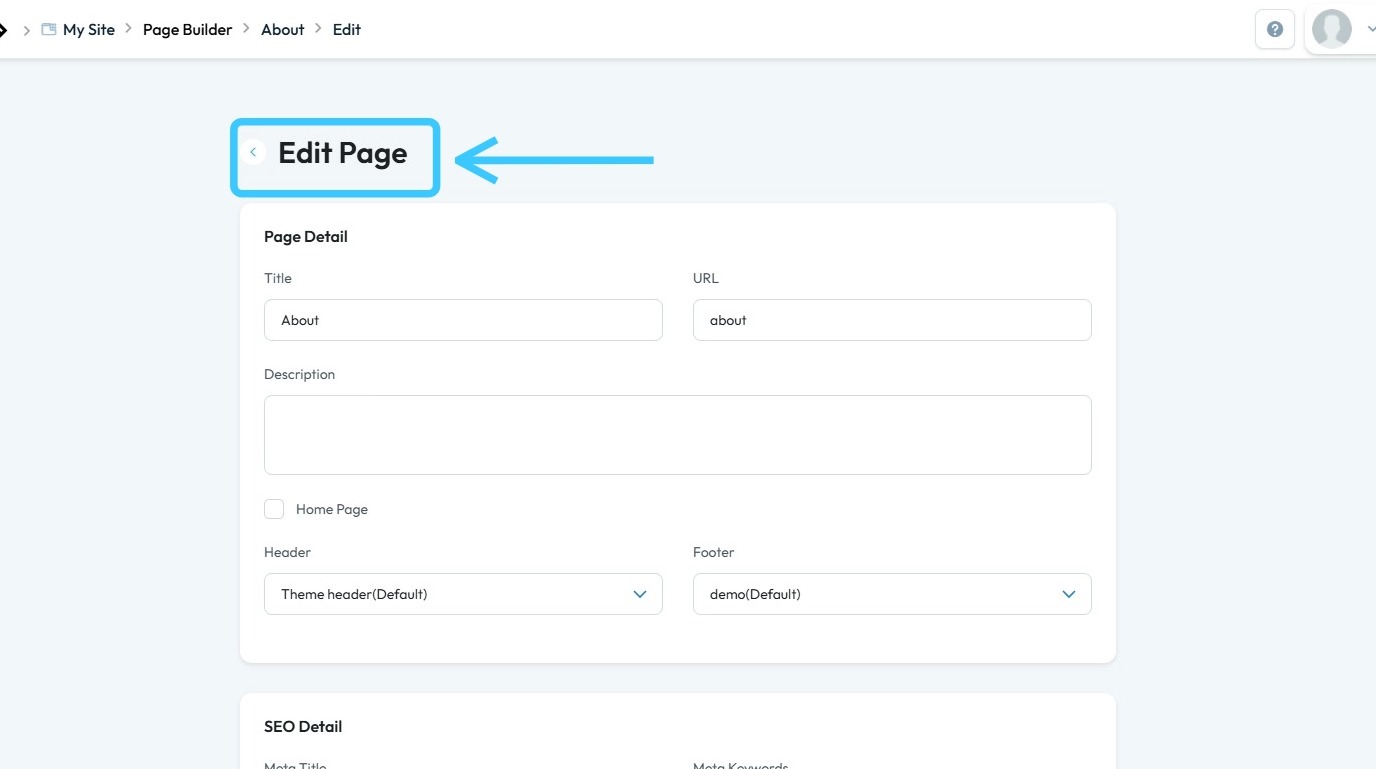
7. You will be directed to the “Edit Page” section
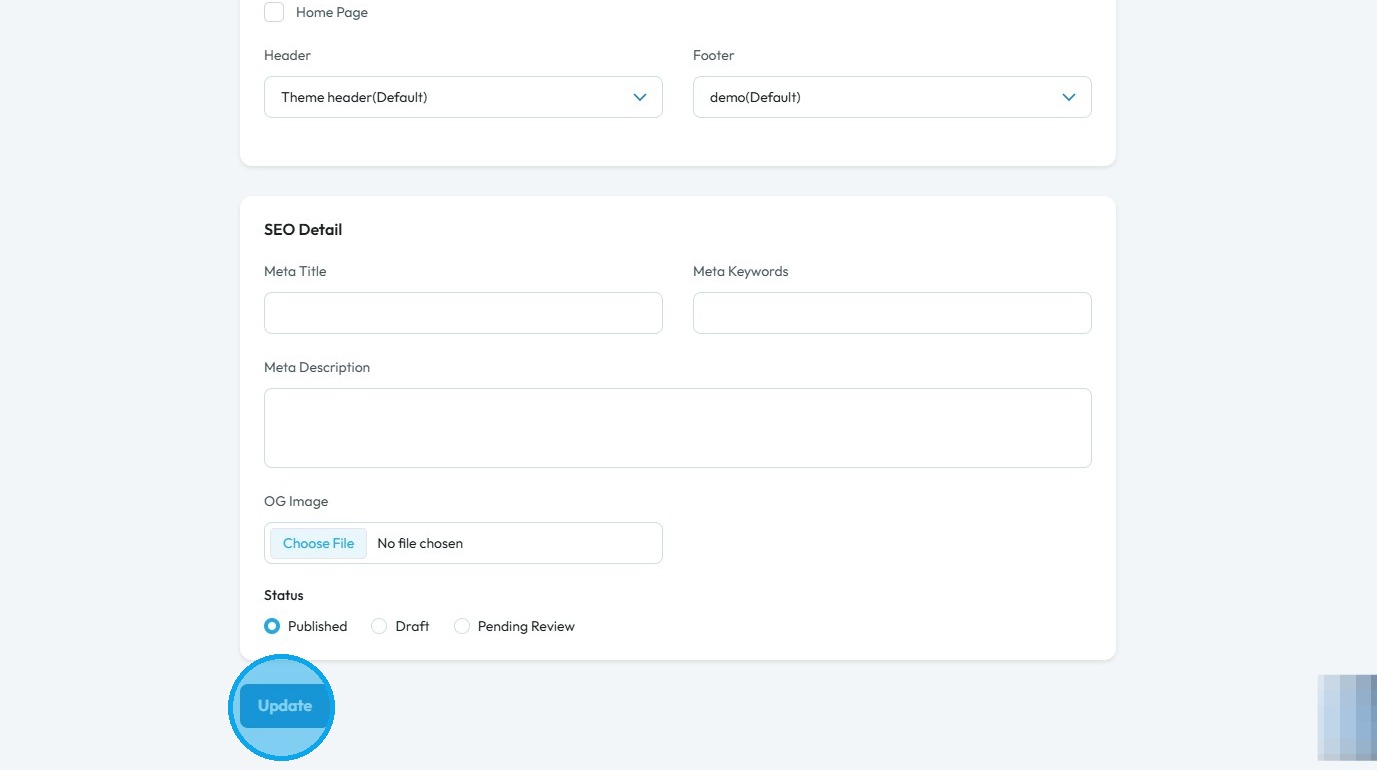
8. Click “Update” after completing the customization
Related Articles
Can't edit / site breaks
can't edit, site is broken, editor not working, page crashes, can't save changes, editor won't load, site down This guide is essential for anyone looking to effectively edit audio and video using Podup's Editor. It provides a comprehensive overview ...Creating a New Page in PodUp's Page Builder
This guide offers a straightforward process for creating a new webpage using PodUp's Page Builder, making it accessible even for beginners. By following the simple steps, users can efficiently design and customize their pages to meet their specific ...Create a New Blog Page on Podup Website
This guide provides a straightforward, step-by-step process for creating a new blog page on the PodUp website. By following these instructions, users can efficiently navigate the platform, customize their blog layout, and publish content that meets ...How to create an FAQ page
This guide provides a straightforward process for creating an FAQ page on PodUp, making it easy for users to enhance their website's functionality. By following the step-by-step instructions, you can efficiently set up a professional-looking FAQ ...How to create a New Subcategory in Podup Shop?
This guide provides a straightforward process for creating a new subcategory in Podup, making it easy for users to enhance their product organization. By following the clear steps outlined, users can efficiently manage their inventory and improve the ...