Background noise

Background noise

background noise, noisy recording, remove background noise, noise cancellation, audio has static

Easily remove unwanted noise in PodUp to boost your audio’s clarity and quality

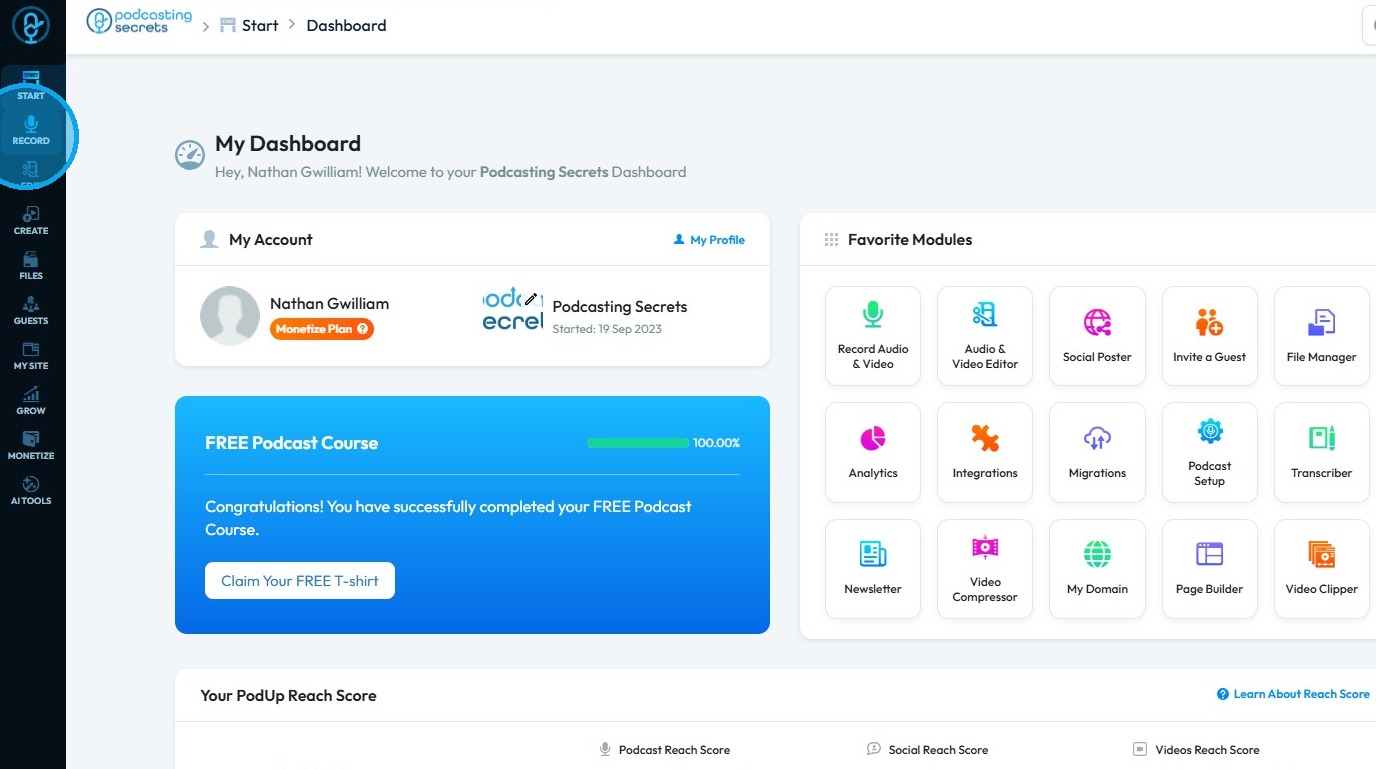
2. Click "Record"

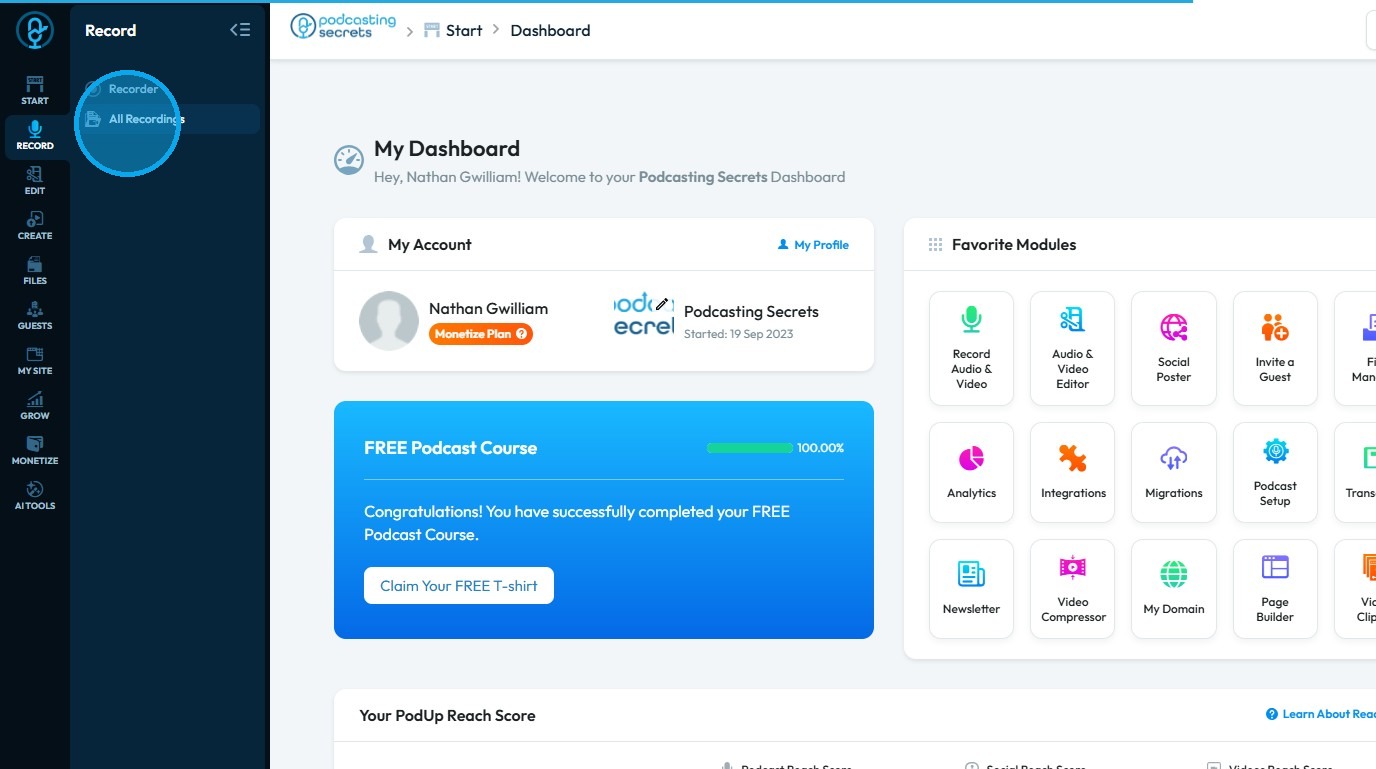
3. Select "All Recordings"

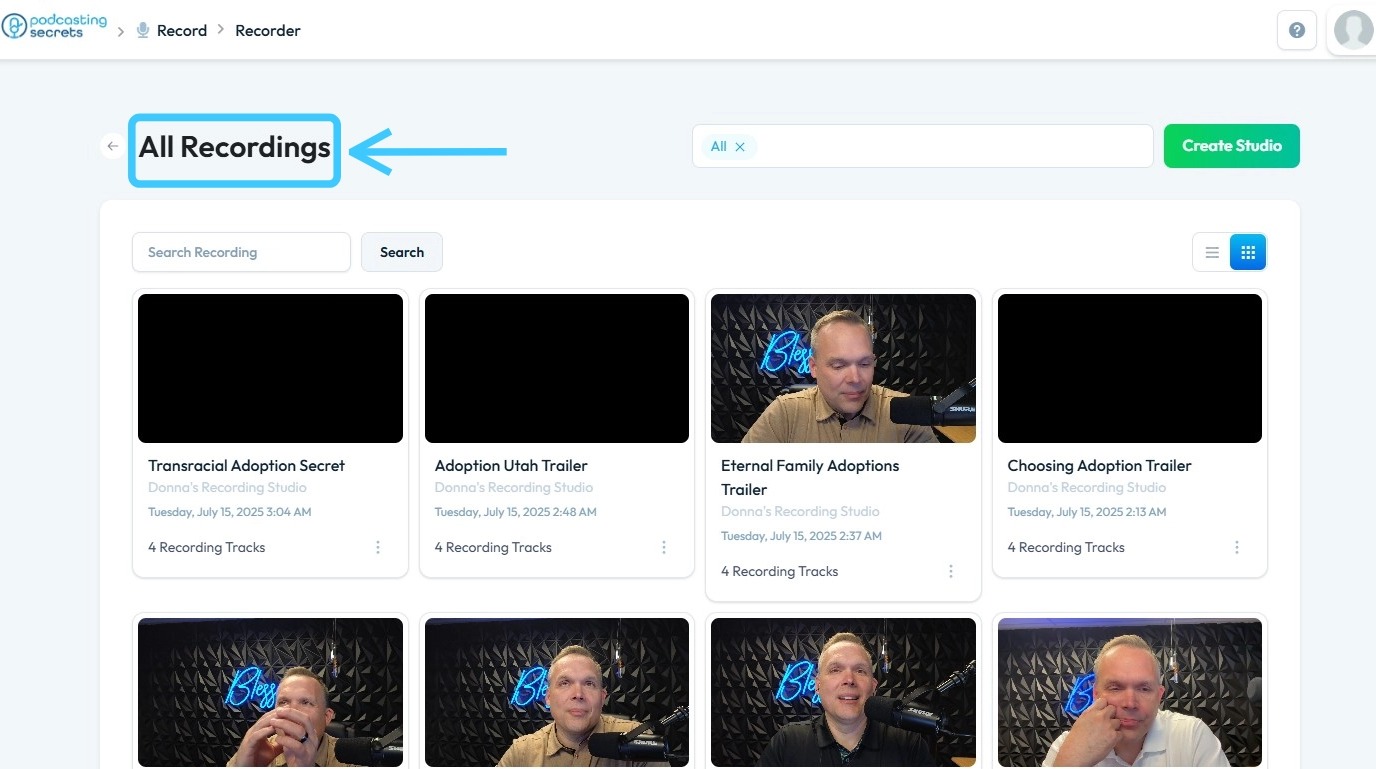
4. The 'All Recordings' page will open

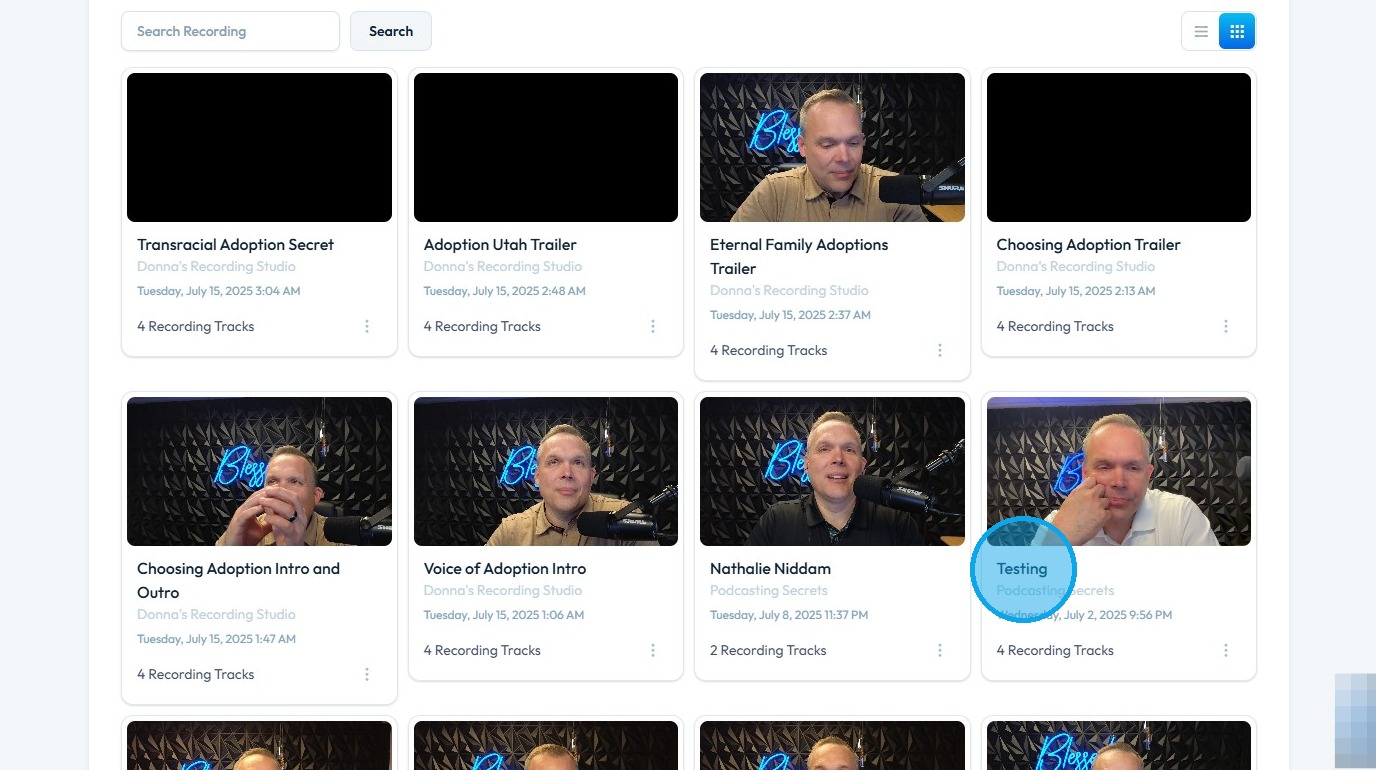
5. Select the 'Studio' for the recording you wish to clean

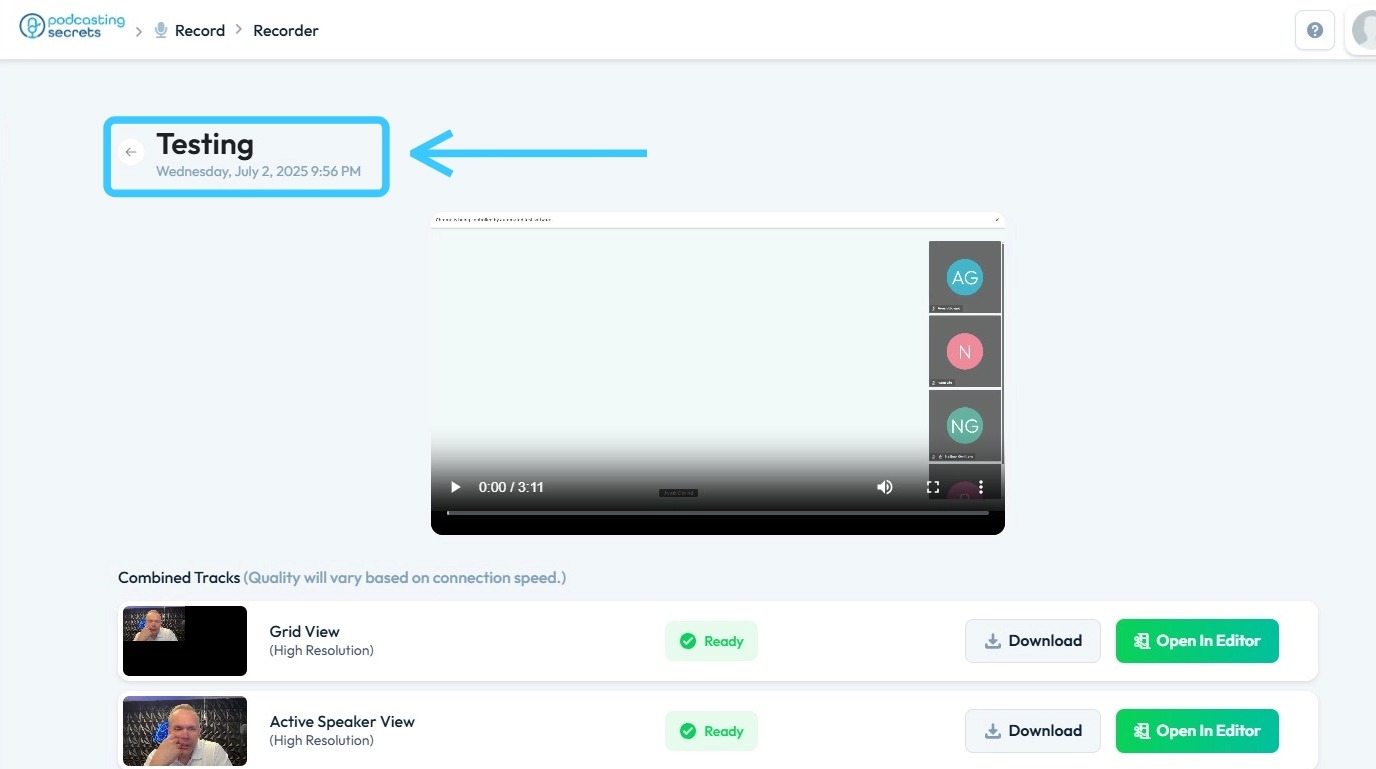
6. The studio will open, displaying all available recordings

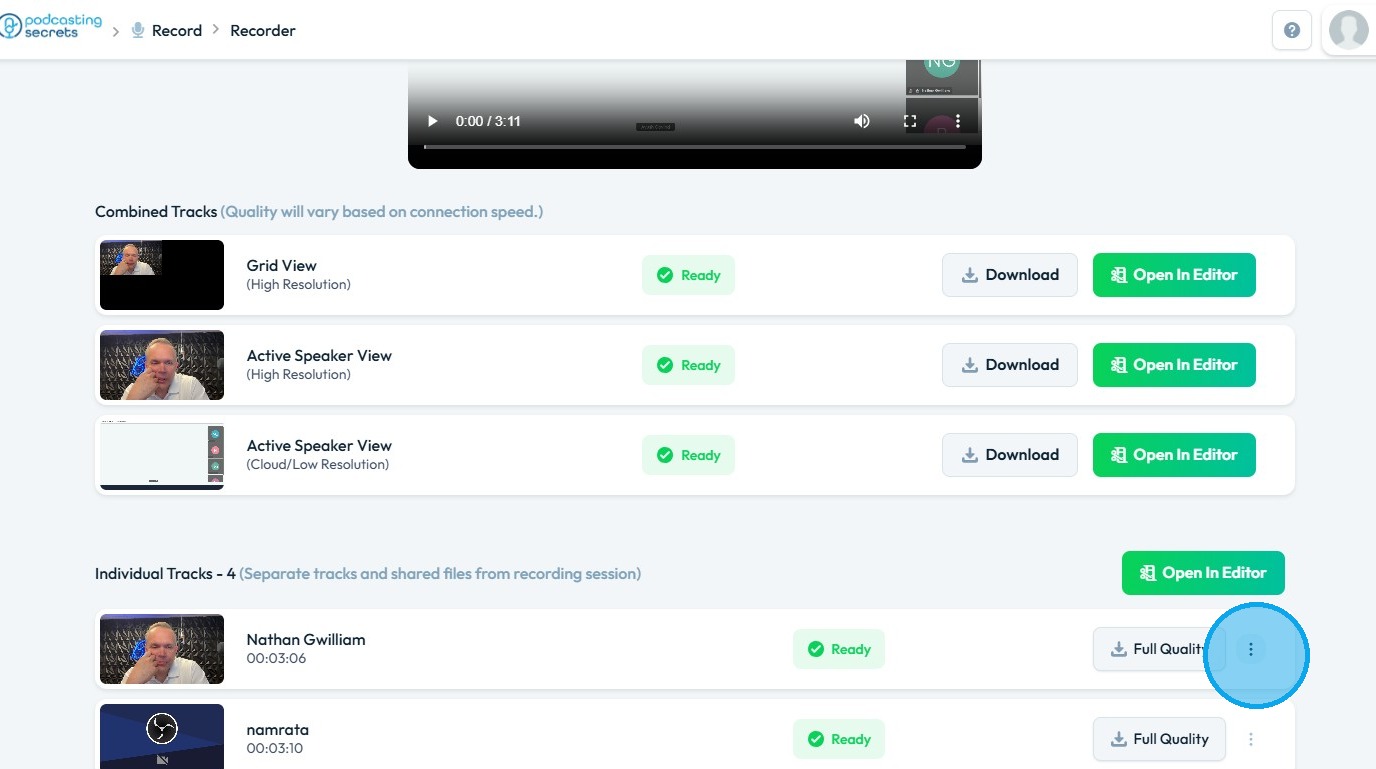
7. Click the 'Three Dots' icon on the recording

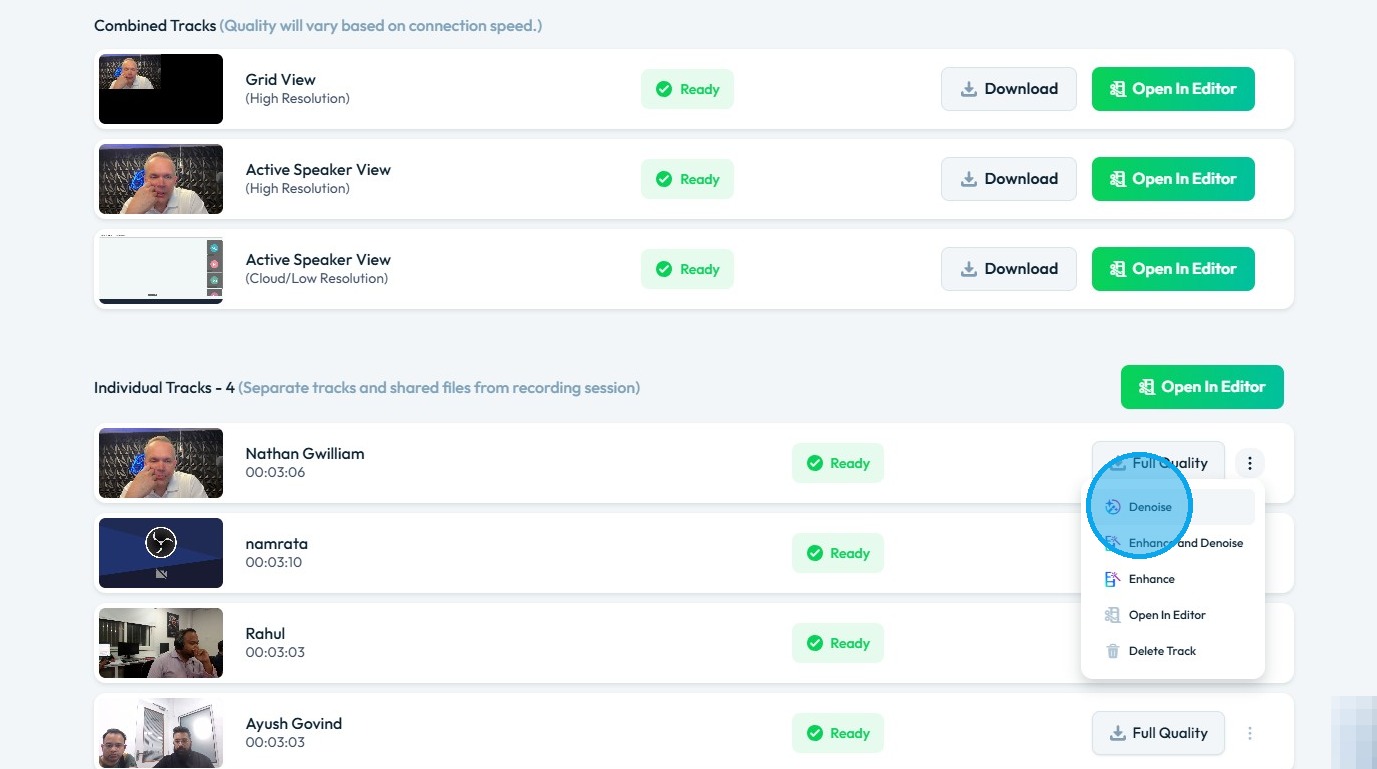
8. Select 'Denoise' to remove unwanted noise from the audio


    • Related Articles

    • How To Change The Background Image for My Banner

      This guide shows you how to easily change your banner’s background image. Follow simple steps to update your design and match your branding quickly. Make your banner stand out with minimal effort. 1. Open your page with your banner 2. Click the ...
    • How to Change the Background Color of a Component in the Web Builder

      This guide provides a straightforward process for customizing the background color of components in a web builder, allowing users to enhance their site’s visual appeal. 1. Click "My Site" 2. Click "Page Builder" 3. Select the page where the component ...
    • How to Navigate All Recordings in PodUp (Detailed)

      This guide shows you how to set up a podcast studio on Podup, from creating studios to managing and editing recordings. It helps you improve audio and video quality, making podcasting easier whether you're just starting or improving your setup. 1. ...
    • How To Navigate Recorder (Detailed)

      This guide gives you clear steps to record and manage a podcast studio. It covers setup, adding guests, recording, and editing. With this easy-to-follow resource, you can improve your podcast quality and work more efficiently. Tip: Words to know ...
    • How To Use The Repurposer On Podup

      This guide offers a straightforward approach to create videos clips using AI on Podup, making it an invaluable resource for content creators looking to enhance their multimedia output. 1. Navigate to https://app.podup.com/home 2. Click "AI TOOLS" 3. ...