Audio-video sync

Audio-video sync

audio video out of sync, lip sync issue, audio delay, video lag behind audio, sync problem


Learn how to add music to your videos with PodUp’s Editor. This easy guide walks you through importing and adjusting audio to create more dynamic, polished content.


2. Click on "Audio & Video Editor" in "Favorites Modules" on your "Dashboard"

3. This is how "Editor" will look like.

4. Click "My Files"

5. Drag and Drop the video in the "Timeline"

6. Make sure the video is loaded on the "Layer".

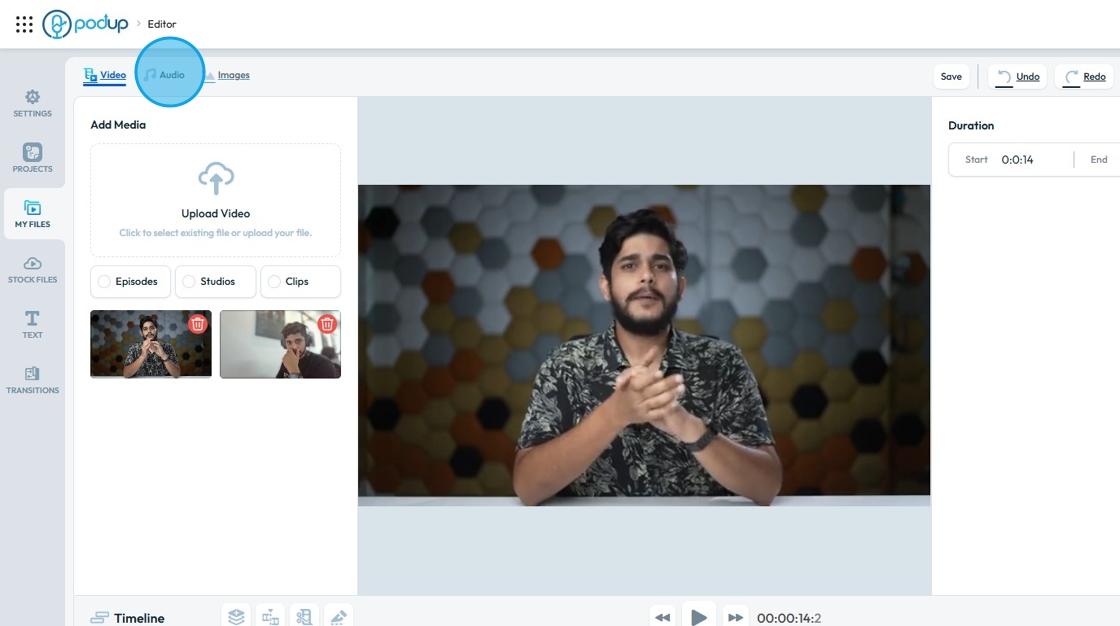
7. Once the video has been loaded in the Layer, to add an "Audio Track" click "Audio".
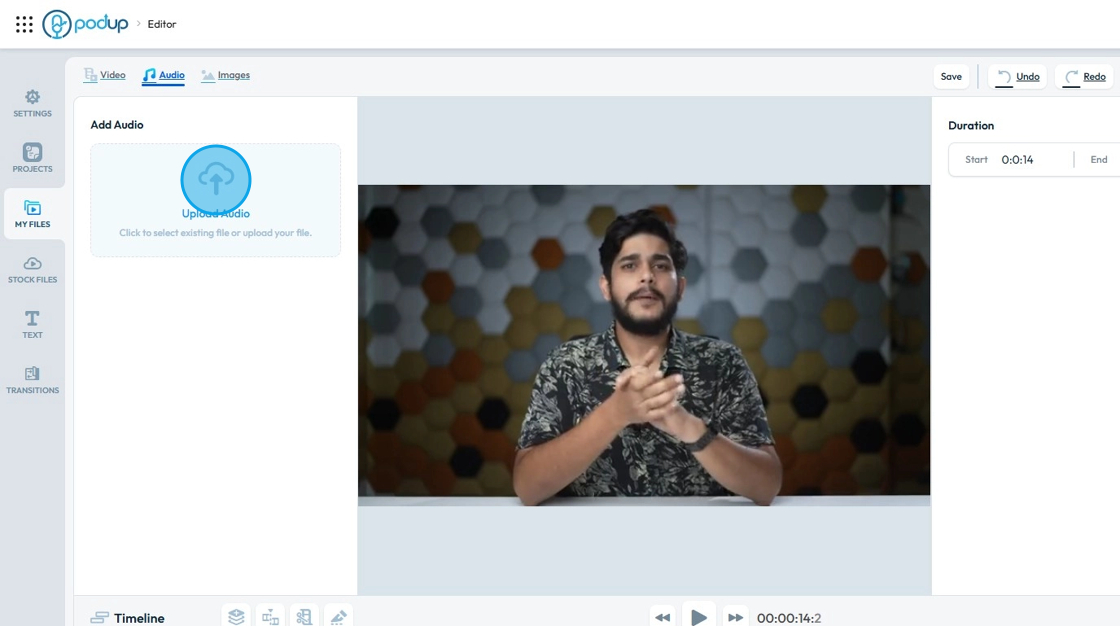
8. Click "Upload Audio"
9. PodUp's "File Manger" window will open.

10. Click on the "Audio" you want to use.

11. Click "Select"

12. The Audio will be added in the "Editor".

13. Click the music file that you want to add to your video

14. Drag it to the timeline
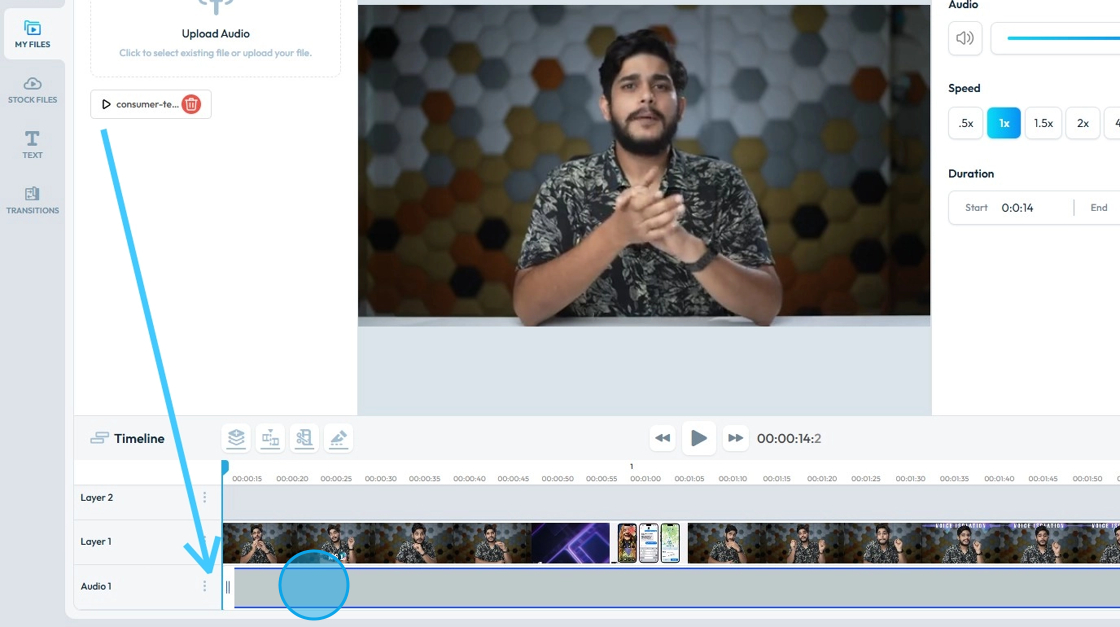
15. Click on the "Music" file in the timeline to open "Audio Clip Options". You can use "Audio Clip Options" to edit the "Music File".

16. To trim the audio track, click on the "Transform Bracket" and adjust it accordingly.

17. Drag it in to shorten or pull it out to lengthen


    • Related Articles

    • How to Upload Audio to Podup

      This guide provides a straightforward process for uploading audio to Podup, making it easy for users to enhance their video projects with sound. With step-by-step instructions and clear navigation tips, even beginners can successfully integrate audio ...
    • How To Navigate Audio Enhancer (Detailed)

      This guide offers a straightforward approach to enhancing audio using PodUp, making it an essential resource for anyone looking to improve their audio quality effectively. It provides step-by-step instructions that simplify the process, ensuring ...
    • How To Navigate Audio Enhancer (Detailed)

      This guide offers a straightforward approach to enhancing audio using PodUp, making it an essential resource for anyone looking to improve their audio quality effectively. It provides step-by-step instructions that simplify the process, ensuring ...
    • How To Navigate Audio Denoiser (Detailed)

      This guide provides a step-by-step approach to using the Audio Denoiser feature on PodUp, ensuring that your audio quality is enhanced efficiently. It simplifies the process, making it accessible even to beginners who may be unfamiliar with audio ...
    • How To Navigate Audio Denoiser (Detailed)

      This guide provides a step-by-step approach to using the Audio Denoiser feature on PodUp, ensuring that your audio quality is enhanced efficiently. It simplifies the process, making it accessible even to beginners who may be unfamiliar with audio ...